
DOWNLOAD THE APP


Customer Services
Copyright © 2025 Desertcart Holdings Limited
DOWNLOAD THE APP
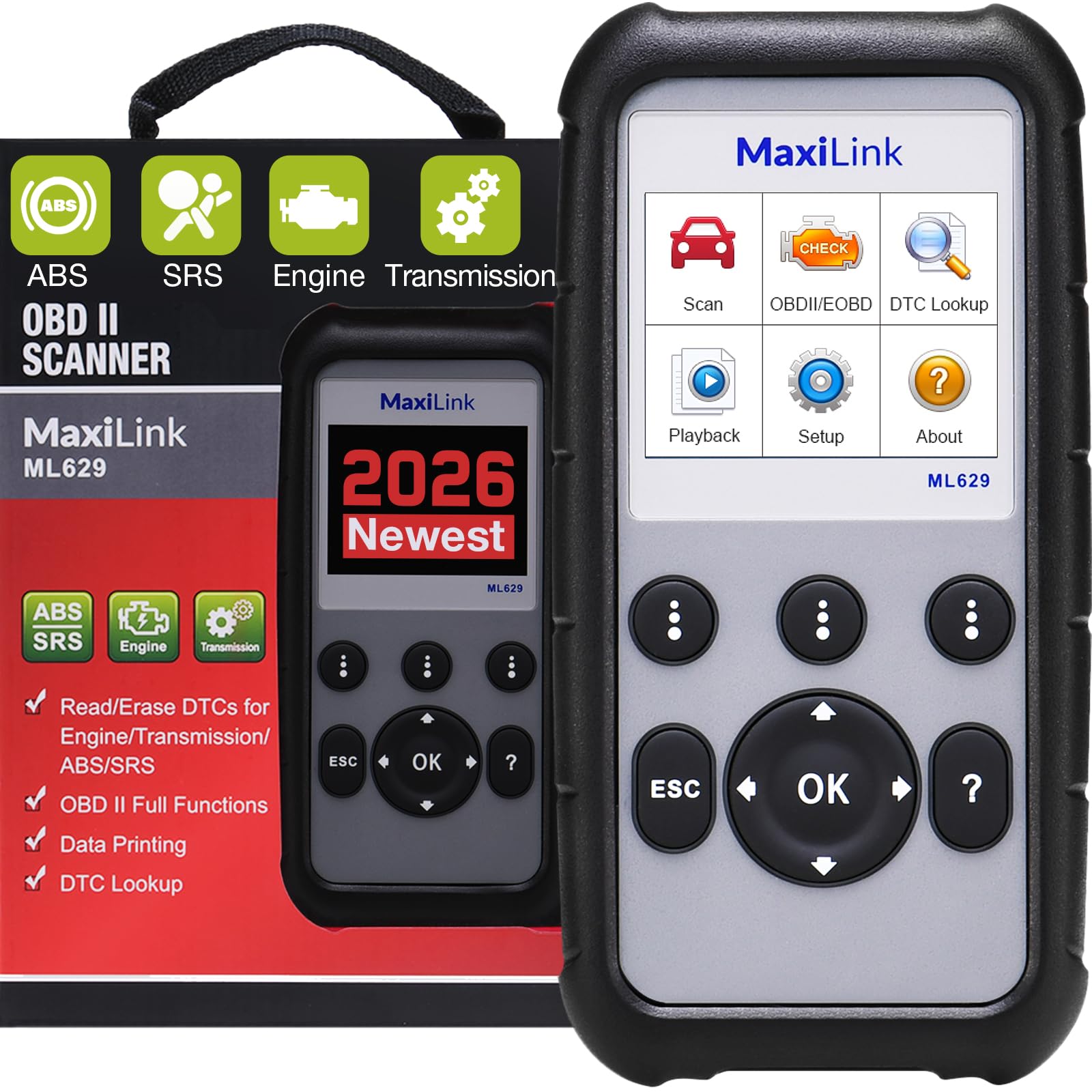


🚗 Diagnose Like a Pro, Save Like a Boss!
The 2026 Autel ML629 is a cutting-edge OBD2 scanner designed for DIYers and professionals alike, offering full diagnostics on ABS, SRS, engine, and transmission systems. Compatible with most vehicles from 1996 onward, it features a built-in DTC library with over 10,000 codes, live data streaming, freeze frame capture, and lifetime free software updates via USB. This upgraded model surpasses its predecessors with enhanced code reading and data graphing, empowering users to quickly identify and resolve vehicle issues while saving on costly repairs.


| ASIN | B07M66RH77 |
| Best Sellers Rank | #174,339 in Automotive ( See Top 100 in Automotive ) #845 in Code Readers & Scan Tools |
| Brand | Autel |
| Brand Name | Autel |
| Customer Reviews | 4.2 out of 5 stars 1,112 Reviews |
| Global Trade Identification Number | 00680666208592 |
| Included Components | 1*ML629 |
| Item Type Name | OBD2 Scanner Upgraded Version of ML619, DTC Lookup, Ready Test, ABS/SRS/Engine/Transmission Diagnoses |
| Manufacturer | Autel |
| Manufacturer Warranty Description | Complete 12-month guarantee from the date of sale provided from Autel Headquarters in China, with free lifetime software update |
| Operating System | Android 4.4 |
| Power Source | Battery Powered |
| Screen Size | 2.8 Inches |
| UPC | 632111262345 680666196837 680666208592 680666203481 680666208578 |
| Unit Count | 1.0 Count |
D**M
A scan tool that does what it says.
I purchased this scan tool to troubleshoot my vehicle's emission system which had posted a fault (MIL on). The scanner was easy to operate and use, and registration and updates were simple to do. The scanner can handle almost every car built since OBDII was implemented and its software can be updated if the manufacturer updates its DTC (diagnostic trouble code) codes. The scanner can evaluate not only the PCM (power control module) but also the TCM (transmission control module), the SRS (airbag) system and the ABS (braking) system. Tests can be run and error codes reset. You can also run the I/M test to verify if your vehicle is ready to pass emissions testing. Downloadable software and a provided USB cable allows you to connect the scanner to your PC/MAC and export saved scans as well as print the scan reports. The scanner will give you an explanation of the DTC code fault, not just a code number that must be looked up. All in all, I like the scan tool and have used it several times on both my vehicles with great satisfaction. The price was reasonable for the functions provided. The only problem noted was that you must know some information about your vehicle before use. After connecting the scanner to the vehicle, the scanner will ask for the global area you are in, year, manufacturer, model, engine size, and based on the vehicle, possibly additional info like vehicle type code, wheelbase dimension, etc. Most of this info can be found in your vehicle manual or from your car dealer. I didn't try the scanner without first going through setup, so I don't know if you will get wrong error codes but would suggest you at least enter the year, make and model to at least get manufacturer error codes typical for your vehicle. I would recommend this product for anyone looking for a basic scan tool that can read all 4 sub-systems. This is not a comprehensive repair shop scanner that has all the bells and whistles but is serviceable enough for the home DIY mechanic to test and understand any DTC's encountered.
M**R
Fantastic Results. Best I've used. BUT Awkward operations.
First, I love this thing. BECAUSE, it tells me a lot, and it saved the price I paid on the very first use (by steering me away from buying a $115 part). I can learn a lot more from this unit than any of my past units (note: I've not used professional level units like the high line Autel units that require WAY TOO MUCH for subscriptions). This one does not require a subscription yet does allow downloading the latest profiles for MANY models. It will read MANY aspects of specific automobile brands that a simple OBDII diagnostic tool cannot. For example, I was getting no codes from my other units, then I bought this and immediately it pointed me to P0231 (low voltage to fuel pump on our Ford Expedition). That changed what I did. I isolated a bad relay and replaced it for $15). So what's not to like? - The operation is really awkward. It doesn't SAVE my vehicle's profile, so I have to navigate through the cumbersome menu every time, and WAIT for it to sense certain things, etc. Yeah, it works, but I really dislike that. - The downloading of vehicle brand profiles (for updating) is REALLY unclear. It made it appear that I should be able to use the USB to download directly to the unit, but I could not. I had to put the SD card on a USB device and plug THAT into my computer (apart from the unit), then download the profiles, THEN put it back in the unit. It worked very well after that, but it's a shame that the instructions did NOT tell me to do that and it's just a cumbersome process. BUT IF YOU FAIL TO DO THIS, you may miss out on updated profiles. So it's a really important process to go through. - The logs that you save to the device (while reading from the car's computer or ECU) are not dated at all.. so you get to a log and must just remember what it was and WHEN it was taken. I just try to remember to ALWAYS delete them so when I do need to download one, I know it's the only one on there. It's just a pain if you have more than one and are not sure which is the latest. - It's a bit weird that I cannot put a battery in it and play with it (for example, to erase some logs). But I have to hook it to a vehicle OR a computer to get it to power up. - I still find it somewhat odd that I can't just go ONE PLACE (in the menu) to do all diagnostics. But I can't. I have the main one called "Scan" and the other main one called "OBDII/EOBD"... I'm deciphering that the OBDII section is the standard codes across many cars, and the Scan has more proprietary aspects. But DANG that's irritating, especially because it will not remember my vehicle (and bypass many questions in the Scan part). - I'm still trying to learn how to use the "freeze frame" feature. The instructions seem nonexistent. I'm often just poking around the menu trying to figure out what else this can tell me. REALLY? Is it THAT HARD to create a meaningful set of instructions? Damn, pay me to do it! :-) OK... that's a lot of awkwardness. You may ask why it's still 5 stars. Well, I've not found anything better. Once I get to know an awkward area, it gives me the needed information. And it's already paid for itself in my first diagnosis. I REALLY didn't think it would solve the problem so well, but this unit, combined with internet searches is a FANTASTIC combination, and it enables many of us home mechanics to save a surprising amount of money and solve some problems that would otherwise be very difficult.
T**A
It works on my civic/accord
Used it on my 2009 civic and 2012 accord, it scans the 2 cars just fine. GUI is clear and easy to understand. the casing felt nice with a rubbery grip-feel. This would have been a great deal at 80-100 dollars. Overall, it is a good obd2 read/scanner.
L**L
Works great for less
I was worried reading about all the issues with the software, I mean there were reports of spyware and bitcoin mining software to it just not working. So to start I used an old pc that I had just reformatted with windows 10 and installed AVG suite on. Then followed the instructions that came with the tool setup an account on a throw away email. downloaded the software and I admit it looks like a sketchy install. Lots of files with Chinese characters. But I did it anyway to see what AVG said about it. All of the files were no or low risk, except one which was moderate, but it is the firmware modifier for the scan tool so it has to be that way. Next for connecting it if you read the instructions it says "hold left scroll key while connecting USB cable. That worked fine for me also. While I wish it was plug and play, it is not, but holding a button while plugging in is pretty damn close. I updated all the files and it took less than 10 minutes. After that I wanted to test usability, I only had access to 10 different cars to test it on: 2001 Miata 2004 Saab 9-3 2006 Chevy SSR 2006 Kia Spectra 5 2007 Mazda 3 2008 Kia Rhondo 2011 F150 2013 f150 2014 Toyota Camry 2016 Hyundai Veloster Now it connected to all of them and was able to pull up menus for ABS and SRS codes for each of the cars( the Spectra does not have ABS, so it did not work on that one, but the SRS worked fine). It also showed codes that were not tripping the check engine light. So for a beginner overkill, for a ASE Mech underkill, but for a hobbyist this is just right. Hope my review helps. I did not review tech support as I did not use it, sorry.
M**N
Autel OBD2 Code Scanner Diagnostic Tool
This Autel ML629 OBD2 Diagnostic Scan Tool has to be one of the most most advanced budget friendly diagnostic tools I have ever purchased! I have had a reoccurring check engine light come on in my 2001 BMW M3 for the the VANOS Timing, due to my solenoid pack failing. I have known about it for a while, and with inspection coming up, I wanted to get myself a diagnostic tool to verify the fault before the repair and verify it is resolved once I make the repair, so I purchased this. Once I used this, I saw how detailed it was, and easy it was to use, I knew I had to make a review. I uploaded pictures of the steps so you can see for yourself! Once I plugged the unit into my BMW, I hit scan. The unit then asked if the car was Asian, European, or USA (none of my other code readers ever asked me for that!!!). I clicked on European, then BMW. After clicking on BMW, it populates a list of literally EVERY model BMW ever made! You just scroll down to your model and click on it, so I scrolled down to 81 M3_S54_COUPE. Then it asks if you want to check the Transmission or the engine system. I chose the engine system. The unit then populated my codes relating to the VANOS and camshaft advancement errors. I reset the faults, scanned the computer again, the faults were gone for the time being. They will eventually come back until I replace the solenoid pack, but the Autel M629 Diagnostic Scan Tool does what it advertises and is very easy to use. Not only does it scan Engine and Transmission computers, but also ABS and SRS systems, but I have not had the opportunity to test those out yet, but I do intend to!! I am extremely happy with this purchase and plan on getting a few more for some gifts for the upcoming holiday season!!! Thanks for reading!!!
G**6
Don't buy the ML629 if your car is newer than 2018!!!
From Customer Support: "the ML629 coverage is up to 2018" "software on these DIY tools are not compatible with newer cars so there is no [software] update that will work." From me: Sadly, this scanner is not compatible with my 2022 car. After repeated unsuccessful attempts to scan OBD codes for a check engine light, I contacted customer support only to be greatly disappointed! Their advertisement is misleading and this scanner is quite useless if your car is newer than 2018. A waste of time and money
T**M
Cleared the airbag light from a Porsche 986 Boxster, but data transfer is slow.
This is a nice unit, but It has some annoying flaws that I just can't get past. First, the good: It does exactly what it says it will do. I bought this specifically to clear and airbag light from a 2002 Porsche boxster S. I disconnected the driver's seat plug while the battery was still live, and it threw a light on. A trip to the dealer to clear the code was upwards of $300. So, for less than half the cost, this thing worked perfectly. Cleared the code in about 5 minutes, and it hasn't come back. Clearly, it's paid for itself already. it's pretty easy to use. Just plug it in, and the menu is easy enough to navigate without consulting any directions. Eezy-peezy. The storage case is nice, BUT, it's slightly too small to use with the cable still plugged into the tool. So here's my first gripe; There is NEVER a time when you'll use this without the cable. It isn't wifi, it's not bluetooth, you NEED the cable. So why isn't the cable just permanently attached? Instead, you get a serial port on top of the tool, with a bulky connector hanging off, that then doesn't fit in the carrying pouch. WHY? Just permanently attach the cable, and it would fit. Stupid design choice. My other problem is the data refresh rate, which is WAY too slow. Here's the situation: You have an intermittent connection on an O2 sensor. So you plug in the tool, use the "live data" function to see the real-time O2 sensor voltage readings. You wiggle the connector and see the voltage jumps and starts to fluctuate, as the wires make connection, and boom, you found your problem. But with this tool, the data only updates once every 5 seconds or so. It's WAY TOO SLOW. So you jiggle the connector, but you have no idea if it's doing any good or not for several seconds. I have super cheap, $30 scanners that refresh faster than this one. It's unacceptable for a nice scan tool. So, 3 stars. It's already saved me money, and it's a nice scanner that does a bunch of stuff. It just has a couple of issues that are hard to get past. I think there are probably better options out there for the money, I'm just not sure what they are.
D**7
Good value scanner.
This is a good little scanner and a good value for the money. It connects quickly, gives clear definition to the codes and has a good battery life.
Trustpilot
4 days ago
2 months ago