
DOWNLOAD THE APP


Customer Services
Copyright © 2025 Desertcart Holdings Limited
DOWNLOAD THE APP

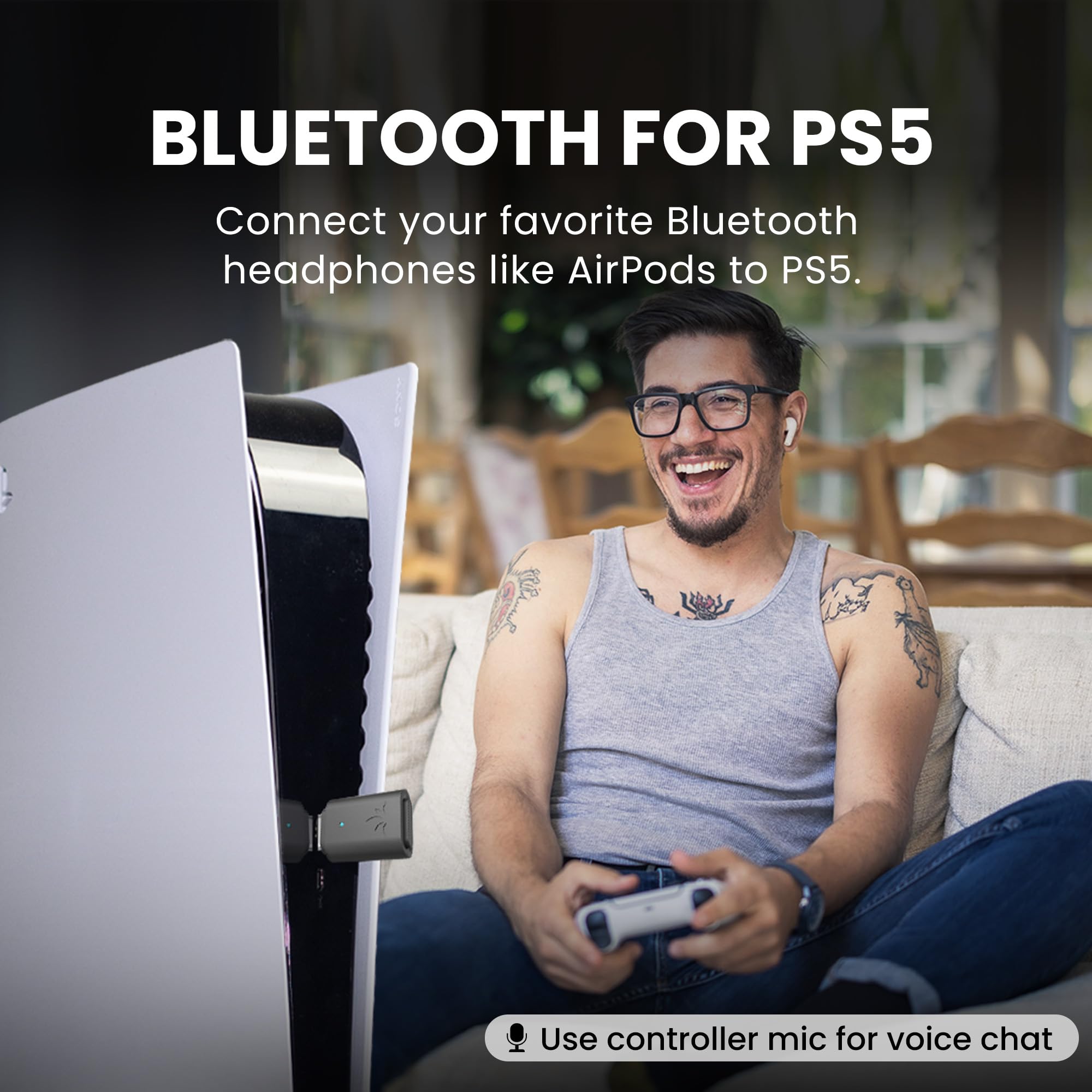
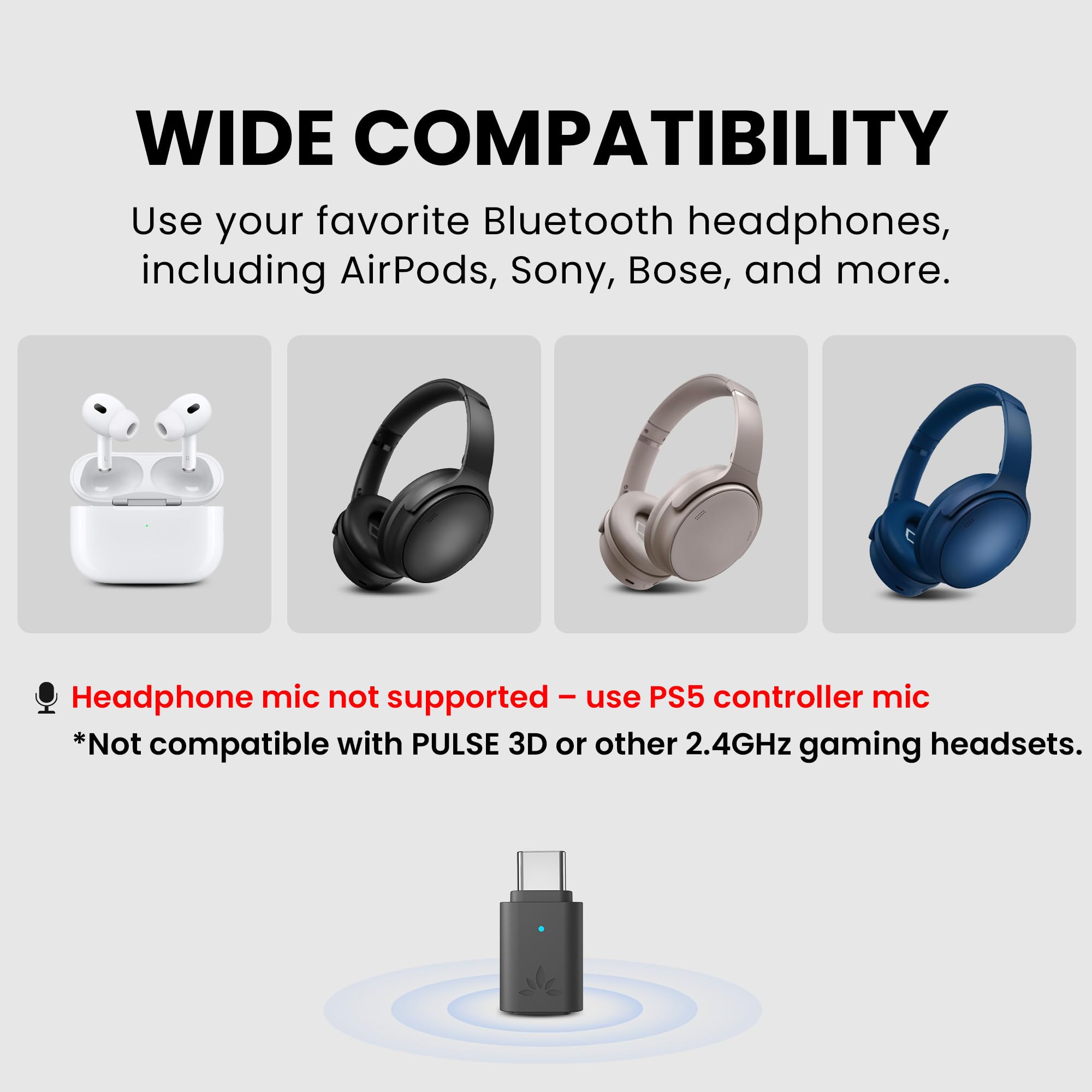
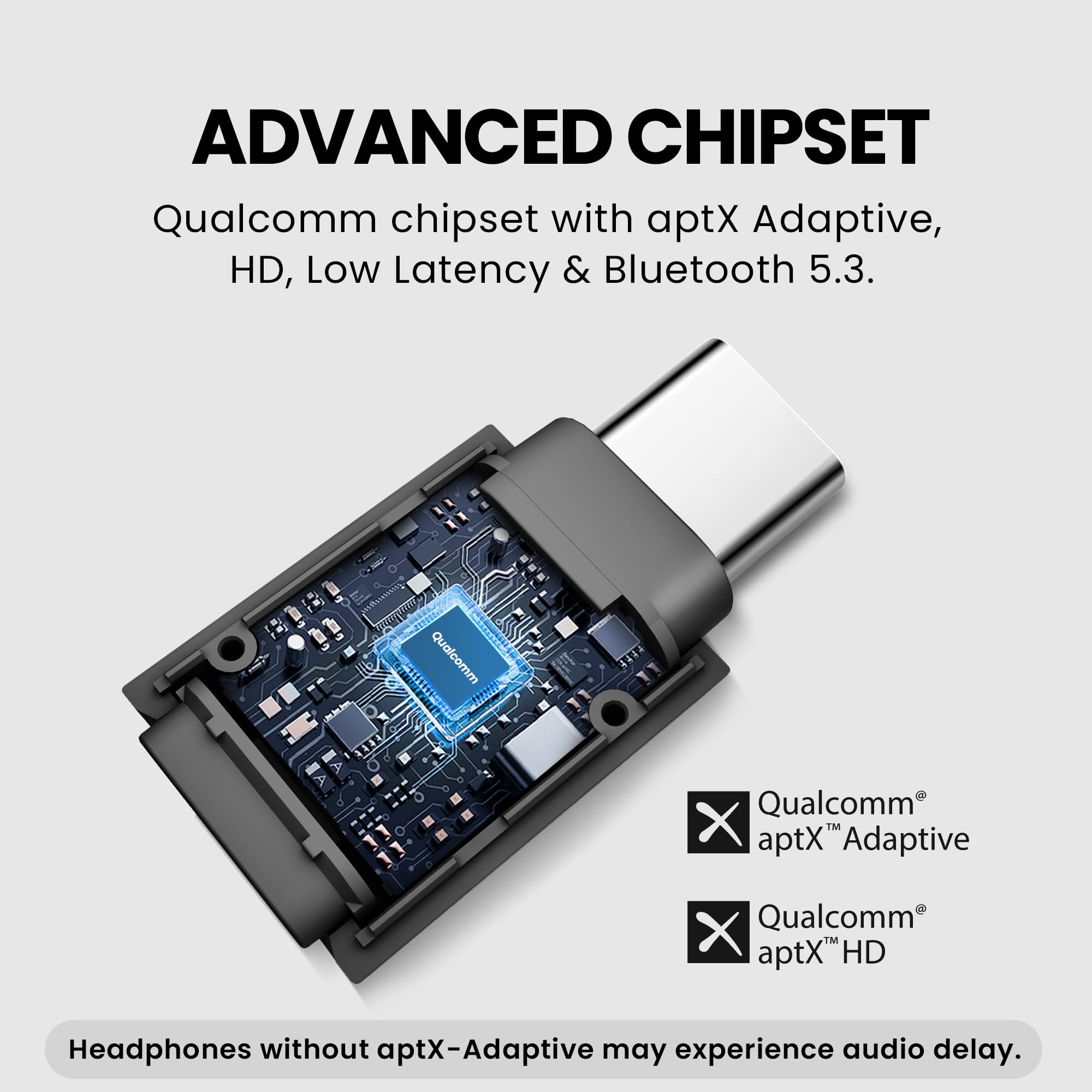


🎧 Elevate your PS5 audio game—wireless, flawless, and future-ready!
The Avantree C81-Gaming is a USB-C Bluetooth 5.3 audio adapter engineered specifically for PS5 users. It delivers premium, low-latency sound via aptX Adaptive, aptX-HD, and aptX Low Latency codecs, ensuring immersive gameplay audio with compatible headphones like AirPods and Bose. While microphone input requires the PS5 controller mic, the adapter offers easy plug-and-play setup, reliable auto-reconnect, and broad compatibility with aptX-enabled wireless headphones, making it the ultimate upgrade for PS5 audio enthusiasts.


| ASIN | B0D3PTBCY5 |
| Best Sellers Rank | #790 in Video Games ( See Top 100 in Video Games ) #82 in PlayStation 5 Accessories |
| Customer Reviews | 4.0 4.0 out of 5 stars (1,175) |
| Date First Available | July 4, 2024 |
| Item Weight | 0.353 ounces |
| Item model number | BTDG-C81 |
| Manufacturer | Avantree |
| Product Dimensions | 1.02 x 0.55 x 0.28 inches |
H**R
Works perfectly with Linux!
If you’re experiencing choppy Linux audio, especially with a Realtek Bluetooth chipset, stop fighting with BlueZ and consider replacing the Bluetooth hardware entirely with a USB audio-to-Bluetooth transmitter. My PC has a Realtek Bluetooth chipset on the internal sound card, which has been a persistent source of audio problems on Linux. The most noticeable issue was music skipping in Spotify, along with intermittent stutters and lost audio frames. After far too much troubleshooting and frustration, I finally looked for a clean hardware solution. Imagine installing a completely new sound card just by plugging in a USB dongle. That’s essentially what I did. I purchased the Avantree C81-PC Bluetooth transmitter and the Avantree Audition 3 over-ear headphones, and they work perfectly. Setup was truly plug-and-play. No drivers, no configuration, no BlueZ issues, and absolutely no hassle. I just plugged in the adapter, selected it as my audio output, and music played flawlessly. I’m genuinely impressed. This isn’t an advertisement. I have no affiliation with Avantree, and before this week I had never even heard of the company. I’m simply sharing a practical solution for anyone struggling with Bluetooth audio under Linux—especially if you have a Realtek chipset and experience skipping or playback instability. Why this works Instead of relying on the internal Realtek Bluetooth radio, the Avantree adapter behaves as a USB audio device and handles Bluetooth transmission in hardware. This completely bypasses the Linux Bluetooth stack, kernel drivers, Realtek firmware, BlueZ profiles, and related audio quirks. If your audio problems come from chipset or driver instability—this approach simply eliminates them. Avantree C81-PC (Key Features) Microphone support: Your Bluetooth headset’s mic works in meetings and calls. High-definition audio: Supports aptX-Adaptive, aptX-HD, and aptX-LL (low latency). No perceptible delay: Perfectly synced audio with compatible headphones. Long range: Advertised up to 30 meters. It comes with a USB-C to USB-A adapter and is compatible with PC, Mac, and Linux. Avantree Audition 3 (Headphones) Excellent comfort and battery life aptX Adaptive / HD support for improved fidelity “Clear Voice Mode” for spoken content Wireless charging dock included Lightweight and comfortable for long use Any other headphones or earbuds that support compatible aptX codecs will also work well with the C81-PC. Bottom Line If you’re struggling with choppy audio, stuttering, or Spotify skipping under Linux and you suspect a Realtek Bluetooth chipset is involved, a hardware USB audio transmitter is a highly effective workaround. In my case, the difference was immediate and dramatic. This may be the solution you’ve been looking for.
M**T
Excellent Linux performance, shows up as a USB headset
Works great! Bought this adapter because of a new gaming laptop where the bluetooth only works under Windows, not Linux. The adapter is detected as a pair of headphones, the system simply treats it as a USB audio device, and doesn't care about the bluetooth aspect. That's a bit of a black box, but the LED at least provides some guidance. Press the pairing button on the adapter and on your headphones, put them together, and they'll pair. Have tried it with a cheap-ass bluetooth headset, which gets a quality downgrade, and with my regular high-end receiver and studio monitors, which connect using aptX. Range is excellent, sound quality matches the protocol used between the devices. When unplugged, the adapter does not remember next time it's plugged in, as far as I can tell. You just have to pair again. But it does carry over across multiple reboots, including across operating systems.
D**6
Does not work well with Sennheiser Momentum 4 headphones
I purchased this device over the weekend and it arrived yesterday. Today, I have spent a couple hours trying to use it with my laptop and Sennheiser Momentum 4 headphones. The headphones connect easily enough to the dongle, no problems there. The audio through various different apps (Youtube and Twitch via Chrome, Apple Music desktop app) crackles and drops out consistently. I am comfortable doing troubleshooting, so I did some googling and also went to the Avantree website, and proceeded to follow the instructions that I found, which included changing power settings, trying different ports, disabling settings in the Sennheiser headphone app, disconnecting from all nearby devices, factory defaulting the dongle and the headphones, updating firmware (which doesn't work very well, the program for that probably needs to be updated a little, it hung up or just wouldn't start almost every time I tried to run it), and reinstalling the drivers for the dongle itself. After going back and doing some searching in the reviews on here, this model seems to not work very well with the Sennheiser Momentum 4 headphones. I would not recommend it if you are trying to use them with these headphones. I emailed the Avantree support this morning through their website and have yet to hear back, hopefully they will respond, but I am planning on sending the dongle back and trying something different. May change my rating to 2 stars if the support response is helpful, but for now, I will leave it at a 1 star.
E**A
10/10 would recommend to all PS5 gamers.
I picked up the Avantree C81-Gaming USB-C Bluetooth 5.3 adapter to use on my PS5 (Sony), pairing it with my Bose QC45s and Beats by Dre Studio Beats Pro — and the sound quality absolutely blew me away. Compared to the wired connection I had been using through the controller, this is a huge upgrade. Audio is clearer, fuller, and more immersive, with no noticeable lag while gaming or streaming. Setup was straightforward, and once paired, everything just works. For pure sound performance, this adapter delivers. One important thing to note: it does not use the built-in microphones on either headset. You have to manually switch your mic input back to the controller, which isn’t a dealbreaker for me, but it’s worth knowing upfront. Overall, this is a fantastic little device from Avantree. If you’re looking to run premium Bluetooth headphones on your PS5 with excellent audio quality, this is 100% worth it — just be aware of the mic behavior. Highly recommended.
R**K
So far so good...
This works very well allowing me to use my Air Pods with my PS5. It's made gaming in the evening better because I don't have to bother others in the house who may be trying to sleep. Set up is not hard, but not seamless either but in the end I was able to connect and I'm very pleased with the purchase.
M**E
Wenn es gehen würde, dann würde ich glatt noch einen Stern mehr geben :-) In meinem recht neuen Mini-PC habe ich eine etwas veraltete W-Lan/Bluetooth Kombi Karte AX200 von Intel. Hin und wieder doch mit recht schlechtem Empfang, wenn man mal das Zimmer verlässt, obwohl das nicht weit ist. Die Reichweite von diesem Gerät ist da mal einfach gleich wesentlich besser, obwohl es doch sehr klein ist. Die Installation ist kinderleicht, einstecken, Treiber wird automatisch installiert, schon fertig und loslegen bitte. Das ganze von mir unter Windows 11, Debian und Ubuntu mit Kernel größer 6.12 und 6.14 getestet. Kein Haken, kein Stottern, es funktioniert ganz einfach. Aber was wirklich bombastisch ist, der Klang ist mal gleich auch wesentlich besser, vermutlich weil die besseren Protokolle genutzt werden können und mein Edifier Bluetooth Headset NB 830 klingt gleich noch mal eine Nummer größer. Das Mikrofon wird ebenfalls unterstützt, aber das nutze ich wegen der Mono-Qualität eh nicht. Einziges Manko an der Geschichte: Der Zustand des Akku's vom Headset ist nicht mehr einsehbar, da muss dann leider anders geschaut werden ob man noch genug Saft hat.
A**O
Ottimo prodotto, funziona bene , facile utilizzo.
C**N
Compré este adaptador para usar con una barra de sonido Samsung HW-T420 por bluetooth y funciona muy bien: sin lag, y con buena calidad de sonido y volumen. Lo mejor es que solo hay que emparejarlos una vez, la barra de sonido ahora enciende automáticamente cuando prendo la ps5. Muy recomendado para los que juegan en un monitor sin bocinas.
N**T
Excellent, de nombreux appareils ne sont pas compatible aptx, aptx hd, ce dongle le fait, et le fait bien. Le son Bluetooth est toujours compressé, donc perte de qualité. Mais avec ce dongle je profite d'un de haute qualité sans fil, nickel !
A**T
I usually do not write reviews, but had to for this one, works on pc (with mic form headset support, mic bad quality, this is normal with most Bluetooth dingles, but at least it works). And works on ps5 (audio), connects super fasts and works well on my Sony wh-1000xm6.
Trustpilot
2 weeks ago
1 month ago