
DOWNLOAD THE APP


Customer Services
Copyright © 2025 Desertcart Holdings Limited
DOWNLOAD THE APP

🎬 Turn any space into your exclusive 180" private cinema — because your content deserves the spotlight!
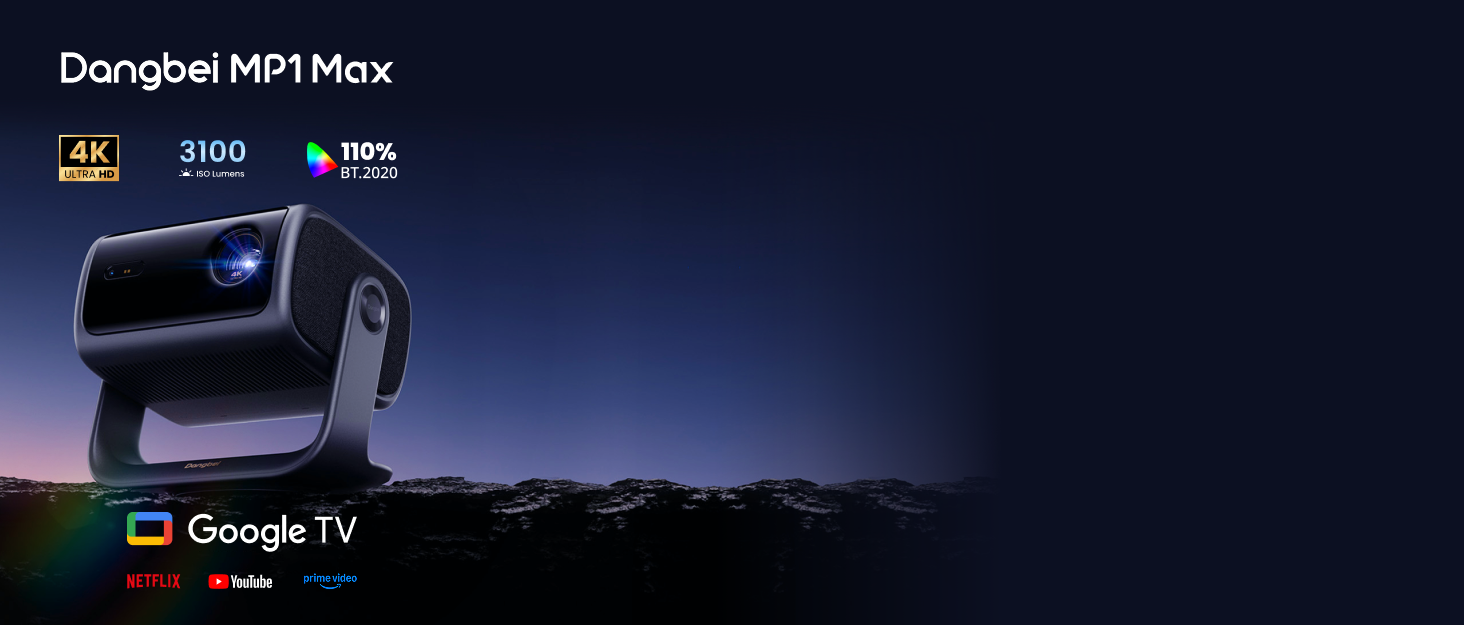
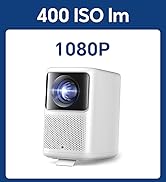
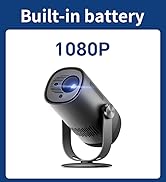
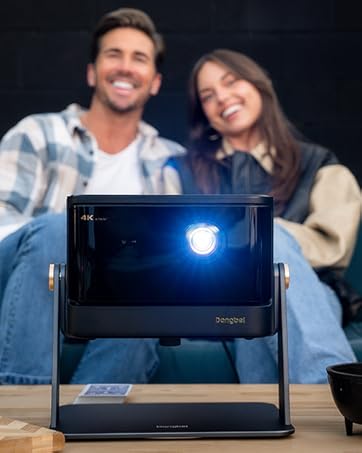
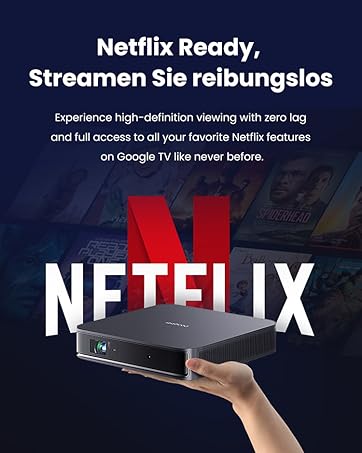
The Dangbei Atom Mini Projector is a compact, 2kg powerhouse delivering 1080P Full HD resolution with 4K HDR input and 1200 ISO lumens brightness via cutting-edge ALPD technology. Featuring built-in Google TV with official Netflix support, dual 5W Dolby Audio speakers, and wireless connectivity (WiFi 6 & Bluetooth), it transforms any room into a vibrant 180" home theater or professional presentation space. Quick auto-focus and keystone correction ensure a perfect image in seconds, making it ideal for millennials seeking premium entertainment and productivity on the go.


| ASIN | B0CL4G35WJ |
| Are Batteries Included | No |
| Best Sellers Rank | 6,319 in Climate Pledge Friendly ( See Top 100 in Climate Pledge Friendly ) 325 in Projectors 6,321 in Climate Pledge Friendly: Shop All |
| Brand | Dangbei |
| Colour | Grey |
| Connectivity Type | Bluetooth, Wi-Fi |
| Customer Reviews | 4.4 4.4 out of 5 stars (327) |
| Date First Available | 16 Oct. 2023 |
| Form Factor | Desktop |
| Guaranteed software updates until | unknown |
| Item Weight | 2 kg |
| Item model number | Dangbei Atom |
| Manufacturer | Dangbei |
| Product Dimensions | 19.5 x 19.5 x 4.75 cm; 2 kg |
| Resolution | 1920 x 1080 Pixels |
| Screen Resolution | 1920 x 1080 |
| Series | Dangbei Atom |
| Wattage | 5 watts |
E**D
Outstanding Laser Projector
After trying various projectors, I can confidently say this laser projector is exactly what I’ve been looking for. Its compact size is a game-changer, especially compared to bulkier models. Whether at home in my small studio flat or on the go, it’s incredibly convenient to carry, making it perfect for travel. Despite its small size, this projector delivers powerful performance without compromise. One of its standout features is the incredibly low noise level. Even when placed close to me, the projector is virtually silent, allowing for full immersion in whatever I’m watching. The sound quality is also impressive—it’s at a cinema level. When the volume is up, the fan noise is completely drowned out, creating an uninterrupted movie experience. The built-in Android system is a fantastic addition. You can easily download apps from the App Store, and I’ve had no issues streaming Netflix or YouTube right after work. The remote control makes navigating through the projector’s interface seamless. What really sets this laser projector apart from traditional bulb projectors is its excellent illumination. Even during the day, with the blinds down, the picture remains clear and vibrant. Strong sunlight doesn’t diminish the quality, which is impressive. The high resolution truly gives a cinematic feel, and the projector’s ability to automatically adjust the screen width ensures the best possible viewing experience. The large screen size enhances the overall experience, making every movie night special. In addition to these features, the projector supports Wi-Fi, allowing for easy wireless streaming and connectivity. It also comes equipped with HDMI ports, making it simple to connect to your laptop or other devices. This versatility ensures that you can use the projector in a variety of settings, whether for work presentations or leisure. Considering the quality and features, the price is very reasonable, especially with the available voucher. I highly recommend this projector to anyone looking for an excellent, versatile, and reasonably priced option.
S**K
Great buy
Prefacing this: I'm not a video or audiophile. I just appreciate a good, bright, sharp picture, and that's exactly what this projector offers. Most of my content comes from YouTube or Kodi, so I get a range of stream and video qualities. I've been focused on portability with my projectors, looking to upgrade my Anker NEBULA Solar Portable Projector (purchased in June 2022). It had 400 lumens, but those have definitely faded over time. Last year, I tried the Anker NEBULA Cosmos 4K SE, which was great but lacked portability. I also tested an Epson LCD 4200 Lumen WUXGA Projector, but the fan was way too loud. Now, I have the Dangbei Atom Mini Projector which claims 1200 lumens, (more like 1000 lumens) but I'm keeping it. At home, I have a dedicated gray projector screen wall, and the Dangbei Atom Mini fills it with bright colors and sharp images. I'm projecting it from 3.8m (150") away, giving me an image size of 1.67m (66") x 2.79m (110"). This results in a screen size of about 3.25m (128"), and I'm very happy with it. The fan noise is silent at brightness levels up to 7. Anything higher than that gets noisy, but you don't really need to go above 7 in a dark room. If you're outdoors, the fan noise may blend into the surroundings more. I read other reviewers complaints about the slow operating system, but I haven't experienced this. I mainly use a Firestick 4K forr everything. I did set up YouTube and Prime within the projector's Google TV, and I didn't notice any delays with the apps or if I'm using the settings menus. By the way Google TV makes set up easy eh? Scan QR, do it all on your phone and signs you in to all relevent stuff. :-) The remote is fine, similar to a Firestick remote. I mostly use it to turn the projector on and off. There's an option to resume with the last used source, so my Firestick is waiting on the screen when I power it up. (Firestick powered from the USB port from the projector) There are plenty of manual adjustment options for focus, keystoning, etc. I don't use auto-keystoning, as I haven't found a projector that does it well. Bluetooth connection was easy, though I only tested it once before returning to Bluetooth for my Firestick. The Wi-Fi setup was also easy and supports both 2.4GHz and 5GHz. One note: it says the projector can be mounted on the ceiling, wall, or table, but it doesn't have standard mounting holes. You'll need a ceiling mount with a tripod-style thread, which is a small issue. I paid £649 for this projector and am very happy with it. I'll update the review if any issues arise in the future—hopefully, not!
A**G
Excellent image and nice compact design
Tested lots of different brands and models from the £400-£800 price range and this seems to have the best image in terms of brightness, sharpness, absence of laser distortions, and excellent natural colours (skin tones for e.g. are excellent). I had some initial difficulties connecting to bluetooth out audio, but had help from customer service and it's now working perfectly. the onboard speakers are also surprisingly good for a small unit. fan noise is nice and low, better than many others i tried. the interface is a standard google tv, but a bit laggy. my main concern is light bleed outside of the projected area. this is better handled and less of an issue with some other models that I tried (e.g. epson, benq) but similar or a bit worse in this atom compared others (e.g. many of the xgimis). i'm a bit suspicious of green /red colour hues across the image and may check if another unit doesn't have this. the power pack is very bulky. i wish it took just a usb-c cable. the projector itself is really nice and compact, surprisingly so for the brightness and image quality. I will need a gimbal or tripod as sitting it on a table and tilting upward is hampered by the large power plug at the back. overall, it's a solid projector with a nice form factor and excellent image.
M**K
Great picture and sound quality, nice compact size, good brightness. Offers good value
B**E
Super projetor , se fosse 4k natural e com alto falantes separados seria perfeito. E a surpresa que aceita também filmes em 3D nao só via HDMI, também via USB, mas tem que desabilitar algumas configurações automáticas de trapézio, etc, só assim é possível o 3D que é maravilhoso com esse projetor de FULLHD original de 1080p.
W**.
Die positiven Anmerkungen anderer Rezensionen zu Bildschärfe, Farbe, Helligkeit, automatischen Einstellungen usw. kann ich nur unterschreiben. Beeindruckt hat mich auch der Klang der eingebauten Lautsprecher - auch wenn der Einsatz einer HiFi-Anlage (per Bluetooth oder über den analogen Ausgang (über der Netzteilbuchse) natürlich besser ist. Und - was den Einsatz für Filmabende wirklich zum Genuss macht - der extrem leise, kaum hörbareLüfter (der nur dann deutlich loslegt, wenn man die Helligkeit auf Maximum stellt, was bei normalem Hausgebrauch bis ca. 100 Zoll Bilddiagonale nicht nötig ist. Die Einbindung in ein WLAN und das Abspielen von Medien, die auf einem NAS-Laufwerk liegen, ist problemlos (z.B. über VLC oder Kodi), ebenso der direkte Anschluss über USB oder HDMI. Einzige bisher entdeckte Einschränkung: Das "Downscaling" von UHD-Videos funktioniert nicht bei Abruf aus NAS oder USB - nur über Internet-Streaming (z.B. YouTube) oder mit einem per HDMI "vorgeschalteten" UHD-fähigen Mediaplayer, der seinerseits aus dem NAS "abholt". Dennoch: Insgesamt ein Oberklasse-Gerät für einen Mittelklasse-Preis - da macht man nichts verkehrt!
E**E
This is the best projector that I have ever had. The automatic focus feature is neat. The images are bright and clear and saturated and in focus across the entire screen for both text and movies. There is no laser speckle. I could do work on the projected screen as an external monitor. I recommend getting a camera tripod that is about 3 feet or 1 meter high. You might also want to buy a projector screen if you do not have one, because a projector screen is not included. I purchased the Dangbei Atom projector and Dangbei 3D glasses combination. The package includes 2 AAA batteries that you have to put in the remote control by sliding down the back of the remote control about 3 millimeters and then pulling the back of the remote control off to reveal the battery compartment. The 3D movie viewing experience, once you get it working, is better than using the PlayStation VR headset on the PlayStation 4. Unlike the PlayStation VR headset, there are no screen door video artifacts when you view 3D images projected by the Dangbei Atom projector. That PlayStation VR headset is heavy and squeezes my head like a vise while the Dangbei 3D glasses are comfortable and light and feel like a pair of sunglasses. The only downside is the totally unintuitive multi-step process for viewing 3D videos or movies. You have to first charge your 3D glasses by plugging the small end of the USB cable under the nose piece and plugging the bigger end into a powered USB A port in a computer, a powered USB hub, or a USB AC adapter. The light in the white button on the 3D glasses will be red at first and will eventually go off when it is fully charged. After the glasses are charged, you press the white button on the glasses once to turn it on. You hold down the button for 3 seconds or so to make the button blink 3 times and turn the 3D glasses off. The glasses also seem to turn off automatically if they do not see a 3D image for a while. You have to hold down the Home (white house) button on the right side of the remote control, navigate to Projector / Image Correction / Reset to Default Image. You can then press the white left arrow button until you exit the menus. I don't understand why the user has to do this. This should be done automatically for the user any time they attempt to activate the 3D setting. You make selections by pressing the center depression of the circular control on the remote control that lets you move up, down, left, or right in the menu. Dangbei also recommends holding down the Home button, selecting the cog symbol to enter the settings menu, selecting Projector / Focus / Advanced / Auto Focus When Moving. This will turn off Auto Focus When Moving. The selection is off when it is white to the left instead of blue to the right. The presence of the 3D mode option in the Home / Picture menu gave me the incorrect impression that I had to set 3D mode first before viewing a 3D video or movie. I was wondering why the 3D mode setting selection that I made in the menu never worked and kept changing back to Off. Instead, what you have to do is start to view the 3D video or movie first. When you see double images side by side or one image on top of another, you have to hold down the Home button that has a white house symbol on the button. That will then reveal a menu on the right side of the screen where you can select the Picture menu option and scroll almost all the way down to select the 3D mode. There are 3 options for turning on 3D mode where the images are on top of each other, side to side, or coming from a Blu-Ray player (such as a PlayStation 4 connected to the projector via an HDMI cable). After changing the 3D mode, you have to press twice the button that has the white arrow pointing to the left on the remote control. The Dangbei video on YouTube does not seem to show this last part, which is necessary or your 3D mode selection will return to Off. The PlayStation 4 requires some changes on the PlayStation 4's menu on the far right side for Settings / Sound and Screen / Video Output Settings / TV Size to specify the size of the projected screen. If you are off by 1 inch, the 3D image might not look right, as if you were crossing your eyes. For some scenes, I have to select 80 inches, and for other scenes, I have to select 81 inches. When you go back to viewing the video or movie after selecting the screen size, the 3D mode will be Off again, so you have to go through the process of holding down the Home button on the remote control, going into Picture, and selecting the 3D mode again after each try of adjusting the screen size in the PlayStation 4 settings. That is a really tedious and time-consuming process of trial and error. The reward is a clear 3D image.
L**D
Produto muito bom! Atendeu as expectativas. Iluminação dele é bem forte, mesmo projetando em paredes irregulares, a qualidade da imagem fica muito boa. Com certeza indicaria.
Trustpilot
1 week ago
1 day ago