Some deliveries may take a little longer than usual due to regional shipping conditions.

DOWNLOAD THE APP


Customer Services
Copyright © 2025 Desertcart Holdings Limited
DOWNLOAD THE APP
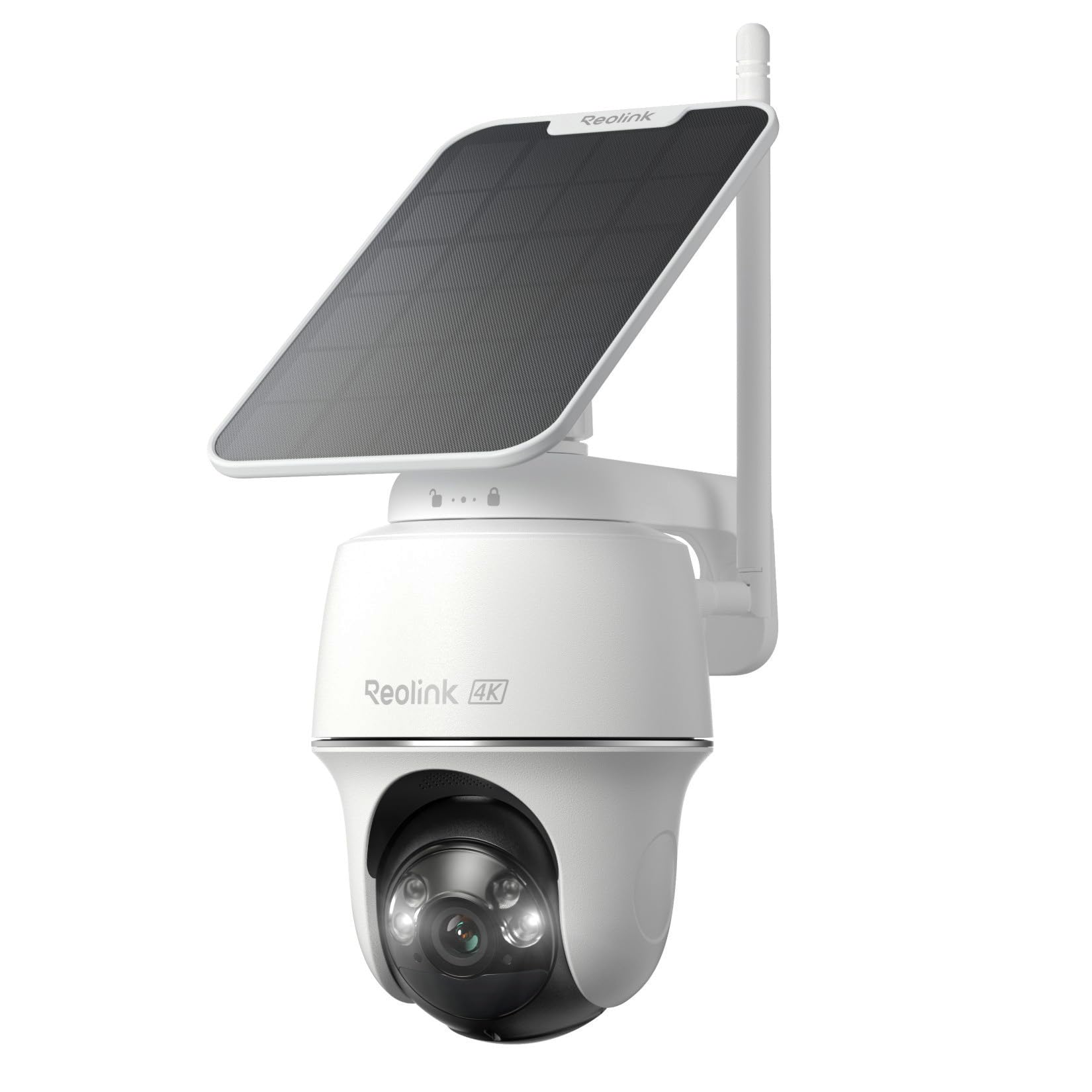
🔒 Elevate your home security game with 4K clarity and solar freedom—never miss a moment, never pay a dime extra!
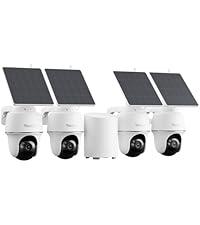
The REOLINK Argus PT Ultra+Solar Panel is a cutting-edge wireless outdoor security camera featuring 8MP 4K color night vision, powered continuously by a 3W solar panel. It offers 360° pan and 140° tilt with smart auto-tracking, dual-band Wi-Fi 6 for fast, stable connectivity, and customizable motion detection zones to minimize false alerts. With no subscription fees and local microSD recording, it delivers professional-grade surveillance with effortless installation and maintenance.





| ASIN | B0C2PY2KTJ |
| Alert Type | Motion Only |
| Antenna Location | Outdoor Security |
| Are Batteries Required | Yes |
| Best Sellers Rank | #27 in Dome Surveillance Cameras |
| Brand | REOLINK |
| Built-In Media | Argus PT 4K*1, 3W Solar Panel*1, Quick Start Guide*1, USB-C Cable*1, Bracket*1, Strap*1, Reset Needle*1, Mounting Template*1, Surveillance Sticker*1 |
| Color | White |
| Compatible Devices | Smartphone |
| Connectivity Protocol | Wi-Fi |
| Connectivity Technology | Wi-Fi |
| Control Method | App |
| Controller Type | Amazon Alexa |
| Customer Reviews | 4.0 out of 5 stars 1,609 Reviews |
| Effective Still Resolution | 8 MP |
| Field Of View | 110 Degrees |
| Flash Memory Supported Size Maximum | 512 GB |
| Flash Memory Type | Micro SD |
| Focus Type | Auto Focus |
| Form Factor | Dome |
| Frame Rate | 15 frames per second |
| Indoor Outdoor Usage | Outdoor |
| Indoor/Outdoor Usage | Outdoor |
| Installation Type | Screw In |
| Item Dimensions | 3.86 x 3.86 x 4.8 inches |
| Item Weight | 1.38 Kilograms |
| Light Source | LED |
| Manufacturer | Reolink Digital |
| Model Name | Argus PT Ultra |
| Model Number | Argus PT Ultra |
| Mount Type | Wall Mount |
| Night Vision | Night Color |
| Night Vision Range | 33 Feet |
| Number of Channels | 1 |
| Number of Items | 1 |
| Other Special Features of the Product | HD Resolution, Local Recording |
| Photo Sensor Resolution | 8 MP |
| Photo Sensor Technology | CMOS |
| Power Source | Solar Powered |
| Recommended Uses For Product | Outdoor Security |
| Room Type | Garage, Office, Store Room |
| Shape | Dome |
| Special Feature | HD Resolution, Local Recording |
| Specific Uses For Product | 360 Degree Coverage |
| Unit Count | 1.0 Count |
| Video Capture Format | MP4 |
| Video Capture Resolution | 4k |
| Video Encoding | H.265 |
| Viewing Angle | 360 Degrees |
| Voltage | 5 Volts (DC) |
| Water Resistance Level | Water Repellent |
| Waterproof Rating | IP64 |
| Wattage | 21.6 Watt-hours |
| Wireless Technology | Wi-Fi |
| Zoom Ratio | 10 |
| Zoom Type | Digital Zoom |
B**N
Fantastic Camera — Clear, Reliable, and Truly Wireless
I recently purchased the Reolink Argus PT Ultra + Solar Panel, and I’m genuinely impressed with how well this setup performs. The 4K clarity is outstanding—day or night, the footage is crisp, detailed, and far better than any battery‑powered camera I’ve used before. The pan/tilt function is smooth, and the auto‑tracking actually works the way it should, following motion without getting confused or jittery. The included solar panel is a game changer. Once mounted, the camera stays fully charged without me ever needing to touch it. Between the dual‑band Wi‑Fi 6 connection and the clean Reolink app, the live view loads quickly and stays stable. I also love that there are no subscription fees. Everything records straight to the microSD card, and the camera gives me full control without locking features behind a paywall. Overall, this is a high‑quality, reliable, and easy‑to-use security solution. If you want a true set‑it‑and‑forget‑it outdoor camera with excellent image quality, this one is absolutely worth it.
K**.
Good product
I own two Reolink Argus', two Reolink Rangers and one Reolink 4k. I've had the Argus' and Rangers for just less than two years. The 4k is new. I think they are a great product. A great value for the price. The set up is easy. The app is intuitive. Reliability is great. Customer service has been responsive. I do have a couple recommendations. Be aware the usb c charging port on the cameras may not be compatible with the newest usb c cables. They usb c protocols have been changing. You'll want to use a usb a to usb c to ensure compatibility. Also, if you live in a region that gets below freezing winters be aware the cameras will have a hard time charging via the solar panels when it gets below freezing. It's a good idea to make sure they are fully charged going into the freezing weather. They'll otherwise work fine.
M**R
The first Reolink product I've ever been ENTIRELY disappointed with.
First off, in order to make this camera in any way reasonably useful, you've got to buy their Home Hub or Home Hub Pro, an additional purchase that they don't tell you upfront is kinda sorta necessary for this camera to work as intended and advertised, even if you have your own NVR setup. Using it in standalone mode with any other NVR is terribly unreliable. So, I ended up buying the damn Home Hub, too, creating a second redundant NVR on my network for no good reason. Second, their claims of four-month battery life is if the camera never does a damn thing ever. The puny-ass 5-watt solar panel they include with the camera is worthless and cannot sustain the camera for 24-hour operation with even the lightest of usage settings in anything other than the blaring hot sun of an 18-hour desert day. I've had this camera installed for two weeks now; it dies every evening by 8pm, and doesn't power back on again until nearly noon the next day, despite getting 6+ hours of direct TEXAS sun every day! I've watched the battery levels drop while the sun was blaring directly at the panel. It's absurd that they thought this panel was enough, combined with the sneaky hub requirements, and I feel scammed. In testing, and then finally getting around to installing this camera, I've elapsed my 30 day return window. So I'm stuck with it. My options are to run a power cable all the way out to the camera (defeating the damned point of a solar powered camera), or install a larger solar panel, which Reolink will happily sell me for an upcharge. I should have just installed another POE camera and been done with it. I'll never buy another one of Reolink's wireless products again. I've been a customer for years, and their wired products are excellent. Avoid this wireless garbage; it's a rabbit hole of upsells and pure disappointment.
J**Y
Good camera with some limitations
I bought this as a secondary camera to monitor our backyard/detached garage/driveway in addition to the POE hard-wired Reolink camera that monitors the front of the house. The setup is easy, though I had a difficult time scanning the setup QR code outdoors. I did eventually get it to work without having to take the camera indoors, however. I used a high endurance name-brand 256GB SD card which the camera recognized and formatted with no issues. So far the solar charging is working great -- the camera has never been at less than 100% charge, even after running overnite. The wifi connection has also been very stable and strong, which I thought may be an issue after reading some reviews, and knowing our lead filled 100 year old house generally has poor signal outdoors. The 4k recording is excellent, the clarity is quite a bit better than our front door cam which is a couple of years older and maybe a 2k model? The picture is very sharp and clear. The Reolink software is highly customizable for alerts and notifications as well. We have three dogs, and my wife works from home frequently, so I have it setup so I don't get alerts for animals or people on certain days/hours to avoid unnecessary notifications. The downsides to this camera are it doesn't allow for continuous recording, which, as a secondary camera, isn't a big deal. I wish this would have been clearer in the description, though. The second issue is the camera doesn't track motion. Being a motorized camera, I assumed it would, again I wish this would have been clearer in the description. I maybe would have gone with a fixed wide angle camera instead. All in all a good product and excellent, customizable software. Really appreciate that there is NO SUBCRIPTION required to use the camera to it's full potential. I recently added a Reolink hub which has proved to be an excellent addition with multiple cameras, and was similarly easy to setup and use.
W**E
Works almost perfectly unless you have a crazy home network, like me.
Everything works like a champ at home. There are some issues remotely accessing the cameras with my set up. I can't imagine that your home network is as complex as mine, so you'll probably be fine with a port forward through your firewall. I ended up needing to set up a virtual machine and to use remote desktop to access it on vacation through a Cloudflare tunnel. Once that was set up, it worked flawlessly on the trip. Great cameras, good charge time. I like the LEDs so that you can see more clearly at night. It will also record and has two microSD slots for being able to save a lot of data from the cameras. I'd buy it again in a heartbeat.
S**Y
overall great camera, but please read about the battery life.
We currently have 6 cameras on our property. We like the ease of use and functioning of the cameras. I like to be able to look on my phone while at work and see if I have a delivery at my gate or if an animal got out. I have had these since 2019 or 2020 (a while), so I feel I can give a honest review. Setting up these cameras into your mobile device or computer can be kind of a pain, but once you have them set up, they are great! The vidoes are of good quality, and you can change the settings to be clear. Night videos can be a little harder to see clearly, if there is an animal running across the camera area it will sometimes come in like a blur. (I have 4 German shorthaired pointers that tend to do zoomies in the back yard area). We have 8 acres that we have cameras throughout. We did install a wifi extender so all cameras could be reached. I have had delivery people show up at my gate and I was able to communicate with them from work through the camera's, there is a lag, but not bad. (I will also talk to my dogs when I am at work as well, they don't care for that! LOL) The biggest problem I have had with these cameras have been battery life. It seems that after 2 years of service, the batteries tend to not hold charges. (There is a 2 year warranty, usually on them) Also, during cold weather, they tend to not want to charge via solar nor power cord. Their customer support is one thing that keeps me buying these camera's. They have been more than generous with problem cameras at all ages. They will communicate with me until I am satisfied with the outcome.
D**H
Be prepared to climb up and reinstall when they eventually disconnect.
The operation and quality of image on these is excellent. I wish they included zoom, but it wasn't essential for my needs. The problem is that they are tough to set up to begin with. They will eventually drop connection, though, be it in a few weeks or months, but it will happen, as happened to both of these. You have to pull the camera down from its mount to reconnect - there's simply no other way. I had to reinstall the first from scratch to get it working, which is an unpleasant task. The second is a useless fixture, because I don't want to climb a ladder in the snow and ice to pull it down to reconnect it to the network. I do not recommend.
J**T
⭐️⭐️⭐️⭐️⭐️ Great Wireless Outdoor Security Camera with Solar Power!
I’ve been using the REOLINK Argus PT with Solar Panel for a few weeks, and overall I’m really impressed with its performance and features. 🔹 Easy Setup: This camera is completely wireless — no messy cables or complicated installation. The solar panel keeps it charged, so once it’s mounted in a sunny spot, it pretty much runs itself. 🔹 Excellent Video Quality: The 5MP 2K+ resolution delivers sharp, clear footage with good color detail both day and night. The color night vision is a big plus — I can actually see colors and details after dark, not just blurry black-and-white images. 🔹 Pan & Tilt Works Well: The pan/tilt capabilities give excellent coverage. I can control the view right from the app, and it rotates smoothly without lag. This is especially useful for covering wide outdoor areas like a driveway or backyard. 🔹 Smart Features: Motion detection alerts are fast and reliable — I get notifications on my phone when people or vehicles are detected. The app lets you view live video, play back recordings, and even talk through the camera with two-way audio. 🔹 Connectivity: Supports both 2.4 GHz and 5 GHz Wi-Fi, which makes the connection stable and reduces interference. 🔹 What Could Be Better: The battery life depends heavily on sunlight — in shady areas you may need to manually recharge occasionally. The app interface is good, but downloading and managing clips could be smoother. ✅ Overall: This is a solid, flexible outdoor security camera with great image quality, smart alerts, and the convenience of solar power. Highly recommended if you want wireless, reliable home security without complicated wiring.
Trustpilot
3 days ago
4 days ago