🎮 Elevate your game with precision, power, and style that’s impossible to ignore.
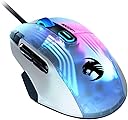
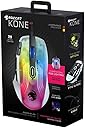
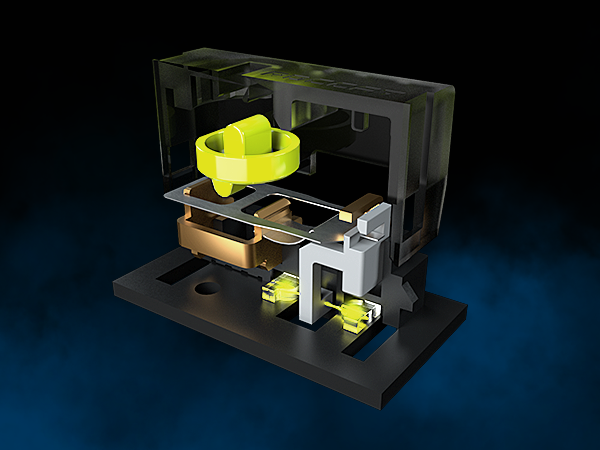
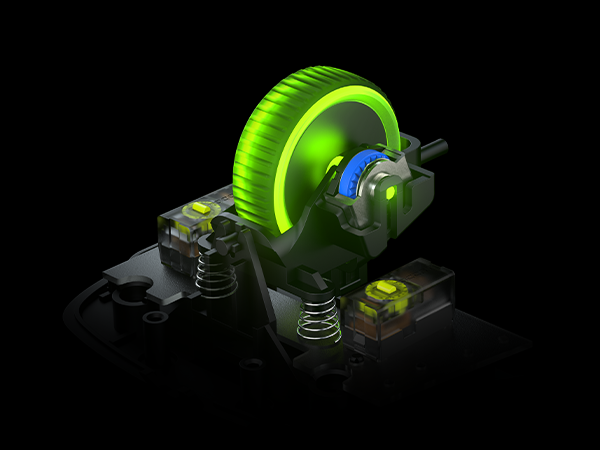
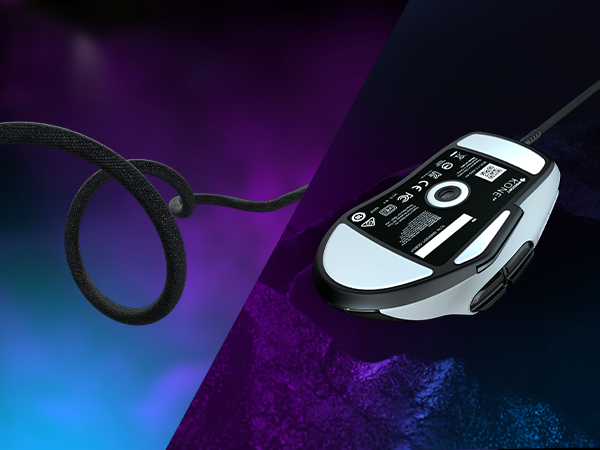
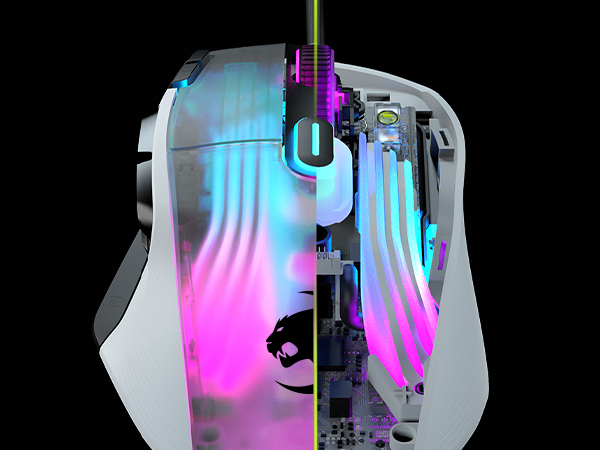
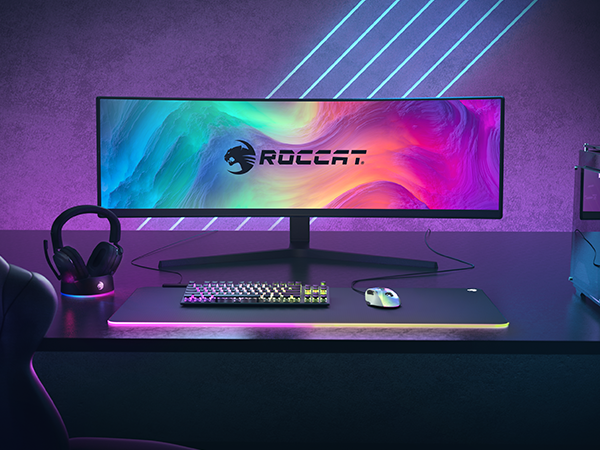
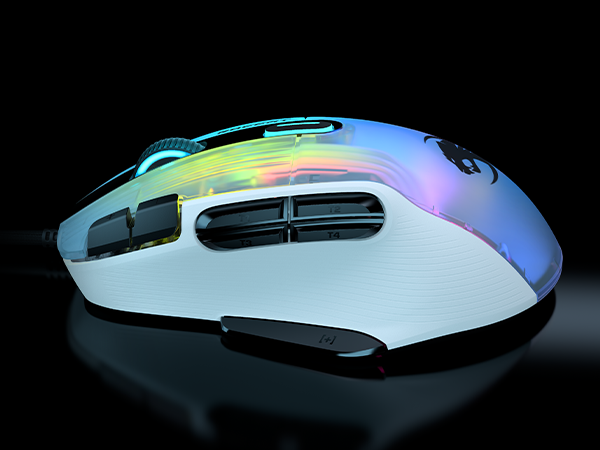
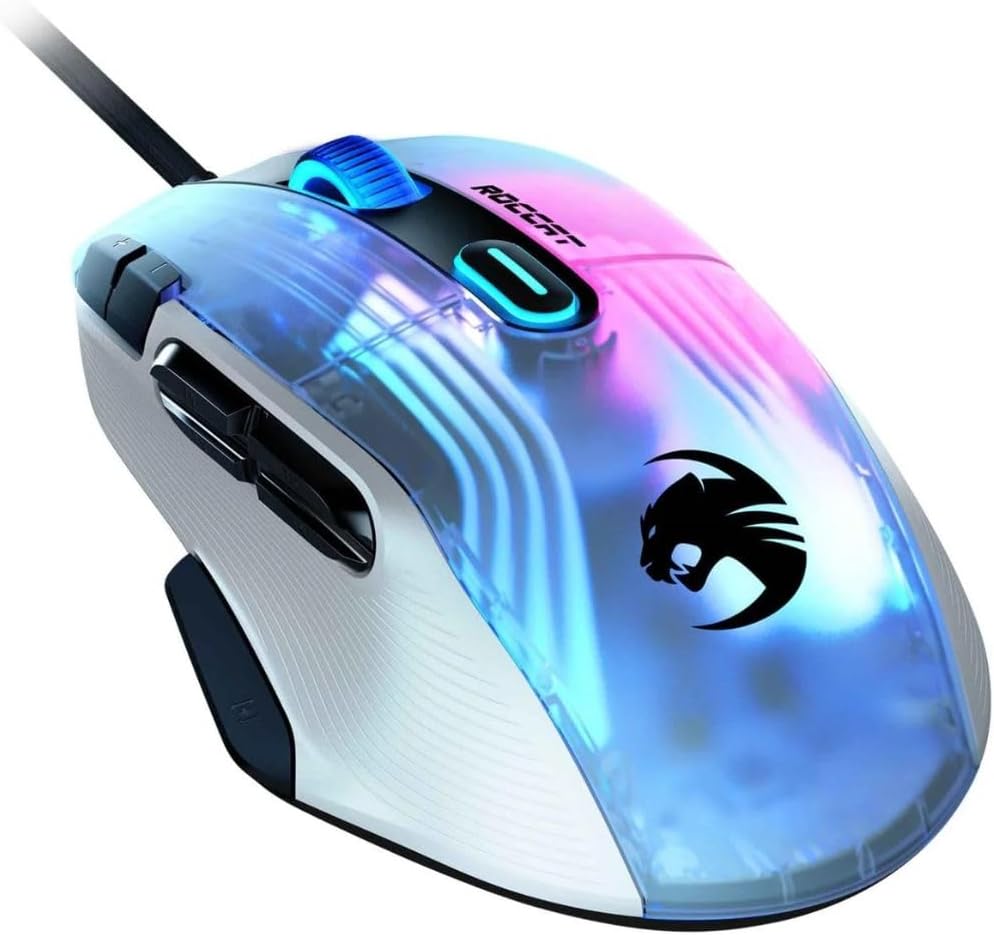
The ROCCAT Kone XP is a wired PC gaming mouse engineered for pro-level performance and deep customization. Featuring a 19,000 DPI optical sensor, 15 multi-functional buttons expandable to 29 via Easy-Shift[+], and a unique 4D Krystal scroll wheel, it offers unparalleled control. Its ergonomic design fits comfortably for long sessions, complemented by heat-treated PTFE glides for smooth movement. The translucent shell showcases 3D AIMO RGB lighting with 22 LEDs and 8 light guides, delivering vibrant, syncable illumination. The PhantomFlex cable provides a near-wireless experience with minimal drag, making the Kone XP a premium choice for gamers seeking precision, comfort, and eye-catching aesthetics.


| ASIN | B09RQ75723 |
| Additional Features | Ergonomic Design |
| Antenna Location | Gaming |
| Are Batteries Included | No |
| Are Batteries Required | No |
| Best Sellers Rank | #19,685 in Video Games ( See Top 100 in Video Games ) #716 in PC Gaming Mice #2,131 in Computer Keyboards |
| Brand | ROCCAT |
| Built-In Media | Quick-start guide, Extra set of mouse feet |
| Button Quantity | 15 |
| Color | White |
| Compatible Devices | Laptop, Personal Computer |
| Connectivity Technology | USB |
| Customer Reviews | 4.0 out of 5 stars 1,080 Reviews |
| Enclosure Material | Ptfe |
| Global Trade Identification Number | 00731855514250 |
| Hand Orientation | Ambidextrous |
| Hardware Platform | PC |
| Item Length | 126 Millimeters |
| Item Type Name | Mouse |
| Item Weight | 3.68 ounces |
| Item Width | 76 Millimeters |
| Manufacturer | ROCCAT |
| Model Name | Kone XP White |
| Model Number | ROC-11-425-01 |
| Movement Detection | Optical |
| Movement Detection Technology | Optical |
| Number of Buttons | 15 |
| Operating System | Windows 10, Windows 11, Windows 7, Windows 8.1 |
| Power Source | Corded Electric |
| Range | 5.0 meters |
| Special Feature | Ergonomic Design |
| Style Name | Modern |
| UPC | 731855514250 |
| Unit Count | 1.0 Count |
| Warranty Description | 2 year manufacturer |
E**N
Great mouse for those who like more buttons
If you are a user who prefers more buttons on a mouse, this is a good place to look. I have a couple versions of the G502 and they are really good buys. The latest one (Hero) is not too bad and tracks well, but the scroll wheel was lacking out of the box. Also, I wished it has more usable buttons. I also have a larger sized hand and I felt that I needed to unnecessarily grip the mouse tighter. It always felt too narrow for me. It is hard to even see in side by side photos, but the Kone XP is noticeably larger feeling in the hand than the G502. I also liked the HyperX Pulsefire Raid form factor and it was not too bad overall. I actually had this prior to the G502 Hero noted above which replaced this one. I really liked the feel of that mouse in my hand and it was slightly wider than the G502. However, that died only after a year of light service and I am turned off from it. By chance, I came across the Roccat Kone XP. I looked at it and it reminded me of a blend of the G502 and the Pulsefire Raid. Instantly, I was interested and the reviews were good and I decided to buy and try. Glad that I did. First off, all the bling lights and such I don't really care about it. I would happily buy a version that was cheaper that had none of it and maybe even weighed a little less. Unfortunately, that stuff is considered a standard now. Speaking of weight, for me the mouse is not too heavy, but I would be happier if it was a bit less. Not a con, just a wish. The first impression I had was shockingly positive after I plugged in the mouse and loaded the software. I happened to have the G502 Hero still plugged in and I instantly liked the tracking feel of the Kone more. No question. It just felt smoother and more accurate. I am running an older system and monitor and the difference was pretty darn noticeable. The only way I can describe the difference to me is that the Kone stops when I stop and the Hero G502 had the itty bitty bit of a delay. Now when I first used the G502, it was a really good feeling upgrade from the Pulsefire Raid and felt that itty bitty better. The Kone from the G502 felt like a similar upgrade. Then having them side by side, I was really intrigued by the difference in a good way. Regarding the software, I generally only use it to set the DPI and rebind the clicks. All that is pretty easy and straightforward especially if you have used similar software before. One thing that also makes the Kone XP standout is the thumb button for the right hand where your thumb sits. This is another big selling point for me since I need more buttons on my mouse. Despite the location and tactile feel (required pressure is just right to be easy to press without pressing accidently) being perfect, it opens up the mouse to becoming easily an 21 to 22 button mouse. You can use that thumb button as just a button, which would work fine, or you can use it as sort of a mouse isolated shift key. So by clicking the thumb button you can assign other keys to the mouse buttons you can reach. Clearly this is not all of them like the thumb buttons. However, you could easily use the thumb button and the right and left mouse buttons. Also the buttons next to the left mouse button are pretty easy to click while using the thumb button. The mouse wheel button are also doable, but probably not in the middle of a FPS firefight, but I think that would be user specific ( I find mouse tilt right the easiest of them all, but all are usable). Lastly, you could reach DPI button too for utility things. As noted above, I have a fairly large hand. This mouse fits me very well. I don't feel as if I need to death grip this mouse to feel in control as I do with the G502. The G502 makes my hand tired to be honest. This mouse, despite looking almost the same shape as G502, feels much more comfortable for me to hold for short and long durations. The four thumb buttons are very similar to the design as what was on the Pulsefire Raid. To my memory, they feel very similar too in location and feel. I have a big thumb and in the heat of battle, they are not easy for me to hit, but I am generally used to them. I rarely mis-click a button. This is not a con or a slight against the mouse. I am glad there are four instead of two. One often overlooked item of a mouse that can drive you bonkers is the mouse cord. I don't do wireless because I always had interference issues with them in the past so I stick with cords for gaming. I am pleased to say that this cord is great and has very little cord tension/resistance if you move the mouse up and it begins bending while touching something. It is there and you can feel it, but much less than other mice I have used in the past including the G502. Overall, this is a really good mouse for those who want solid tracking performance in a mouse that has more than the typical amount of buttons. It feels well made and I think the current $89 is a bit steep in comparison to the corded G502 you can get for $33. However, the Kone XP in my opinion is worth it if you can swing the premium price. It is a better mouse in almost every way.
A**H
One of the Best Mouse Shapes Money Can By
I've owned many mice throughout the years, and Roccat's Kone XP is one of the best one I've ever had. 1. Fantastic Shape The shape of this mouse fits snugly in my hand. My hands are rather large, and I prefer having a palm grip. The design allows me to comfortably grip the mouse with little issue and zero discomfort. Adjusting to this mouse from my previous one, which was a Razer Viper Ultimate, took only 30 minutes of use. Smaller hands may also find the shape comfortable despite its size, since it's crafted in such a way where it accommodates well for both the finger positioning and the way that the palm can rest on its back. 2. Gorgeous Design and Easy Software The lights on this mouse are mesmerizing. I've had little issue with the software that Roccat offers, and I believe that this is one of the better software solutions I've used. RGB options are nicely separated into distinct parts, and profile switching is incredibly easy to optimize. Additionally, it seems like this software doesn't take as much processing power as some others, and--though this is more of a personal preference--I really like the way that it's laid out. 3. Surprisingly Great Button Placement The button placement on the mouse is surprisingly effective. In the product's description, I was a bit skeptical about their effectiveness. I often would accidentally press the thumb buttons on the Razer Viper Ultimate when I attempted to grip and use it. Though, others may not have had the same experience with similar ambidextrous mice, it is something worth noting. So far, I have yet to accidentally press the thumb, profile switch, and DPI switch buttons despite owning this mouse for several weeks. It goes to show that they put a lot of thought into this button placement while also providing a great range of flexibility. 4. The Weight's Just Right For those that prefer a "middle-weight" mouse, this may be a good mouse to consider. The weight isn't as heavy as some of the Logitech options I've had, and it isn't as light as some of Cooler Master's ultralight mice. I personally need a bit of weight to my mice, but I prefer not to drag a brick in my hand. This mouse hits that sweet spot for me. Final Thoughts If you're in the market for an affordable, comfortable, and beautiful mouse, I'd recommend this one.
S**N
Very impressive
*Update: Software setup was a bit of a nightmare... When the 6 hour 'update' was complete it toggled all my mouse buttons to "disabled" to prevent conflict with an existing mouse profile I had (I've never owned a ROCCAT mouse before). Everything is good now, took about a full day to get things ironed out. The "shift" button under the thumb is a little silly if you are trying to use it in conjunction with anything other than L, R or wheel click. Seems the software has to be open on (PC) restart for the mouse to remember that it's RGB. Original: I never heard of ROCCAT until a couple years ago... I was really interested in the keyboards that had floating keys for ease of cleaning, pulled the trigger and have never looked back. I had been using an Uhuru mouse for the past 2 years (loved it) but the mouse wheel squeaked whenever I scrolled and my wife and cat (and customers) all commenting on it prompted me to replace it. That was coming from a Premium Logitech model I've already forgotten. So far, I'm very pleased with the Kone XP Air: The mouse is super light and attractive, feels good in the hand (apparently designed with variety of grips in mind), the base is cleverly designed, and the cable is what should be the industry standard - for all cables - it's like a shoelace with adapters that doesn't kind and lays nicely. My only complaint is that the ROCCAT software started a firmware update for the mouse (I had auto update toggled from prior use of software) and it's at 30% after almost an hour. Luckily the mouse still works, though I can't edit the settings during the update to adjust DPI so it takes like 5 mouse drags to go from one side of the screen to the other... 😅 Battery is going to be irrelevant for me since I have the mouse connected with a magnetic C-type cable 90% of the time anyway.
J**.
Macro software for gaming is seriously flawed
I don't write reviews as I feel most are just bot-riddled garbage. This is my honest review after trying the device for a few days. I'm returning it (paid for it myself) as I don't see a way around anything in this review. Pros: The ergonomics are good. Buttons are soft to click and not hard and sharp like on a G604. I hate RGB. Not on this mouse/dock. It’s soft, not in-your-face and pretty decent. The smoky plastic on the mouse makes the red look like you’re looking inside a body. Kind of cool. It’s light. As in “did they sell me an empty shell” light. So moving it is smooth and fast. The dock uses the same cable that you can remove from the dock and plug into the mouse. The dock also is the home for where the USB dongle is plugged in. Really good design. Cons: The way the mouse docks to charge is funky. It doesn’t want to sit level at any point and you have to sort of float it into position and hope you don’t hit the desk and make it tilt a little. They should have put a magnet or some plastic guide other than the notch on the mouse. It doesn’t seem to work well. The battery went from 100% to 80% in 3 hours of just surfing the web. Not sure if this is just the software trying to learn its levels, but that was more than expected. The bat-$417 crazy reason for this review (this whole section is about the software and how it executes while playing): The software. It is crap. It is about 5 years behind any other mouse software I’ve ever used. Imagine having a child with crayons draw the blueprints for your house versus a real professional draftsman. This is how it feels. You cannot insert a delay manually. You have to trick the software and hit another key to have it read the delay from the key and then delete the “key parts” and then leave the delay. The auto repeat function is totally broken. On a Logitech (or ANY OTHER MOUSE IN THE WORLD), if you set an auto repeating macro or key on a mouse button and hold it down, even if you press another button on the mouse while still holding down the auto repeat button, it still auto repeats. Nope. This stops. You would think it would just insert the new entry into the stream and the auto repeat would continue. Nope. Stopped. Press two auto repeat buttons and hold them down… guess what. Madness. You get one repeating, or the other repeating, or just a single key of one of them and then nothing. Instant return because of this. You cannot select from keys to put them in a macro or button. What I mean by this is that I use a keyboard without a 10-key pad. I usually assign the numpad-1, numpad-2, numpad-*, etc to mouse macros and use them so that I have more room. You can’t do this. The software only accepts input from the keyboard that is plugged in. Once again, every other software on the planet lets you pick what to put in, but not this. If it’s not on your keyboard, you cannot use it.
K**.
Good mouse, mediocre software, garbage switches
This is the only G700 like mouse that I can find that is still produced. It's not obscenely expensive, the sensor is better, it's lighter, it glides better. Although there is one less button beside the left click, no infinite scrolling, and worse build quality. It's still enough of an improvement that I have switched to it as my main mouse. However after around two months of ownership, the middle click or scroll wheel click is already double clicking sometimes. I do middle click pretty often to quickly scroll or open/close tabs, but not enough for it to be breaking already. I fired up ClickFix and setting middle click to have a delay of 18ms has mitigated the issue without any noticeable latency or issues for me. However I shouldn't need to do this already. Now the right click is seemingly starting to break. It seems to not be double clicking yet, but it sounds off and takes more pressure to trigger sometimes. In comparison to my G700 from Logitech, known for their faulty mouse switches, it only started becoming an issue after almost a decade of use. The G700 is from 2011, and in 2020 I bought a replacement board to fix the switches. When I got around to replacing the button board, both the right and left click switches were faulty, however every other switch was fine. Which makes middle click being the first to break here especially weird. Onto the software, it seems mostly alright, but it is kinda buggy. The biggest issue being when trying to Assign a Hotkey/Create Hotkey, the popup to enter in the hotkey sometimes just doesn't show until I close the software and reopen it. After the first or if I'm lucky second hotkey assigned, the issue happens again. So I have to keep closing and reopening it to set multiple hotkeys. I also want to say setting RGB colors was buggy, but I don't remember how nor do I feel like bothering to look. The software also has Debounce Time which should be like ClickFix going by the description, however the highest 10ms option still doesn't fix the middle click issue for me. I'll eventually replace the switches with ones that will last longer. I'll also eventually get the Kone XP Air even though it would probably have all the same issues because nothing else like it exists that is still produced.
M**Y
Comparing the Logitech G502 and G604 to the Kone XP
Computer mice are like women - why have one when you can have three. So that's what I did - I got me the Logitech G502 and then the G604. Then Roccat came out with the Kone XP and I thought to myself...myself, methinks you need to try that mouse. So here's the scoop - The Kone XP is very similar in design to the Logitech models. Notably, the three share a scroll wheel with tilt function, 2 extra top right buttons, and side buttons. The G502 with 2 side buttons, G604 with 6 side buttons, and the Kone XP with 4. In terms of overall design, the Roccat is clearly designed to compete with these models, but it also adds a lower side button at the bottom, just below the thumb - a feature very similar to the Steelseries Rival 500... a mouse with a fantastic design but terrible execution. The Kone XP's profile is somewhat similar to the G502 and definitely lower than the G604. It is also lighter than the G604. The scroll wheel on the Logitech models definitely feels higher quality than on the Kone XP. Logitech has a heavier wheel with more defined movement. Roccat's wheel has a more plastic feel and it does not flip as quickly. Like all of these mice, it comes with software and the ability to change DPI settings. I play Fortnite at 800 DPI and oddly the Kone XP feels faster than the G604, which I'm currently using. It might be because the mouse is lighter. Or maybe because the glide pads are fresh... it's amazing what a little lubrication will do. Story of my life.. The Kone XP also comes with RGB lighting. That was lame so I tuned it off - although it wasn't easy or obvious. The software should just have an "off" option, but it doesn't. One issue with the mouse is with the tilt wheel. I like to hit the tilt to the right to reload a weapon. However, a significant amount of the time tilting the scroll wheel also registers as clicking the scroll wheel down. This does not happen on the G502 or G604, but happens a lot on the Kone XP. Like a lot. So you either have to be really careful with your tilt, or you have to make sure that the click down function is not bound to anything. This mouse is an improvement over another Roccat mouse I tried, the Roccat Leadr. The Leadr had the benefit of not only two extra top left buttons, but two extra top right buttons. It also had a lower thumb button like the Kone XP. However, the Leadr was an extremely bulky mouse and the side buttons were weak and just plain weird. A note to mouse manufacturers - the Roccat Leadr and Steelseries Rival 500 both had extra upper right buttons - The Leadr 2 buttons and the Rival 1 button. If the Kone XP had an extra button on the upper right it would be fantastic. Think about it, it you are playing a shooter what are you doing with your middle finger? All you do is zoom in your sight. That's pretty much it. Your index finger and thumb do all the work while your middle finger has basically one function... unless you are driving and someone cuts you off... but regardless, adding an extra button on the top right would be fantastic. So what's the verdict? None of these mice is perfect. They are all good and I might like the Roccat Kone XP the most of them all because of the added lower thumb button. But if I could design the perfect mouse, I'd probably take the base design of the Logitech G502. I'd give it 3 or 4 side buttons versus the 2 it has. I'd add the lower thumb button, and then add one button to the upper right off to the side (like the Rival 500). And of course keep the Logitech scroll wheel, which is superior. But all that being said, the Kone XP is a good mouse. I like the fact that it is lighter than the G604, has a shorter profile than the G604, and has a better button layout. If the scroll wheel was better I'd give it 5 stars.
S**N
Amazing Mouse in every way
I play a variety of games, RPG/FPS mainly. Some competitive COD, but not obsessed with the most lightweight mouse, so keep that in mind. This mouse is simply perfect. There's enough buttons you can ACTUALLY GET TO to make a difference in games. The tilt on the wheel is a game changer as that's two more things you can reach as quickly as a mouse click. I have it bound for melee and weapon mount in MWII. I needed at least 4 buttons on the left side for my thumb as I'm used to 6, and didn't want to go down to just 2. These are clicky, good feeling and reachable. All the clicks are satisfying and good to use all around. The easy shift button allows you to double the button mapping, and while I haven't needed it, it's very useful. The dock is perfect, allows for USB passthrough, easy to mount on for charging, and it has RGB, if you're into it. Speaking of wireless, the mouse glides very easily and is decently lightweight for being wireless. I come from using a G602 and it's MUCH lighter and tracks better. No perceivable lag with the wireless and I have no issues. Last thing, it's expensive yes. I don't know of many other wireless mice with this many buttons however. Of those, I can't see any that include a dock for the same price however. Worth noting, it seems the mouse is permanently $130. A lot of what I said would be different at the "MSRP" $170, as that is simply pushing it too high in my opinion.
M**S
I wanted to love this!
I've been looking for a mouse to replace the logitech G700s for a while and this one has almost exactly the same button layout, so I was hopeful! Pros: • The button layout is almost arguably better than the logitech G700s. The thumb switch button is great. • It's lighter than the G700s, which makes it feel a little cheaper at first, but it makes it a bit more mobile, too. I ended up liking that. • Has the option to turn off the RGB feature easily accessible. • Has a solid wireless connection with the charging base, and sits easily on it for charging. The base also tells you via color indicator how you're doing on battery. Cons: • The box came open, with the product slightly used already... I figured someone else had tried the mouse and decided they didn't like it, so I didn't think too much on it, however: • After only about a day of use the left click and the "14" button on the side were randomly not triggering. Blegh. • The scroll wheel does not turn very easily. This sensitivity for this can be adjusted in a lot of programs via the software to counteract this, but not in the game I'm trying to use it for, of course. • This isn't going to apply to people with bigger hands than I have, but this mouse is ever-so-slightly larger than the G700s and doesn't fit my teensy hand as well. Over-all I like this mouse a lot, but the fact that a few of the buttons DON'T WORK means it's getting returned. I would prefer a replacement, but I can't find a way to contact the store. Hint hint!
Trustpilot
2 months ago
1 month ago