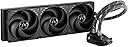
❄️ Stay cool, stay ahead — the ultimate chill for your powerhouse rig!
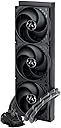
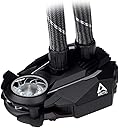
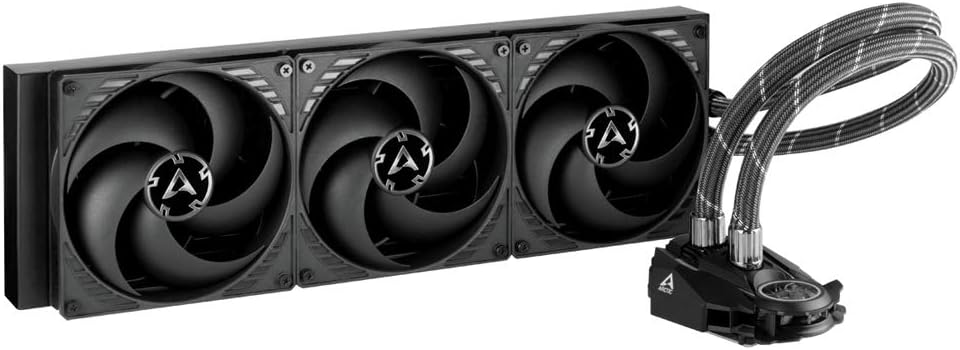
The ARCTIC Liquid Freezer II 420 is a premium all-in-one CPU water cooler featuring a large 420mm radiator, PWM-controlled pump and fans for efficient and quiet cooling, and full compatibility with Intel’s latest LGA1700 socket. It includes a dedicated VRM fan to reduce voltage regulator temperatures by 15°C and integrated cable management for a sleek, clutter-free setup.


| Brand | ARCTIC |
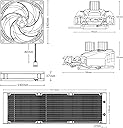
| Product Dimensions | 47.32 x 15.52 x 17.02 cm; 1.98 kg |
| Item model number | ACFRE00092A |
| Manufacturer | ARCTIC |
| Color | black |
| Voltage | 12 Volts |
| Wattage | 1.44 watts |
| Are Batteries Included | No |
| Item Weight | 1.98 Kilograms |
P**4
Great AIO
Got this to replace a Corsair H170i so I could get rid of ique. 5C cooler at idle and maintains noticeably better performance under load
Y**M
Huge in size, but also hugely effective
TL/DR; Huge. Quiet. Effective. Sips power. Awesome. This is now my Go To.Now here’s the self-indulgent prose.Ok, I'll admit it; I didn't do the proper research so that I could visualize what 240, 360, 420 etc. actually meant in terms of AIO liquid coolers.Due to reasons, I recently inherited a little Dell Optiplex 7000 SFF with an air "cooler" that was barely adequate for the i7-12700 that came with it. As a senior sysadmin who also functions as the company’s chief architect, obviously I had to max it out, right? So I loaded it up with RAM, filled very M.2 slot, etc. Then ordered an i9-12900K which immediately hit 100C on nearly all cores. I went with the K version even though the Dell BIOS is locked to overclocking, both because it was slightly cheaper than the non-K version that day, and because I knew it had taken higher temps without issue during the factory tests in order to have been christened a "K" processor..Of course, the CPU fan that Dell puts in the machine absolutely sucks, and I mean that literally; it uses a blower instead of a fan and sucks hot air off the motherboard, past the fins, and up and out the back of the case. Most air coolers blow air down, onto and through the cooling fins. It was barely adequate for the i7, which meant it was completely insufficient for the i9. I was regularly seeing nearly all cores hitting 100C even under light load. Now, I wasn’t afraid of the processor getting fried because it was continuously throttling itself when it reached 100 C, but on the down side, it was continuously throttling itself when it reached 100 C.I tried leaving the case open, taking out a very hot 6 TB spinning rust drive that’s right next to the blower, put a desk fan on the whole thing, etc. but nothing helped much if at all.I guess it's too late to make a long story short, but THIS THING MADE IT HAPPEN. I went with it because:-Since there is no RGB to power, the entire assembly works off the same single 4-pin motherboard fan connector as the sucky one. That one default connector completely runs the pump and all three fans. No need for any supplementary power, which was important because as I said it's just a little SFF box with a 260W max power supply."Wait, what??" you might ask. "How does it run the pump and ALL THREE fans??!?" Well, since they are HUGE, they don't have to spin very fast. That also make them quiet unlike most other AIOs, perfect for an office environment.-It has its own proprietary Arctic pump rather than a commodity Asetek or Apaltek pump which nearly every other system has. This pump, like the fans, also spins more slowly."Oh, come on!!" you might exclaim. "How can the pump AND the fans BOTH run more slowly and still work as well if not better??!?" It's all about scale. It does it by having larger inner-diameter coolant tubes than most others, and of course the giant radiator with more channels and fins for the coolant. That reduces fluid resistance, thus increasing the flow of coolant using less power. So instead of moving the coolant fast through narrow tubes and using high-speed fans to blow the heat away from a small radiator, it moves a higher volume of coolant with less effort due to the larger-diameter tubes and uses larger fans spinning more slowly. The radiative surface area is quite massive allowing for more efficient heat transfer.In short, if you are looking for pure function, I cannot recommend the Arctic Liquid Freezer line enough. Arctic also makes the ubiquitous MX-5 thermal paste known to so many hobbyists and professionals alike, and a small tube is included with the cooler.The Arctic Liquid Freezer II line is now my official Go To, and primary recommendation for people focused on office builds. Your mileage may vary of course.In case anyone has read this far and is wondering: I’ve had to leave the case open as evidenced in the photo, and now tell everyone that it is a functional art installation that I call “PC, Deconstructed.” I have also left the spinning rust drive laying outside the case as you can see. The cooler itself is just resting on the top, but the coolant tubes are stiff enough that it is in no danger of sliding off. In fact if you try to move it one way or the other, rotate it, etc. the tubes pull it back to center. Kind of amazing, really.Looking to re-mount everything into an open-air PC test bench in the near future.
J**T
Great cooler. Exceptional customer service.
It can be tricky on some boards and I had just enough clearance. As in, zero wiggle room. However, the casing on the unit can be partially removed to accomodate. Also, there was a faulty seal issue on these past the company made public themselves and fixed for free. Thats a good company. Its old news now and no longer an issue. Performance has been great. Its quiet and keeps the CPU cool. So far I havent had my cooler run terribly fast either. Doing the job and I will replace it with same next time around.
L**S
Muy buena refrigeración AIO de 240mm
Me gustó bastante, enfría bien a mi i7 13700k (con undervolt) no pasa de 75°c - 80°c en la prueba de estrés de 10 mins de Cinebench 23 (de resultado da 29,000-30,000 pts). y en uso cotidiano en promedio anda entre 30-40°c y en juegos llega a los 60°c como máximo.Es muy silencioso, la instalación no es difícil, solo hay que seguir el instructivo al pie de la letra y todo queda perfecto.El radiador es bastante grueso, ya con los ventiladores mide unos 6.5cm de ancho, por lo que no me fue posible ponerlo en la parte superior porque pegaba con las memorias RAM, así que lo puse en la parte frontal. Revisen si hay suficiente espacio en sus gabinetes.
J**E
Fantastic liquid cooling!
The stock cooler on my PC died after just a year and I did a bunch of research before deciding on this cooler. I had never replaced one myself before and admittedly was intimidated by the process. I didn't like that the installation instructions live online but was able to get to them easily enough, and they weren't too difficult to follow. Arctic also has a very detailed installation video on YouTube that I followed as I went that was invaluable, so definitely look that up.The one thing I will say, especially if you don't have a lot of experience installing these things, is note that the mounting rails that go on the motherboard ARE DIFFERENT. When I was taking everything out of the box and separating it I completely didn't notice the round cutouts are different sizes/positions and the outer edges are rounded/squared to help you tell them apart (derp). The first time I put them on I did so backwards, and nearly attempted to mount the CPU block the wrong way. Take a minute to look at how these rails need to be installed for your CPU position and motherboard.I had also never had to remove or install thermal paste before and while it seemed intimidating it ended up being very easy. The first time I applied it I had it backwards and the good thing about taking it apart is I could see that the method I used (dot x) fully covered the plate on the CPU, so that was encouraging. Once I got things turned around I had just enough paste to do a second application and get it assembled.Assembly wasn't terrible; however I would suggest that you have another person assist so you have a second set of hands to help hold things in place while you are screwing them down. It took some fiddling to get the base mounting rails attached which would have been pretty tough to do alone, and the radiator in my case is positioned vertically in the front so it was invaluable to have someone to hold it in place for me so I could line up all the screws.Best of all, the entire works only needs one plug for the radiator fans. My previous cooler had four fans all with their own power supply cords so it was drawing a ton of power and they were loud (something I didn't fully realize until I had the Arctic installed). This made finishing installation super easy, and everything worked perfectly the moment I turned it on for the first time. I was shocked at how quiet the fans are, I have my case two feet from me on the end of my desk and I can barely hear them most of the time. Even when they're spinning up they don't get that loud and I certainly can't hear them if I'm wearing headphones.Best of all the cooling power has been nothing short of amazing. My CPU was pinning at 91C at startup with the old failing cooler and now it runs at a chill 38C on startup, and even when playing the most intensive games on Ultra settings with my RTX 3070 the max I've seen runs from 77-83C and those spikes are literally momentary before dropping down to an average speed of 65C, while only drawing 30-40W.Very, very happy with this cooler. Thanks for letting me see every single blade of grass in RDR2 again!
Trustpilot
1 month ago
1 day ago