We remain fully operational. Our teams are working around the clock to ensure your deliveries continue safely.

DOWNLOAD THE APP


Customer Services
Copyright © 2025 Desertcart Holdings Limited
DOWNLOAD THE APP


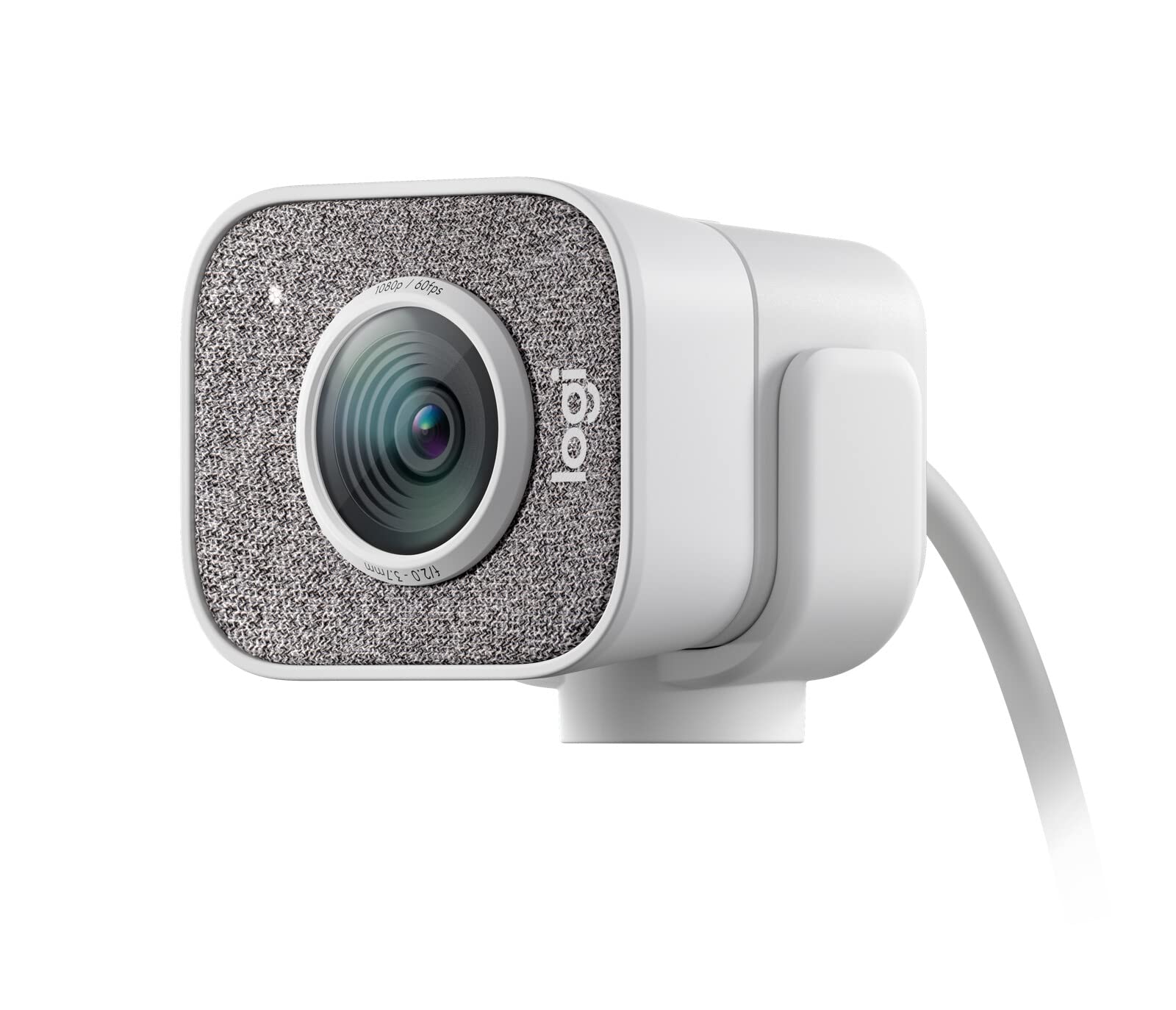
🎬 Stream Like a Pro, Look Like a Star
The Logitech StreamCam is a premium webcam designed for creators and professionals, delivering crisp Full HD 1080p video at 60fps via a fast USB-C connection. Featuring intelligent facial tracking and autofocus, it ensures your image stays sharp and well-lit. Its unique vertical video mode caters to mobile-first audiences, while flexible mounting options let you find the perfect streaming angle. Compatible with Windows and macOS, it’s the go-to tool for seamless, high-quality live streaming on platforms like YouTube and Twitch.
| ASIN | B07W4DHS5B |
| Batteries | 1 A batteries required. |
| Best Sellers Rank | #514 in Camcorders #1,167 in Webcams |
| Customer Reviews | 4.5 4.5 out of 5 stars (4,399) |
| Date First Available | February 11, 2020 |
| Department | WEBCAM |
| Is Discontinued By Manufacturer | No |
| Item Weight | 7.8 ounces |
| Item model number | Logitechstreamcam |
| Language | English |
| Manufacturer | Logitech for Creators |
| Product Dimensions | 1.89 x 2.28 x 3.35 inches |
S**A
Great streaming camera
This camera works great for streaming. Pixels are great and is super easy to set up. Took maybe 10 minutes from unboxing to mounting. We have 1gig internet and there are never any issues with lag, voice not matching stream, or any other issues. The only complaint with this camera is it does not have a shutter screen. Sounds weird to me as I thought that would be standard. But thankfully it’s in a room by itself and we close the door when not in use. Yes you can put a piece of tape or paper over the screen, but it seems silly to spend $100 and then do that is all. We also bought the white one because it was $40 cheaper than the black version. It’s a little odd on black screens, but nobody sees it and was worth the savings to us.
B**N
Great quality and easy to connect
I bought this because my work Dell laptop camera seemed fuzzy and had trouble with low light situations like morning and evening meetings, or bright situations when the sun shines directly in at golden hour. This camera is super clear, has great color, and was super simple to install and start using on my Windows/Dell. It was also easy to hook up to my MacBook when I tested it for podcast/Zoom stuff. Mounting arm to hook on the back of the screen works really well too. Note that it sits on but doesn't clamp to the screen. There's an internal mic so be sure to tell your computer or video chat software if you want to use the mic in the camera or on your computer.
K**N
Angry that it is clearly a used product, but an overall great camera.
First, apologies that my video isn't the most amazing. I wanted to show some information on the camera that I couldn't find in current reviews on here, but I am not the best speaker. Day 1 Review (I will only update if something goes wrong): EXTREMELY disappointed to see that the camera is clearly used. If I wanted a used camera, I would have paid a cheaper price for a used one. The box was torn up, and everything inside was pretty dirty. The sticky bit that covered the camera was barely sticky and had dust and dirt completely underneath it. Be wary of the fact that I am very much not the only person who has reviewed this stating they clearly received a used product. The StreamCam itself. Fantastic. I do suggest downloading the Logitech Capture software to get the most out of the cam, although I only had to make very little adjustments. The only light I have directly on me is my monitor, and I feel the cam looks really good with and without a bright desktop. The built in microphone of the cam actually doesn't sound that bad if you needed to use it and I would compare it to some of the "cheaper end" gaming headsets I have bought. Overall, I am very satisfied with the camera itself, but I am absolutely peeved that I was sent used product. To be clear, this does not come with a tripod. This does not come with any sort of privacy cover either. Personally, I bought a stand that I can swivel and move around. In my video review, I have the camera right behind my monitor to give an idea of field of view.
A**S
Llego en buenas condiciones y funciona perfectamente. 10/10
C**S
Just works right
I bought my first Logitech StreamCam right at the start of the pandemic and it worked PERFECTLY to get our church broadcasts through the tough times with streaming. Post-pandemic it lives on my office Mac and works beautifully. But, for my office PC I had an Elgato FaceCam. That FaceCam constantly locked up and froze when on video calls. I replaced it with a second StreamCam and it works just right, no fuss ever. Also, don't fret over the 1080p image. The image is clear and has good color and exposure. I've seen 4k webcams with worse images. The higher frame rate helps the look as well. I'd take one of these over a cheap 4k camera any day. Can't recommend this camera enough.
D**Y
Good quality camera for the price.
I purchased the camera because it supports 1920x1080 at 60 fps, something I need for video capture software development and image processing using Direct3D 11. The Amazon page mentions the only video format at 1080p for 60 fps is MJPEG, but it turns out that the camera supports 1080p at 60 fps with NV12 format. The fastest you can get with YUY2 format is 30 fps. Although I am pleased with the camera, I have a complaint about Logitech USB devices. I have a Logitech K850 keyboard and an M720 mouse that use a unifying receiver. I have to plug the receiver in a USB2 port, because if I plug it in a USB3 port, the receiver fails intermittently. I will be typing on the keyboard, but there is no response. The white-button "1" LED blinks as if the keyboard has to re-establish its connection with the receiver. When I additionally plug in the StreamCam (USB-C connection), the failures occur more frequently to the point that I have to unplug the camera in order to type on the keyboard. The same behavior happens if I plug in my Logitech Pro C9 camera, but the failures are less frequent. This behavior is not confined to a Microsoft Windows machine. The same problem occurs on my Ubuntu Linux machine. I keep hoping Logitech can solve this problem and fix it. I like the keyboard, mouse and both cameras, but constant plug/unplug of the camera just to be able to type slows down development.
R**O
Great camera
The camera is amazing. The video quality even in low lighting is very good way better than my last webcam. The mic on it is surprisingly very good everyone says it sounds clear there just isn’t a lot of sound canceling but it’s a camera so it’s good enough. The white color goes great with my setup I’m very satisfied with this
R**A
"Like New," but still an excellent camera
Pretty much everything that was expected of this camera, though as another reviewer stated, this one was obviously used and "like new." I guess I should've figured when this cam was being sold at $99 while the same exact camera was also being sold for $135. The box wasn't in the greatest condition and the placement of the instructions were folded and placed in such a way that suggested it was moved around. But the camera itself is great, which is why I'll still give this 5 stars.
S**O
Pensavo che le webcam fossero tutte uguali... e invece NO! La Logitech StreamCam è di un'altra categoria! Acquistata in offerta, per fare upgrade al mio setup, ho capito di avere a che fare con un dispositivo di categoria superiore sin da subito. Il Packaging è minimale ma allo stesso tempo di impatto. Unboxando ci si rende conto immediatamente della qualità del prodotto, a cominciare dalla qualità dei materiali di costruzione. Collegandola al pc tramite porta USB-C avviene la magia: Immagine nitida, con pochissimo rumore anche con scarsa luminosità, e una fluidità di immagine incredibile. Non a caso è una webcam progettata appositamente per content creator e gli appassionati di live streaming su piattaforme come YouTube e Twitch. Con una risoluzione Full HD 1080p a 60 fps, questa webcam offre prestazioni eccezionali, rendendo l'esperienza di streaming ancora più coinvolgente. La connessione USB-C permette di ottenere una velocità di trasferimento dati superiore rispetto alle connessioni USB tradizionali, garantendo un'ottima qualità video in tempo reale. La webcam è davvero semplice da configurare e utilizzare, basta collegarla al computer tramite la porta USB-C e si è pronti a iniziare lo streaming senza perdere tempo in configurazioni complicate. Per ottenere funzioni aggiuntive, consiglio di installare il software dedicato, in modo da sfruttare la webcam a 360°. Il sistema di facial tracking e autofocus è davvero impressionante. La webcam è in grado di seguire automaticamente i movimenti del volto, garantendo che l'utente resti sempre al centro dell'attenzione durante la registrazione. L'autofocus, inoltre, permette di mantenere la nitidezza dell'immagine anche in caso di movimenti rapidi o cambi di prospettiva, assicurando un video professionale e di alta qualità. La versatilità della Logitech StreamCam è un altro aspetto da sottolineare. La sua flessibilità consente di posizionarla sia sopra il monitor del computer che su un treppiede (non in dotazione), offrendo molteplici opzioni di angolazione per ottenere il miglior risultato possibile. Questo la rende adatta non solo per lo streaming, ma anche per videochiamate, registrazioni di tutorial o altre attività in cui una buona qualità video è fondamentale. Un altro aspetto degno di nota è la compatibilità con i software di streaming e registrazione video più diffusi, quali OBS Studio Streamelements, XSplit, semplificando ulteriormente l'esperienza di streaming e offrendo agli utenti un maggior controllo sulle impostazioni di registrazione. In conclusione, la Logitech StreamCam è sicuramente il partner ideale per chi ama lo streaming e la realizzazione di contenuti video. La sua qualità video in Full HD a 60 fps, la connessione USB-C, il facial tracking e l'autofocus rendono questa webcam un must-have per coloro che cercano prestazioni elevate senza complicazioni. Se sei un content creator o un appassionato di streaming, la Logitech StreamCam è sicuramente una scelta che ti soddisferà al 100%.
A**Y
Så länge du bara ska köra videosamtal över tjänster som Zoom, Teams, Google osv så är StreamCam mer än fullgod. Ska du däremot spela in vlog i 1080p eller högre så bör du välja något annat.
A**Z
とても画質がいいとか、AFがいいとかはないのですが、なんだかんだ安定して使えます。
D**N
Brio ve streamcam arasında çok araştırma yaptım. Brio’nun illa farkı var ancak kullandığımdan söylüyorum fps anlamında çok başarılı, gece karanlıkta inanılmaz güzel bi performans gösteriyor. Kamerayı yan çevirdiğimizde dönme özelliğinin olması da ayrıca güzel özelliklerinden.
A**N
Very decent camera with nice frame per second also add a nice look to your setup
Trustpilot
1 month ago
3 weeks ago