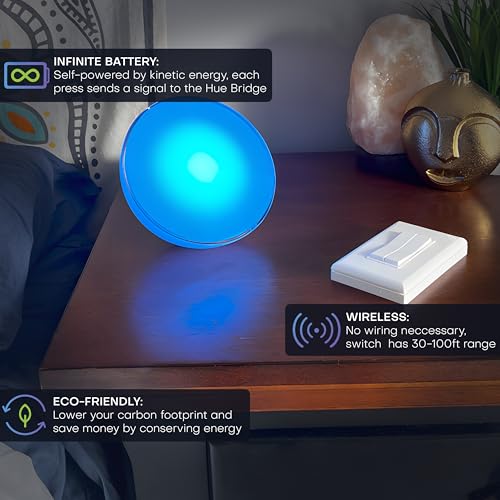

⚡ Switch to smart living—no batteries, no wires, just pure kinetic brilliance!
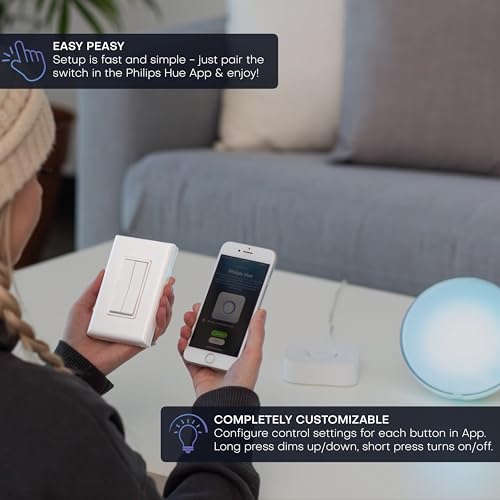
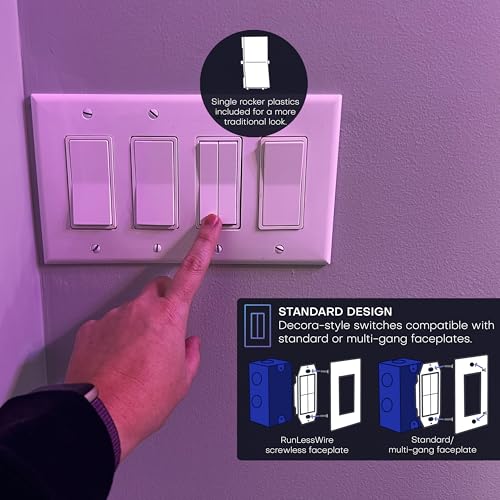
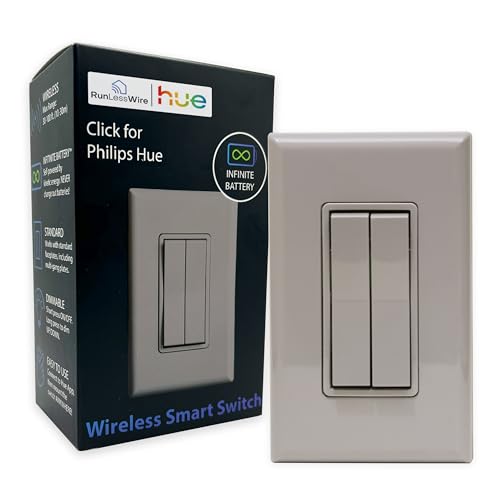
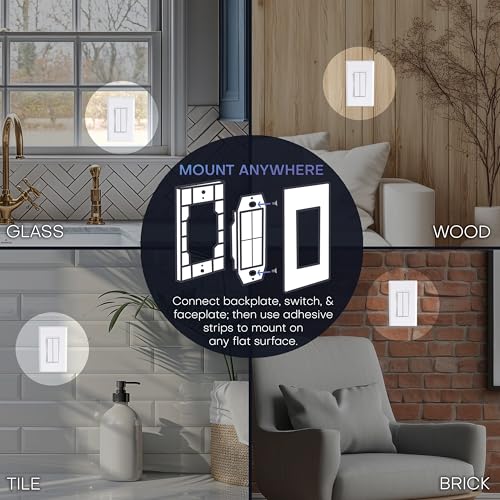
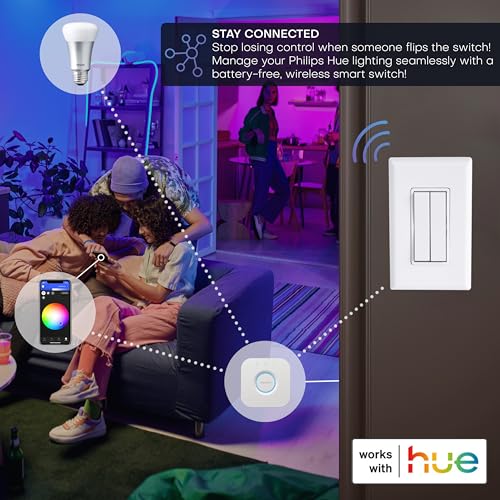
The RunLessWire Click is a battery-free, wireless smart light switch designed exclusively for Philips Hue systems. Powered by kinetic energy, it eliminates the need for wiring or batteries, offering a clean, maintenance-free solution. With a 30ft Zigbee range and native Hue Bridge compatibility, it enables instant, reliable control of your smart lights, including dimming and scene customization. Its Decora-style design mounts easily on any surface, making it perfect for modern smart homes seeking effortless, elegant lighting control.


| ASIN | B07M9CYDHF |
| Actuator Type | Rocker |
| Best Sellers Rank | #51,151 in Tools & Home Improvement ( See Top 100 in Tools & Home Improvement ) #204 in Electrical Light Switches |
| Brand | RunLessWire |
| Circuit Type | 2-way |
| Color | Gray |
| Connectivity Protocol | Wi-Fi, ZigBee |
| Connector Type | Screw |
| Contact Material | Copper |
| Contact Type | Normally Closed |
| Control Method | App |
| Control Type | On/Off/Dim/Scene |
| Controller Type | Amazon Alexa, Apple HomeKit, Google Assistant |
| Current Rating | 5 Amps |
| Date First Available | December 21, 2018 |
| International Protection Rating | IP00 |
| Is Discontinued By Manufacturer | No |
| Item Weight | 3.2 ounces |
| Item dimensions L x W x H | 0.62 x 2.75 x 4.5 inches |
| Item model number | FOH-DSGY |
| Manufacturer | RunLessWire |
| Number of Items | 1 |
| Number of Positions | 4 |
| Operation Mode | ON-OFF-ON |
| Product Dimensions | 0.62 x 2.75 x 4.5 inches |
| Terminal | 2p6t |
| UPC | 850028282052 659438836578 |
| Unit Count | 1.0 Count |
| Wattage | 600 watts |
R**X
Excellent product!
This does exactly what it advertises. I wanted a smart light switch to control my bedroom Hue lights and this does the job beautifully. It looks like a regular switch and integrates into my existing switch faceplate in my room for a seamless look. This is replacing a Lutron Aurora switch that required batteries every few months, the fact that there are no batteries now to replace is amazing. The only negative I've seen so far is it is fairly loud when it clicks, but that is a small price to pay for having no batteries to worry about. Setup was easy with the Hue app. Very happy with this purchase.
M**N
Nifty
This is a great solution for an older house. Because of how philips hue bulbs work, the outlet needs constant power for the bulb to have smart functions, such as brightness settings for certain times of day. I wanted the light in my bathroom to be at different brightness at different times of day. Anybody who has gone to the bathroom in the middle of the night knows why this might be wanted. With this switch, I was able to easily replace my existing lightswitch. I basically created a hot wire so the outlet is always on/hot. This switch only controls the bulb via wifi. I REALLY like that this switch has no need for power. I live in an older building, and as such my lightswitches do not have a third wire. The way this switch is designed, when you actuate the switch, a small amount of power is generated, and that is the power the switch uses to communicate with the hue system. Very clever. The response time is very fast and just as quick as other official hue switches. Quality feels good, and it came with the option to have 2 separate switches (so potentially 4 different actions-left up, left down, right up, right down), but for my use case I only needed one switch. As such, the switch sort of 'resets' after you press it, so it is not your traditional sort of switch that 'clicks up'/'clicks down' and stays in that position. This took a little bit of getting used to for the first few days but now it feels fine.
B**N
An excellent light switch with seamless Philips Hue integration!
These are excellent switches for the Philips Hue ecosystem. They work flawlessly with other Philips products (a bridge is needed), and as an added bonus they need no batteries or wires! These can be added to an existing outlet, or just attached to a wall anywhere with the included mount. Within the Philips Hue app, the vast majority of setting for light settings, dimming ability, timed reactions, and color scenes are available.
R**.
Expensive, but does a job not otherwise easily done
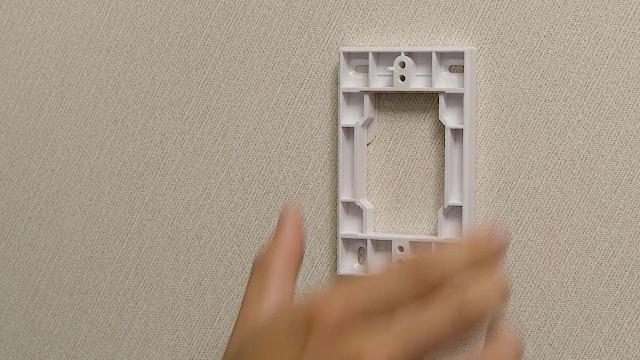
This product does a specific job. You need to turn smart devices on and off; those devices are compatible with Philips Hue directly or indirectly; and there isn't a cheaper device-specific remote or you want to replace a standard Decora switch. Unlike Philips' standard Hue remote devices, this device WILL fit in a standard outlet box and use a standard Decora cover plate. You do not HAVE to use an outlet box; it comes with a somewhat low-profile surface mount box and cover plate. You can use this device to turn Hue devices on and off. You can also use it to turn HomeKit devices on and off, because your Hue hub will recognize it as a switch and make that switch available to HomeKit. I've used it to turn an iHome smart plug on and off using HomeKit. The switch can be configured as a single switch or split in two, to control two different devices. It does work, but it doesn't always work on the first press. Occasionally, you need to press twice, presumably to generate enough power to send the radio signal. You cannot press both switches at once, or even in rapid succession; you have to wait a moment between presses for best results. The switch is loud, making a distinct snapping click when pressed. That's part of the energy-generation mechanism. That might make it unsuitable for use in bedrooms, if you expect to use it while people are sleeping. You may need to use care installing it, to avoid placing it over a hollow section of wallboard that might act as a sounding board, increasing the noise from the click. Even with those limitations, this product fills a niche that no one else is addressing. When you need it, it's the only option. (And it's priced accordingly.) In many cases, there are cheaper Hue-compatible remotes that will do the job, if you can stand the design (and occasional battery replacement). But there's definitely a place for this switch.
N**H
Nice kit but somewhat expensive and may not work for all electrical boxes if doing a retrofit
The switch is surprisingly stiff. I think some won't mind it but it doesn't have as satisfying of a click as most wall switches because of the higher activation force required. I'm seeing if I get used to it. I like the look of the switch, it blends in pretty well, especially if you can mount it flush. It has also failed to activate very occasionally, if that persists I'll probably need to find another switch to get reliable control, but so far just once has this been an issue. I'd rather replace batteries than have it occasionally fail to control the lights. I had a lot of trouble installing it. With a pretty standard switch box in the wall I couldn't mount this without the surface mount plate, which leaves a pretty significant gap behind it, whereas any other regular light switch has fit just fine. I think this is due to a particular electrical box design where the mounting screws are a single strip covering left to right and blocking the space where the cover plate's comparably long clips would fit. Make sure there is open space to the left and right of the screws where the existing switch is mounted before buying this. I also couldn't mount the surface bracket directly, due to the metal electrical box, so screwing through it as a spacer into the center top and center bottom screws was pretty fiddly but did work. Setup on the Hue side is very easy and worked well. Just make sure you do the setup before replacing the dual rockers with the single rocker if you are planning on using that.
J**W
Worked out of the box as expected, and best of all, it can be used with standard decora faceplate covers (which is why I bought it). It’s not as responsive as a regular switch; you need to wait a couple seconds as you switch between scenes. Otherwise, it’s really great. Probably expensive for what it is, but when you’re the only game on the market, that’s what you can do. Would recommend to anyone looking to double-gang and control hue lights.
J**.
Si quieres algo sin baterías es una gran opción. Yo lo quise probar para un pequeño patio y falla un 20 % de las ocasiones a pesar de estar cerca tanto del modem como de la lámpara posiblemente a que no lo uso con frecuencia
L**E
took me few minutes to figure out how this works, in the standard one switch toggle setup this looks identical to a traditional flipper switch. there is also a dual flipper kit that came with the kit that I didn't use incase you want to control 2 lights independently from each other. This switch is so much better than putting battery modules hue wall module) behind the switch with a 5 yr batt life or another module behind the wall. works great with hue systems and some other lights I tried.
J**.
i bought into the hue ecosystem early, before there were so many great alternatives. at the time, hue bulbs looked the best and were from a reputable brand. unfortunately hue bulbs are the biggest PITA when it comes to product support, similarly to Apple, they have an extremely closed ecosystem which significantly limits what you can manage them with. the problem isnt (or shouldnt be) a complex one, i wanted something that; -doesnt require maintenance (no batteries) -completely replaces existing lightswitches rather than being in addition to (because nobody other than me understands how my lights work) ive tried many different solutions and finally decided to try one of these, in my opinion, this is the only product that offers an acceptable solution. i can hardwire all the lights to always be on, and replace all my switches with something that looks like a regular switch, no more confused guests. my biggest complaint is that only one action can be performed at a time, if you use the dual rocker and press both sides in an attempt to turn on two different light groups, it will do nothing. my second complaint would be the click loudness, but based on how they work, im not sure thats avoidable and its totally acceptable. during setup, you are only given the option of assigning a single light group per rocker (IE: up and down both have to control kitchen lights for example, cant have up control kitchen and down control hallway), however, you can change this afterwards in the hue app (IE: could do press = on, hold = off). additionally, if you use hue essentials, you can have conditional operations for all 4 buttons, so if your lights were off, up could turn them on, but if the lights were already on, pressing the same button would turn them off, effectively allowing you to control 4 light groups on/off functionality with a single dual rocker switch.
Trustpilot
1 week ago
1 month ago