
DOWNLOAD THE APP


Customer Services
Copyright © 2025 Desertcart Holdings Limited
DOWNLOAD THE APP




🎛️ Elevate your sound, own the studio vibe.
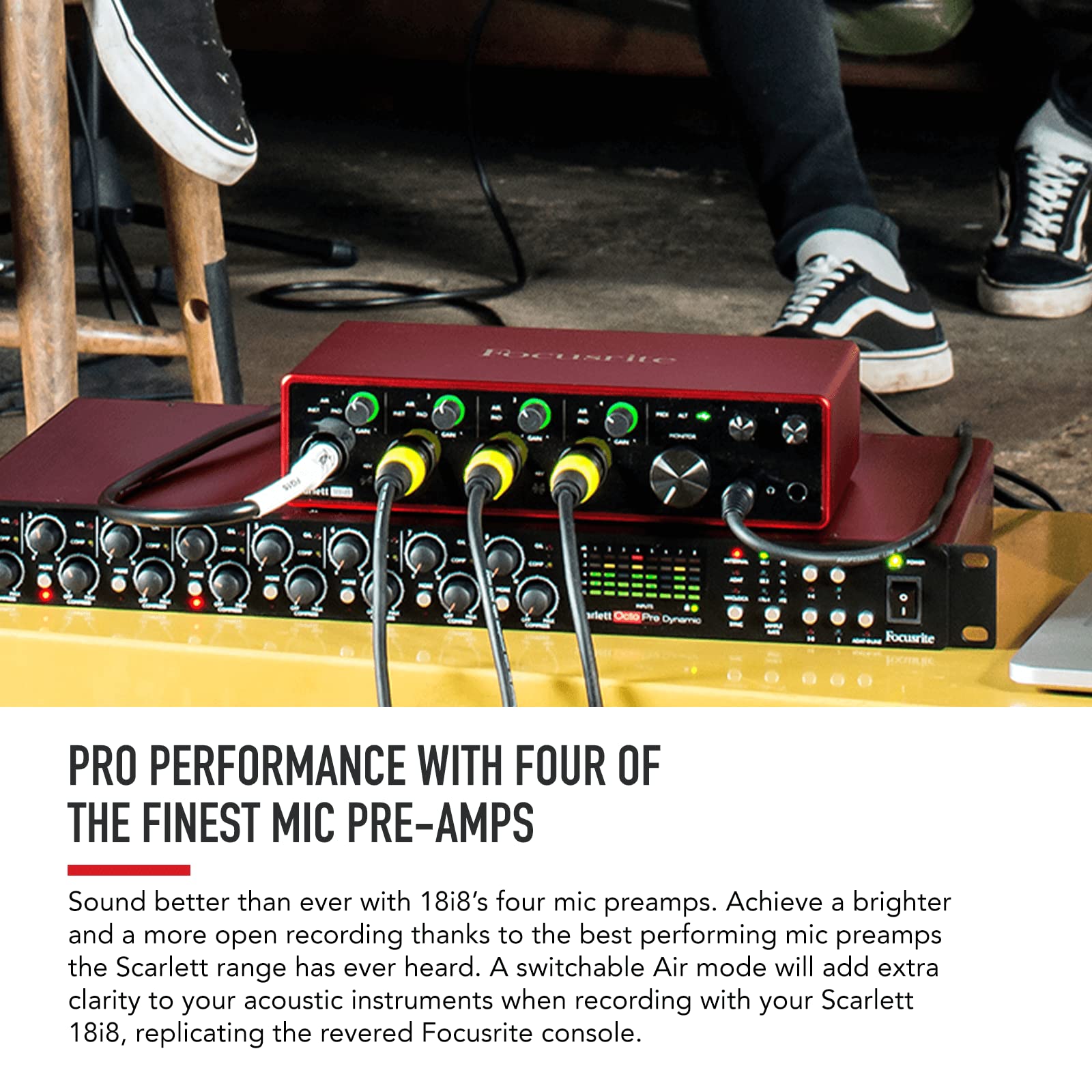
The Focusrite Scarlett 18i8 3rd Gen is a professional USB audio interface designed for recording, producing, and engineering with studio-quality 24-bit/192kHz converters, four advanced mic preamps with Air mode, and eight simultaneous inputs. It features dual headphone outputs, low-latency drivers, and seamless integration with top DAWs and plugins, making it the go-to choice for serious creators seeking superior sound and workflow efficiency.


| ASIN | B07QQ2YTHN |
| Audio Input | XLR, hi-Z, USB |
| Best Sellers Rank | #38,920 in Musical Instruments ( See Top 100 in Musical Instruments ) #266 in Computer Recording Audio Interfaces |
| Brand | Focusrite |
| Brand Name | Focusrite |
| Compatible Devices | Microphone, Instrument, Personal Computer, Headphones, Studio Monitors |
| Connectivity Technology | USB |
| Customer Reviews | 4.6 out of 5 stars 917 Reviews |
| Frequency Response | 20 KHz |
| Global Trade Identification Number | 00815301005209 |
| Included Components | Scarlett 18i8 3rd Gen., 1 x USB cable (Type C-A), Power Supply |
| Item Dimensions D x W x H | 2.4"D x 9.49"W x 6.28"H |
| Item Height | 6.28 inches |
| Item Type Name | 18i8 (3rd Gen) USB Audio Interface with Pro Tools | First |
| Item Weight | 3.45 Pounds |
| Manufacturer | Focusrite |
| Maximum Sample Rate | 192 KHz |
| Number of Channels | 18 |
| Operating System | Mac OS, Windows OS |
| Supported Software | All audio recording software |
| UPC | 815301005209 |
| Unit Count | 1.0 Count |
| Warranty Description | 2 year warranty. |
B**.
Huge workflow improvement if you switch between a lot of instruments
This is an excellent upgrade from something like the 2i2 or any “standard” interface. If you need to record more than two XLR inputs at the same time or are sick of having to unplug one thing to plug in another even when recording at different times then this is a great interface but it isn’t without its faults. First the good, then the bad: I like the access to the four combo XLR/instrument inputs on the front. I often have to record three or more XLR inputs at once and being able to have all my cables plugged in at once makes it so much easier to go from one instrument to another. I’m able to have all of my mics, DI guitar XLRs, and even stereo synths with the line inputs on the back plugged in and I can switch from one thing to another and even record up to 8 instruments at once. The efficiency and improvement to my workflow is really the biggest benefit over anything else. As far as sound quality goes, the preamps, bitrate, and sample rate are just as good here as they are on the rest of the Scarlett range. The big benefit is ins and outs. Having MIDI in/out is a nice touch and was a huge factor in choosing any interface for me. I often want to use my MIDI keyboards to record MIDI in my DAW and then send it out to something like a synth or a Korg Volca or something. Now for the not so great parts. The setup is easy enough but it doesn’t always automatically set things how you might want. For example, the Scarlett automatically sets direct monitoring on. That’s great for zero latency monitoring but if you have multiple guitars mic’d up and only want to hear one at a time while recording, the settings in your DAW won’t have any effect as far as input monitoring goes. You have to go to the Focusrite control app for that. So I just set the app to allow the DAW to control the sound input and output, which was a preset in the Focusrite Control app, and that fixed it. I’ve been using Scarletts for a few years now and still don’t really know how Focusrite Control works beyond the very basics so I never use direct monitoring unless there’s a button for it. The front has four knobs to control gain on the front panel, two knobs for each headphone output, a master speaker output knob, and two small buttons that control the 48v phantom power for each of the two sets of XLR inputs on the front panel. What I miss are the buttons on the front panel for selecting line or instrument level for the inputs and the Air mode buttons. Those controls are now in the Focusrite Control software. Luckily, they are easy to activate unlike a lot of other things in the software and the mobile app makes it even more convenient for people like me who don’t want to switch away from their DAW on their computer to select Air mode or pad an input or select instrument level for a certain input. The line level inputs on the back are line level only and the gain is fixed. You can adjust the gain using Focusrite Control app but really you shouldn’t need to. Most line level signals should be loud enough and can be adjusted at the source instead of at the interface and if you still need a volume boost you can probably get away with just increasing the track volume rather than messing with the interface. A rule of thumb is that if a line level input is too quiet then the problem is the instrument, not the input. But there are some cases where you may want to boost the level on the interface and when you do it’s a little inconvenient to have to open Focusrite Control to do it. Ideally, I don’t want to have to mess with anything in Focusrite Control after setting it up once and 99% of the time I don’t. The only times you’d really have to mess with that app is when you have to activate a mode or setting that there isn’t a button for like Air mode or the line/instrument setting. This thing needs an external power supply to work which is understandable considering the four preamps with phantom power. Remember to turn the switch on when you plug it into your computer and make sure you power it off properly before unplugging. My gripes with this are truly minor and I understand why they took the buttons off the front panel. The design is just sleeker and it would take up way too much space to keep those buttons. Putting them into software makes sense considering how easy it is to switch them on or off and it was a good trade off between convenience, design, and space saving. Compared to my previous interfaces this is a big boy but still fits neatly on my desk and lets me have everything plugged in and ready to go at all times, making it easy for me to plug in the USB, power it on, and start recording. Also, there was no change in latency by upgrading from a smaller Scarlett. The speed and quality is exactly the same. The only difference is efficiency and workflow which are huge. Seriously, switching out cables and setting up instruments to record is a hassle. The more I can have already set up and ready to continue a session later the faster I can go and the more I can focus on music rather than setup.
T**L
Upgraded from a 10 year old UX2
My Line 6 UX2 was fun in its time, but it was long past time for an upgrade. This Focusrite box is just about perfect for what I do. It has independent power instead of drawing from the USB port. It has 4 monitor outputs instead of the 2 I had. It has 2 headphone jacks as well so you can have another set of ears in the mix if you want. This box is also capable of supernatural sampling rates up to 192 khz. If we get bionic hearing someday we might notice it. Has a metal case instead of plastic. Setup could be accomplished by a 5 year old in about a half hour. If you don't hear your headphones, reinstall the drivers, restart, and make sure you click the follow up prompt when you login to finish. Then everything is controlled in the Focusrite Control software. The only thing that sucks about the software is you can't use the sliders with the mouse, you have to physically turn the volume knobs. The software just provides a graphic to show the levels. Not a big deal, but sometimes a person's interface is buried so you have to reach. Would be nice of the sliders controlled the knobs as well, but that is a motion controller that would have to be soldered into the next model with code written for it. Might not be able to keep it under 500 bucks that way. The 18i8 is meant to make music or podcast, but it is a great base for an entertainment system. Movies with quad monitors where you can control the pans to get it dialed in perfectly to your location in the room. Yeah, might want to rewatch star wars after setting something like that up. PvP gaming is insane because you can setup the quads to where you can hear footsteps from any direction, like you are actually getting jumped.
T**N
Well made and great integration with Ableton software
It’s well made, easy to use - but it’s the software that really worked well, both the focusrite sw and the integration with Ableton (which I also like as a sw package). I’m a podcast newbie and this really helped me out.
S**Y
This thing sounds great! Needs F.R. Control software donload to be set up correctly!
The center of the XLR ports on the front are 1/4 inch LINE LEVEL inputs, great for connecting a mixer board if you need extra mics! Sounds great, annoying that a lot of the options do not have switches but are berried in a proprietary software called Focus-right Control. A terrible thing. They should have had the headphone on off switch on the device itself. Other setting too. You should not need to configure software to get this thing to output to headphones. That being said, I still recommend this device, definitely the best 4 channels of mic input for anywhere near this price point!
C**S
Excelente interfaz
Excelente interfaz
M**D
Good build
Built solid and controls are good. The supportive software are great! Working good so far, but i'm not able to figure out how to record stereo - because on play back the audio comes out from one speaker and not all speakers. Audio is clear though but i'm just not sure if my cable connection is the cause of unbalanced audio output /playback. I used XLR for voice and XLR for instrument to record. UPon finishing recording it plays back on the R. speaker.
P**A
Love this!
Great product
J**T
Nicely built, noiseless and easy to use interface.
This is my second Focusrite interface and I just can't find anything to complain about. They have durable metal bodys, knobs have a nice rubbery grip to them and turn very smooth. I had the last interface for years and it still works great, I just needed more inputs so I upgraded to the 18i8. I notice zero noise from the unit itself. Pots are noiseless when adjusting levels and dont add any crackles or hiss. The jacks are solid and grip cables tightly. This one even has Midi capability which has been nice for my multi synth setup. I have found that the Focusrite Control app has been fairly easy to use and I was able to get it up and running with very little effort and confusion. The price was also cheaper than my usual musical instrument outlets by a considerable amount, although I noticed that the price would go up and down while it was in my cart before I pulled the trigger.
Trustpilot
2 months ago
4 days ago