
DOWNLOAD THE APP


Customer Services
Copyright © 2025 Desertcart Holdings Limited
DOWNLOAD THE APP

🖥️ Elevate your workspace—mount like a pro, save like a boss!
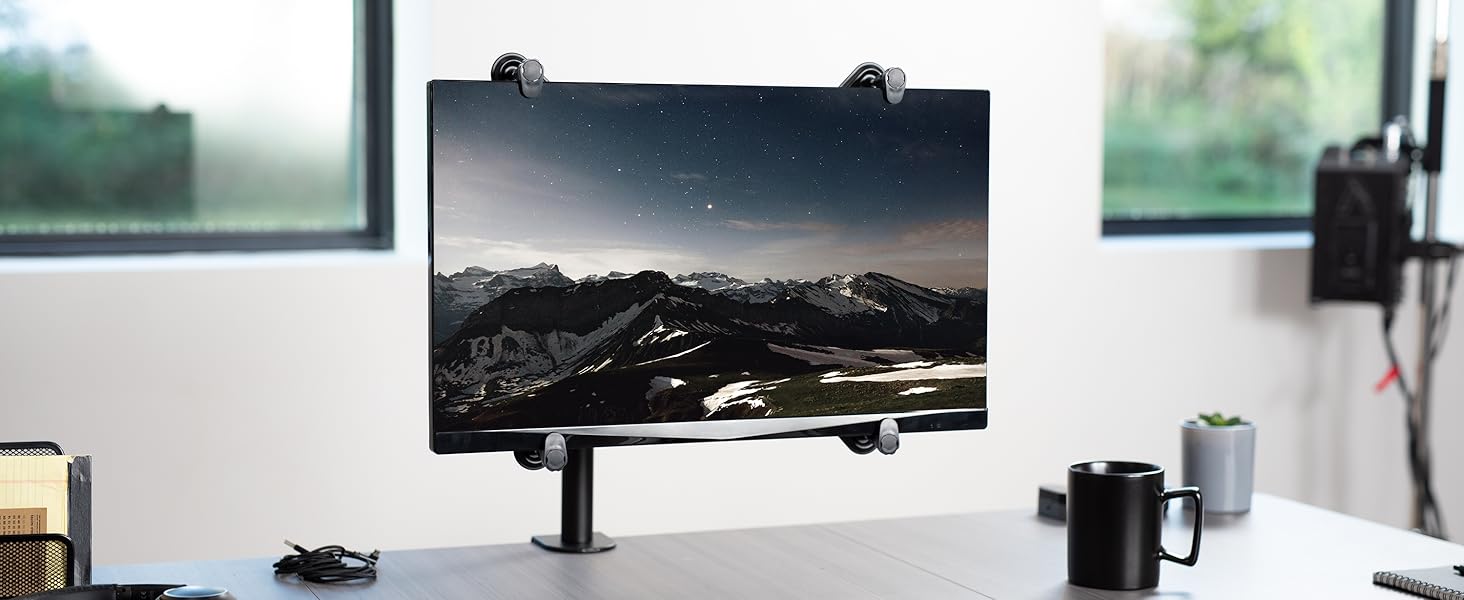
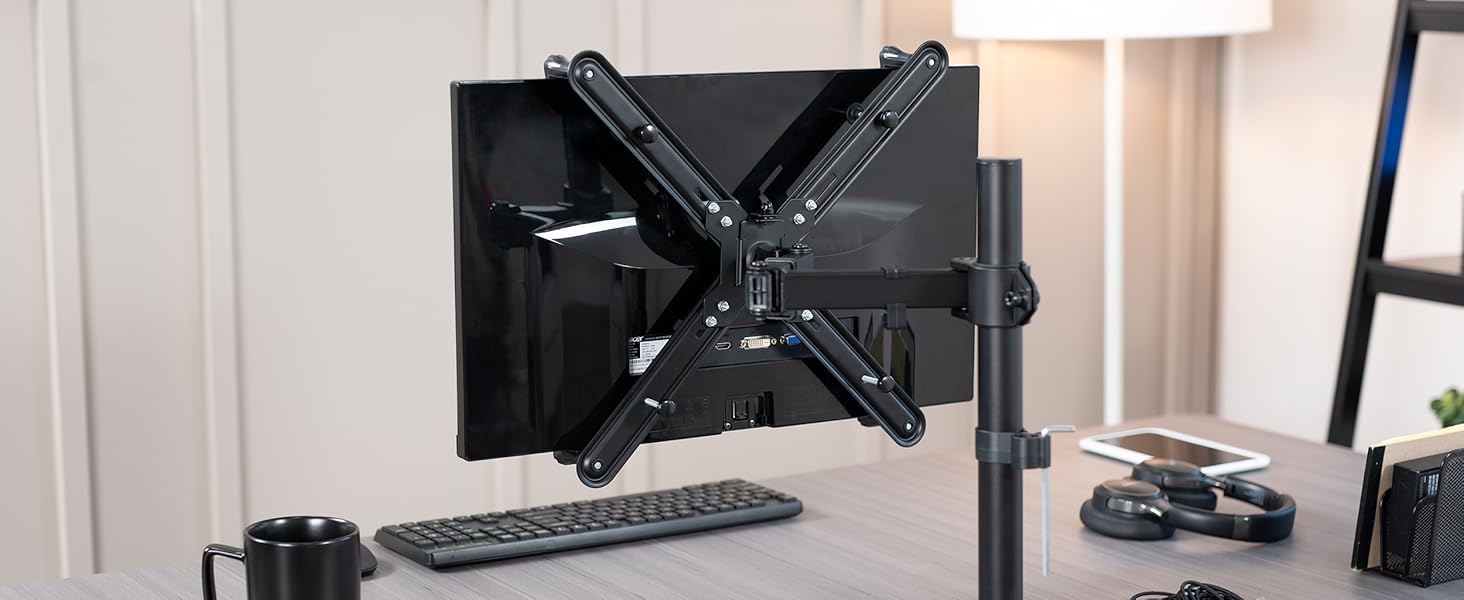
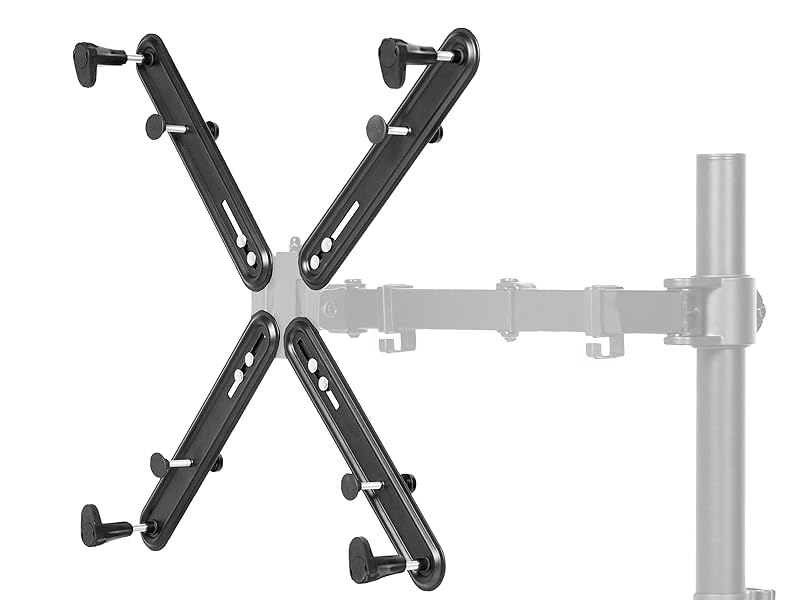
The VIVO Adapter VESA Mount Kit converts non-VESA 20 to 30 inch flat LCD/LED monitors into VESA-compatible displays with 75x75mm and 100x100mm mounting holes. Featuring a sleek matte black finish and including all necessary hardware, it supports bezel heights from 11.5" to 19.2" and thicknesses from 1" to 2.75", enabling professional-grade monitor mounting without the cost of a new screen.



| ASIN | B00RTS5WWM |
| Best Sellers Rank | #620 in Computer Monitor Arms |
| Customer Reviews | 4.0 4.0 out of 5 stars (1,719) |
| Date First Available | January 5, 2015 |
| Is Discontinued By Manufacturer | No |
| Item Weight | 1.5 pounds |
| Item model number | STAND-VAD1 |
| Manufacturer | VIVO |
| Product Dimensions | 9.41 x 4.02 x 1.5 inches |
W**E
Works awesome for a 27" Monitor
For this thing, I have to give it 5 stars. It literally saved me from buying a new monitor. When I was working on my home office, I knew I wanted to get a monitor stand, but also knew that my monitor isn't VESA mountable. I was searching for new monitors when I decided to search for "How to mount a non-vesa monitor" and ran into a youtube video of a guy and his dad making a non vesa monitor, mountable. I however, did not want to go out and get parts and do this myself. I then search Amazon for VESA mount and Wa-lah! Here is the mount kit from VIVO. After reading reviews, I decided to go with it. When I received it, I immediately took it out and started to build it (You have 4 long pieces that you have to mount to your monitor desk arm(You will need to use the VESA mount from your monitor arm, which is separate from this, which confused me, but I had also purchased a monitor desk arm as well, so when I opened the box for that, it all made more sense) I have a 27" Samsung that I bought this VESA Adapter for. Again after reading reviews, people have used for 29" and 30" so I am good. I put the thing together and took my monitor off the regular table mount that it originally came with and began attaching this adapter. It feels very snug to me and will not cause me to worry that it will not hold up my monitor, it fits nice to the back and luckily all my monitor inputs are directly center bottom so nothing was blocked. I attached it to a monitor arm and BAM, insta-VESA monitor. I am so happy that I, 1. Didn't have to do this manually going to a hardware store to throw something together and 2. Didn't have to get a new monitor due to the manufacturer not adding VESA. Thank you VIVO - If I ever buy another monitor without VESA(not likely), but if I do, I will come back and buy this again!
V**N
Saves money but difficult to install
It works. It saved me money from buying a new monitor. My only gripe is that it was not easy to install at all. Firstly, it does not come with its own VESA plate which I realized hours after opening that it wasn’t necessary; the plate comes with whatever stand I want to use. I’m not super handy, and I would’ve liked that to have been made clear. Secondly, adjusting the legs was unnecessarily tricky. I learned through trial and error that I wanted the legs to hold my monitor at specific places because I wanted to make my monitor vertical with the bottom it so low to the table. As in the picture attached, the directions are to place the four cap hex screws on the outside and the four phillips head screws in the inside. This makes tightening clunky. If the caps were on the inside, then I could hold the cap screws with a hex driver parallel to the monitor and twist with a screwdriver perpendicular to the monitor. I did ask for help from somebody handier than me, and even she said installing was clunky. It took three hours for me to install. It may be better to just buy a new monitor for some.
C**D
Does its job perfectly, worked great on my thin monitor
VESA mount kit worked perfectly on my Samsung 24" 1080P monitor. It didn't have the mount on the back, had a much too thin construction for that. I was afraid the clamps wouldn't hold tightly on the back of the monitor but at the last tightening of the screw it ended up fitting perfectly. If there's a monitor any thinner than mine, it could be problematic and sit loosely in the 4 brackets, just a warning. For me, it was perfect. A little complicated to get it worked perfectly straight and aligned with my other monitor, an LG 144hz monitor, but once I got it in place and tightened, voila! Perfect fit. It's not an elegant solution (I honestly hate the arms sticking out of the sides) but it's way cheaper than buying a new monitor!
T**R
Feet need better grip - or kiss your display
SUMMARY: Feet holders need grip and/or addition added edge or miss your display goodbye. I ordered two - didn’t even bother opening second. Neat concept - poorly executed. I’m returning same day because I could just not get it to work. Doesn’t work for Dell ST2420L or ANY display that might have even just a slight curve. The feet that rest on display’s edges that are basically supposed to hold the display are hard, smooth, plastic that DON’T hold display still. They’re just flat. The feet need rubber or something on them to grip display. Hardware included is inadequate. Either locking washers or locking nuts are needed instead of the whimpy ones that’s provided. Locking hardware would help with he arms from slipping and moving. This item might have a high star rating - but gets only one from me for nearly dropping my display.
J**.
Good quality was good for my monitor
A**R
missing parts, waste of money
E**O
Me costo un poco de trabajo y paciencia ensamblarlo en mi HP2511x. Las patas del arnes se me movian al ajustarla y un par de veces se salio todo pensando que ya iba a quedar. Me funciono mejor usar dos tuercas para cada pata inferior y fijarlas a 45°, ya con eso fue mas facil ajustar las superiores. Si en su monitor le queda asi, pongan dos tuercas en cada pata. Existe la solucion especifica para este monitor. Pero considero que este producto VIVO adapter VESA resulto con mas economico y mas firme que la solucion especifica. Ojo. Es necesario que tengan la llave para ajustarla y el desarmador de cruz correcto. Quiza seria mas facil si el fabricante colocara llave de mariposa para ajustar por detras. Tengan cuidado de no bloquear los puertos, yo bloquee el VGA pero no lo uso. Gracias al vendedor, llego rapido y en forma
S**A
Best option for monitors with no VESA holes.
M**H
تفي بالغرض كما موضح
Trustpilot
2 weeks ago
2 months ago