Desertcart purchases this item on your behalf and handles shipping, customs, and support to Argentina.
🔥 Elevate your game with precision and style 🎮
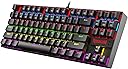
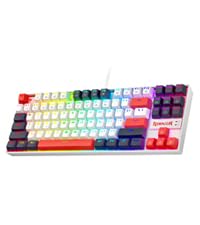
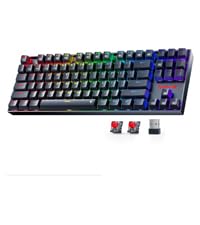
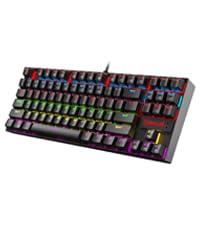
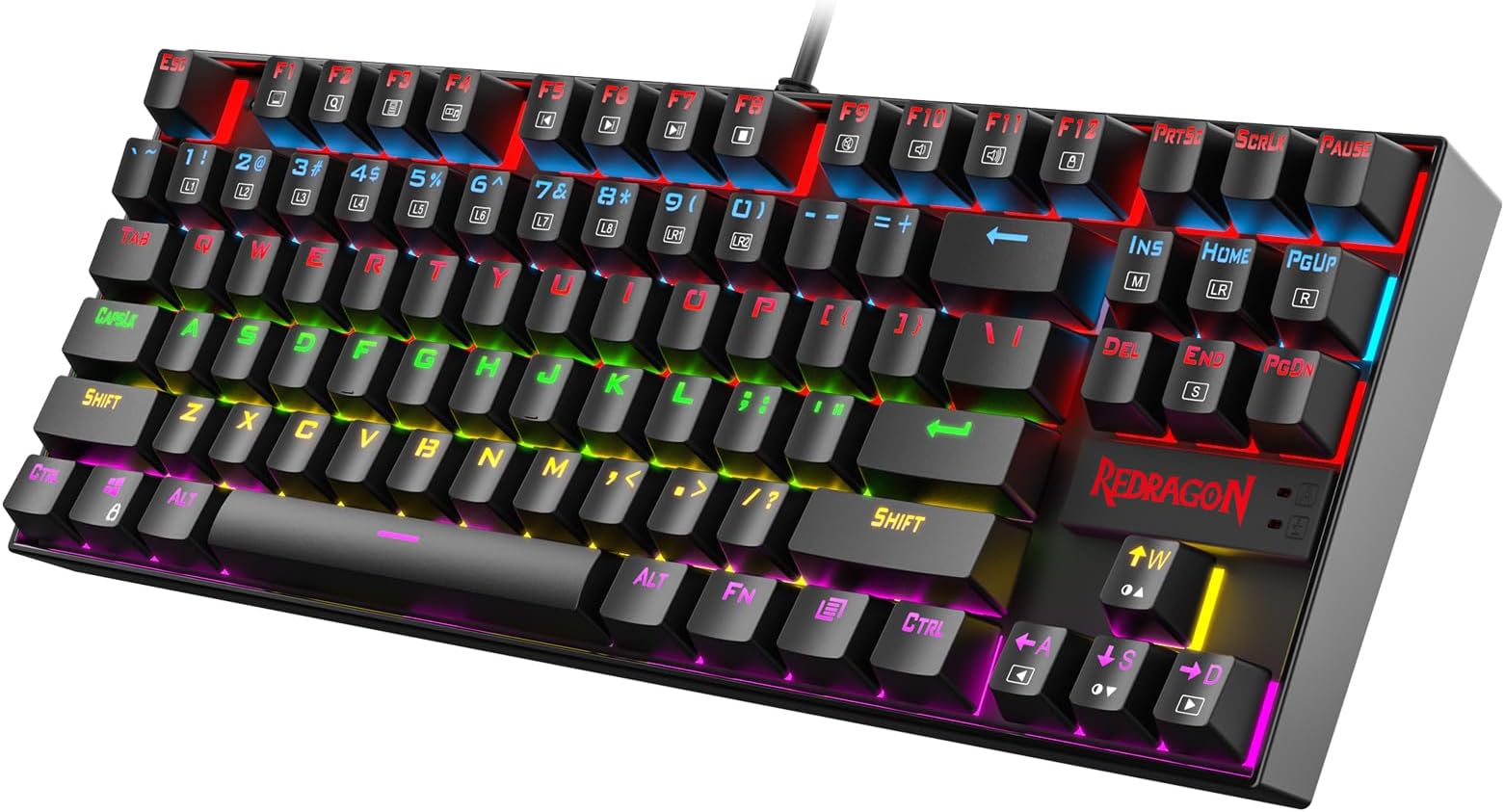
The Redragon K552 is a compact, tenkeyless mechanical keyboard featuring durable metal construction, smooth linear red switches, and vibrant RGB backlighting with 6 preset modes. Designed for gamers and professionals alike, it offers full anti-ghosting, N-key rollover, and broad OS compatibility via plug-and-play USB connection, making it a reliable, space-saving powerhouse for intense gaming and productivity.


| ASIN | B016MAK38U |
| Additional Features | Ergonomic, Hot-Swappable Red Switch, Metal Rim, TKL Layout |
| Antenna Location | Gaming, Office, Personal |
| Best Sellers Rank | #901 in Video Games ( See Top 100 in Video Games ) #100 in PC Gaming Keyboards |
| Brand | Redragon |
| Built-In Media | USB Cable |
| Button Quantity | 87 |
| Color | Black |
| Compatible Devices | PC |
| Compatible Operating System Family | MacOS, Windows |
| Connectivity Technology | USB |
| Customer Reviews | 4.4 out of 5 stars 34,623 Reviews |
| Enclosure Material | Acrylonitrile Butadiene Styrene Metal Steel |
| Generation | 1st |
| Global Trade Identification Number | 00740002400346 |
| Hand Orientation | Ambidextrous |
| Item Dimensions L x W x H | 13.94"L x 4.86"W x 1.46"H |
| Item Highlight | 87-Key TKL Compact, Anti-Ghosting, Metal Frame for PC Gaming & Typing, Beginner-Friendly, Redragon Classic Gaming Keyboard |
| Item Weight | 875 g |
| Keyboard Backlighting Color Support | RGB |
| Keyboard Description | Mechanical |
| Keyboard Layout | AZERTY |
| Keyboard Plate Material | Metal |
| Language | English |
| Manufacturer | Redragon |
| Mfr Part Number | B016MAK38U |
| Model Name | K552-KR |
| Model Number | K552 |
| Number of Items | 1 |
| Number of Keys | 87 |
| Number of Packs | 1 |
| Number of Sections | 87 |
| Power Source | DC Power Supply |
| Recommended Uses For Product | Gaming, Office, Personal |
| Series Number | 552 |
| Special Feature | Ergonomic, Hot-Swappable Red Switch, Metal Rim, TKL Layout |
| Style Name | LED Red Switch |
| Switch Type | Linear |
| Theme | Gaming |
| Total USB 2.0 Ports | 1 |
| UPC | 740002400346 796594786894 780682638264 |
| Unit Count | 1 Count |
| Warranty Description | NO |
| Water Resistance Level | Water Resistant |
S**E
Affordable and very nice, a little noisy but can be modded
My daughter uses this keyboard, we both love it, but it's indeed loud. We've tested other keyboards including Razer, Logitech, Cosair, as well as some varieties of Chery Brown and Red, but in the end still love this Cherry-Blue clone. Tried some dampening O-rings, didn't help much, so I decided to open it up and experiment (need to remove the keycaps to access the screws holding the top plate down). Here's what I found. The noises come from: - the click of the switch itself. It is what we like over the other switches, but the keycap amplifies this click quite a lot. - the bottom-out noise when the keycap hits the switch's box. The O-ring can dampen this sound a bit, but the boxy plastic base amplifies it multiple times. Coupling with an IKEA tabletop, it sounds like hitting a drum. - the sound of the switch hitting the switch's box on the way up. You can hear this sound when you hold a key down and lift your finger up quickly (like when typing fast). Again, this sound is also amplified by the keycap. The good news is, if you take the circuit board out of its boxy plastic base, all the noises are reduced to around 25-35% (my rough estimation), the only noticeable sound is the faint click of the switch itself. If you like a really quiet keyboard, you can just make a custom base/footing (a block of foam for example). You just need to cover the exposed circuit board on the underside, the top metal plate is pretty solid and won't bend. I'm pretty sure it's even quieter than the typical Dell keyboards at my office. However, my daughter prefers the keyboard with its base, so I tried to stuff the inside with foams, hoping to muffle it, and it seemed to work. But upon tightening the screws back in, it's noisy again. So, the noise is transmitted through the screw poles to the plastic base, then the base amplifies it. Stuffing might have helped a bit, but not noticeable. To decouple the keyboard from the screw poles, I cut pieces of foam to the same height as the screw poles and double-sided taped them to the base. The poles are of different heights, shorter near the space bar, and taller near the Function keys. When putting the keyboard back, the circuit board and top plate sit on the foams, I tightened the screws very lightly, basically the screws keep the top from jumping out rather than holding it down. This significantly reduces the noise. I also filled the base with thinner foam rods, to reduce the void space in case it does act like a speaker enclosure. The keycaps were still problematic, with the switch's click, the bottoming-out, and coming-back noise. Instead of using O-rings, I stuffed cotton ball in the keycaps, just little enough to muffle the sound, and acts as a thin layer of O-ring. The more cotton, the muffler the sound, but also shorten the travel distance. I didn't want it to interfere with the great feeling of the switch so I didn't use much. I was lazy and didn't stuff the function keys as they're rarely used, also to serve as a comparison. You'll have to experiment a bit to find the right amount to your liking. The cotton does block the backlight a bit, but not much (and don't look straight into the backlights after removing the keycaps, they're blinding). One last thing, whatever the small amount of noise left, transmitted to the tabletop and got amplified. So I rolled a thin foam bag into little feet and taped them to the keyboard, no noise from the tabletop at all. Overall, I'd definitely call it a success. She was ready to compromise for a quieter keyboard, but now more than happy to keep it. I used to be able to hear her "smashing" the keyboard in her room from the living room, now I can barely hear the "light" click if I really pay attention. She wanted the RGB version, so I'll buy one to trade with her, and probably will experiment with a custom base instead. See a need, fill a need!
J**P
I really enjoy typing on this keyboard so I ordered another for work.
I'm a software engineer and can type anywhere from 85 - 110 WPM and those who code know the challenge of hitting special characters frequently; I should never miss a ; end line now :). I use to use an apple wireless keyboard with the chiclet style keys extensively the past several years and didn't realize that was slowing down my typing. I actually purchased this keyboard for gaming at home but then bought another for work since I noticed a huge improvement in my typing speed. The reason I didn't purchase a mechanical keyboard is due to the windows vs command key. The only mechanical keyboard I've found that has the command key is a das keyboard that is > $100 which is way over budget; can get 3 of these awesome keyboards for the price of one das. I've gotten use to using the windows key as the command with my pinky rather than the left thumb on command. I use both windows and mac so the switch has been great and it took a couple days to get use to replacing the thumb for command and using pinky for it but it has also made my windows typing much better since I use my pinky for windows anyway. For those who can't give up their mac specific keyboard should look into buying one of these since you will make it work due to how awesome the keys feel. It's identical to the more expensive cherry ones. I won't feel bad if this keyboard breaks a year later since it's only $30 and the ones that have the common cherry switches cost > $50. The apple wireless keyboard is double the price of this... # Pros - Identical to cherry switch that other more expensive keyboards use such as Das. - Increased my typing speed by at least 15 WPM. - Tactile feedback you do not get with chiclet style keyboards. - Solid and quality made. It's heavy so it won't move around the desk. Has nice grippy rubber pads too. - Don't have to switch between the apple wireless keyboard and the windows keyboard since I use the same one off the KVM now. - I don't have to recharge and replace the batteries in the wireless apple keyboard since this is corded. Got so sick of replacing batteries just to have wireless when it's going to sit on the desk anyway so it was pointless. The apple keyboard would lose connection with the bluetooth too so again, it was pointless. - Compact size is better than a full size keyboard. Removing the number pad provides a better ergonomic experience which prevent strains due to widening the arms with the mouse. Research this if you don't believe me. Some ergonomic keyboards put the number pad on the left side of the keyboard. - Best bang for the buck. Amazing value so I purchased 2 of them. Perhaps all the big brands such as Das will lower their price since this one seems to own the Amazon market right now. It's 2018, people who are sane know that a mechanical keyboard shouldn't cost > $100. C'mon, the IBM Model M in the 1980's original price was around $250 but that's some dated technology! It's like paying the same price for an OLED TV for a tube tv. Who they trying to fool and that is why Redragon is here. They know the other manufacturers are price gouging. # Cons - None so far. # Neutral - My coworkers find it distracting since it's loud but they can put headphones on. A mechanical keyboard is... loud. - Noticed some sound interference with my Logitech speaker setup at home. It sounds kind of cool because the breathing effect will also output in the speaker. Breathing will make it sound like a badass intro to a sci-fi action scene (think star wars lightsaber) and the solid light will make an ongoing high pitch noise. This is probably an issue with the KVM I use to switch between mac and pc. I don't have this issue with the pc but when I switch it over to the mac the interference occurs.
K**Y
An ACTUAL Mechanical Keyboard.
Lets keep this review short and simple, You want a mechanical Keyboard, you can't really afford a mechanical keyboard, but hey this one is only a few bucks more than a similar membrane keyboard? why not this one? Pros : It's cheap AF. seriously, $30? that's like 6 pumpkin spice lattes. It's actually mechanical, not like mechanical feel keyboards, you do actually get that sweet sweet clickity clack! Backlit! Not only is it mechanical it's actually backlit too! and it's not too bright, just right, easy to see even with the monitor right infront of it. Raised keys, a simple little touch, but makes the keyboard look that much better. Now onto the cons: There aren't that many cons really, at this price point it's bettery tactile wise than literally every keyboard out there, due to the fact it is an actual mechanical keyboard. But the only real Con that I can find is that it says the switches used are a Cherry Green Equivalent, but they're not. They're a Cherry MX Blue clone if even that, a real cherry MX Green has about 70grams of actuation force, this keyboard has 55grams. I measured using quarters, it took 10 quarters to make the switch depress. But more on these switches, they say that they're Greetech switches, however I can't find the same or similar switches anywhere online! These switches might be a knock off of a knock off..... but lets be honest, it's a $40 mechanical keyboard. that's actually mechanical. The only thing that would make this better, would be, slightly larger keys, I don't have little child hands. and possibly a wrist rest, but honestly? This keyboard is an incredible value and I would highly recommend it!
D**.
The same quality as a $90 corsair for less than half the cost?
With most half mech keyboards costing around 30-35 usd I wasn't expecting all that much from this mechanical board. But as someone who has used membranes all his life and after buying a laptop that made my wrist hurt after a few hours of gaming I figured I'd dip my toes into the water and buy a mechanical keyboard, but since I had no experience with mechanical keyboards aside from using them at my local Best Buy I wasn't ready to sink 80+ dollars into a board that I might end up hating, so I decided to pick this up. I picked this board instead of some others (like tomoko and gamdias) because I got a Redragon mouse back when I bought my laptop so sticking with the brand and theme seemed wise. Plus I like to beat pretty hard on my keyboards so I figured 55g of force seemed about right for me. So before I do pros and cons keep in mind this is from the perspective of a gamer that plays games like fps shooters (tf2 mainly) to other game types like WoW. PROS: -The feel , you wouldn't think a keyboard could feel very different from another but I'm glad I was wrong, the sharp click and medium force required to actuate the keys is near perfect for me, my fingers don't get fatigued even after hours of gaming. -Build quality, while you are normally touching plastic on the board there is certainly metal in this, as lifting up my membrane board and this reveals that even though this is a 10 key-less board and my membrane isn't the Redragon weighs near twice as much, it's a very solid feeling product. -Lighting, The keyboard that I purchased was the non rgb red version, and wow I'm awed the light of the board goes from off to a very bright and obvious level. (It also includes a breathing mode something I haven't used but I'm sure is fine) MIXED: -The noise, while I quite like the sound that this keyboard makes to the rest of my family it's really annoying I can't recommend this keyboard to someone like a college student with a dorm mate. -Weight as I mentioned earlier, the keyboard is quite heavy especially for a 10 key-less board. While I quite like the hefty feeling and like that it doesn't slide around on my desk anyone that is going to carry this around say from office to office every day it's far too heavy. -Key font, the key font here is definitely targeted towards gamers with large obvious lettering and unique letter design (zoom in on b if you want to see what I mean) this isn't going to fit in on a typical office desk (not that it should the noise would drive your co-workers mad). While I like it a potential buyer should keep it in mind. These ARE NOT cherry mx switches. While I personally can't tell the difference between cherry mx blue switches and these greetech ones if you have been using cherry blue switches since their release back in 1980 whenever you might be able to tell the difference but again I can't. Ten key-less, the removal of this feature really doesn't bother me (I'm not an accountant) I'm sure some people will dislike it but I really can't mark it as a con since I enjoy the extra mouse room and have never really used the num pad on my keyboard. To anyone that absolutely MUST have a num pad for a cheaper price than flagship mech board from corsair, ducky, joker or whatever look at the Redragon k551 or the Gamdias Hermes lite (both of which can be found on amazon and had for less than 80 usd pretty comfortably) CONS: Missing features, while a lot of higher end keyboards (mainly corsairs and Logitechs) include features like a pass through USB on the keyboard, phone stands, and wrist rests this keyboard includes none. BUT as this price point no one should really expect it too. That's about it, to rap up if you can put up with the noise and don't need to travel anywhere with the keyboard on a day-to-day basis I can't think of any reason to spend more money than this. I love the keyboard and will update this review should anything happens.
W**R
bargain deal. high quality, great price.
For several years now, I have had an interest in mechanical keyboards. Every time I start price checking though, I would be looking at a minimum of $100.00 bucks for even a cheaper entry level mechanical keyboard. My frugal nature refuses to pay that much for a keyboard, when I know I can get a standard run-of-the-mill one for pretty much free... heck I have 2-3 regular keyboards laying around in the closet. I simply didn't want one bad enough to pay $100.00 or more for one. By the same token, I'm not going to spend 40-50 dollars on something that ends up being a piece of crap, either. I am not a brand snob for sure (too often we are paying a premium for the "brand name," not actual quality), and I like high quality at the most affordable price point, and with some items, that is difficult to find. That was the boat I was in the other day when I was researching,. I was almost convinced it was just not feasible to find a decent mechanical keyboard for less than 100 dollars. Then I found this redragon K552 Kumara. The price seemed too good to be true. The reviews out there were awesome (check out some youtube videos), and the price point is low enough that I was able to convince my frugal conscience it was a bargain. As I am typing on the keyboard now, I would have to say that is very much true. This keyboard is a bargain at this price. It looks and feels very premium. Heavy, sturdy construction. Lights look great. It's very loud and clacky, which I LOVE. The tactile feel, and the SOUND of the mechanical keyboard is the entire reason I wanted one to begin with, to be honest. I just love it. But yes, it is very loud. In fact, if you have to share a space with other people, I would not advise you to get this keyboard, unless you want to purposely annoy them. :D
J**2
Wonderful keyboard and value. This is my new favorite mechanical, and I have lots.
I love this keyboard so much. I have no idea how they are able to sell it for so little but I'm glad they do. Good work, Redragon! This keyboard uses many of the exact same components and design as the TOMOKO leyboard , which is a few dollars cheaper at the time of this writing but does not light up. Actually almost all the components are the same. Basically the Redragon has a raised edge along the outside of the keyboard. This is a downside for me as it does not allow crumbs and even liquids to run off the front, like the Tomoko does, but I think it was necessary because of the LED's...they would probably shine brightly off the edges of the keyboard if it were not for the lip. Anyway, I'm quite certain these keyboards are made in the same factory, or from the same parts. * The key caps in both are double shot with transparent letters. They are cheap key caps but they work fine. Because the letters are transparent plastic they will never wear off. On the other hand, they are not very bold when the lights are turned off. The font is a little wonky, if you want to get picky about it...some of the letters have gaps in them as if they were from stencils. * The switches in these are great. They are outemu blue switches, which are Cherry MX clones. They are very slightly livelier and clickier. I actually prefer them to the Cherry switches but if you don't own a cherry board to compare, you will not be able to tell a difference. * The switches are mounted on a metal plate, which makes the keyboard heavy and solid, with no flex. I haven't tried it but based on the way it looks I'm quite certain you can actually disassemble the switches all the way without desoldering them or taking the keyboard apart. Basically I think the keyboard is a DIY dream. You can probably easily lubircate the switches or swap out the springs for stiffer or weaker ones if that is your preference. * The LED lights are very bold and bright. When you turn the computer on they are on full brightness. You can easily toggle the lights on and off or dim them using the keyboard (without installing any software or anything). Red is a good color to use if you use this in a dark room because it doesn't ruin your night vision. Basically this is a perfect gaming keyboard for playing in a dim or dark room. Or typing, I guess. You can find wierd keys like the ampersand in the dark using this keyboard. Like all clicky mechanical keyboards these are very loud. There is a click as the key actuates half way down and then a clack when it bottoms out. I like the click but I mitigate the clack using o rings under the keys. My preference is for the thinner ones that do not make such a drastic difference in the key travel nor make the keys mushy. For example I like the red O rings by ThreeBulls . The cord is quite long and a little stiff. It's not removable or anything. It has some velcro on it you can use to bunch up the slack. it also comes with a very cheap key puller. useful if you have one but about as poor quality as you can get. But no one gets this keyboard for the key puller...in fact, it is again amazing that you get one at all at this price point. Overall not a good package: a great package. I wonder if they will raise the price when they realize how great their product is.
B**E
Needs to be modded to be good, but can be VERY GOOD modded.
Edit: After using the K552 for a while I decided to update this review. I stand buy what I said below but I want to emphasize how much the board can be improved with a few simple mods. I purchased some budget switches, a sheet of PE foam and some little o-rings and after some a little work (the fun kind of work) my keyboard sounds and feels FANTASTIC. I still wouldn't recommend it as an out of the box keyboard but for this price you'd have a hard time finding a comparable TKL modding platform. While its true that my board came with a defect that made the function key less useful I'm sure they would have replaced the board if I hadn't already made so many modifications. -------------------------------------------------------------------------------------------------------------------------- If you just need a regular keyboard and you're not interested in the cool stuff you can do with a mechanical keyboard then you're probably better off with whatever you can find for $10. If you want an off the shelf mechanical keyboard this probably isn't for you, it sounds awful, its hollow, plasticy, loud and there's a lot of ping sound coming from the metal plate. The keycaps are ugly. WHERE THIS KEYBOARD REALLY SHINES is as a platform for modding. You can swap out the switches and keycaps with something that feels good, it's easy to open up and install sound dampening, any of the popular mods that work on plate mounted mechanical keyboards are available here. After all the modding and customization I've done I LOVE this keyboard. The only real problem I have encountered that I couldn't fix is that using the function key use WASD in place of the arrow keys doesn't work well, every time I try it either fails or gets stuck so that I cant type anymore. That won't be the biggest deal in the world for most people.
M**T
Exceptional and Functional!
First impressions: D***, this thing is heavy. D***, this thing is sexy. D***, this thing is magical. This is my first mechanical keyboard and I already love it more than any other keyboard I have ever typed on. (And I have had it for a grand total of five minutes.) I did a lot of research on mechanical keyboards before making any purchases, and with research comes discovery of the prices. They're daunting to say the least, especially when you’re still unsure if you'll even like them. This keyboard is $40, now is that a lot of money? Eh, maybe, it's all about perspective. Do you go to a particular, and popular designer coffee shop on a daily basis? If yes, then I am going to assume you pay at least 5 dollars every day for that coffee. If you cut out that coffee for 8 days, you could have this keyboard; and it’s something that you can have for several months or years, and not just reprocess. Anyways, getting back on track. -My initial experience of the keyboard was perfect. I plugged it into my computer (Windows 10) and it lit right up. I waited a few seconds before using any of the keys assuming it was going to install new software or do some kind of update but that didn't happen. It was literally ready to go straight out of the very nice packaging. All of the "F" keys worked as well as their secondary "FN" functions. 100% impressed. -The sound of this keyboard is very audible; if that's what you're after then look no further. It's clicky, very, very, clicky. Each press is more satisfying than the last and I love it. Not only is the sound phenomenal, the pressing of the keys is even better. You will notice immediately that they feel different from your laptop keyboard and that free "membrane" keyboard that came with your dell computer in 2005. It blows them out of the water. It feels so much more accurate than any other type of keyboard I have used. I am a heavy inaccurate typer; I'm not a fat blind guy, I just smash the absolute hell out of my keys with little to no precision. Since these keys are harder to press down I am noticing right away that I am making fewer mistakes from my run away fingers. So yay, no more rapid fire pressing of the backspace, for which I'm sure it's grateful. But long story short, it feels really good to type on this keyboard, and the keys have a very satisfying feedback. -The LED's are great; they shine brilliantly through the key caps. They can be turned on and off, so you aren't forced to be assaulted by red 24/7. They can be dimmed which is wonderful because at night I'm sure these bad boys are like the sun. There is also a breathing mode where the keyboard will "inhale" and "exhale" which is pretty cool. -The size of letters are larger than normal and they look very tactical against the black theme. (With or without the lights on) The keys can be removed, and the keyboard comes with a key puller. -The switches are NOT Cherry MX, and at first it turned me off to this keyboard, but anything else with Cherry switches and LED's was almost double the price. However, they are Cherry MX key cap compatible, so if you plan to switch out keys for different ones it will increase your buying options. -The cable is long and fairly thick (phrasing) however it isn't braided, so keep that in mind if that is one of your "must haves". -The windows key can be locked. -There is no number pad; I don't need one or want one. -You will notice a slight mechanical sounding echo, similar to the those echoing mics from the 90s. It's slight, but noticeable in a quiet environment. It doesn't bother me, but at least one of you would probably prefer to listen to a blender full of nitroglycerin and screws. -The keyboard is made out of plastic, but it still of very high quality. It doesn’t make any of those stress pop noises when you pick it up or move it. Overall: This keyboard has far exceeded my expectations and I am exceptionally pleased. I would highly recommend this to anyone who is still on the fence about getting their first mechanical keyboard. I will be updating this review at some point in the future to go over its longevity, wear and tear, or any issues that I may encounter.
M**O
J'adore
Un excelent clavier mécanique pour un prix bas. J'adore travailler avec ça longues journées de programmation et écriture sur l'ordi.
Y**L
Muy bueno
Me gusto mucho, es de muy buena calidad y muy estético
A**H
Great keyboard
I bought this for my son and he loves the keyboard. He finds the clicking noise satisfying. He had it now for a few months and there are no issues to report. Great buy for the price.
J**O
Buen producto
Me parece muy bueno me llegó a tiempo está muy bueno para jugar
A**A
Ottima tastiera meccanica per gaming: solida, precisa e con RGB spettacolare
Ho acquistato questa tastiera Redragon per il mio setup da gaming e devo dire che mi ha sorpreso in positivo sotto ogni aspetto. La qualità costruttiva è molto buona: la tastiera è pesante il giusto, stabile sulla scrivania e i tasti meccanici hanno un click preciso e reattivo. Per giocare è perfetta: nessun ritardo, nessun input perso e ottima sensazione al tatto. L’illuminazione RGB è molto bella e totalmente personalizzabile. Si possono scegliere tantissimi effetti e la luminosità è forte ma non fastidiosa. Anche per lavorare o scrivere è comoda, i tasti hanno una buona corsa e non affaticano. Il cavo è robusto e la tastiera dà una sensazione generale di solidità che non mi aspettavo in questa fascia di prezzo. Se proprio devo trovare un piccolo appunto, il software potrebbe essere un po’ più moderno, ma alla fine si usa una volta sola per impostare i profili. Nel complesso un’ottima tastiera meccanica, affidabile e perfetta sia per gaming che per l’uso quotidiano. Soddisfatto dell’acquisto.
Trustpilot
2 days ago
1 day ago