Desertcart purchases this item on your behalf and handles shipping, customs, and support to Argentina.
๐ผ Elevate your data gameโdock, clone, and conquer with SABRENTโs 4-Bay USB 3.0 powerhouse!
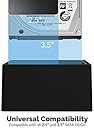
The SABRENT 4-Bay USB 3.0 Docking Station (DS-U3B4) supports up to four 2.5โ or 3.5โ SATA HDDs/SSDs with trayless, tool-free insertion. It offers ultra-fast 5Gbps USB 3.0 transfers, offline drive-to-drive cloning without a PC, and plug-and-play operation, making it an essential hub for professionals managing large data sets or backups.


| ASIN | B07H11KXCL |
| Best Sellers Rank | #2 in Hard Drive Docking Stations |
| Brand | SABRENT |
| Built-In Media | Docking Station |
| Color | Black |
| Compatible Devices | Desktops, Laptops |
| Customer Reviews | 4.5 out of 5 stars 16,831 Reviews |
| Global Trade Identification Number | 00819921016225 |
| Hardware Interface | USB 3.0 |
| Input Voltage | 240 volts |
| Item Dimensions L x W x H | 6.3"L x 4.72"W x 2.76"H |
| Item Type Name | Hard disk docking stations |
| Item Weight | 16 ounces |
| Manufacturer | SABRENT |
| Mfr Part Number | DS-U3B4 |
| Model Number | DS-U3B4 |
| Number of Ports | 4 |
| Product Dimensions | 6.3"L x 4.72"W x 2.76"H |
| Total USB Ports | 4 |
| Total Usb Ports | 4 |
| UPC | 819921016225 |
| Unit Count | 1 Count |
| Warranty Description | 1 Year Limited |
| Wattage | 78 |
G**T
Recovered old family photos from old hard drives my father had!
I picked up this docking station after helping my father set up his new all-in-one PC and I found a bunch of older computers and hard drives laying around his house. I brought all of the drives home with me so that I can go through all of them and make sure I save all of the pictures heโs taken over the years! This docking station was perfect since it can handle both 3.5โ and 2.5โ drives. It was pretty much plug and play when I first connected it to my computer. I have no issues with the processing speed, knowing some of the older drives arenโt going to be as powerful as newer SSD drives. Itโs been very reliable and I havenโt had any issues accessing all of the drives Iโve attached so far. This became really handy when my Father-inLawโs PC recently died (and he didnโt have a backup of his files). I pulled his Hard Drive out of his old tower and plugged it into the docking station, then downloaded all of his files on a 32gb thumb drive (older generation and not a lot of files!!) and took it back down to his house on our next visit. He was really happy to get all of his files back and I got to keep his 2 TB drive as a spare so I can use as my external backup drive to do monthly backups (Iโm also using the Apple Devices app to download back up files from all of our devices to this drive since it has plenty of disk space). For my needs this has been the perfect solution for going through older drives to save information we didnโt want to loose - all of the pictures Iโve saved off of my dadโs old drives was well work the price of the docking station since there were hundreds of pictures from both sets of my grandparents that my father had scanned on these drives. Iโm now exporting all of these pictures to thumb drives so that my sisters and cousins are getting copies of them. Some pictures my cousins have never seen and they whole family is so happy they have been saved.
T**B
Recommended. Pretty impressive little tool.
VERY Impressed..... This cloned my 1T Linux Mint fully encrypted HDD to a 2T fully encrypted Linux Mint SSD drive offline :D It showed visual status of cloning progress too. It's important that you don't disconnect in the middle of cloning because that will very likely cause a mess! No matter what OS you are cloning, I would recommend this SABRENT USB 3.0 to SATA I/II/III Dual Bay External Hard Drive Docking Station for 2.5" disks (I didn't try it on 3.5" but it looks like it would fit). For me, the functionality was spot on. It's plastic, so lightweight, but did it's job. It's a device that is meant to sit on a flat surface and not something that moves around so sturdiness was not a concern. The disks plugged in correctly, and connected well. Background: I wasted SO much time trying to do this clone with cloning software! By doing this offline with this little machine I didn't have to deal with all the conflicts & issues or dealing with cloning software that made a mess of everything. Windows OS wants to control everything, so it's better to take any Windows OS drive out, clone the Linux drive, install the newly cloned Linux drive and then add back the Windows OS if you want them to live in the same computer. Be patient - My Linux Mint OS install HDD was less than a month old so the disk was not at all full (I was testing out the OS on my older HDD first to see if I liked the version first). The entire cloning process took a little over 13 hours to clone the 1T HD to a larger 2T SSD, but like I said, everything was encrypted and the SSD was wiped a few times prior to this trying the annoying cloning software that didn't work. I have worked on UNIX/Linux operating systems all my career - however I would never have thought to switch to Linux OS on my laptop if it weren't for Microsoft ending support of Windows10. I can't stand Windows 11 with everything in my face and no privacy. I'm now looking forward to using this on other OS disks (Windows and Linux) and as a docking station. It's definitely worth the price :)
D**G
Great product easy use
Worked great just what I needed.
P**T
Good Value For The Money Fan, Clone & 2 Types of Drives
Update: 10-25-2023 I formatted my one of the drives in my new Sabrent Docking system and the speed more than doubled with the exact same file I used yesterday. Yesterday I was getting max 50MB/s on a 1.6TB File Today I am getting 164MB/s on the same 1.6TB File Transfer both NTSF. So, great improvement. Excellent Indeed. 10-24-2023 I got this because I have 4 OLD HDD's THAT I still want to use to back things up to. The reasons I picked this were 1. Low Cost 2. Has a Fan so no overheating, 3. Can fit both HDD 3.5 Inch and SDD 2.5 inch Hard Drives 4. It also has a cloning option built in. It was very simple to install. Literally just plug and play. My New PC recognized the Drives Straight Away. They simply act as a large volume flash drive for those wondering. I have a 2 TB, 8 TB, 4 TB and 6 TB My New computer uses the latest technology and was rather spendy so I didn't want to purchase any more hard drives just to fit inside the computer. So, for $88 plus tax it was a good deal. I am copying all of my documents, photos and personal videos about 1.6TB over from one of the HDD to another HDD in the Sabrent Dock and I am getting about 50 MB/s. Rather slow but I didn't format the old drive prior to the copy and I regret that now. I think I would have gotten better speeds had I reformatted prior to the copy. Overall I am very pleased with the Dock and Highly recommend it for anyone so long and you don't have a dog or say children that may accidentally knock it over. The drives themselves won't take much of a jostle but the dock although plastic works very well and as intended. CHEERS!
J**C
Fantastic. Works great. Perfect for adding storage to Macs.
Works great! Compact, lightweight. Fits conveniently on a shelf of my desk and runs well. I got this when I switched from Windows to a Mac mini, and I wanted to keep using the internal SATA drives I had on my Windows. I did need to copy and reformat from NTFS to APFS, but this was very easy to do and pretty quick (I had 50,000+ files and they copied over in about 20 minutes). I used my computer for copying as I didn't have a completely blank drive to clone, but this device does allow cloning through the hardware (no computer required) if needed. I don't feel any heat coming from it at all. Perfect for adding storage to Macs, which notoriously come with practically no storage space.
T**.
It's Like a Toaster - It Just Works!
Perfect duplicating. Pulled a spinning mass hard drive from a car stereo before it crapped out from the years of bumps, heat, ons and offs, and 1.2G cornering loads. Used this thing to duplicate that hard drive with an SSD. Way easier than using my PC, swapping internal drives, dealing with questionable USB connections, etc. And low and behold . . . it doesn't require an email address, another internet account, a credit card, or bluetooth.
A**.
Gets it done.
Works well I plugged it in and worked right away. It is a big plasticky but for the price itโs a decent quick solution. I have to 6tb hdds I use for media storage in my local network and i get sufficient read spears for remux files.
D**N
Works well, with one minor reservation.
This item was delivered on time and was not packaged in an Amazon box, which was surprising. Nonetheless, the Sabrent package is as sturdy and professional as I have come to expect from the brand. Short version: This docking station worked just as I expected. The 4 HDDs I inserted into it were recognized immediately by the OS (Windows 11 Home) exactly as they were when they were installed in the PC the docking station is now connected to. My only complaint is that the slots that the drives sit in are not suited for slim profile drives. I had to insert a small piece of cardboard into the slot along with the one slim profile HDD (first drive on the right in the photo) to help it stay upright. Other than that, I am satisfied and will continue to use Sabrent equipment for my PC and network needs. Long version: I have been building my own PCs for years with great success. The current iteration uses a Gigabyte motherboard mounted in an Antec gaming tower enclosure with three SATA drives installed in addition to two M.2 drives, one of which hosts the OS. When I decided that I needed more drive space and there were not enough power plugs on the existing power supply to accommodate an additional HDD, I decided that a docking station was the way to go. Since I have been using Sabrent networking accessories for years, it was the logical choice. I currently use a Sabrent USB hub attached to my TP-Link router to share 4 "My Passport" drives on my home network and it works well. When this docking station arrived, I removed the 3 HDDs from the PC, mounted them in the dock along with the fourth drive, and powered the system back up. The drives were recognized in the same configuration as they were when mounted in the PC. I did make sure the drives were mounted in the dock's slots (A, B, C, and D) in the same order as they were connected to the PC's SATA slots (0, 1, 2, and 3). I'm not sure that was necessary, but it seemed reasonable to me. Subsequently, the drive shares show up on the other PCs on the home network just as they were before the installation of the dock. That is exactly what I was expecting. As a bonus, my PC now seems to run cooler without having to contend with powering the HDDs and dealing with the heat they generate, which is now dissipated into the air. Highly recommended.
I**M
ู ูุชุฌ ู ู ุชุงุฒ
ู ูุชุฌ ู ู ุชุงุฒ ููุณุฎ ุจูุงูุงุช ุงููุงุฑุฏูุณ ุงูู ุงููู ุจููุชุฑ
L**N
Works as advertised
Instant plug and play. Zero issues and hdd detected immediately by OS.
J**7
buena calidad
buena calidad
C**N
Solid and reliable
It does what it's says in the description and it does well. Solid piece of hardware, so far very reliable!
S**K
Best HDD docking staton
I used other docking station , but this one the best and support HDD and as well SSD with large capacity upto 10 TB.
Trustpilot
1 month ago
2 weeks ago