Desertcart purchases this item on your behalf and handles shipping, customs, and support to Argentina.
🎯 Unlock flawless remote GPU power with zero downtime!
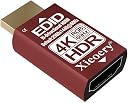
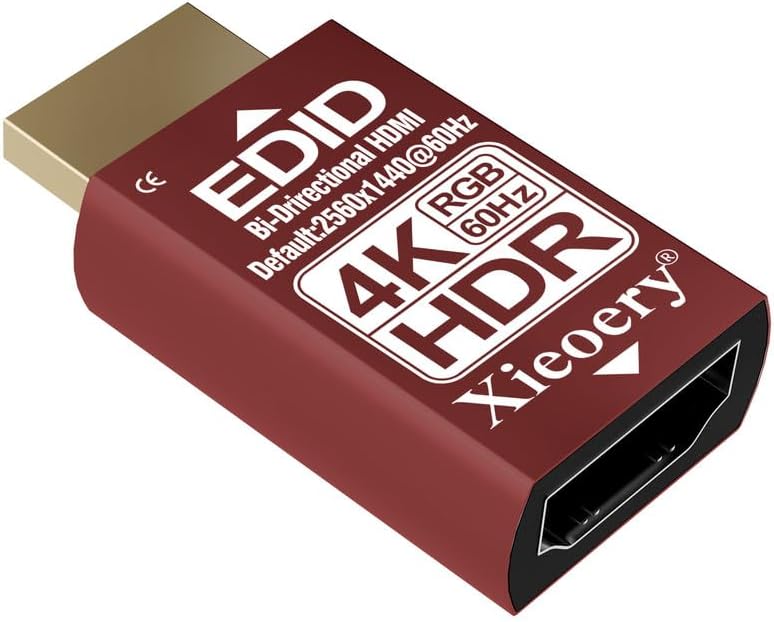
The xieoery HDMI EDID Emulator is a compact, plug-and-play dummy plug delivering a stable 2560×1440 60Hz HDR/RGB EDID signal. It prevents common headless system issues like black screens and GPU downclocking by maintaining a persistent EDID handshake. Compatible with 4K HDR and 120Hz refresh rates, it’s engineered for professional GPU servers, KVM switches, and virtualized environments. Its heat-resistant housing ensures reliable 24/7 operation, making it a must-have for seamless remote access and multi-device setups.


| ASIN | B0G4H9NNMP |
| Best Sellers Rank | #1,303 in Audio & Video Connectors & Adapters |
| Brand | xieoery |
| Color | EDID 4K 1440P 60Hz HDR-1p |
| Compatible Devices | Desktop, Gaming Console, Monitor |
| Connector Type | HDMI |
| Customer Reviews | 4.7 out of 5 stars 13 Reviews |
| Item Dimensions | 1.3 x 0.8 x 0.4 inches |
| Item Package Quantity | 1 |
| Item dimensions L x W x H | 1.3 x 0.8 x 0.4 inches |
| Manufacturer | xieoery |
| Number of Items | 1 |
| Package Quantity | 1 |
| Power Plug Type | No Plug |
| Unit Count | 1.0 Count |
| Warranty Description | 1Year Manufacturer |
A**D
Works for Mclassic module stuck at 1080p
I have an LG B2 55 inch that is capable of 1440p but for whatever reason my Mclassic upscaling module I use with my switch can't detect that, so at most it upscales to 1080p and applies antialiasing. Even though that still looks very good I was curious to see what a full 1440p upscale would look like so I consulted the magic sand and it told me to try a product like this that spoofs an EDID signal so the module could get a proper handshake. It works great, the result is excellent, I recommend it to anyone with an Mclassic module that isn't reaching its full potential. Make sure to plug it into the module itself via the HDMI output. Do not attach it to the input prong. For me it worked right away with no fussing around.
T**M
Worked like magic to solve a tough connection problem
I am using this HDID emulator to force my Windows laptop to talk to an older conference room A/V system. If I just connect with an HDMI cable, I get nothing on the A/V system, apparently because the laptop doesn’t think there’s anything “out there” and so does not send any HDMI signal. This HDMI EDID emulator solves the problem by sitting along the HDMI cable and providing a steady “something out there” for the laptop to see, making it happy to send its HDMI signal, which then gets passed along to the A/V system. It works great for both audio and video over HDMI, making things work the way they should have in the first place. There’s no setup or tricky configuration. You can put it on either end of the HDMI cable and it works the same way. The device has a nice, solid feel to it and is very small, not something that’s going to create much more “tug” on your HDMI port than the cable connector itself. Before discovering this device, I had fought with that A/V system over and over with no progress. This device worked like magic as soon as I plugged it in!
Z**Q
Emulator works
Review of B0G4H9NNMP - xieoery HDMI EDID Emulator: I have a KVM switch which doesn't always transfer the resolution correctly and I get no image, and the only way to get an image is to turn the computer off and back on. This plays havoc with the system and could result in data corruption. I'm using this to try to force a consistent resolution. So far it seems to be working and I hope it solves what has been a big headache.
A**T
Working as intended
Didn't even know that there was a plug with this kind of functionality until I saw this thing, but really glad I did since it is saving me about a minute of my time each day now. I had issues with a 2 pc kvm switch setup where either the gpu or windows would do some strange things when I left the 'pseudo-server' machine without attention for too long and then switch the kvm back to it. This thing fixed that on first plug in. Plug and play setup across all 3 of my gpus and all of them recognize it. The Screen switches faster and without a second black screen/flash like before. Tried it with the nvidia, amd, and intel integrated graphics that I have and all seem compatible. A very nice little gadget that is very valuable to have in my electronics toolkit.
T**I
HDMI EDID emulator - the little tool that I didn't know I needed
I've long been looking for a way to be able to remote into my laptop while the lid is closed, or remote into one of my pretend "headless" computers that is running a desktop environment but usually doesn't have a monitor connected. It turns out this is exactly what I needed. I plugged it into my laptop, closed the lid, and was able to remote into the open session normally (I used Chrome Remote Desktop) and no longer getting a blank screen. I unplugged the monitor from one of my other machines and plugged this in and was able to remote into it just fine as well. I wish I'd had this a long time ago!
C**L
Great little emulator to help.
Great little item to really help boost the screen quality. Also fab value as well. It works well with my element tv.
A**R
An Excellent HDMI EDID Emulator for Presentations!
This EDID emulator properly maintains a system's GPU settings at 4K resolution when a monitor is turned off or physically disconnected from the system. This is extremely helpful for live events where you need to prepare a display layout in advance and don't want it to revert to a lower resolution and therefore alter the layout prior to the start of the event! This particular emulator has an embedded HDMI passthrough which allows a connected display to be turned on without causing the system to temporarily blank-out while trying to determine what resolution to output! Since the system "thinks" that a monitor was never turned off or disconnected, display output begins immediately when you want it and the way you want it! This product definitely works great and works exactly as advertised! Therefore, based on my review I am rating this product five stars because it is excellent and works great in my system! ⭐⭐⭐⭐⭐
B**S
Reliable "Headless" Solution for Remote Servers and MacBooks
If you use a laptop or a desktop as a headless server, you’ve likely run into the issue where the OS scales down the resolution or goes to sleep because it doesn't detect an active monitor. This EDID emulator (Dummy Plug) solves that problem perfectly. Performance & Real-World Use I use this on an older MacBook Pro that hosts various services. By plugging this into a usb expansion dongle HDMI port (This mac does not have an HDMI port), the MacBook "thinks" a high-resolution monitor is permanently attached. This allows me to keep the lid closed and the laptop fully active without it trying to shut down or lose its display configuration. Passthrough Testing One of the most convenient features is its passthrough capability. I tested plugging a physical monitor into the back of the emulator, and it instantly passed the video signal through to the screen. When I unplugged the monitor, the system stayed stable—no black screens or resolution resets. It maintains a persistent handshake that keeps remote desktop sessions (like VNC or TeamViewer) running at the correct resolution. Build Quality The unit is well-constructed and feels durable. It’s compact enough that it doesn't block neighboring ports, which is essential on laptops with tight IO spacing. It handles the 1440p (2K) signal exactly as advertised without generating excessive heat. Final Verdict: 4/5 Stars It works perfectly for keeping headless systems alive and stable. I’m holding back the 5th star only because I haven't specifically tested the higher 4K/120Hz or HDR claims, but for 2K remote access and server hosting, it is a flawless solution.
Trustpilot
2 months ago
1 week ago