


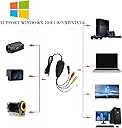


VHS to Digital Converter for Windows 10, USB2.0 Video Audio Capture Card, VHS to DVD Converter
Product ID: 79074119
🎥Snapshot Function
💻Windows Compatibility
📼Analog Video Capture
🎞️ Relive the Past, Capture the Future!
The VHS to Digital Converter is a versatile USB2.0 video capture card designed for Windows users, allowing you to convert and preserve your analog video memories from VHS tapes to digital formats. With support for various video standards and a snapshot function, this device ensures your precious moments are saved and easily accessible.
| Best Sellers Rank | #3,355 in Video Converters |
| Customer Reviews | 3.9 out of 5 stars 582 Reviews |
S**E
A great value and easy to use....
I'm converting 8MM home movie cassettes (not reels, this is not a solution for reels unless you have a reel projector!) to digital. To clarify, I am basically converting home movie VHS tapes to digital files on my computer. The only problems I've had is with this old VCR I'm using. I'm constantly having to clean the head to get rid of "flashing" of the picture on my computer screen. For this reason, I took the lid off the VCR so I have constant easy access to clean the VCR head when it gets dirty. These old tapes leave dust and grime on the VCR head, sometimes as often a after every cassette is processed. However, the device I ordered from Amazon to do this, along with the software that comes with it, has worked flawlessly. I don't have an expensive computer but I am putting the content directly onto an external hard drive. You first play the tape (in real time) to record it to your computer, then you can burn to a DVD, write to a file (which I am doing since I am just moving everything to an external hard drive), or keep it on your computer's hard drive. You can do minor edits: Snippet, crop, transition scenes and splice videos together.
E**.
good quality, good price, fast shipping
good quality, good price, fast shipping
D**S
Affordable, mostly reliable
Does a good job for the price. Im running it on an older xp system i keep in the garage. You have to record the tapes from your vcr in real time (manually stop capture/recording), but the system includes a basic editor so if you forget and capture an extra 5mins to 3 hours of footage you can trim it after and even convert the file from mpeg2 to AVI (can even change quality in case you want/need smaller files). Only issue im having is a few random tapes (like 5 of the 20 ive ripped) have capture issues and stutter. Its not the tape as i have an AV signal splitter and watched the tape on a seperate tv while the PC was also capturing. The tv displayed the tape just fine while the pc had issues. I know the preview doesnt always reflect the actual data pull, but i watched it to check and the issue was still there. Im thinking its some kind of copy protection on the tapes (which shouldnt happen since most tapes were made to stop vcr to vcr recording and this treats it basically like recording a stream on your tv). Checked the cables, reinstalled, but issue persisted. Funny thing is the tape plays perfect on TV and i can swap to a different tape and have the capture work just fine again. Still, a bargain for the price and if anyone knows how to fix my issue id love to hear it!
A**N
Could not get the software to run
I installed the driver and software per instructions in the box. I made sure to install the driver before plugging the usb adapter into the computer. I then proceeded to install the software from the CD, The software is ezcap USB 2.0 Video Capture Ver40.3S and my computer is MS Windows 10 Pro. The software appeared to install correctly, showing all the normal prompts and install directories. It prompted for the owner and the serial number as usual which I entered correctly. The software appeared to finish the installation but when I clicked on the desktop icon to open the software all I got was a spinning circle on top of the icon. The spinning circle would come on and shut off at intervals of a few seconds. I let this go on for over 30 minutes but the software never started. I tried restarting the computer and trying to start the program again but it never would start running. I tried running the .exe program from the program's directory but it still would not start running. I tried to uninstall the program and it locked up my computer. I can't find a place to contact ArcSoft for help. I would recommend that Amazon remove this seller from its list of supported products. I give this product zero stars.
C**K
VHS C tapes to mp2 you need a vcr
Purchased used vcr on Amazon and cassette adaptor to play my old vhsc tapes. Purchased this to digitize. Came with CD to add.driver and capture program. Really easy to add. The only problem for me was that the wire they give you is use to the laptop then female composite connectors, the yellow white red and a n s cable. Our vcr used composite, but you need male connectors as the vcr outputs are also female. I had to order male to male composite cables, no biggie, about $7 on Amazon but a little annoying. Once they came in, no problem hooking up vcr to laptop and turning vhsc to mp2. I needed to download a driver to play mp2 but it was free so no big deal. I think everything nowadays is mp4 but seems to work fine and I don't have to worry about these tapes degrading.
K**T
nothing happened
I have windows 7. I inserted the disc (2018 Updated VHS to Digital Converter for Windows) about 6 times and each time nothing happened. I disabled my antivirus software. nothing. I I tried hooking it up to my VHS player and then inserting the disc. nothing. I do not wish to troubleshoot a brand new item, especially if I am not even getting errors telling me what the problem is. I am returning and I do not recommend this product. UPDATE; I did adjust my rating to 3 stars. I still am annoyed with the product not working, but after some initial confusion, the seller was very accommodating and really did try to help.
J**Z
Does the job, works w/ Win 10, product support good
After reading some reviews about issues w/ Windows 10, I was leery but decided the low cost was worth the risk. As it happens, it worked fine. As others have said, as long as you have decent troubleshooting skills, you can figure it out AND their tech support team responded quickly to my one inquiry which I ended up not needing. Just maybe one precaution - the fold out instructions that come with it may not exactly match up with what you might see on Win 10. I’m actually really happy with my purchase. Thank you!
R**K
Works On Some Windows XP Computers, Easy To Use, Converts VHS To Digital
For starters, the instructions for this Easy VHS to DVD Converter were rather ambiguous, but perhaps this was a reflection on the software itself. In fact, regardless of the instructions, don't bother to locate the driver in the Device Manager as it will be nowhere to be found. Now, I took off two stars for this review because of the complete lack of customer support, and I then took off an additional star since the software was unworkable with Windows 10. Also note that some older Windows XP computers (such as a Gateway Essential 700S desktop computer) will not work with this product, but yet some relatively newer Windows XP computers will definitely work (such as a Dell XPS410 desktop computer). So, when all was said and done, the software did convert VHS into a digital file so that was a distinct plus. So yes, I'm certainly going to get my moneys worth out of the Easy VHS to DVD Converter. In that sense, I can wholeheartedly recommend the product to others.
Trustpilot
1 month ago
1 week ago