Desertcart purchases this item on your behalf and handles shipping, customs, and support to Argentina.
๐ฎ Elevate every clickโwhere pro precision meets personalized power.
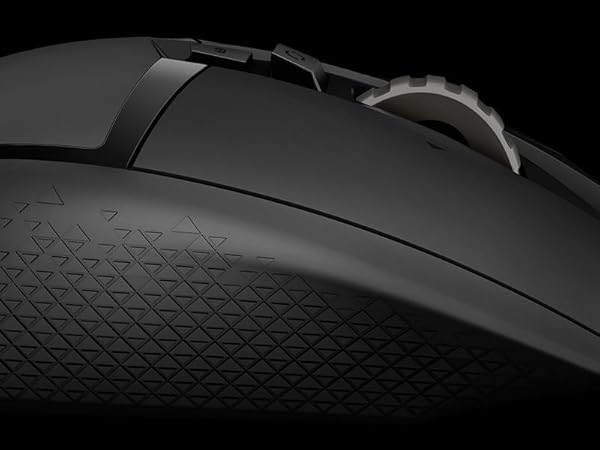
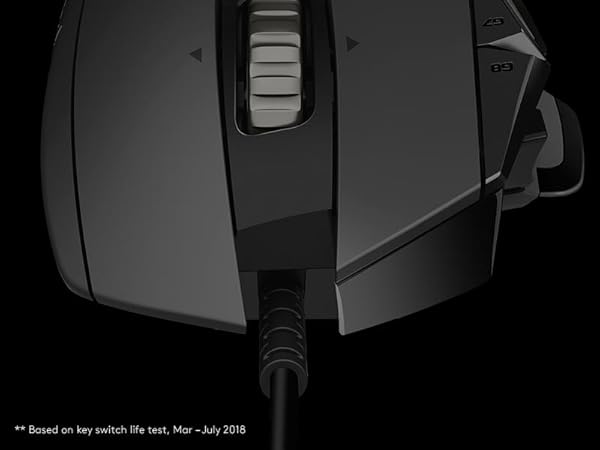
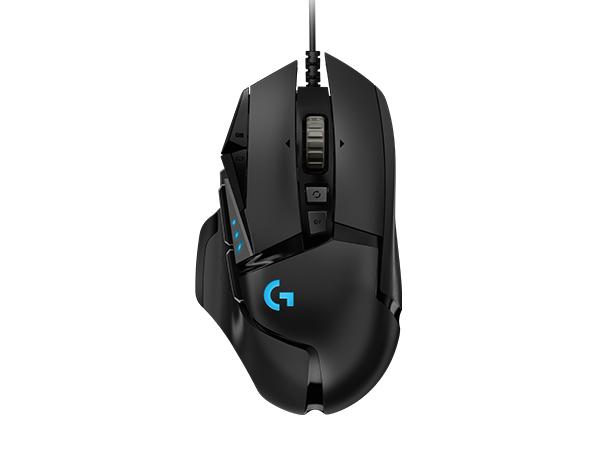
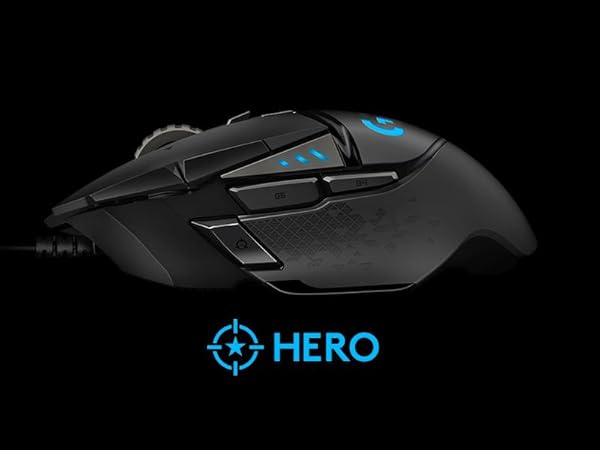
The Logitech G502 Hero Wired Gaming Mouse features a cutting-edge HERO 25K sensor delivering up to 25600 DPI for ultra-precise tracking. With 11 fully programmable buttons, adjustable weights for custom balance, and dynamic RGB LIGHTSYNC lighting, it offers unparalleled customization for both professional productivity and competitive gaming. On-board memory enables seamless profile switching across PC and Mac, making it the ultimate tool for millennial managers who demand performance and style in every click.


| ASIN | B07GBZ4Q68 |
| Additional Features | LED Lights, Programmable Buttons, Touch Scroll |
| Antenna Location | Gaming |
| Are Batteries Included | Yes |
| Are Batteries Required | No |
| Best Sellers Rank | #15 in Video Games ( See Top 100 in Video Games ) #2 in PC Gaming Mice |
| Brand | Logitech G |
| Built-In Media | mouse, quickstart guide, wireless receiver |
| Button Quantity | 11 |
| Color | Black |
| Compatible Devices | Personal Computer |
| Connectivity Technology | USB |
| Customer Reviews | 4.6 out of 5 stars 58,291 Reviews |
| Embellishment Feature | LED |
| Enclosure Material | Metal |
| Global Trade Identification Number | 00097855141996 |
| Hand Orientation | Right |
| Hardware Platform | PC |
| Item Dimensions L x W | 2.95"L x 1.57"W |
| Item Type Name | Logitech G502 HERO High Performance Gaming Mouse |
| Item Weight | 4.32 ounces |
| Manufacturer | Logitech |
| Mfr Part Number | 910-005469 |
| Minimum Required Operating System Version | Windows 7 |
| Model Name | Logitech G502 HERO High Performance Gaming Mouse |
| Model Number | 910-005469 |
| Mouse Maximum Sensitivity | 25600 Dots per Inch |
| Movement Detection | Optical |
| Movement Detection Technology | Optical |
| Number of Batteries | 1 Lithium Polymer batteries required. (included) |
| Number of Buttons | 11 |
| Operating System | OS |
| Pattern | Mouse |
| Power Source | Corded Electric |
| Range | 1.0 meters |
| Special Feature | LED Lights, Programmable Buttons, Touch Scroll |
| Style Name | Wired |
| Theme | Gaming |
| UPC | 097855141996 |
| Unit Count | 1.0 Count |
| Warranty Description | 1 year hardware limited |
S**T
Best mouse hands down!
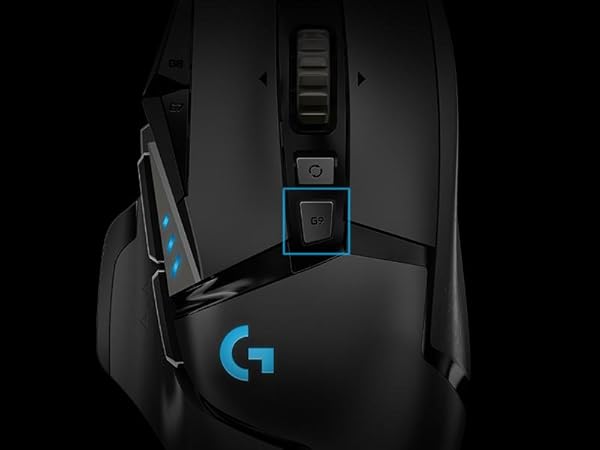
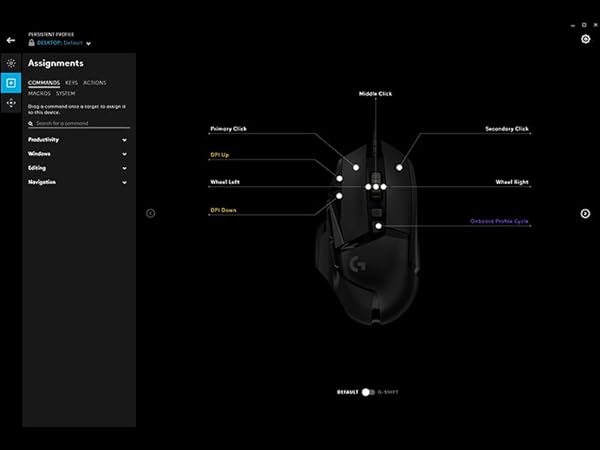
There is a ton to like about this mouse from how it fits into your hand, the grip, and the competitive edge for gaming you will begin to notice immediately! 1) Daily use Not everything is about gaming, as this only takes up maybe 2-3 hours max of my time a day. The rest goes to programming, studying, etc. So, it is important for me that I have a mouse that I can use which is comfortable, useful, and fits my basic needs. Now, let's compare this to a normal run-of-the-mill mouse since this is probably the biggest competition. Why get this mouse Vs some other cheaper option? Well, for daily use I can list the following pros: - Fits incredibly well around your hand - Many different buttons that can be programmed for different use > Shortcut keys, Forward/back from a page, etc. - Great grip - Change the DPI with different Profiles using Logitech Software 2) Gaming When I am done working for the day, I simply press a button on the mouse and can quickly adjust from study mode to gaming mode. I even have the ability to change the LED lighting to provide verification that the Profile changed successfully. Following pros: - You can change the DPI for each account, and each profile can have an option for many DPI's. The DPI is especially useful for getting the accuracy you need in a mouse. When studying, I can move the mouse very little and move from monitor to monitor (about 1700 DPI), for gaming, I can put the setting at a lower amount (About 800 DPI) and now my accuracy is much better! - The buttons are programmable. This means that for every game you play you can set up the mouse buttons to however you want! Some of these buttons you want to remain the default, like the G9 which changes the profiles, it is up to you though on what you prefer! I personally like having important buttons be G8 and G9, then secondary buttons are the default forward/back. Then I use the target button your thumb rests on as a special (like a grenade wheel or something) - The back-end functionality, such as response time will give you a competitive edge compared to a normal mouse. Now, is this going to be in the 1-3 second range, probably not? With gaming, how quickly your respond to something will play a huge effect on your success as a gamer! Simply being a bit faster means a huge difference between success and failure. (Think if you and the enemy both are competing against each other, who will win? The difference on who wins isn't based 100% on speed, but rather the better strategy, the more powerful weapon, and whoever is in a more superior advantage. Many times, 1-3 seconds makes absolutely no difference, and you simply make a rookie mistake, or the opponent has such a clear opening that you can just punish them for it. Once you make fewer mistakes though, and you become a better gamer, speed really begins to make a huge difference! Simply put, if you and your opponent both have equally great strategies, aren't making rookie mistakes, and know what you are more or less doing, you have both successfully accomplished the basic fundamentals, good for you two! Once you get past fundamentals, the biggest challenges now are getting into placement, having consistency, and being able to get to a location as fast as possible while competing with many others who are doing that exact same thing. If you are doing everything right, and there is a latency issue, then this alone can be the root issue of failure. Again though, not many strategies require a 100% speed advantage. I can think of cases where I have say a 2-3 second gap where the opponent would have to run through a hallway, which in this case having latency wouldn't affect my strategy as much. Now, if I am pushing aggressively, and failure literally means an opponent attacking me before I attack them, or get into a position to dodge damage, then latency is extremely important! So, this is where the competitive edge of this mouse really begins to show. Overall, I am extremely happy with the quality of this mouse and will update in a few months after I have had some more time to break it in! *** Update *** The mouse is durable and has stood the test of time very well! The software setting up the mouse bindings has changed, so I am still getting used to that. Works very well in gaming, and enjoy the ability to transition from work 1,000 dpi and copy/paste, cut, etc., as bindings to gaming with 650 dpi jump, melee, etc.. Definitely good fit for someone with a big palm like myself.
M**U
Solid performance, feel, great price. Ive used this mouse for many many years
Probably my favorite gaming mouse. Perfect size and great performance for such a low price. Best all around mouse in my opinion
A**S
Excellent upgrade from entry-level gaming mice โ great build quality and customization
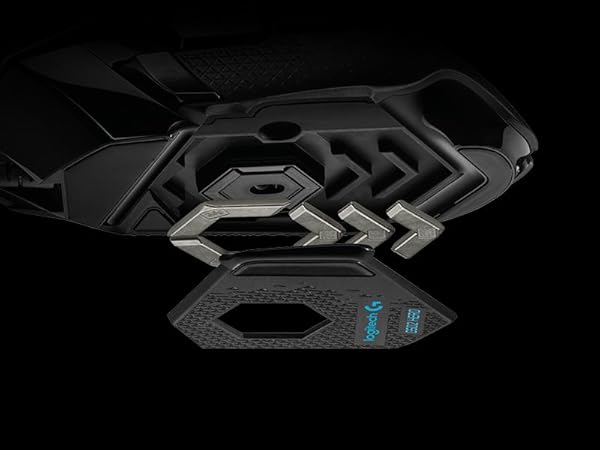
Quick Verdict The Logitech G502 Hero is an excellent wired gaming mouse with great build quality, strong customization options, and a very accurate sensor. It was a major upgrade from my previous Logitech G203. The adjustable weights, metal scroll wheel, and programmable buttons make it feel like a much more premium mouse. If you like a slightly heavier, feature-rich mouse, this is an easy recommendation. Context (How I Used It) Use case: daily gaming and general computer use Previous mouse: Logitech G203 Games tested: general PC gaming I upgraded to this mouse after my G203 scroll wheel wore down over time and lost its friction ridges. Performance Sensor accuracy: excellent (Hero 25K sensor is very responsive) Customization: strong DPI and macro control through Logitech G Hub Build quality: very solid plastic construction with a metal scroll wheel Weight system: adjustable with up to five 3.6g weights The mouse feels very precise and customizable depending on how heavy you want it. Customization and Software One of the biggest advantages of this mouse is the integration with Logitech G Hub. You can easily change DPI settings, RGB lighting, and assign macros to the extra buttons. If you already use other Logitech peripherals, the ecosystem works very well together. Pros Very accurate Hero 25K sensor Adjustable weight system High quality metal scroll wheel Excellent customization through Logitech G Hub Strong build quality Works great with other Logitech devices Cons Can be heavier than some gaming mice, which may not appeal to everyone Takes some adjustment if you are switching from a smaller mouse Final Verdict If you want a customizable, high-performance wired gaming mouse with excellent build quality, the G502 Hero is a fantastic option. It was a big upgrade from my previous mouse and has quickly become one of my favorite peripherals.
G**.
Outstanding mouse once you get past the software
If you talk about this mouse, you really need to talk about the Logitech software, There are 3 different downloads at the Logitech website to change your 5 profile settings if you don't like the default settings on the G502. The one they will suggest first is G HUB and it is by far the worst and most convoluted to learn to setup and use. The second which they are phasing out is Logitech Gaming Software. (If you install both G HUB and Logitech Gaming Software, and you try to use Logitech Gaming Software, it will not allow you to use it, and it will tell you to use G HUB instead even though many FAQ's at the Logitech website still refer to Logitech Gaming Software.) However, the third, and the one you should download and use, is called Onboard Memory Manager. It is very simple and easy to figure out, does almost everything you want it to, and it doesn't also install a lot of other crap on your system. NOTE: If you do wind up installing G HUB or Logitech Gaming Software, the setting DPI LIGHTING for "ALWAYS ON" is unchecked by default and is not in Onboard Memory Manager. (By default, when you change profiles, the side DPI lights on the G502 briefly go on and then go off to indicate what profile you are on.) I suspect this setting is unchecked by default for a reason, because I could not get it to work properly when set to "ALWAYS ON". When this option is checked the side DPI lights would not stay on the proper profile indicator to indicate the current profile setting, and they would randomly change (such as when I used the scroll wheel.) What I did was to keep this setting in G HUB or Logitech Gaming Software unchecked. Then in Onboard Memory Manager I would select a fixed color for each profile so I would always know what profile I was currently on. (BTW, this is similar to what is on the wireless G305 mouse but they are only small dots of color, you can't change the default colors, and they only select up to 5 different DPI settings on only one available onboard profile as opposed to the 5 profiles each with 5 DPI settings on the G502.) Unless you have a desire to be frustrated, do yourself a favor and just download Onboard Memory Manager. On the G502, the only reason I can see for using G HUB or Logitech Gaming Software is if you want to change settings for mouse click one or two, which Onboard Memory Manager won't allow, or if you want to setup profiles for individual games and software on your computer, in which case I would lean in favor of Logitech Gaming Software which is much more intuitive and easy to use. All that being said, once you get past setting the G502 up, the mouse performance is outstanding. I didn't add the weights since the mouse felt fine to me. And even though the highest default DPI setting is at 6400, you can set it all the way up to 25,600 if you wish. Also, I have small hands, and even though some of the buttons I will never be able to push without really reaching, it's very comfortable using for long periods of time, and for the current price you can't beat it.
D**N
Better Than Expected
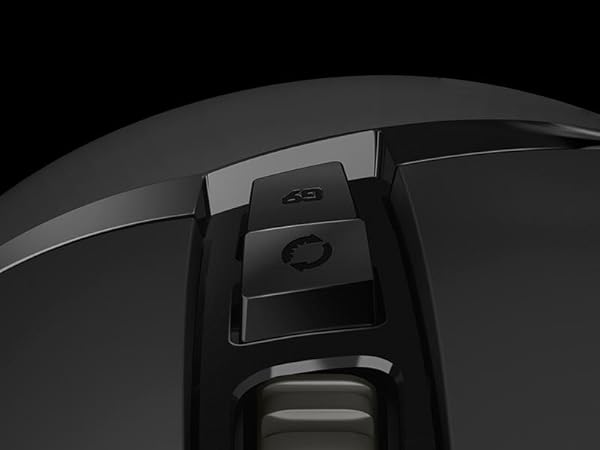
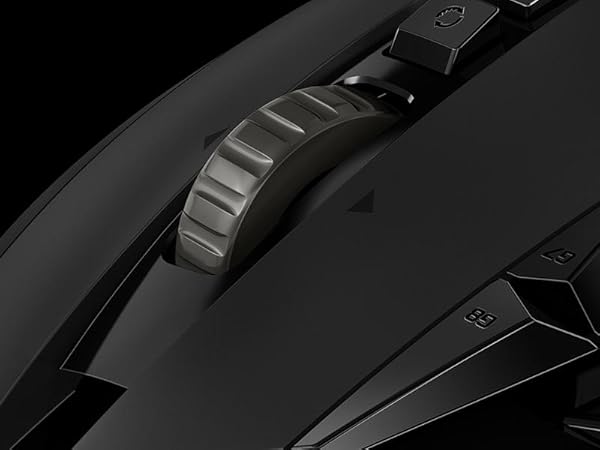
Wanting to try this popular gaming mouse, I thought it looked a bit silly on the images and wasn't sure how comfortable it would be. However, upon receiving it, it looks and feels much better that what I expected from a gaming mouse. It still leaves a bit to be desired for me, as a taller mouse such as one from the Logitech MX Master series seems a bit more comfortable in my hands, but this one already does plenty in terms of comfortability. The scroll wheel is absolutely amazing, including a button to toggle between free and mechanical scrolling. The mouse provides 9 extra buttons; 2 above the thumb, 1 in front of the thumb, 2 next to the left click, and 1 behind the scroll wheel toggle. Some of the extra buttons are predisposed to switch between different DPI configurations. However, using G Hub this functionality can be removed, giving you more freedom to use these buttons elsewhere. G Hub itself looks nice and has onboard profiles, meaning I'm not forced to open the software unless I want to configure the mouse further. The weight of the mouse feels nice to me. It isn't lightweight, and it provides extra weights to make it slightly heavier. Overall, I'm satisfied with the mouse, and it feels nice to use for gaming and other purposes. However, I might go for a more ergonomic mouse next time.
M**C
Smooth, Satisfying, and Built for Productivity
I have my computer mouse daily for both my work from home call center setup and my personal desktop, and itโs been a game changer. The glide is smooth, which makes long shifts and content editing feel effortless and less straining. The LED lighting adds such a clean, aesthetic touch to my desk setup without being distracting. I actually love the louder clicking sound super satisfying and doubles as a great stimming tool during stressful calls. The weighted feel and high-quality buttons make it feel durable and premium, must have for any desk setup.
D**.
Great mouse, great price.
This G502 Hero corded mouse is an excellent mouse. I have bought two so far, one for me and one for my wife. They work great for any gaming either of us do, and for my work. The price is great for what you get. I have my mouse weighted heavier than my wifes, but its really nice to be able to adjust them. Buttons are solid, mouse wheel can spin smoothly or indexed with the click of a button. IMO you can't find a better WIRED mouse for the money. This is NOT a cordless mouse, and the cordless version is much more expensive. I haven't used it, so I can't review that item.
N**I
Works amazing ^^
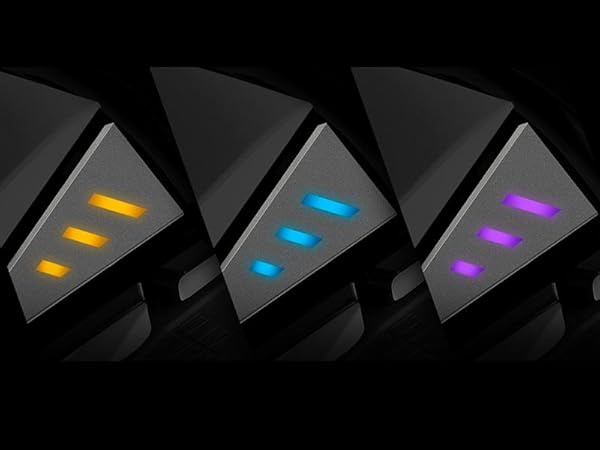
I love the adjustable weight and that the scroll wheel can free spin or be a little more locked in XD makes for a good fidget toy lol. Love the easily adjustable colors with the side buttons. I use it daily and it works perfectly for gaming and the regular office tasks.
H**H
Still One of the Best Gaming Mice Iโve Used
Iโve been using the Logitech G502 Hero for a while now, and it honestly just works perfectly for me. It feels super solid in the hand, and the grip is really comfortable even during long gaming sessions. The sensor is insanely accurate, and being able to tweak the DPI on the fly is actually more useful than I expected. I switch between games and even some work tasks, and it handles everything smoothly without any lag or weird tracking issues. The extra buttons are also a big plusโIโve customized them for shortcuts, and it makes things way more efficient. RGB is a nice touch too, but for me itโs really about performance, and this mouse delivers.
J**H
Great mouse
Very nice mouse. Like the extra buttons. Took a day or so to get use to the location, but fine now.
B**N
Logitech G502 Hero - Game changer (CIVIL DESIGN ASPECT - NOT GAMING)
Logitech G502 Hero โ 2 Weeks In After two weeks of daily use for CIVIL DESIGN USING REVIT & also for Excel and Pdfs, the G502 Hero has genuinely impressed me. - SIZE: Comfortable for almost any hand size โ tested by multiple members of my family. - COMFORT: Outstanding. Easily one of the most comfortable mice I've used. - BEST FEATURE: The infinity scroll wheel. The feel, functionality, and convenience are on another level. - THUMB REST: Well-designed and comfortable. - ONLY MINOR DRAWBACK: No dedicated support for the pinky and ring finger. Not a deal-breaker by any means. - RGB: Nothing flashy or eye-catching. This isn't a showpiece mouse โ it's built to get the job done. - PROGRAMMABLE BUTTONS: Excellent and highly useful. - WEIGHT: Feels just right; neither too light nor too heavy. - CABLE: Very long, good quality but not braided - needs good care - best suggestion is to get a case for the mouse. Searching for a good one. For LONG DESIGN SESSIONS in REVIT, this mouse is exceptional. I've used numerous mice over the years, and very few have felt this comfortable. The only comparable experience I had was with the ANT Esports GM333, but its durability was disappointing, with issues appearing within a few months. I'm hoping the G502 Hero proves to be far more reliable. Final Verdict: 9.9/10 A near-perfect productivity mouse that prioritizes comfort, functionality, and practicality over flashy aesthetics.
A**R
My favourite Mouse ๐
Best mouse I've ever used I have one at work and bought one for my home setup Highly recomend it for this price point Doesn't make sence how cheap this is compared to other high teck mice I got it for around 160 aed in may 2026
A**Y
ุฌูุฏ ููุบุงูุฉ
ุฌูุฏ ุฌุฏุง
Trustpilot
3 weeks ago
1 month ago