


Buy anything from 5,000+ international stores. One checkout price. No surprise fees. Join 2M+ shoppers on Desertcart.
Desertcart purchases this item on your behalf and handles shipping, customs, and support to Argentina.
🎛️ Your smart home’s command center, simplified.
The SAMSUNG SmartThings GP-U999SJVLEAA Remote Button is a compact, white smart home controller that uses ZigBee protocol to connect with a variety of smart devices. It monitors temperature to automate thermostat adjustments, controls lights and speakers, and supports seamless routines. Designed for indoor use with a 120V power supply, it offers a wireless range of up to 130 feet and requires a SmartThings Hub or compatible device.
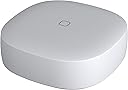
| Voltage | 120 Volts |
| Item Weight | 0.05 Pounds |
| Color | White |
W**1
Review: Works with Hubitat
For those who use Hubitat, it's probably no shock that this works flawlessly with the platform. I needed some buttons for various uses around the house because let's face it, we all have smart homes because we like being lazy. Picking up your Smartphone is way too hard right? I was able to pair three of these buttons easily and without issues. They all paired within a few seconds and all reported the temperature within 1/2 degree F of each other and my wall thermostat so no problems there at all. But these are buttons, not thermostats right? I bought them for the button function and didn't even realize they had temperature sensors, so what a bonus that was, especially at this price. Now that I have temperature reporting, I will be busy for months trying to find new ways to integrate that into everything and drive my family totally crazy! I keep one button on a table on my front porch for a ceiling fan, but with temperature, I can use it to alert me of a freeze warning so I know when to grab a blanket. Isn't that awesome, I would never had known to get a blanket before, but now I will always be warm. Oh yes, the button stuff works great too. I set mine up to toggle the fan on or off when I tap the button, it toggles the porch lights by double tapping it and it turns on all of the outside lights when I hold the button. The button range is surprisingly good too. I have a brick Ranch and this button seems to work throughout the 2000 sq ft. house. The build quality was much better than I expected at this price level. In fact, I would say it is great. It is very small at 1.5" square and about a half an inch thick. Hope I don't lose it! I may end up using the adhesive pads that came with it to stick it to the bottom of the table eventually, haven't decided yet. In summary, this is about as good as it gets until the smart home hubs just learn to read our minds. Oh what a joy it will be when that happens and I don't have to labor myself pushing buttons. I'm sure my grand children will never believe my stories.
J**.
Much needed product in the smart home space! I got four!
The smart home space has needed a small, simple button like this for a while, so great job to SmartThings for filling this need! The switch responds quickly to conveniently control my lights when I don’t want to talk out loud to Alexa. The button also supports three different actions - single press, double press, and long press - so you can automate 3 different actions. It’s nice and lightweight so it can be stuck (3M double sided tape included) anywhere, and even has a magnet (which I didn’t even realize when I purchased!), so I stuck it on my fridge (see pics) - super easy and convenient if I want to use it in other parts of the house. The added in thermometer is a nice touch too. The switch has all the powerful integrations of SmartThings too, so you can even use it to control Alexa devices. I got one to start, but based on my experience with it, I just ordered three more! Highly recommended!
A**E
Button: Really handy (w/ two yr update)
(The following is my original review. See below for two year update)For clarity, this review is for the Samsung SmartThings Button and nothing else. I've had it hooked up to my Home Assistant Pi3 (hassio) for just over 2 months now. It works well and I havent had to change the battery yet. I even bought a second one. I dont know if its supposed to be reporting the battery reading as well and maybe my setup just isnt reading it, but it doesnt bother me at all (update: it works now). It turns itself on about every hour to check the temperature and send the reading. The magnet on the back is pretty strong. Strong enough for me to keep one hanging off of a screw on a light switch plate.Note only for Home Assistant or hass.io users (ignore this, it's outdated, see update): The first time you press the button, it changes the state to on and doesnt change back. A quick google search for the device name (samjin_button) led me to a python script that changes the state back when it is pressed. Works great after you get that put in place.Edit: Two year update! I now have three of these buttons all working hard. None have given up the magic smoke yet. I have to change the battery once every 2 months or so -- this is why I updated my review to be only 4 stars. The battery changing is meh but I imagine it would be easier if I were to setup an automation to tell me the batteries are about to die. HA integration with these is quite nice now. Since these don't have a native on/off state, you use the zha_event event to listen for button press/hold/double-tap.
S**.
Samsung Button Review Only!
First of all let me start off by saying that the first 10 one-star reviews that I read had nothing to do with the Samsung Button. Most had to do with the v3 hub. Apparently Amazon is grouping in all of Samsung SmartThings products reviews into one group which is a horrible idea. Make sure if your looking for Smartthings Button reviews they mention the button in the review itself. As a side note I have the vs2 hub and have had no major connectivity issues aside from the occasional smart sensor needing a reset. OK on to the button review. I have owned two of these now for approximately six months and they have both performed flawlessly. Setup was not that hard that I remember. I do have two more that I just received that I will be installing shortly so I will see if the install process has changed at all. There's not much more I can say. There are no negatives on my end otherwise I wouldn't have purchased two more. They are very convenient compared to taking your phone out and using the app. In certain situations they are even easier than using my Google home voice. I will say this, my only complaint would be that the button needs to perform more actions. I single tap double tap and hold is all you have. There should at least be a triple tap if not a quad tap so that you can control more things. Hopefully they can fix this with a firmware update. Either way I would still recommend these to anyone with a working Samsung hub.
Trustpilot
1 month ago
2 weeks ago