We remain fully operational. Our teams are working around the clock to ensure your deliveries continue safely.

DOWNLOAD THE APP


Customer Services
Copyright © 2025 Desertcart Holdings Limited
DOWNLOAD THE APP
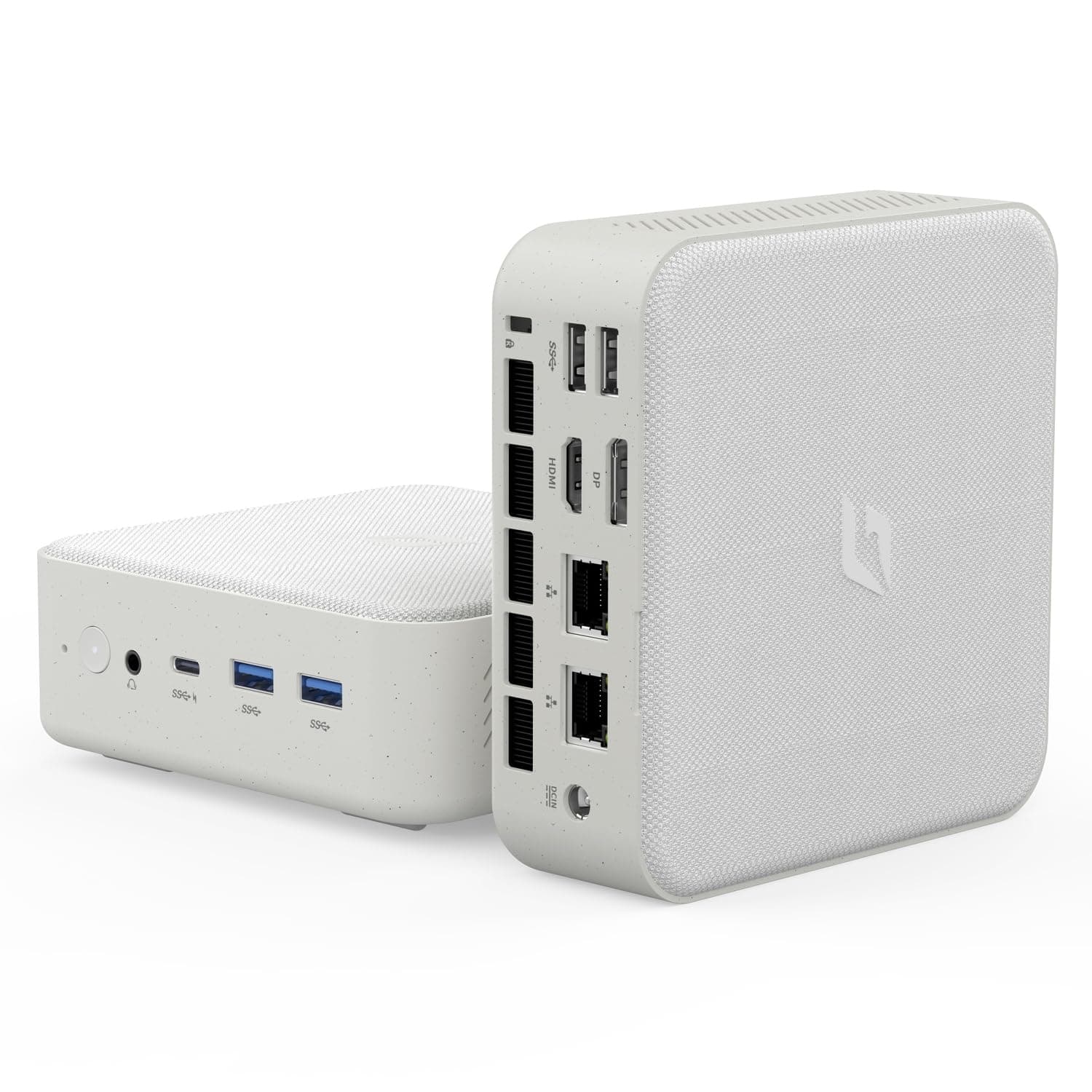
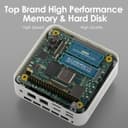
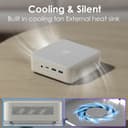
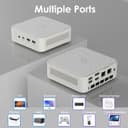

🚀 Power-packed Mini PC: Big Performance, Tiny Footprint!
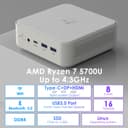
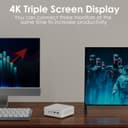
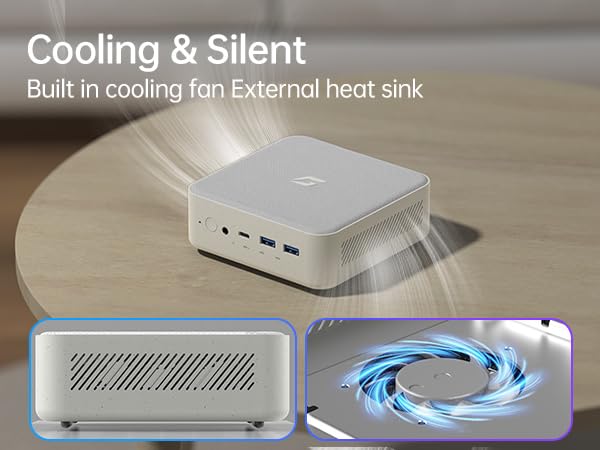
The CyberGeek Mini Linux Computer is a compact powerhouse featuring an AMD Ryzen 7 5700U processor with 8 cores and 16 threads, turbo boosting up to 4.3GHz. It supports triple 4K displays through HDMI, DisplayPort, and Type-C ports, making it ideal for multitasking, gaming, and professional workflows. Equipped with 16GB DDR4 RAM and a 256GB PCIe SSD, it offers expandable memory and storage options up to 32GB RAM and 2TB SSD. Its small form factor includes a waterproof fabric top and VESA mount for versatile placement. Advanced connectivity includes WiFi 802.11ac, Bluetooth 5.0, dual LAN ports, and multiple USB ports, ensuring fast and stable data transfer. Perfect for millennials seeking a stylish, high-performance mini PC that fits any workspace.




| ASIN | B0CTCS88XH |
| Additional Features | Mini pc |
| Aspect Ratio | 16:9 |
| Best Sellers Rank | #18,936 in Computers & Accessories ( See Top 100 in Computers & Accessories ) #639 in Mini Computers |
| Brand | CyberGeek |
| Built-In Media | RGB Lighting |
| CPU Model | AMD Ryzen 7 |
| CPU Model Number | 5700U |
| CPU Model Speed Maximum | 4.3 GHz |
| CPU Speed | 4.3 GHz |
| Color | White |
| Compatible Devices | External Storage Drive, Game Controller, Headphone, Keyboard, Monitor, Mouse, Printer, Projector, Speaker, Television |
| Connectivity Technology | Wi-Fi |
| Cooling Method | Air |
| Customer Reviews | 3.6 out of 5 stars 43 Reviews |
| Display Resolution Maximum | 4096 x 2160 |
| Display Type | LED |
| Graphics Card Description | Integrated |
| Graphics Card Interface | Integrated |
| Graphics Card Ram | 16 GB |
| Graphics Coprocessor | AMD Radeon Graphics |
| Graphics Description | Integrated |
| Graphics Ram Type | SODIMM |
| Hard Disk Description | SSD |
| Hard Disk Interface | Solid State |
| Hardware Interface | Ethernet, HDMI, USB 3.0 |
| Human-Interface Input | Keyboard, Mouse |
| Item Dimensions | 5.12 x 5 x 1.77 inches |
| Keyboard Description | QWERTY |
| Keyboard Layout | QWERTY |
| Manufacturer | CyberGeek |
| Memory Slots Available | 2 |
| Memory Speed | 3200 MHz |
| Memory Storage Capacity | 256 GB |
| Model Name | Nano-L1 |
| Model Number | Nano-L1 |
| Model Year | 2024 |
| Native Resolution | 3840 x 2160 |
| Number of Component Outputs | 4 |
| Operating System | Linux |
| Personal Computer Design Type | Mini PC |
| Power Plug Type | Type A - 2 pin (North American) |
| Processor Brand | AMD |
| Processor Count | 8 |
| Processor Series | AMD Ryzen 7 |
| Processor Socket | FP6 |
| Processor Speed | 4.3 GHz |
| RAM Memory Installed | 16 GB |
| RAM Memory Technology | DDR4 |
| RAM Type | SODIMM |
| Ram Memory Maximum Size | 16 GB |
| Resolution | 3840 x 2160 |
| Specific Uses For Product | Personal |
| Style Name | 5700U |
| Total Number of HDMI Ports | 1 |
| Total Usb Ports | 5 |
| UPC | 797725071896 |
| Video Output | HDMI, DisplayPort |
| Video Output Interface | HDMI, DisplayPort |
| Video Processor | AMD |
| Wireless Compability | 802.11ac |
| Wireless Network Technology | Wi-Fi |
| Wireless Technology | Wi-Fi |
R**N
Has Exceeded My Expectations
I really hope I’m not jinxing myself by leaving this review. I purchased my CyberGeek Mini with Ubuntu in October 2024, and as of January 24, 2026, I’ve had absolutely no issues. I really hope I’m not jinxing myself by leaving this review. I purchased my CyberGeek Mini with Ubuntu in October 2024, and as of January 24, 2026, I’ve had absolutely no issues. My unit came equipped with 16 GB of RAM, an AMD Ryzen 7 5700U with Radeon Graphics, and a 500 GB SSD. It also includes a Wi-Fi card capable of monitor mode (RTL8821CE), which has worked as expected for my use case. In terms of real-world performance, this mini PC has performed just as reliably and smoothly as my built-to-order HP Victus laptop purchased in Spring 2023, despite the difference in form factor. I’ve had no stability, heat, or performance concerns during regular use. Overall, it has been a solid, dependable system and has exceeded my expectations.
B**N
DO NOT BUY FROM CYBERGEEK
I am a Software Engineer for over 30 years, and I understand systems like this and generally how they are built/supported. Further I generally do not product reviews, but the product quality and support from this company is so poor that I must warn others. I purchased the mini PC about 6 months back, and after 3 months it started to hang upon power up. I would have to reboot it a few times to bring it back online. After about 1 more month, it started to hang while running. I contacted their support and received little help, and I decided to re-install W11. This did not remedy the problem, and as such I contacted support again where they ask I pay for shipping to return, where they can repair the device. It has been a month and 1 message back to myself (after asking some 2-3 times on status), and now they have stated it is repaired and that it can be shipped back (at my expense - ok). I sent UPS payment tags for them to ship back some 2 weeks back, and yet to hear anything. They do not respond to any messages/emails, etc. - complete silence. In short - the system I received was unreliable after a couple of months. I shipped the system back for repair (it is under warranty), and they have yet to send it back repaired, they have given no RCA on the failure and stopped communicating. Essentially theft. Do not buy from this company, there are better options.
A**D
Great box - Beware weird BIOS setting for updates / new installs
Bought the 64GB RAM / 2TB HD Version of this box. For some reason, Cybergeeks ships this product with a funky setting in the BIOS that prevents you from installing a fresh installation of Ubuntu or any other Linux distro. It took me a lot of time and money to figure out the following, from my developer: "All initial attempts to install any modern linux distribution on the CyberGeek Nano L1 failed with a 'EFI variables are not supported on this system' error, despite the fact that the system clearly booted in EFI mode. The Nano L1 has an AMD Ryzen 7 processor, and after extensive research we found that others with this same processor experienced the same error, and the fix was to enable NX Mode in the BIOS configuration (under Advanced/CPU Configuration.) Though it makes no sense that a more restrictive setting should solve a problem, in fact in this case it did! Apparently NX Mode must be enabled on this processor, or else EFI variables are not available to the OS and the GRUB installation will fail." Once fixed, the little box is quiet, powerful and works great.
N**S
Great mini PC - tip for re-installing Linux
Based on initial observations, this appears to be a fast and efficient mini PC. I haven't had it long enough to provide a review that I feel is proper, but I was inclined to do so anyway for the following reason: Attempting to reformat the disk drive with Linux could pose problems, but I wanted to share a solution that was helpful in my case. Re-installing any distribution of Linux might result in a system failure, whose install error logs show the following message: "EFI variables are not supported on this system" A work around for this is to change the "NX Mode" setting in the BIOS (by "APTIO") from "Disabled" to "Enabled", which then permitted me to re-install Linux (Ubuntu 24.04 in this case) without any issue. This setting in the BIOS is found under "Advanced" > "CPU Configuration". Note that resetting the BIOS to factory defaults will result in this setting becoming disabled once more, thereby posing future challenges to re-installing Linux. "NX Mode" represents "No-execute page protection function". For reasons that aren't clear to me, enabling this in turn appears to enable EFI variable use on the system.
M**N
Mostly works well
First off, the system does work as expected. There are some caveats, however. In my case I was having trouble getting output to the second monitor (via the DisplayPort connection). At first I thought it was due to the KVM switch. However, with some more digging I found that even connecting the monitor directly to the DP connection (via a DP/HDMI cable) there was still no output to the monitor. I know the monitor and cable both work as I have used them both with a different PC. So the problem is with the port on this PC. I haven't heard back from the vendor yet about whether there is a way to diagnose the issue. In the meantime, I have ordered a USB-C/HDMI adapter to use that port to see if I can get the second monitor that way. If that works then I will call it good as I only need two monitors. The other issue I have is that I am using this PC for development. Especially for Android development. One of the things needed for this is to make use of virtual devices for running apps in different environments to see how they work. Unfortunately I had no end of trouble getting this up and running. This is a Ryzen system so it should (and actually does) support virtualization. However, the settings in the BIOS were wrong and it took me a week to find someone who could help me determine which BIOS settings to change. Once I got that done I now have virtualization up and running as I expected. However, the 'customer support' team at CyberGeek were not helpful at all. I was told that this particular model doesn't support virtualization. I wonder if they have anyone that actually understands their own products. Anyway, assuming I get the second monitor going I will be reasonably happy with the system. It is fast with enough memory and disk that I will be able to use this for some time to come.
R**E
LOVE THIS!
I decided to change my desktop operating system after hearing about the even more INVASIVE things Microsoft is pulling & decided to go to Linux as I have Debian on Dell my laptop. Because I could not load Linux on the old tower, I decided the time was right to update to a SMALLER unit as I love using a desktop. OH the joy in NOT have a big TOWER! LESS really IS MORE. I lOVE IT. For those new to or considering Linux as a PRIVATE operating system that YOU control, I'm old & I feel that Ubuntu is an easy system to learn. I would buy this again. It arrived well packaged & was easy to set up. The only drawback is the limited number of USB ports but that's easily remedied with an external adapter.
D**C
Does not supprt a clean OS re-install
The product worked out of the box as advertised, but when I tried to wipe the computer and re-load Ubuntu it would not take the reload due to a firmware error. Then when I tried to contact customer support (using the e-mail at the bottom of the unit, I get no response. Here is some details of the issue - maybe they will reply to this as there seems to be no other way to get support. I have a CyberGeek L1 (Nano L1), serial number L1USP2406L1051. The BIOS version is L1 1.03, Build Data 11/27/2023 15:51:52, EC Version 0.16. It is an AMD Risen 7 5700U with Radeon Graphics 1.8 GHz. This weekend I tried to load a clean version of Ubuntu. After several painstaking hours it appears I have a BIOS firmware issue, particularly with UEFI. After several attempts to install and configure Ubuntu, I encountered problems that related to how the BIOS firmware handles UEFI and secure boot settings. Despite setting the system to UEFI mode in the BIOS, disabling secure boot, re-keying the system, and taking out the battery, there were issues related to mounting the EFI system and writing/loading boot configurations that could not be resolved. This points to a BIOS bug. I am writing to find out if you have a firmware patch and instructions for how to install the firmware to resolve this issue, or if you can provide me with other means to resolve the issue.
A**G
Amazing power for price, versatile, great for compiling
The one with the Ryzen 7 5700U is amazing. Great Linux support, Ubuntu seemed to run fine but I removed it in favor of Gentoo. Had some troubles getting GRUB installed because the motherboard doesn't seem to support EFI variables, but installing grub with the removable option to /EFI/BOOT/BOOTX64.efi worked. Compiles very well with 16 threads, and the 32gb model I got is very stable at -j16 jobs. Would highly recommend to anyone, as it was only like $377 and delivers compilation power comparable to my $1.4k r9 laptop, especially if you're in the professional/softdev sector and don't need a dGPU.
Trustpilot
3 weeks ago
2 months ago