Desertcart purchases this item on your behalf and handles shipping, customs, and support to Argentina.
📡 Upgrade your WiFi game—because buffering is so last decade!
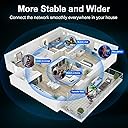
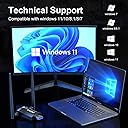
The QGOO AC1300Mbps USB 3.0 WiFi Adapter transforms any desktop or laptop into a high-speed wireless powerhouse with dual-band 2.4/5GHz support, dual 5dBi high-gain antennas, and effortless plug-and-play setup for Windows 11/10/8. Enjoy ultra-fast, stable internet connections ideal for HD streaming, gaming, and remote work, all in a compact, sleek design backed by a 2-year warranty.


| ASIN | B0CXT8WJ6L |
| Best Sellers Rank | #41 in USB Computer Network Adapters |
| Brand | QGOO |
| Built-In Media | wifi adapter |
| Color | black |
| Compatible Devices | Desktop, Laptop, Printer |
| Compatible Operating System Family | Linux, Windows |
| Customer Reviews | 4.3 out of 5 stars 12,754 Reviews |
| Data Link Protocol | USB |
| Data Transfer Rate | 1300 megabits_per_second |
| Hardware Interface | USB |
| Item Dimensions L x W x H | 7.6"L x 4.45"W x 0.67"H |
| Manufacturer | SHEN ZHEN XIN HUA TIAN TECHNOLOGY CO., LTD |
| Mfr Part Number | 1616 |
| Model Number | XHT-6B16-01 |
| Number of Items | 1 |
| Product Dimensions | 7.6"L x 4.45"W x 0.67"H |
| UPC | 641837950641 |
| Unit Count | 1 Count |
| Warranty Description | 2 Year Manufacturer |
M**Z
WiFi Adapter
This WiFi adapter is perfect for a desktop setup. The installation was quick and easy, and the connection is stable with fast speeds. I noticed a big improvement compared to my old adapter, especially for streaming and online work. It’s compact, doesn’t take up much space, and works exactly as expected. Great value for the price highly recommend
J**.
Great wifi dongle, no configuration needed.
Works well with windows11, plug-n-play, no need to download a driver .
M**M
Good Dongle
Worked great i helping me get my wifi signal stronger in my metal outbuilding.
J**Y
Easy Install, Increases Signal Strength, and Much Faster...
I have a Dell Inspiron One 2330. Although, with it's current location it was right the edge between a WiFi dead-zone and a little bit of WiFi with a weak signal. And on top of that it was limited to 100Mbps and rarely ever got to that speed. After installing the QGOO AC1200M Dual Band Wireless USB Adapter I achieved quicker loading times, stronger signal strength, and the installation was quite simple. USEFUL INFO: With my package I received the USB adapter with the little antenna, a very small CD, and some USB flash drive. The CD has the drivers and the manual on it, and don't worry just because it's small doesn't mean it won't work on regular disk drives. I saw it and the first thing I thought was "Am I going to need to buy a special disk drive for this thing?" And the answer is no. Just pop it in like any normal-sized CD and it will work. The little flash drive thing also has the drivers on it. And if you can't use either for whatever the reason may be, a website is listed on the installation guide where you can download the drivers. Heck, if you have to you can download the driver files to your phone and then transfer to your computer via cable or blue-tooth. I just used the little CD. Driver Distributions Available: - Windows Version - Mac OS 10.9-10.15 Version - Linux Version Link to the site to get the drivers in-case you didn't get an install guide: www.qgoovip.com/pages/driver Somewhere on this review you'll see some images, the first should be a picture of the little flash drive, and a picture of the small CD on top of the quick-install guide. The second is an image of the adapter attached to my computer. The third is a screenshot of the connection speed my computer now has to my WiFi router. Keep in mind that my router is on the other side of the house and not close. I'll probably be upgrading my router soon. You may obtain faster speeds depending on your router, computer, and distance from your WiFi-source. I think this is a sufficient review. I rate 4 stars because I haven't checked this for gaming and probably won't considering internet where I live is not amazing.
D**D
Easy install. straightforward. clear. working immediately.
Very simple and clear to install and set up. Really appreciated this. Connection is strong with a full signal. (20 feet away with a wall and a few pieces of furniture in the way.) Came with small installation manual with 3 instructions made clearly visible and super basic to calm those who are anxiety prone:3 sentences, less than 10 words each. Basically: 1. install software. 2. plug in adapter. 3. scan for available networks to complete setup. note: I opted to download the software for this device using the provided link rather than install from the cd it came with. The link they provided was actually to a dropbox folder... which might seem odd and low-end -ish if you are expecting a full on website... But this was fine. Just needed to click "DOWNLOAD" at the top right, which zipped up the folder and its contents, downloading to my computer. (there were some unfortunate comments in dropbox from frustrated people who didn't understand the "download" button. and there were some gracious comments from others telling people what to do, e.g., "click "download," people, gosh...") anyways, got my zip file. unzipped it. went inside the unzipped files. saw windows folder. double clicked the setup.exe file in there. And bam, it was installed ready for the final step. After the install finished, I plugged the wifi adapter device into my usb3 port. Then checked the manual to see what was next. It said I should see an icon in my system tray to click on - which basically lead to scanning available networks. it was there. The software interface was just as described. I clicked on available networks...Found my router. clicked on it. entered my password. And boom, all done. Straightforward and fast. It really is easy to install if you aren't stunned by using your browser and dropbox to download the folder. I imagine the installation cd is just as easy or easier. I think
A**R
Works perfectly, exactly what I needed
After many years of using hotspots, fiber optic internet finally came to our neighborhood. For my old desktop (about 12 years old) I was using a wifi extender with an ethernet port to connect the pc. Well, the old extender would not work with the fiber optic router. I had a couple of other extenders, same issue. I was about to look for another computer, and thought I would try this little gizmo as a last resort. So very glad that I did! I have Windows 10, so after plugging it into a USB, I verified that the driver auto loaded with Device Manager. Didn't have to download anything! The internet icon at the bottom right changed to indicate a wireless connection, and it was a simple matter of choosing the network and entering the passcode. Probably the easiest setup I've ever experienced! I don't keep it connected all the time, only when I need the internet. After plugging it in, I'm able to be online in about 5 seconds. What really impressed me was that even after being online for a while, the unit is still cool to the touch. My old extenders built up a bit of heat. I'm obviously quite happy with this device. I can't speak of its durability, as I just purchased it a few days ago, but for the price you can't beat it. By spending less than $20, I just saved hundreds by not having to get a new computer!
D**A
Crash, Freeze, Crash, Freeze Purchase if you don't mind Crap
This should be a simple product to use. I've purchased them before (the local person I was buying from retired). The box came with the USB, the adapter, and a foldout instruction sheet - you should have a magnifying glass handy. The website didn't want to load, then the file downloaded, but it didn't .... I tried with 3 different computers to get the files. the same thing....that was just the EASY part of this Joke of a purchase. File unzipped & start loading, nope computer froze the ONLY thing I can do is a Hard restart. Do you KNOW what that does to a computer??? At this point. Okay, Maybe I'm having a bad week and it's me. So I reached out to their customer service email at [email protected] - subject model # isn't working. and then in the email, I'm still only mildly mean to explain whats going on, what I've tried & so on. DAN replies We have a link to the driver which I will send you. By the way, I will send you the electronic manual as an attachment for your later reference. Please Know. I did Not say anything about the Website being Messed up for the driver or a problem Getting the driver. I also did not say anything about the Tiny manual....hhhhmmm Yet DAN did not address ANY of the Problems that did happen/product not working. Raise your hand if you think they get a lot of emails with this as a start-off problem. Please be advised my Meanness Level went up from there (and you know what I mean by Meanness). Now I'm running every Anti-Everything on the laptop that the emails have been opened with. They should not only be Giving me a FULL refund but paying all the downtime and Amazon & their best hope I don't find anything wrong on my laptop.
B**L
Works on Ubuntu 22.04 as an RTL88x2bu chipset
This is a screenshot of an Ubuntu 22.04 install running speedtest.net off of the 1200Mbps QGOO device. The download speed on this thing is in the 155-160Mbps range, which is a little over half of what I see on my Mac (225Mbps). My Ubiquity Wifi gear does 300 Mbps each way, so 225 is approaching line speed. 140, not so much. Installing this on Linux can be a little daunting for someone inexperienced, but it's not really black magic, just some tools you may not have come across. If you don't understand the stuff below, then make sure you're using a box for nothing but experiments; that is, you are willing and ready to wipe it clean and start over at any time. Then just take your time. Read the man pages. Duck for examples. It's a good learning experience. The big picture is that we need to install a kernel module (a .ko file), which is a chunk of code that supports certain functionality (like a network card) and can operate at a privileged level (sometimes called, "kernel mode"). Normally, you might use modprobe, which is a handy tool for installing modules live, among other things. (I hate to do a "back in the day," but in the late 1990s, you had to reconfigure kernel parameters to add a module and then recompile the kernel; always a little nerve wracking). Stick the dongle in a USB port and run lsusb (list the USB devices). I get "003 Device 005: ID 0bda:b812 Realtek Semiconductor Corp. RTL88x2bu [AC1200 Techkey]" on one of the lines. "RTL88x2bu" is your chipset. Other devices have other chipsets. Searching for the chipset and linux and driver will probably take you to a github or git site. Download the software from the git site (green button in the upper right lets you download the zip file). Unzip and then run make. Again, if you haven't done this, make is a very primitive software tool chain configuration system. The instructions telling make how to build and deploy software are in a file called Makefile (capital M). A typical cliche for using make is make clean ; make ; make install; make clean Clean removes any temporary and previously built files. "make" does the compilation (and a ton of error checking usually). "make install" does what you'd expect. Some folks don't run make clean twice. You'll have to use sudo for make install since it's going into the system area. Depending on the driver and Makefile, some code will install the module as part of make install. Some drivers require you to use a tool called dkms (which is part of the source code payload). Some will create a kernel module and leave you to use modprobe to install it (something like 'modprobe <module name>' where the module name is the file name without the .ko extension. In the case of the RTL88x2bu driver code, make install puts the kernel module in place (lsmod shows the loaded modules). One last step: Edit (sudo) /etc/modules and add the name of the module (88x2bu in this case). That will guarantee that the module will be loaded at boot time.
J**S
Does as advertised
Works as advertised! Very easy to set up with the included instructions. Receives a very strong signal, I did not notice any slowdown versus plugging in directly with an ethernet cable. One minor quibble: the disc included that provides you with the needed drivers is low quality and my disc drives have trouble reading it, so you may have to download the drivers directly from the company's website. Other than that, recommended.
O**4
Funciona
Configuracion en 2 minutos.Realmente funciona sin problema.Muy buena compra.
N**N
Awesome product, good quality, resolve my problem immediately
High quality, strong signal, super easy to use, after inserting to usb, it pops up a usb drive, just install the executable file and immediately can use. I did "internet speed test", it boosts the speed tremendously from my previous 2.4G wifi adapter. I then screen cast my Oculus device to the computer (which I coudn't before with the 2.4G adapter). It works so nicely till now. Highly recommend this
J**T
Clé Wifi Extra
Installation en 2mn, produit très efficace marche parfaitement, rapport qualité/prix imbattable ! Je recommande fortement - Merci Jean-Pierre
V**Z
Brought new life to an old desktop
It was really easy to install, I don't recommend using the drivers on the CD you can find more up to date drivers online. The wifi is far faster and has better than the Wireless N included in my Lenovo desktop. Streaming no longer buffers.
Trustpilot
5 days ago
1 day ago