

Desertcart purchases this item on your behalf and handles shipping, customs, and support to Argentina.
🚀 Elevate your workspace Wi-Fi game with nanoHD — where power meets subtlety.
The Ubiquiti UniFi nanoHD is a compact, enterprise-grade 802.11ac Wave2 access point featuring 4x4 MU-MIMO technology, supporting over 200 simultaneous users. It offers dual-band Wi-Fi with speeds up to 1733 Mbps and is powered via 802.3af PoE for streamlined installation. Designed for high-density environments, it combines powerful performance with a sleek, discreet design ideal for modern professional spaces.
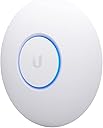


| ASIN | B07DWW3P6K |
| Antenna Type | Internal |
| Best Sellers Rank | #5 in Computer Networking Wireless Access Points |
| Brand | Ubiquiti Networks |
| Built-In Media | Access Point, Ceiling/Wall Mount Kit |
| Color | White |
| Compatible Devices | Desktop, Laptop |
| Connectivity Protocol | Wi-Fi |
| Connectivity Technology | Ethernet |
| Control Method | Touch |
| Controller Type | Switch |
| Coverage | Extensive |
| Customer Reviews | 4.7 out of 5 stars 2,083 Reviews |
| Data Transfer Rate | 1733 megabits_per_second |
| Frequency | 5 GHz |
| Frequency Band Class | Dual-Band |
| Global Trade Identification Number | 00817882024228 |
| Item Dimensions L x W x H | 6.3"L x 6.3"W x 1.3"H |
| Item Type Name | Access Point |
| Item Weight | 18.14 g |
| LAN Port Bandwidth | 100 Mbps |
| Manufacturer | Ubiquiti |
| Maximum Upstream Data Transfer Rate | 1733 megabits_per_second |
| Mfr Part Number | UAP-AC-PRO-5-US |
| Model Name | UniFi nanoHD |
| Model Number | UAP-NANOHD-US |
| Number of Antennas | 4 |
| Number of Items | 1 |
| Number of Packs | 1 |
| Number of Ports | 2 |
| Operating System | Linux |
| Other Special Features of the Product | Access Point Mode |
| Security Protocol | WPA, WPA2 |
| Special Feature | Access Point Mode |
| UPC | 817882024228 |
| Voltage | 48 volts |
| Warranty Description | 1 Year |
| Wi-Fi Generation | WiFi 5 |
| Wireless Communication Standard | 802.11ac |
| Wireless Compability | 802.11ac |
A**R
Solid enterprise AP, but plan on a controller
Why I ordered this item: My old access point couldn't keep up with everyone streaming and gaming at the same time in the house. I wanted something that could handle a bunch of devices without the wifi getting screwy on me. Likes: * I get full bars in the garage now. That never happened before. * I had probably 15 phones, laptops and smart plugs connected during a party and nobody complained about lag. * It's small and kind of a weird shape, like a little hockey puck. Mounts flush to the ceiling and doesn't stick out much. * The Unifi app found the AP right away and adopted it in a minute or two. * Standing close to it, my laptop pulled numbers I hadn't seen before in this house. No likes: * You need a Unifi controller or cloud key to really run this thing. If your setting up just this AP by itself the app experience feels half finished. * PoE injector isn't included in the box on the version I got, so factor that into the cost if you don't have a PoE switch already. * The white finish shows dust weirdly fast on the flat top. Would I pay full price for this product: Yes Final thoughts: This is built for someone who already has, or wants to get into, a real Unifi setup. It's not a plug and play home router replacement, it's an enterprise-style AP that happens to look nice on a ceiling. If you've got a controller already, this thing fills in dead spots without you thinking about it again.
S**E
Firmware has matured, we're ready to roll now
Update 12/7/18 - Ubiquiti has been great about pushing new firmware every few days with a ton of bug fixes in each release. Since the ~4.0 release, this AP has been rock solid and I'm comfortable recommending it now to anyone looking for a top of the line AP in small form factor. There are still a few quirks and limitations surrounding edge case features like wireless uplink but the core functionality of the AP works great and all my wireless devices have no trouble now getting and staying connected. If you have any devices that can take advantage of the 4x4 MIMO, the speeds you can achieve are incredible. I also want to reiterate how great the Ubiquiti engineering staff is. They are highly engaged on the support forums and are always looking for feedback on bugs and feature suggestions that are more often than not implemented sometimes days or weeks later. I'm really invested in this ecosystem and would recommend these products to anyone who has a solid networking background and likes to tinker. I've been working on cutting my home network over to Ubiquiti gear and was excited to get my hands on the spiritual successor to the UAP-AC-PRO. I've read that Ubiquiti gear requires a fair amount of tinkering to get everything just right and I'd say that is a fair statement after wrestling with the nanoHD, USG and the USW switches. The nanoHD is apparently still in the early stages of firmware development and has a fair number of bugs and instability compared to the other APs in the fleet. I have had a hell of a time trying to keep my devices on the 5GHz band and found that the UBNT forums are flooded with users with the same issue. I've had to resort to loading up the latest beta firmware just to stabilize things, but it still isn't perfect. Support has been great so far, they really want to stabilize as quickly as possible but I cannot give this thing a thumbs up in its current state. If you are in a saturated RF environment, I'd recommend you stick with the stable UAP-AC-PRO for now and give the nanoHD some more time to cook.
K**N
Excellent products and shipping.
Products were as expected, properly packaged and rapid shipment. UniFi products are remarkable.
T**S
Great AP, but things you should know about performance.
Summary: - DFS channels, so you can use channels your neighbors probably dont have (yey for clear channels). - Very short range. These are meant for small coverage areas, like 1 or two rooms max. - Low receive gain. In terms of radio performance, they can shout, but can't hear very well. - The low gain and short range is not always a bad thing, its great for reducing interference and focusing wifi in a small area. That is a good thing for high density areas, but don't expect any long range or whole house coverage. - Great overall AP, but you will VERY likely need more than one if you want respectable performance for home or business. This is a great multi-user AP, however if you use it for home, there are things you should know. It is short range. To be specific, it has very low gain (likely no gain or negative gain). This is only a bad thing if you are trying to cover a large area, or multiple rooms in a home. It turns out this is a good thing for reducing noisy neighborhood interference (which I have a LOT of). It is true that the NanoHD has shorter range than most consumer APs out there. On the Unifi forums, many people talk about this, but the Unifi fans will assure you the NanoHD is a "good radio". It is great actually, as long as the short range and low dbm is OK for you. It's receive dbm is about 10dbm (or more) lower than most other APs, including fellow Unifi APs like the mesh and U6-LR. It is even way lower than the old archer A7. Apparently that is not a problem, as it still performs well like that in high density environments. The TX and RX rates dont hit max on most devices, so it can be slower than other APs for single user downloads. This is a known issue, where a wifi 5 device that can reach 866Mbps Rates will not maintain the full rate. This is likely not a problem you will notice or care about as it wont affect your ability to stream and stuff... however it is annoying to me because just about every other AP I've had can reach full speed rates. Again on the Unifi forums, the pros dont mind this nuance because although the Nano is somewhat "slow" for single users, it is "fast" overall if you consider the aggregate performance of lots of concurrent users. This AP supports DFS channels, which makes it worth it by itself. Apparently DFS channels can be problematic if you live by an airport or have lots of radar traffic in your area, but for me this was the solution to all my interference problems. The clear channels and small cell size (range) actually solved my biggest wifi problems, which had to do with all my neighbors and their millions of wifi devices causing lots of interference. The Unifi APs including the NanoHD have great roaming and support the newest roaming standards. The low range and slightly lower receive sensitivity actually helps roaming. Your wifi devices are more likely to pick a stronger AP under these conditions, which makes roaming smooth and effective. I have a few mobile devices and VoIP devices that can roam seamlessly between multiple NanoHDs. This is one benefit to smaller range/cell size. Of course you need multiple APs to benefit from roaming, but if you go with Nanos, you will likely need more than one anyway. Q&A: Will this solve all of your wifi issues? Yes, most likely. Will you be happy with 2 or 3 in your home? Yea, they get the job done and have great roaming. Will you be happy with 1 for full home coverage? Nah, you need more than 1 if your house has walls in it. Will you be happy if you are a wifi nerd and love internet? Absolutely not, we wifi nerds are never satisfied with wifi or internet performance, but it will keep the wifi nerds busy and you may still have fun with it. Is there something better than the NanoHD at the same price? Absolutely. If you want to stick with Unifi, the U6-Lite is cheaper and faster than the Nano for single user speeds. The U6-LR is the same price and blows the nano away for range and speed. At the end of the day, its a 5 star product that will improve/fix just about any older/outdated wifi deployment.
T**C
continued goodness from UBNT
I have used Ubiquiti gear for more than five years now, and this item continues their innovation. Arguably amongst the first "wave 2" devices out there, the NanoHD performs. I've now installed them in our office, only using the 5-GHz radios. We only have about 10 people in the office, and this enhances their use of BYOD. We left Aerohive after five years of service agreements. A single NanoHD was just a little more costly than a year of service with them! Plus, these are new radios, new wifi, and easier to implement. I suggest Ubiquiti to anyone who asks about their house/office/church/etc. I've used a number of their APs, many of the Unifi and Edge switches and routers, including the fiber-based devices. While sometimes the ecosystem that is Unifi can be challenging (and frustrating), once you learn the idiosyncrasies, it's quite easy to navigate. The NanoHD is more capable than we need here at the office. With other companies sharing the available channels, we opted to disable the 2.4G. We have long hallways and everyone has their own office. All wallboard throughout the interior. We use three APs across two floors to cover the spaces, including two large conference rooms. The ability to modify the output power is a must. Much like other opinions, I'd suggest NOT using "auto" mode for anything. Use the mapping feature (free inside the free controller software) ahead of time to plan your channel allocation and power rating. My experience would suggest the heatmaps aren't perfect, but give one an idea of how their structures affect the RF propogation. I have not experienced any of the issues that other reviewers have suggested. Plug them in, update, modify, and they work. I'm using them on VLANs, too, and they were drop-in to replace the older Aerohive units. Didn't need to change anything else on the network to support these.
L**G
Great for home use.
Currently using 1 with plans to add another later. The 1 AP covers all of my 2100 SF house, but using 2 evenly spaced with lower power settings would be better for my outdoor cameras. Integrates well with Unifi. Provisioning is slow. Every time I make a change, it takes it a while to provision, and occasionally, I have to do a hard reset after changing the settings. I'm using 3 SSIDs with no issues. By default it creates 2.4 and 5.8 SSIDs, but you can turn one or the other off for each SSID if you want to force a specific radio. If you want one SSID for 2.4 and another for 5.8, just create both and turn off the appropriate radio for each. My LAN SSID is only 5.8, but my IoT and Guest are both. Guest, LAN and IoT VLANs work well with isolation between them. Works well for me as I have 2 IoT devices that are 2.4 only, and all of my main LAN devices support 5.8. One thing though is that there is no way to turn off 802.11N to force AC. So my devices sometimes switch back and forth. This device is still a beta product. I would not use it in a professional setting until it is baked a little more. I get great speeds out of it since I tuned it. Out of the box with everything on Auto, I was getting around 25Mbits on an Internet speed test, but after some minor tweaking, I get 80+. The USG shows 110 for the WAN speed. Overall, I'm very pleased for this in a home setting. It is easy to learn and manage. I highly recommend it over consumer grade hardware for anyone with minimal networking experience. If you have no experience, I recommend reading and even watching a few Ubiquiti videos first. It's not hard to manage. Price of the USG, AP, and 8port POE Switch were not much more than the price of a high end consumer device.
D**R
Better multi-WAP alternative to mesh networking (see details). Highly recommended
I've been using Ubiquiti UniFi APs at home (and at work) for a long time, so I selected the Ubiquiti UniFi nanoHD Compact 802.11ac Wave2 MU-MIMO Enterprise Access Point ( UAP-NANOHD-US) units for my new home. While the UAP-AC-PROs that I'd used before were still available (and are a bit cheaper), they're quite a bit larger. At about 6 inches diameter, the nanoHD blends in to the home a bit better. Hard installation is easy. Assuming that you aren't putting the AP on a drop-ceiling tile (which uses the included metal back plate), you mount a plastic plate to the ceiling or wall. Run a Cat5e cable to the AP. Plug one end into the AP, and the other into a PoE switch or the included injector. Soft installation consists of installing the UniFi Network software on a PC (I installed mine on my home automation server). UniFi Network requires Java, so it makes you install that. Beyond that, you either perform a local installation, or create a UniFi account, for administration. I opted for the local administration. Once running, UniFi Network identifies all Ubiquiti APs on your network. From there you can set all of the AP properties, create all of your SSIDs, associate them to your various VLANs, organize your APs on a map, perform an RF survey, etc. One of the tasks you can perform, is to update your AP firmware. Mine was pretty out of date. Updating takes about 5 minutes. I've included a few pictures of the installation (before I put the cable IN the wall), and the management software. Though it's really nice software, it's obvious that they want you to have a full Ubiquiti ecosystem.... with their switches and routers. I'm using Netgear PoE switches and a home-built, 1U pfSense router, so I've obviously gone the other way. Regardless, even for just the management of the WAPs, the software is far beyond anything else you can get at the price. For a house that's approximately 5400sqft, I have two, wall-mounted, on the ground floor. One, ceiling mounted, on the 2nd floor, and a last one, ceiling-mounted on a drop-ceiling, in the basement. If your house either has some structured wiring that you can take advantage of, if you can just add a few Cat5e runs, or if you can even just backhaul your network with PowerLine networking, then you will have MUCH BETTER performance with non-meshed WAPs. If that's a project you want to take on, then the Ubiquiti UniFi nanoHD Compact 802.11ac Wave2 MU-MIMO Enterprise Access Points are a great way to do it. Highly Recommended.
C**E
Came with PoE injector
The device works great. I have extensive experience with UniFi products and no problem adopting it. I was a little surprised that the product description says that it does not come with a PoE injector. Therefore, I ordered a separate PoE injector. However, the device did come with a PoE injector in the box.
A**R
Best Wireless AP
First I got a $400 consumer grade wifi 6 wi-fi router, it was shaped like a space ship and it was a piece of crap, there's some fatal flaw in the radio module such that you get extremely bad 5G performance sometimes unless you have perfect signal right next to the router. Then I swapped over to this thing, honestly, signal strength isn't that strong, I had to place it in the right spot to cover the house, but it did cover the house all by itself. This thing is built like a tank, the entire base is one solid piece of cast metal for incredible quality and heat dissipation. Wifi performance is just solid and consistent, your speed goes down reasonably with signal strength, no sudden drop-off. Just to make it clear for people who are confused, this thing DOES work all by itself, HOWEVER you need to have a computer with hard wire to set this up, and use the management interface. The Unifiy controller thing they talk about is just that management interface, the wifi WILL work without it, but you can't change any settings or see any stats without something running that software.
J**J
High performance and solid wifi access point
Love the NanoHD!! Very solid device and high performance at the same price point as “high end” consumer grade garbage. I was getting 15-17 ms ping times with my old router and once I hooked up the nanohd my ping times dropped drastically to 2-3 ms. It’s low profile and was super easy to setup and I really like the interface and dashboard features and statistics it provides as well.
S**T
High Quality AP
This is the best AP I have ever owned, much better than consumer grade Wi-Fi routers. I'm using it with a pfSense firewall/router I built and it almost doubles the signal strength and speed of my previous Netgear router. It easily allowed me to segment my network with multiple VLAN's, and you can mesh additional AP's if you need more coverage. I highly recommend this access point, it offers enterprise features with a small footprint at a reasonable cost.
N**N
Good AP, vaguely-annoying software
Good connection, signal strength, etc. However in order to set it up you must install software or have a controller - this is a major con since most users simply don't need the extra functionality. The UNMS-compatible Edgemax line of Ubiquiti products work on their own OR in conjunction with a central management system, which is far better both for home and commercial users! Ubiquiti needs to get it together and unify (get it?) their products, it's a huge missed opportunity since the Unifi APs and Edgemax routers work well together, but require a ridiculously discombobulated software experience to make it work.
L**I
Great!
Before I switched to this I was using Google WiFi mesh, and before that it was ASUS mesh, and before then Cisco mesh, and other WiFi techology over the years, none yeilded as good results as the UniFi mesh. UniFi OS is very much like DD-WRT but much much more polished. The worst UI was the Google WiFi mesh. ASUS / Cisco stock UI was fine, but DD-WRT was better. but UI / OS aside, it doesn't matter how good the software is if the Hardware can't keep up, and well Corporate Level WiFi (and its price tag) is definitely delivering the performance where regular home WiFi can't keep up in a very WiFi noisy neighbourhood, every houses around the block has WiFi, so it's extremely challenging to get a good stable signal, specially if you are into competitive Gaming. With all previous WiFi solutions I still had conflict / interference issues with my neighbours, so this is a HUGE step up, secuirty camera feeds are now live streams, before the upgrade they were like slide shows. The only point I'll deduct is the plastic wall mounting bracket included with the NanoHD, the AC SHD came with a metal wall mounting bracket.
Trustpilot
1 month ago
2 months ago