Desertcart purchases this item on your behalf and handles shipping, customs, and support to Argentina.
🚀 Elevate your home network to WiFi 7 speed and security — because buffering is so last decade!
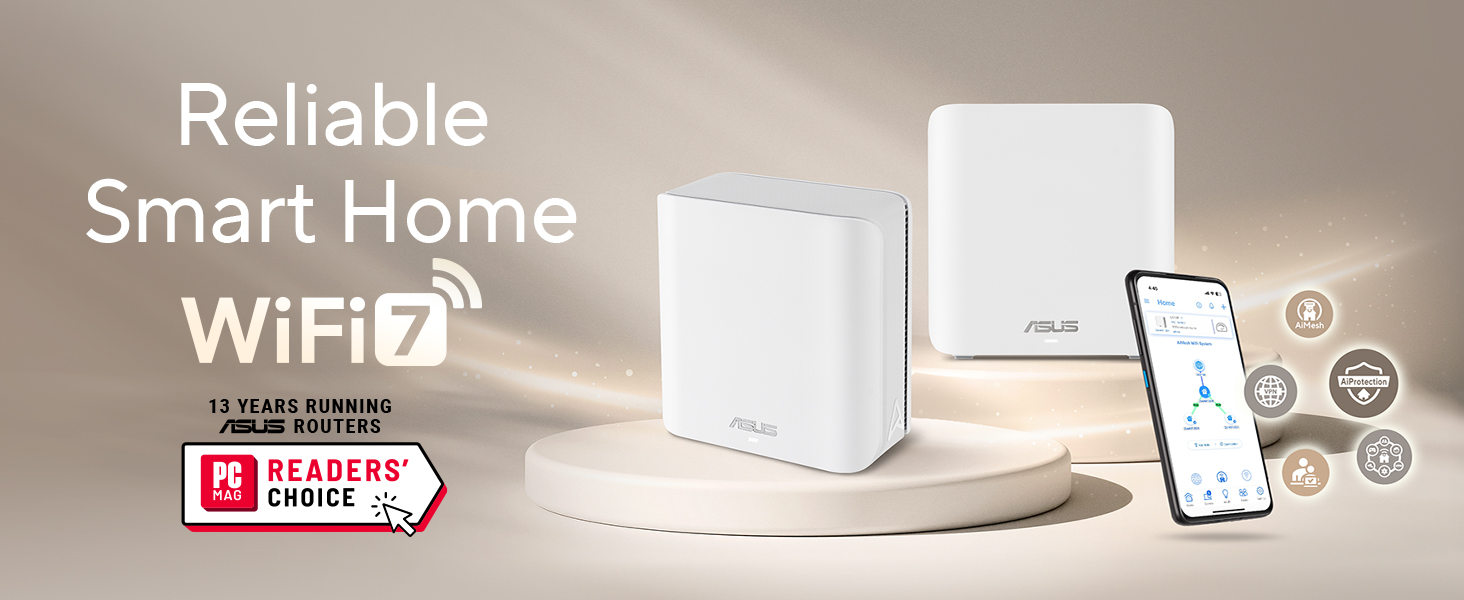
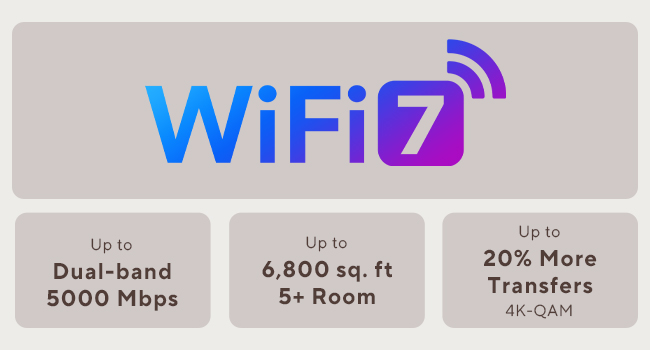
The ASUS ZenWiFi BD5 is a cutting-edge WiFi 7 mesh router delivering blazing dual-band speeds up to 5 Gbps and seamless whole-home coverage up to 2,500 sq.ft. Powered by AiMesh technology, it offers easy network expansion, robust commercial-grade security with AiProtection Pro and VPN, plus smart IoT device management. Featuring four internal antennas and dual 2.5G ports, it ensures ultra-stable, multi-gigabit connectivity ideal for modern homes and demanding users.


| ASIN | B0DHWD6LQJ |
| Antenna Location | Business, Gaming, Home |
| Antenna Type | Internal |
| Best Sellers Rank | #1,385 in Computers & Accessories ( See Top 100 in Computers & Accessories ) #46 in Whole Home & Mesh Wi-Fi Systems |
| Brand | ASUS |
| Built-In Media | BD5 1 pack Router, Power adapter, Quick start guide, RJ45 cable, Warranty card |
| Color | WHITE |
| Compatible Devices | Personal Computer, Smart Television, Smart Thermostat, Smartphone, Tablet |
| Connectivity Protocol | Wi-Fi |
| Connectivity Range | 2500 square_feet |
| Connectivity Technology | Power adapter, RJ45 Cable, Wi-Fi |
| Control Method | App, Touch |
| Controller Type | App Control, Push Button |
| Coverage | 2500 Square Feet |
| Customer Reviews | 3.4 out of 5 stars 40 Reviews |
| Data Transfer Rate | 2882 megabits_per_second |
| Frequency | 5 GHz |
| Frequency Band Class | Dual-Band |
| Item Dimensions L x W x H | 5.5"L x 2.8"W x 5.5"H |
| Item Highlight | 2.5G Port x2, Subscription Free Network Security, Parental Controls Included, Custom SSIDs, Ethernet Backhaul for Thick Walls |
| LAN Port Bandwidth | 2500 Mbps |
| Manufacturer | ASUS |
| Maximum Upstream Data Transfer Rate | 1441 megabits_per_second |
| Mfr Part Number | BD5 (W-1-PK) |
| Model Name | BD5 (W-1-PK) |
| Model Number | BD5 (W-1-PK) |
| Number of Antennas | 4 |
| Number of Items | 1 |
| Number of Packs | 1 |
| Number of Ports | 2 |
| Operating System | Mac, Windows |
| Other Special Features of the Product | AiProtection, VPN, WPS Security, Alexa Compatible, Network standard: WiFi 4 (802.11n), WiFi 5 (802.11ac), WiFi 6 (802.11ax), WiFi 7 (802.11be), IEEE 802.11a, IEEE 802.11b, IEEE 802.11g, IPv4, IPv6, Whole-Home Mesh, Wirelss Router, AiMesh Node, Access Point Mode |
| Router Firewall Security Level | High |
| Router Network Type | Wireless |
| Security Protocol | AiProtection, VPN, WPS, Let's Encrypt, DNS-over-TLS, Security Scan, Firewall, WPA/WPA2/WPA3-Personal, WPA/WPA2-Enterprise |
| Special Feature | AiProtection, VPN, WPS Security, Alexa Compatible, Network standard: WiFi 4 (802.11n), WiFi 5 (802.11ac), WiFi 6 (802.11ax), WiFi 7 (802.11be), IEEE 802.11a, IEEE 802.11b, IEEE 802.11g, IPv4, IPv6, Whole-Home Mesh, Wirelss Router, AiMesh Node, Access Point Mode Special Feature AiProtection, VPN, WPS Security, Alexa Compatible, Network standard: WiFi 4 (802.11n), WiFi 5 (802.11ac), WiFi 6 (802.11ax), WiFi 7 (802.11be), IEEE 802.11a, IEEE 802.11b, IEEE 802.11g, IPv4, IPv6, Whole-Home Mesh, Wirelss Router, AiMesh Node, Access Point Mode See more |
| UPC | 197105627796 |
| Unit Count | 1 Count |
| Warranty Description | 3 year |
| Wi-Fi Generation | WiFi 7 |
| Wireless Communication Standard | 802.11.be, 802.11ac, 802.11ax, 802.11g, 802.11n |
| Wireless Compability | 802.11.be, 802.11ac, 802.11ax, 802.11g, 802.11n |
L**S
Great product seamless integration
I’ve encountered connectivity issues in various parts of my house, including dropping items from the network, even HomePods. To address this, I decided to purchase a ZenWiFi BD5 and expand my network upstairs. This was particularly beneficial since it seamlessly integrated with my existing ZenWiFi BT10 tri-band router. To optimize bandwidth on the wireless channels, I utilized an Ethernet backhaul. The BD5 features an IoT 2.4Ghz channel, similar to the BT10, allowing all my smart devices to connect to this channel. The setup was straightforward and resulted in a single, stable mesh network. Apart from a few startup hiccups, all my smart devices have been functioning flawlessly. Additionally, I now have consistent and fast internet speed throughout my house. I highly recommend ASUS products.
M**.
Fast, modern mesh with a few caveats
I’ve been using the ASUS ZenWiFi BD5 (1-pack) for a small apartment setup, and overall it delivers strong, modern performance. WiFi 7 support and the dual-band design provide noticeably better stability and lower latency compared to my older WiFi 6 router. Speeds are excellent for streaming, video calls, and gaming, and coverage easily handles around 2,000–2,500 sq.ft as advertised in an open layout. The dual 2.5G ports are a big plus, especially if you have multi-gig internet or a fast NAS. Setup through the ASUS app was straightforward, and I appreciate that security features and parental controls are included without requiring a subscription. The Smart Home Master SSIDs are also a nice touch, making it easier to separate IoT devices from primary devices. On the downside, this is a single-pack unit, so it does not fully showcase the benefits of a true mesh system unless you add additional nodes later. Also, being dual-band, it does not have the extra backhaul flexibility you’d get with tri-band mesh systems, especially in more complex floor plans. Overall, it’s a solid choice if you want an affordable entry into WiFi 7 with strong performance, modern ports, and good software features. Just be aware that larger homes may still benefit from adding more nodes or stepping up to a tri-band model.
M**.
Junk
Do not buy, two of them both failed in less than 4 months.
C**E
Good but maybe not good enough
Edit 02/09/25. 5Ghz is very weak with this one and following another reviewers suggestion, I stepped it down to WPA2 but this loses WiFi 7, which is the point of the thing. Some of my devices just don't like it and some that CAN connect won't stay connected. I'll be replacing it. For some reason, this is the first Asus router I've used in awhile that could not just import the configuration from a prior router. This one could not... I had to start over. This was an 'upgrade' from an RT-AX92U which lost its mind and became unusable. This was easy enough to set up but the 5Ghz does not appear as strong as the AX92U and it reverts back to 2.4Ghz in parts of the house where the previous one was fine. I may return this for another choice.
N**S
Love and Dislike Mixed feelings
Well first of all , there is a lot of bugs with the app. Wifi freezes Everytime you make changes , the app glitches as you change something and everything gets messed up. Then the fact that my original wifi 6 of optimum regular wifi router was faster in some way and more efficient. Faster that we never had any issues or slowdowns. On paper if maybe fast but performance lacks significantly. The only reason I love it , it's because the ability it gives me , to stop internet on a device, it blocks adds for free and u can make certain changes though the app instead of webpage
D**B
Easy to set up a mesh system and runs fast
I had 2 BD5 units already set up after my super expensive Asus gaming router died after one year on the job. Bought this extra unit to place at the other end of the house to get faster speeds in the computer room, which is at the other side of the house. Mesh set up was easy, just plug in, use the app on your phone or iPad to find the units and the app does the rest. Use the optimize function in the app and it will set the units to their optimum settings. One suggestion, the wireless ID will only show two available names…the one you assign a name to and the same name with ioT attached…use the ioT one, it’s faster if you have WiFi 7 units. If you only have WiFi 5 or 6 units to connect, experiment and use Speed Test to see which one is faster. For me, on WiFi 7 computers, the *****ioT name was faster by a mile. I am getting over 1Gbps on units close to the router, i.e. same or next room location, and 500Mbps on my two computers across the house. This doubled my previous speeds. Your speed will vary based on your internet provider speeds and the distance of your attached units from the mesh nodes.
D**A
Super easy to install !
We upgraded our old router & needed to update the mesh units (three of these new ones). Very straight forward & no additional app needed to install. Had a few updated & it handled all our outdoor security cams around our 3000 sq ft house. I like that you can assign smart products to different loT(s). Very happy with theses units & well worth the money.
A**D
Great Low-cost WiFi7 Router, I Only Wish It Had More Ethernet Ports
It's a low-cost WiFi7 router with the familiar Asus management tools. Works great and I don't have any issues with it. The one thing keeping it from a 5-star review is the low number of Ethernet ports, but you get what you pay for and a cheap network switch easily fixed that issue.
Z**D
المنتج ممتاز
طلبت المنتج ويعمل بشكل ممتاز جدا ويغطي شبكة الواي فاي الى ثلاث غرف انصح شراءه
M**O
No vale la pena
Tengo una malla de 3 equipos y regularmente tengo que reiniciarlo o restablecerlo, de repente deja de funcionar alguno, no recomiendo este modelo.
Trustpilot
2 weeks ago
2 weeks ago