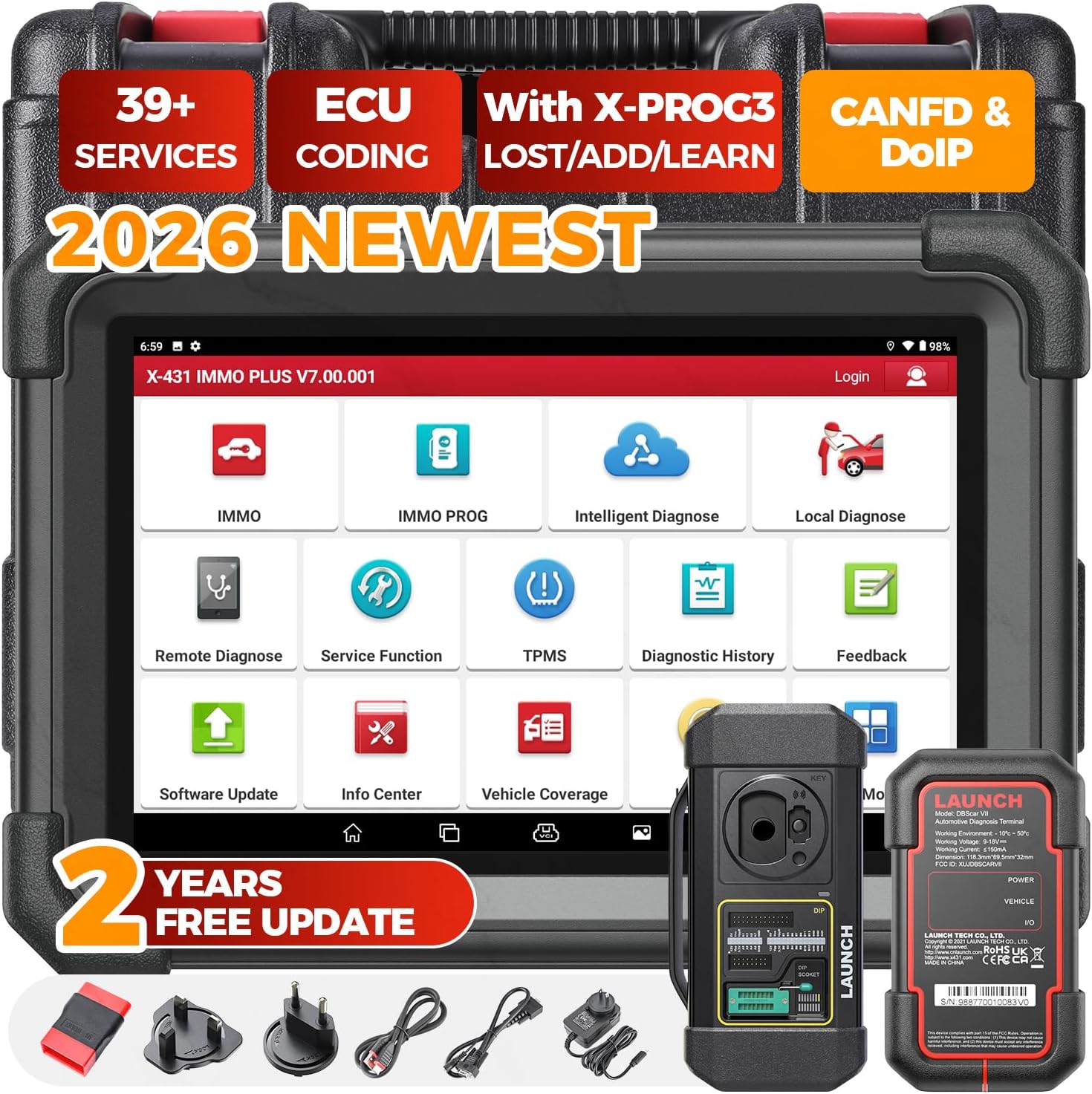
🔍 Diagnose, Decode, Dominate: The Ultimate Pro Scan Tool for Next-Level Auto Mastery
The Launch X431 1MM0 Plus with PROG3 Tool is a professional-grade automotive diagnostic scanner offering OE-level all-system diagnostics, advanced ECU coding, and bi-directional control. Supporting over 150 vehicle brands and 39+ specialized service functions, it ensures comprehensive repair capabilities. Featuring cutting-edge CAN FD & DoIP protocols for ultra-fast data transmission and backed by 2 years of free updates plus a 5-year quality guarantee, this tool empowers technicians to deliver precise, efficient, and future-ready vehicle diagnostics.


| ASIN | B0DHZJWCDS |
| Automotive Fit Type | Vehicle Specific Fit |
| Batteries | 1 Lithium Ion batteries required. (included) |
| Best Sellers Rank | #965,267 in Automotive ( See Top 100 in Automotive ) #2,706 in Code Readers & Scan Tools |
| Brand | LAUNCH |
| Customer Reviews | 4.1 4.1 out of 5 stars (282) |
| Date First Available | September 26, 2024 |
| Item Weight | 21.4 pounds |
| Item model number | LAUNCH X431 PLUS |
| Manufacturer | LAUNCH |
| Manufacturer Part Number | Launch X431 I.M Plus |
| Model | LAUNCH X431 PLUS with PROG3 Tool, All-System Diagnostics, ECU Coding Scan Tool |
| Operating System | Android 10.0; *****Please purchase the NASTF functions authorization on the device ($49.99) before using 1-M-M-0 related functions. |
| Product Dimensions | 12.59"L x 14.96"W x 17.32"H |
| UPC | 850052860318 |
J**Y
Very helpful!
I've used a few scan tools over the years, but this Launch x431 immo plus is really impressive. Compared to other similar scanners, it offers truly comprehensive features for its price. The key programming function worked flawlessly. I was a little nervous doing it myself, but the tool provided step-by-step guidance throughout the process, with clear instructions. Within about 15 minutes, the progress was completed without any issues. If you're looking for a comprehensive tool that can do key programming, ECU coding, and diagnostics, this one is worth it. Great value for money. Highly recommended!
P**P
Stable and reliable
well made code scanning reader and programmer, it works way better than the standard version, worthy for what it paid for. The processor is quick and reliable. The connection is stable enough too.
T**Y
Best automotive scanner ever
The bundle comes with everything you need to program keys. And it handles both domestic and European vehicles well. From advanced diagnostics to key programming, the X431 IMMO Plus offers an all-in-one solution for professionals. The tool is really fast, user-friendly, and packed with features that make vehicle diagnostics effortless. The interface is intuitive, the touchscreen is responsive, and the overall build quality is excellent. I would recommend it to every mechanics!
B**.
did not work corectly before update, worked worse after the update
I ordered mine on January 31 2021, and received it about 2to 3 days later (love that Amazon Prime shipping). I have a 2011 Ford Ranger, about as generic as you can get, but it had the ABS and skid sensors both showing on the dash. I wanted to be able to tell which speed sensor was bad so that I could just replace just the bad one. The device is supposed to show the current speed of the 4 wheels when connected and driving and also (more important when you are driving alone) let you create a report so that you could just drive your car, and then go back and watch the report playback. This is necessary for problems like mine where they sensor is fine up to about 40 mph, when (the front right sensor as it turns out) would start flaking out. You can't really watch the screen while driving at 40mph, so you need to be able to put it into record mode to see it later (or have someone ride with you). The problem was that the one I got seemed to work okay when I tested it at first because I could see the senor data fine when just moving slowly, but I could not get the recording of detail reporting even though I had record on (and it said it was recording), but it wasn't actually recording anything. I was told by the vendor to update the "firmware" (the process is simple once you get around the fact that they don't point you to the correct file (or even website) you need to download correctly), so, after some internet searching, I figured out where the actual site and code was and I updated the code from their web site. After the update, it no longer even showed the speed sensors at all, they all came up by name, but shown as 0 for the speed. At least before the update, it showed that there were speed sensors there and they would show the speed they were registering at that point in time, but I could not record them, so as to be able to drive and then go back and look at the data later. After the update, they always showed 0. Record did work though now, but showing a constant zero on all 4 wheels is not really very helpful. So I decided to return the unit, and printed out the label from Amazon returns and sent it all back in the same box. Two weeks later, still no refund, and when you click on the contact button, you are sent to the actual seller. It's shipped by Amazon, but not sold by them. Any way, they (the seller) claimed no knowledge of where my unit was. After several contacts, which took almost a month, I finally found a way to contact Amazon directly, and they provided me with a refund on February 24th (today). So, the product has some good reviews which seemed authentic, but, at least for me, it was a bad experience all around. They need to work on how to update the unit's firmware, and also maybe provide firmware that actually fixes all problems. I had thought that the updates for these things was just to add new vehicles and maybe some new codes, but apparently they also use them to just plain get the product to work. But not in my case. I will probably buy a similar one, just not this particular model.
M**R
Good for the price
I have a 2004 F150 pickup and have had the service engine light come on several times over the years. I got a code reader in about 2005 that ran on a laptop since at the time almost any handheld scan tool was a couple of hundred dollars. As with much computer software, it is poorly supported and while it seemed to still run on my current laptop, I could not get it to read anything. So much for that. I thought I would check out some of the lower cost scanners since I was not looking for an ASE grade system for complete engine diagnostics, just to tell me why the service engine light came on, and to be able to turn it off. The Geartronic looked interesting, came with free online software updates (well, we will see how long that lasts) and was only about $23 on Amazon. After using it, here is what I found out. First, the manual that comes with it says it includes a CD that contains the User's Manual, DTC lookup codes, and etc. There is no CD that came with it. The paper Owner's Manual is a little booklet that is 3-1/2 by 5 inches in size with about 6 point font size, so better get out your magnifying glass to read it. The Owner's Manual actually refers to a KONNWEI KW 590 scanner unit, not the Geartronic scanner. While the manual was obviously written in China, it is actually pretty well written compared to many I have seen. If you want to scan codes to see the source of a problem, it will probably do OK. It revealed my proprietary Ford service code so I could figure out what was the problem. It also reset the MIL light to turn it off. The real time diagnostics were only marginally useful. The tiny screen makes any graphical display almost useless and the values bounce around anyway. If you really want real time diagnostics, plunk down some real cash and get a big screen. I will note that my 2004 model surely does not have a very potent computer compared to current models, so the input to my Geartronics scanner likely does not compare to what you would get from a new car or truck. The online support web site is REALLY basic. One page with no instructions, just a couple of tabs. You can update the software in the scanner or you can download software to your computer that allows you to print out your scanner readings by connecting the scanner via the USB connector and uploading the saved data to your computer. I found this feature pretty useless since I had no proper operating ranges to go by, so a reading of 0.63 volts, for example, means nothing to me. Most of the data was like that, so unless you have a service manual for your model, don't expect all these data to help you a lot. I tried the live data and it measured and saved 25 different readings over and over until it filled up the memory buffer. Again, these don't really give you a meaningful trend since they are taken over some unknown time (no time stamp associated with each set of 25 readings) and it is impossible to tell if a reading is within its random variation range versus producing some actual trend direction. So in my opinion, that feature is pretty much worthless. Having access to a lot of numbers does you no good if you don't know what they mean. One last item to note. I am not sure how fast the Geartronic can read data (or how fast my 2004 model transmits it). However, if you select one function, then select another function before it has completed the first action, it will tell you that it has lost its signal and you will need to turn it off and back on to re-establish the connection with the engine's computer. I was somewhat surprised by how slow it took to read the data (several seconds) but that would normally not be a major issue if you are wanting to perform a scan (which is pretty much a stagnant situation). So my bottom line is this: For $23, the Geartronic unit will successfully scan and identify trouble codes and it allows you to turn off MIL lights. The ability to see realtime graphical output seems to be of limited value on the tiny screen, and the ability to print out data readings may also have limited worth if the values of concern bounce around a bit. Given the crude online support website, I will not expect it to be available in 5 years when I might next need to use the scanner (so if you do get one, download the printer support software right away). For me, it is probably worth $23 to have a scanner that can identify trouble codes and turn off the MIL light.
V**Z
Good immo tool with the xprog3
It's a great immo scanner, I'm still checking it up but so far is a good tool. After I finish a couple of cars with this tool I'll update my review. As an update, I did a Siemens ecu coding and it was smooth... I recommend this scanner. Easy to use.
Trustpilot
2 weeks ago
1 month ago