Desertcart purchases this item on your behalf and handles shipping, customs, and support to Argentina.
🚀 Print smarter, faster, and wirelessly — because your office deserves the best.
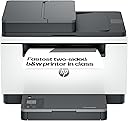
The HP LaserJet MFP M235sdw is a compact, monochrome all-in-one laser printer designed for the modern home office. Delivering up to 28 pages per minute with automatic duplex printing, it combines high-speed performance with reliable Wi-Fi connectivity that auto-reconnects to keep you online. Featuring seamless mobile app integration for printing, scanning, and copying, plus energy-saving Auto-On/Auto-Off technology, this printer offers professional-grade output and effortless setup in a sleek, space-saving design.


| ASIN | B0D81BJ6K3 |
| Additional Printer Functions | All In One |
| B&W Pages per Minute | 27 ppm |
| Best Sellers Rank | 2,182 in Computers & Accessories ( See Top 100 in Computers & Accessories ) 6 in Laser Printers |
| Box Contents | HP LaserJet M207dw Printer, Power Cord, Setup Guide, Warranty Guide and other guides |
| Brand | HP |
| Brand Name | HP |
| Color Depth | 24 |
| Colour | White |
| Compatible Devices | [Wi-Fi enabled laptops, desktops, smartphones, tablets] |
| Connectivity technology | Ethernet |
| Control Method | App |
| Controller Type | App |
| Country of Origin | Vietnam |
| Customer Reviews | 4.5 out of 5 stars 515 Reviews |
| Display Type | LCD |
| Dual-sided printing | Yes |
| Duplex | Automatic |
| Hardware Interface | Ethernet |
| Initial Page Print Time | 7 Seconds |
| Ink Colour | Black |
| Item Dimensions D x W x H | 3.08D x 4.18W x 2.94H metres |
| Item Type Name | Multifunction Printer |
| Item Weight | 9500 Grams |
| Manufacturer | HP |
| Maximum Copies Per Run | 99 |
| Maximum Copy Resolution Black and White | 600 x 600 dpi |
| Maximum Copy Speed Black and White | 29 ppm |
| Maximum Print Resolution Black and White | 600 Dots Per Inch |
| Maximum Sheet Capacity | 150 |
| Maximum Supported Paper Size | A4 |
| Model Name | MFP M235sdw |
| Model Number | 8J9K7F#B19 |
| Model Series | 200 |
| Model name | MFP M235sdw |
| Network Connectivity Technology | Ethernet |
| Number of Drivers | 3 |
| Number of Ethernet Ports | 1 |
| Number of Trays | 1 |
| Other Special Features of the Product | Auto Document Feeder |
| Output sheet capacity | 150 |
| Paper Size | A4 Centimetres |
| Power Consumption Size | 453 Watts |
| Print media | Labels |
| Printer Output Type | Monochrome |
| Printer Resolution Vertical in Black and White | 2.54 Centimeters |
| Printer Type | Laser |
| Printing technology | Laser |
| Processor Count | 1 |
| Product Warranty | One-year limited warranty |
| Resolution | 600 x 600 |
| Scanner Type | ADF |
| Series Number | 200 |
| Special feature | Auto Document Feeder |
| Specific Uses For Product | Home |
| Total USB 2.0 Ports | 1 |
| Total USB 3.0 Ports | 2 |
| Total USB Ports | 1 |
| UPC | 197961893021 |
| Unit Count | 1.0 count |
| Warranty Type | Limited Warranty |
| Wattage | 453 watts |
M**W
HP LaserJet MFP M235sdw
I was very impressed when I received the printer. The Amazon driver was so careful with the printer; you have taken great care in delivering this. I was truly impressed, and it made my day excellent when I opened the box. The instruction manual was quite long, so I had a glance and then started to mess around with it. All I have to say is that it is very easy to set up—it's a piece of cake. Some reviews say that it is difficult to set up the printer, but once you know what you're doing, it is a piece of cake. For this part, you have to use a mobile phone to search for the Wi-Fi directly when setting it up. Everything just fell into place; then you use the mobile phone to enter the password for the Wi-Fi. I did a test print, and it was so perfect and superior that it felt like it could be a £500 printer! The print quality is excellent and easy to manage. Once I had it on my network, I went into print properties on Windows, and it found it straight away as if it was already plugged in; I didn't need to do anything at all. It's as if everything just fell into place. I can't believe how easy this was—within 10 minutes, I had it all set up! I know that some people review that the Wi-Fi setup is difficult, but I didn't struggle at all. It was as easy as 1-2-3. Even the scanning feature was excellent; I printed multiple copies, and the print quality came out so impressively that I'm thrilled with it. I recommend this printer wholeheartedly; sometimes I wish I had purchased this many years ago. I used to have a Samsung printer with a toner that wasn't very good, but this HP model has a toner that allows me to print excellent copies without any fading. The toner that comes with it only provides a partial size—probably about 50%—but I plan to buy a proper toner for it. I can't praise this printer enough; it's one of the easiest printers I have ever set up. I didn't need to make any special effort. The menu was a bit of a challenge to read through, but I managed to do it myself without needing to read the manual, and it was that straightforward. I'm genuinely impressed! Additionally, this printer supports wireless, ethernet, and USB connections. The great thing about this is that you don't need to change anything; it automatically adjusts to the input you need. There’s a small display on the bottom of the tray that can handle photocopying as well.
K**R
Easy set up and prints fast.
Fast delivery and an excellent value printer. Easy to set up and use. Printer prints from my iPhone via the app - which is actually pretty good. Takes a few seconds from pressing print to paper coming out but once it does multiple pages come out one after another. It scans and photocopies too although I haven’t tried these yet. Very good seller.
J**E
A well made HP multi-function printer at a very reasonable price.
Bought this to replace a 12 year old multifunction HP printer that provided excellent service. A lot has changed in 12 years and the new printer is a lot easier to set up, and it gives first class printing results. Only used it a few times for printing and I am very impressed with the scanner. Bought my first HP laser printer 4L in 1994 and have always used HP printers since then. Highly recommended.
A**R
Great Printer but install could have been easier.
A great printer, you get a lot for your money. Needed a new printer that was both Windows PC and Mac compatible and chose this as hardly ever need to print colour. Overall extremely satisfied, however, set up on Windows PC was harder than it should have been as HP Smart App didn't recognise that it needed the driver downloading. This seems like a major flaw as you have no clue why the spinning wheel never stops. Eventually, after much hair pulling and brainstorming, I went to the HP Website and downloaded the driver. Install was then straightforward. Install on the Mac was easy as the printer was recognised straightaway.
H**T
Good printer, but no duplex scanning
Quick and easy to set up. Does duplex printing very quickly from startup. Although you can scan via the ADF, You cannot scan double sided documents, not mentioned anywhere in the product information. I had assumed it would do this as it was duplex.
C**N
excellent piece of kit
I absolutely hate installing things and the hassle this involves particularly as i wanted to do it wirelessly to a windows 11 computer and a mac mini4. I unladed it and removed the tape and installed the paper tray. Eventually found the on/off button . It is on the paper tray. Then followed the set up guide on the windows 11 computer. Was surprisingly simple. I tv took about 8 minutes including printing a document to ensure it was all functional. It worked fine. The on to the MAC opened a document and told it to print. It found the printer and printed it, couldn't be simpler. Would suggest setting up not through the mac but windows. It printing is smooth and quick. Initial impressions are good and easy to set up wirelessly.
S**M
Excellent all-in-one printer, easy to set up
This HP LaserJet MFP M235sdw is an excellent printer. It was very easy to install and connect to both my Wi-Fi and the HP Smart app, allowing me to print easily from any device on my network. The printing, scanning, and photocopying quality are all excellent. Scanning via the HP Smart app can be a bit fiddly, and the feeder doesn’t support double-sided scanning, which is a minor annoyance, but I was aware of that before purchasing. The build quality feels solid, and the size and weight are reasonable for a home/office printer. Overall, I’m very happy with this purchase, both for its functionality and its design. Highly recommended.
M**T
HP are not in the printer business anymore.
This thing is an absolute lemon. Gone are the days of HP producing anything resembling a decent printer. All they care about in the printing space, is selling you consumables. I've had this for about 6 months, and tried everything to try and get it working properly, to no avail. Connectivity is sporadic at best, and that's the rub. Either wifi or hard-wired to the LAN, it sometimes shows up, some times just spwes out "error 79" and nothing happens. The only thing you can do with error 79 is turn it off/on again. The buttons on the device are just window dressing and do nothing. Even HP's old trick of printing off pages of "troubleshooting" information to help burn through your consumables seems to be beyond this thing. The mobile app on both iPhone and Android is nothing more than a marketing tool to harvest your data and peddle consumables. "Yeh, I can't see your printer on the network, but would you like to take out a subscription to buy toner anyway!?" I bought this to replace a HP LaserJet 400 that had given me DECADES of great service. That replaced an old HP LaserJet 4 that also gave decades of good service. It's clear that HP have taken the view that producing printers built like tanks is not great for the bottom line, and they would rather produce junk like this, destined for landfill in less than a year. Sadly for you HP, this has backfired. After buying toners off your for 30+ years, I vow never to touch a HP product again.
F**4
Buena
De momento funcionando bien. Es muy cómodo poder imprimir desde el móvil o desde el ordenador sin necesidad de cables.
A**S
Überzeugendes Gerät auch für Kleingewerbe geeignet
Dieser Drucker hat bei mir einen Tintenstrahldrucker ersetzt. Bislang habe ich noch nichts gefunden, was man ansatzweise als Schwachpunkt bezeichnen könnte. Die Einrichtung war in weniger als 10 Minuten erledigt (auch dank des "altmodischen" Ethernet-Ports), die Bedienung ist intuitiv, die Geschwindigkeit ist im Vergleich zum Vorgänger herausragend. Die Druckqualität ist tadellos. Erfreulich auch die kompakten Abmessungen. Er findet mir auf meinem alten PC-/Drucker-Kleinregal auf einer Platte mit 43cm x 43cm Abmessung ausreichend Platz. Nett sind auch so Zusatz-Features wie eine beidseitige Ausweis-Kopie auf einem Blatt.
M**I
La comprerei di nuovo
Un ottimo acquisto, si scalda rapidamente, stampa molto bene
K**L
Imprimante éfficace
J’utilise la LaserJet M235sdw depuis quelque temps et j’en suis vraiment content. Elle est rapide, facile à installer et fait très bien le travail au quotidien. Les impressions sont nettes, le scanner est pratique, et son format compact est un vrai plus. Pour une utilisation à la maison ou en télétravail, c’est une imprimante fiable et efficace.
F**O
GRAN IMPRESORA
Estupendisima impresora de gran calidad, cumple con todas las funciones anunciadas, envío rápido, buen precio, puedes ponerla en red para imprimer desde cualquier sitio de casa. Perfecta
Trustpilot
2 months ago
1 day ago