🚀 Elevate your home network to WiFi 7 speed and security—because buffering is so last decade.
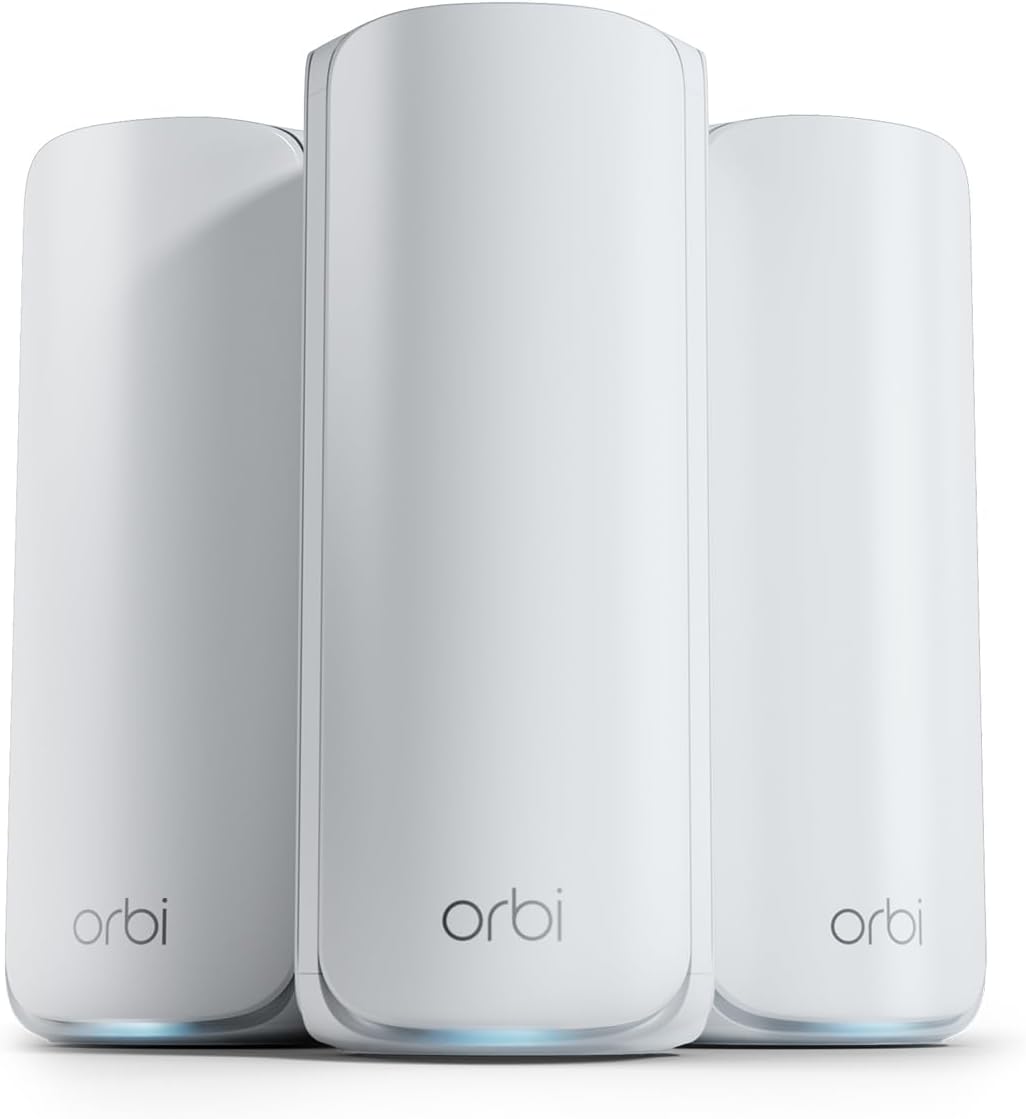
The NETGEAR Orbi 770 Series Tri-Band WiFi 7 Mesh System delivers ultra-fast 11Gbps speeds with tri-band technology, covering up to 8,000 sq.ft. and supporting 100 devices. Featuring advanced WPA3 security, automatic updates, and a 2.5 Gigabit Ethernet port, it ensures seamless connectivity and robust protection for modern smart homes and hybrid work environments.


| ASIN | B0D4JB6QJD |
| Antenna Location | Business, Gaming, Home |
| Best Sellers Rank | #2,558 in Electronics ( See Top 100 in Electronics ) #18 in Whole Home & Mesh Wi-Fi Systems |
| Brand | NETGEAR |
| Built-In Media | One (1) 2m Ethernet cable, One (1) Orbi WiFi 7 Router (RBE771), Quick start guide, Three (3) power adapters, Two (2) Orbi WiFi 7 Satellites (RBE770) |
| Compatible Devices | Gaming Console, Personal Computer, Security Camera, Smart Television, Smartphone |
| Connectivity Technology | Ethernet, Wi-Fi |
| Control Method | App |
| Coverage | Up to 8,000 sq. ft. and 100 devices |
| Customer Reviews | 4.2 out of 5 stars 3,732 Reviews |
| Data Transfer Rate | 11 Gigabits Per Second |
| Frequency | 6 GHz |
| Frequency Band Class | Tri-Band |
| Is Modem Compatible | No |
| LAN Port Bandwidth | 2500 Mbps |
| Manufacturer | Netgear |
| Maximum Upstream Data Transfer Rate | 11000 Megabits Per Second |
| Model Name | RBE773 |
| Model Number | RBE773-100NAS |
| Number of Ports | 7 |
| Operating System | NETGEAR's proprietary firmware (based on Linux) |
| Other Special Features of the Product | Internet Security, IoT Network, Parental Control, VPN, WPA3 |
| Security Protocol | WPA3 |
| Special Feature | Internet Security, IoT Network, Parental Control, VPN , WPA3 |
| UPC | 606449171785 |
| Warranty Description | 1 Year Limited |
| Wireless Communication Standard | 802.11.be |
| Wireless Compability | 802.11.be |
G**N
Best WiFi mesh ever
The NETGEAR Orbi 770 mesh WiFi system is, without a doubt, a perfect 5-star product that immediately solved every dead zone and connectivity issue in my home. The setup process was incredibly easy and straightforward, guiding me to a complete, seamless network in minutes. Since installation, the reliability has been unmatched; I now experience truly great, consistent speeds across all three bands, from the basement to the third floor, providing a rock-solid connection for streaming, gaming, and remote work simultaneously. Furthermore, the robust security features provide complete peace of mind, making the Orbi 770 an indispensable and highly recommended upgrade for anyone seeking fast, worry-free, and dependable whole-home WiFi coverage.
C**Y
Simple Fast Wifi SYSTEM
Phenomenal System, Easy setup, great range coverage, blazingly fast, many ports, good phone support! Switched from a google mesh. I should have done a while ago! Can't go wrong! Buy it now!
M**S
Rock solid for five months since deployment
I purchased my Orbi 770 Series router + 2 satellites in July 2025. It has now been running without problems for 5 months. It did take some effort to get the router and each satellite updated to the latest firmware. For the updates, I jumpered the satellites directly to the router using Ethernet patch cables. The satellites are now connected in series to the router. At initialization it took Orbi a while to recognize that the satellites had been changed to be in series. The router is in the basement with satellites on the second and third floors of my 110 year old house. Coverage is excellent. I created a separate SSID for IoT devices on 2.4 GHz only. That was straightforward, though it was a pain to reconfigure all the IoT devices in the house to use this new SSID. I have been running double NAT through my existing Verizon FIOS router. Now that everything appears stable, I plan to remove the Verizon router and connect the Orbi directly to the Verizon Optical Network Termination unit.
J**N
Garbage firmware and reliability
Nightmare setup experience. It took 5 hours of back-and-forth time on chat and phone with Netgear tech support, with their team running background config changes on my devices, to get the satellites to connect. Then another 2 hours when I added an additional satellite later. The router software and companion app are atrocious. 4/5 times I open the Orbi app to check the network status, the network treats that as a signal to immediately disconnect the device I’m using. 4/5 times I open the app I’m also prompted to pay a premium subscription for parental controls I don’t want or need. Restarting these devices takes eons - 5-10 minutes to reestablish satellite links to the base when the devices are 30 feet apart with no physical obstacles between them. Even wired connections to the satellites aren’t safe. I get frequent dips in connection quality between the base and satellites are seemingly just too slow to talk to one another at times. I end up hard-restarting at least one satellite every few days due to these issues. On top of this, likely because the firmware on these devices is so jacked, moving devices from room to room (satellite to satellite) results in the network dropping them / failing to hand off the device and maintain an IP address. I encounter this issue daily or every other day with at least one phone, laptop or tablet in the house. When this happens, it’s a 5-10 minute wait if I restart the satellite I want to connect to, or a 0-15 minute wait for the satellite to pick up the connection by its own will. I’ve never encountered reliability issues at this magnitude before, having used mesh router products from Google, TP-Link and Eero. This is an expensive routing solution, and especially for the money it comes with an inexcusable basket of headeaches and reliability issues. Look elsewhere.
C**O
Robust enough
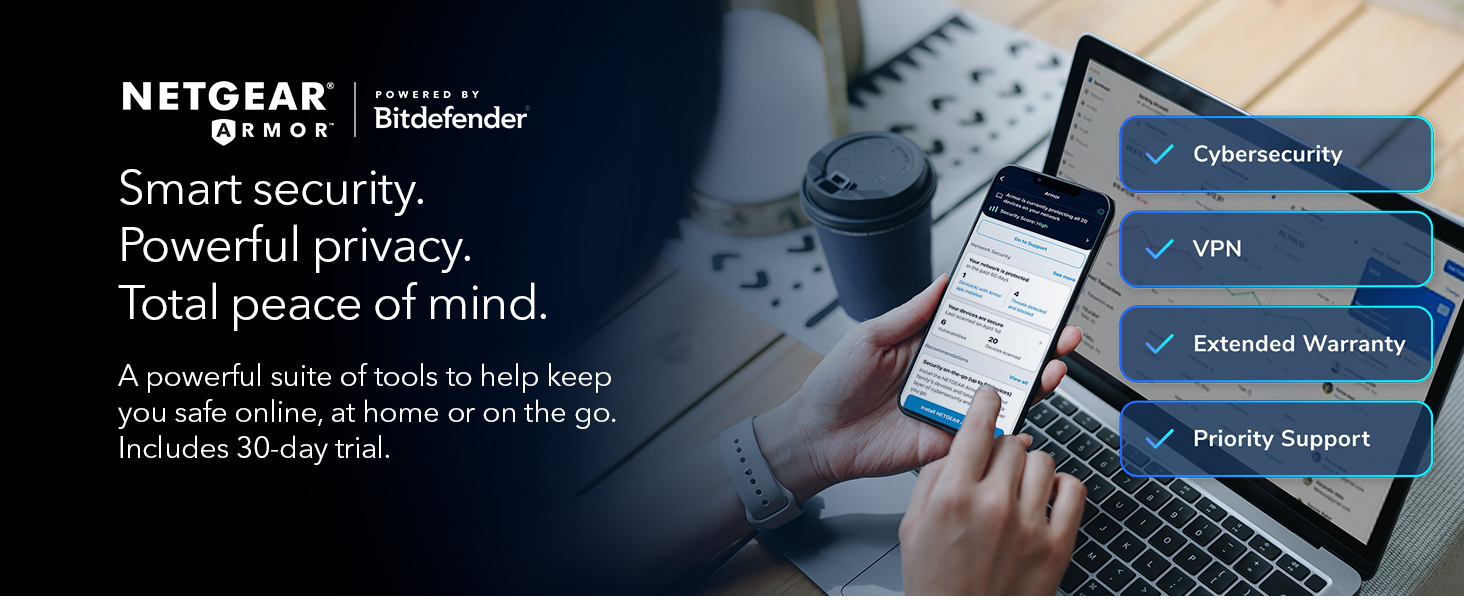
Seems like it works well. Can deliver 1Gb speed rated through my cable isp. A couple drops where I couldn’t even connect to the local device. I think it defaults to anywhere access which requires an internet connection. Seems like the default should be local with a fallback to anywhere. Also, there’s no good way to troubleshoot after the fact what happened. Many of the “premium” features are nice like parental controls but should be included at this price point. They also have active armor for device security scanning but that’s also subscription based. Overall solid device. Their wired back haul is a big plus but their satellite units are quite bulky, plus some of their features should be standard and not subscription based.
R**W
This System Just Works! It Delivers on its promisses - Period!
Outstanding GUI, Firewall, and Wireguard VPN support - Product - NOT so much! I replaced a Linksys Mesh Wifi 6 Router & Linksys Velop Pro 6E WiFi Mesh Nodes. Why, Linksys tech support absolutely bricked my Linksys Mesh Wifi 6 Router, locked it up so it would not even allow a logon directly connected to a computer. I have used Linksys since 2014 with some, but not many issues so I thought it would be just as good, was I ever wrong! First tech support is NOT useful. Second, product is NOT reliable. Compare that to the ASUS ROG Rapture GT-AXE11000 & ASUS ROG Rapture GT6 AX10000, Night vs Day, period. The tech support for Asus is FAR superior to Linksys, far, far, far superior. I programed the router, added and moved the nodes to their respective locations and enabled my Proton VPN on the router and programed the firewall. I set up the static IPs for my Security cams, my Synology Drive and other equipment I wanted the IP address fixed. To say this process was simple is an understatement. The GUI interface is exceedingly helpful and informative. ASUS was build and programmed with the end user in mind. What I liked, The GUI, Firewall, and Wireguard VPN support. What I do not like, the consistent drops of the ROG Rapture GT6 Nodes. It IS horrible, at a distance of 30 feet or so it drops over and over. This requires the user to reset the node and add it back in continually. To top that off the router acted up and started power cycling on and off without connecting. To address that I had to reset the router and repeat every step I made to the firewall and VPN programming. Tech support WILL help you with this process however, if you must add the nodes and correct issues with the router over and over, the product is useless. Toggling from Airmesh on the Dashboard to the Network map in the Advanced Settings section my connected node showed GREAT connection, and my Network map showed 3, then 4 bars all the while connecting, disconnecting, then reconnecting. I actually watched this take place and do it do it over and over. Keep in mind this node is less than thirty feet away! The other node set at ~30’ dropped after 4 hours of being connected and had to be factory reset once again to add it back. Note; at 40 feet the one node will not connect, move to 30 and it did but drops. Any closer than 30 - what use is a node? I also had the internet service provide come out and test the lines. We did improve the throughput to the house, marginally but increased the signal quality some. Afre that, the Node crashed. I reset the entire system and the on again off again node issue resurfaced confirming an issue with the router not the ISP. Checking the ASUS blogs identifies this as a documented issue with the system with bloggers really upset, rightfully so. This known issue has been left unaddressed, seemingly ignored by Asus. Asus you have a great GUI, GREAT product support, and a terribly dysfunctional product, a product prone to crashes and drops. That IS the bottom line. I intended on moving on to TP-Link Tri-Band WiFi 7 BE22000 or NETGEAR Orbi. I imaged reviewing/testing products whether I wish or not simply as a customer needing one; preferably one that actually delivered on its promises. I was leaning towards NETGEAR as it is a US Based company and the warnings that TP Link sales may be banned in the future as a Chinese based corporation. Reason: Chinese law mandates that any security flaws identified in its products must first be reported to the Chinese Ministry of Industry and Information Technology (MIIT) a agency of the CCP. I ultimately choose Netgear. The very next day after placing the order I read a Christian Guyton article “I just learned something awful about my home Wi-Fi setup thanks to iFixit’s ‘worst of CES 2025’ awards” confirming my fears. I look for TP Link to soon go down the same path as Tik Toc.After writing extensively on Linksys and Asus utter complete failure to deliver on a true network coverage and hardware capabilities I did purchase Netgears Orbi 770 Series Tri-Band WiFi 7 Mesh Network System (RBE773) - Router + 2 Satellite Extenders. I am very pleased to report that setup was easily accomplished with the ORBI android app. You can also do so with the web interface, I would based on my observations say that the app provides easy setup, use the Gui to fine tune your security settings not the app. Some settings are NOT available on the app, just the web based Gui. The Gui is NOT as flashy or fun as the ASUS Gui, but neither are the system failures. That was made clearly evident in the fact I did NOT have to contact product support one time, not once! That’s has always been my experience with Netgear products, I own plenty, they charge a premium and I am convinced they are worth it. Will I feel this way in a year who knows. I am just happy I found a secure and reliable product for my home network with firewall and VPN capability as well as being able to assign static Ips for several important piece of equipment to include a Synology NAS, all IP Cameras, doorbell and garage door cams, etc. Netgear’s Orbi 770 Series Tri-Band Wi-Fi 7 Mesh Network System (RBE773) - Router + 2 Satellite Extenders work, they just work. That is the bottom line. Save yourself time and headaches and just buy it. I do not think you will be sorry. My ONLY regret, I did buy it first. 2 week update: My Orbi system has held all its settings and I have been able to not monitor it as its throughput is working just as advertised. Our living room node is connected to my Samsung TV via Ethernet, and we have had ZERO drops or issues with buffering. That accomplishment is something neither Linksys or ASUS could deliver. The ONLY issue I have is it does NOT support Wireguard VPN capabilities just Openvpn. Wireguard is much more secure. Netgear are you listening?? It does however have firewall and openvpn , allows fixed IP addresses so Orbi hands-down a winner!
D**R
So worth it!
This was extremely easy to install. The improvement seen was immediate. I don’t know why I waited this long. Well worth the money!
D**N
Powerful Network Systems
The NETGEAR Orbi 770 Mesh Network System is a powerhouse built for the future—delivering blazing Wi-Fi 7 speeds, wide coverage, and effortless setup that can blanket even large homes in smooth, stable internet. It’s sleek, fast, and forward-thinking, with tri-band connectivity and 2.5 GbE ports that make it ideal for heavy streaming, gaming, or smart-home setups. But that power comes at a price—literally. At over $700, it’s an investment that makes sense only if you’ll actually use its full potential. For most homes, it’s overkill; for high-demand households, it’s a dream machine that turns lag and dead zones into distant memories.
Trustpilot
5 days ago
4 days ago