Buy anything from 5,000+ international stores. One checkout price. No surprise fees. Join 2M+ shoppers on Desertcart.
Desertcart purchases this item on your behalf and handles shipping, customs, and support to Argentina.
💼 Backup like a boss—secure, sleek, and Mac-ready.
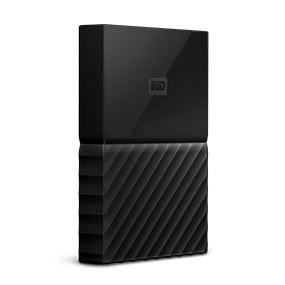
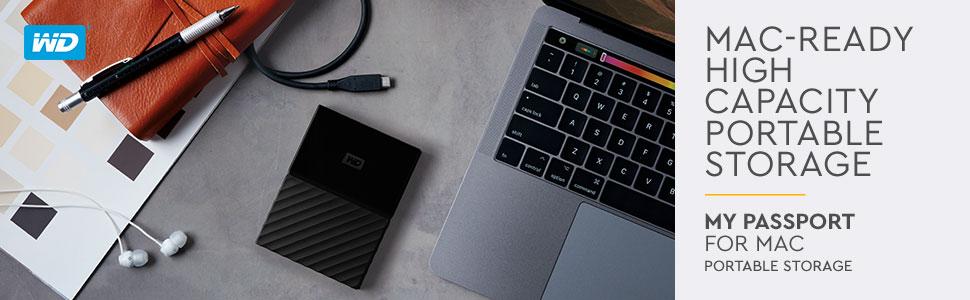
The WD 2TB My Passport for Mac is a compact, portable external hard drive designed specifically for Mac users. Featuring 2TB of storage, hardware encryption with password protection, and seamless compatibility with Apple’s Time Machine, it offers fast USB 3.0 connectivity and reliable WD durability backed by a 3-year warranty. Perfect for professionals who demand secure, on-the-go data backup and overflow storage.


| Additional Features | Portable |
| Asin | B0792FVB88 |
| Best Sellers Rank | #205 in External Hard Drives |
| Brand | WD |
| Built In Media | Portable hard drive, Quick Start Guide, USB-A to USB Micro-B cable (compatible with USB 2.0), USB-C to USB Micro-B cable, WD Discovery software |
| Cache Memory Installed Size | 2 |
| Color | Black |
| Compatible Devices | Mac |
| Connectivity Technology | USB |
| Customer Package Type | Standard Packaging |
| Customer Reviews | 4.5 4.5 out of 5 stars (3,598) 4.5 out of 5 stars |
| Data Transfer Rate | 5 Gigabits Per Second |
| Digital Storage Capacity | 2 TB |
| Enclosure Material | Aluminum/Glass |
| Form Factor | Portable |
| Global Trade Identification Number | 00718037862101 |
| Hard Disk Description | Portable |
| Hard Disk Form Factor | 2.5 Inches |
| Hard Disk Interface | USB-C |
| Hard Drive Size | 2 TB |
| Hardware Connectivity | USB 3.0 |
| Hardware Platform | Mac |
| Installation Type | External Hard Drive |
| Item Type Name | WD 2TB My Passport for Mac Portable external Hard Drive - USB-C/ Usb-A Ready - WDBLPG0020BBK-WESE |
| Item Weight | 5.92 ounces |
| Manufacturer | Western Digital |
| Media Speed | Up to 60 MB/s |
| Mfr Part Number | WDBLPG0020BBK-WESE |
| Model Name | My Passport |
| Model Number | WDBLPG0020BBK-WESE |
| Number Of Items | 1 |
| Specific Uses For Product | personal, gaming, business |
| Upc | 718037862101 |
| Warranty Description | 3 year limited |
User
Good drive, easy setup; Suggestion: turn off the drive's sleep timer before using with TimeMachine
I've now used this drive for about half a week and so far it is working well. It was already formatted for the Mac, so when I plugged it in there was nothing to do - it mounted automatically (I am running macOS High Sierra, version 10.13.6). I like that there is no separate power supply - it runs off of the power from the USB port. I've connected it both to USB-C on a new Mac and USB-A on an older one, and it works well on both.I am running TimeMachine backups to it, plus I also use CrashPlan and set up the drive as a local destination. In addition, I've copied some large files to a folder on the drive. I've even set up sharing for a folder on the drive to save the TimeMachine backup for another Mac on my home network (see Apple's website for how to do that - you use Sharing in System Preferences). It all works.I did have one issue: the drive has a built-in sleep timer to power down the drive when not in use. This seemed to cause a problem with TimeMachine, which failed when making a backup overnight. I suspected the sleep timer because it is a common feature on many drives, and I've found it can cause problems. I used the WD Drive Utilities app and turned off the sleep timer, and the problem with TimeMachine hasn't recurred. I suspect that the drive's sleep timer is the cause of the many complaints I've seen here about the drive failing almost immediately after the first backup.By the way, the Mac itself has a setting under Energy Saver in System Preferences to put hard disks to sleep, and that is turned on. This setting does put the drive to sleep when not in use, and TimeMachine has no problem waking it up, even when the Mac connected over the network is running a TimeMachine backup. Maybe the real problem is that the Mac's setting to put hard drives to sleep and the drive's sleep timer don't play well together. Western Digital should look into this.The drive comes with an app called WD Discovery, and with that you can download other apps, including WD Drive Utilities. Other than using WD Drive Utilities to turn off the sleep timer, I didn't want to use the other features, and I've set WD Discovery not to run when I boot up.
User
Large Capacity, Fast
One of the largest capacity hard drive I purchased about 20years ago was a Maxtor 30gb drive which costs about $230. With the incredible development of technology, we can can large capacity hard drives for way cheaper. Capacity we don't always use. This hard drive is one of the Best and largest capacity hard drives in the market.I will be giving some things I like and some things I believe can be improved upon.Likes:- Large Capacity, which I won't be using all of that extra space. It makes it very handy and great for backup.- Portable to carry around.- USB 3.0 which makes transfer fast.- I've connected it to an Apple Airport via USB. It was seamless, no configuration needed and read the Hard Drive automatically.- Can be used as a TimeMachine Backup for the Mac and at the same time used as a spare hard drive for extra space.- Model was specifically for a Mac, but it can be used for a PC as well. It can be formatted to be used for either just a PC or just a Mac.- If connected to an Airport, you can schedule auto backups.Dislikes:- I felt the hard drive is a bit bulky. it's twice as thick as similar hard drives with a 1TB or 2TB capacity- Future models should begin to implement USB-C- This may be too much to ask, but since we are going into that direction, perhaps add WiFi. An Ethernet port will make it bulky, so wifi is fine. This is a feature with Apple discontinued AirPort devices, which has Wifi and Ethernet. If this will become a replacement, then would like to see this feature.
User
Great Back-Up or Over-Flow External Portable Drive
I have been using Western Digital products since Windows 95. I am a believer in Western Digital products. I have had a few other competitive brands over the years but I always seem to return to WD. Their products are simply reliable, easy-to-use and well made. I use these for both Back-Up (Mac Time Machine) and file over-flow (stuff I don't need on my active disk but I want easy access). These are competitively priced for representative size. I have WD External Portable drives that are over 15 years old. I have never had one fail. It ultimately comes down to (Ford / Chevrolet / Toyota / Lexus / BMW). Whichever one is inclined to believe in, have faith in.
User
User friendly, compact
I love that it works for my Mac straight out of the box. The installation software was straightforward too. I also like that there are two adapters, for both usb-c and the regular USB port. I haven't experienced any issues yet, but that's because I've only accessed it twice to offload files onto it.I was a little concerned on how it was packaged though, because it came through a bubble envelope, and I would think the merchants would want to keep products like an external hard drive from suffering from any impact caused to it that could impair it's performance. The cardboard packaging containing the hard drive was dented, but the hard drive itself seemed fine. It should have been shipped in a cardboard box with air pockets to minimise potential impact damage.
User
Great Time Machine backup except for slowness on Macbook
I would love this drive were it not so slow with my 2017 Macbook Retina. I had an old WD My Passport working just slick and smooth with my old 2009 Macbook Pro, and regular backups would take a few minutes. With this one (perhaps to 512GB SSD drive?) it takes at least two hours to complete a daily backup, and this means that the USB-C cable is useless because it drains so much power from the computer that oftentimes a backup cannot be completed before battery dies. Don't know whether only I am having this problem but this is why I give it 4 instead of 5.
User
Great For Time Machine w/MacBook 12" 2017
I purchased this to use with Time Machine on my 12" MacBook, and so far it's been great!The set up (if you can even call it that) is super easy. You just plug it into your MacBook, the MacBook asks you if you want to use it for Time Machine, and you just say yes. It'll also ask if you want to encrypt it, which just involves setting a password for the drive. Don't lose this password, though, because you cannot access the drive without it - it will be a dud if you forget the password!A handful of the reviews are complaining about the speed, but I haven't had this issue. The initial Time Machine backup did take a few hours for me, which caught me off guard (make sure your MacBook is charged - if you unplug the drive, the backup restarts), but a quick Google search shows that your first Time Machine backup is supposed to be really slow. All of the subsequent backups take about a minute, tops. Time Machine only backs up files that you've changed since the last backup, so the first one takes a long time, but the rest usually only take a minute or two.If you choose to encrypt the drive, that's another process that the drive is going to have to go through initially, which can take a few hours as well. Unlike the initial backup, however, you can unplug and replug the drive without losing your progress. You can also perform backups while it's encrypting the drive, so it really doesn't affect you being able to use the drive as the first backup does.All in all, I'd say it's great! It is made of plastic and not an SSD, but not bad considering the price. Given that it's not an SSD, though, I'd pick a different drive if you seriously need the extra reliability. For me, I just need it to not fail at the same as my MacBook, which is pretty unlikely, so the old school disc drive is no biggie. I got a used version to save $15 and have zero complaints. I feel way more confident in my Mac now that it's backed up, I would definitely recommend this drive!
User
Works real well and a great price
User
Multiple failures and unreliable design
This external hard drive was a terrible experience from start to finish. Reliability is the biggest problem. I experienced failures that made the drive completely untrustworthy for storing important data.Compatibility was inconsistent. While it is marketed as being made for Mac, connections were unreliable and the drive frequently disconnected without warning. That alone makes it unacceptable for backups or long term storage.The cable and connector are a major weak point. The wire feels flimsy, and the connection does not sit securely in the drive. Even minor movement caused disconnects, which is extremely frustrating and risky when transferring files.In terms of speed, performance was inconsistent. Transfers were slower than expected, and interruptions due to connection issues often forced restarts. Drive quality overall feels poor, especially for a brand that is supposed to be dependable.The weight and size are fine and portable, and the storage capacity looks good on paper, but none of that matters when the drive cannot be trusted. Noise levels were not excessive, but again, that is irrelevant when reliability is this bad.Because of the failures, weak connectors, and inconsistent performance, this drive does not feel safe to use for anything important. I would not purchase this again and would not recommend it to anyone looking for dependable storage.
User
Saved my day
This is the best hard drive I’ve purchased in my life. It’s compatible with both mac and windows. With the included usb c and usb 3.0 cable, I can easily transfer files between my MacBook Air and the computers at university. Once it’s first arrived I plugged in to my iMac and backed up over night is fast and easy. As it’s time machine ready, all you need to do is just plug in and select back up on your time machine. This is also the best price that you can find on market for 2TB USB type C hard drive.
User
Schwierigkeiten ab High Sierra
Ab High Sierra hat Apple auf allen Geräten, sofern diese einen SSD-Speicher haben, das Dateisystem APFS neu eingeführt. Beim Löschen und Formatieren einer externen Festplatte werden vom Festplattendienstprogramm deshalb nur noch verschiedene APFS-Formate angeboten und nicht mehr das hier erforderliche Format Mac OS Extended (Journaled) oder auch HSF+J (gleiches Format, nur eine andere Bezeichnung).Es war mir deshalb nicht möglich, mit der Time Machine ein verschlüsseltes Backup zu erstellen. Nach langem Hin und Her habe ich schließlich mit Hilfe der Bedienungsanleitung dieser WD-Festplatte die Lösung gefunden: download der WD-Software WD Security für Mac und WD Drive Utilities für Mac. Mit WD Drive Utilities habe ich die Festplatte auf HSF+J formatiert, mit WD Security den Paßwortschutz eingerichtet. Seitdem funktionieren alle Backups einwandfrei.Mein Tipp: Auf der Festplatte befindet sich u.a. die Bedienungsanleitung (auch auf Deutsch), diese sollte man als erstes gleich kopieren und an anderer Stelle auf dem Mac speichern. Nach dem Löschen und Formatieren der Festplatte ist diese leer.
User
وصول منتج غير المنتج
تاجر اقل ما يقال عليه لا يملك المصدقيه بعت منتج غير المنتج
User
iMacで使用しています!
iMacOS high Sierra10.13.6でも問題なく使用できます。もともとMac専用ということもあり、記載通りに繋げるだけでした。今の所はTime Machineも正常に稼働しております。デザインもよく、iPhoneより一回り小さいサイズです。気に入って愛用しています。
User
Great Device for Apple Time Machine Backups
This device simply does what it says it will do and is especially great as an Apple Time Machine and I have already had to use it to restore an App that I accidentally deleted - so I know that the restore works! Small, fast, easy to set up and just works.
Trustpilot
2 months ago
3 weeks ago