Desertcart purchases this item on your behalf and handles shipping, customs, and support to Argentina.
🚀 Elevate your home office with smart, speedy, and sustainable printing!
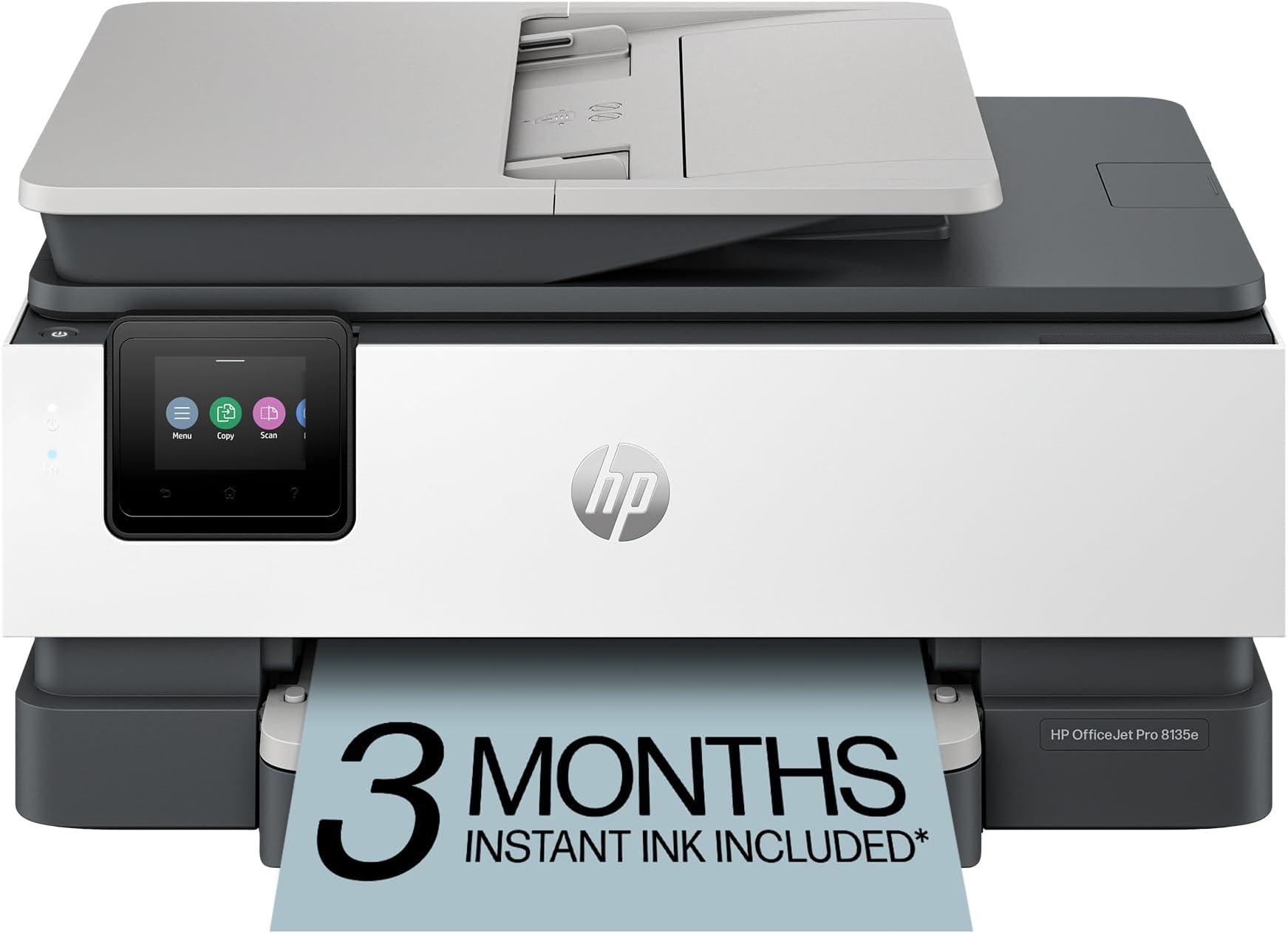
The HP OfficeJet Pro 8135e is a versatile wireless all-in-one inkjet printer designed for home offices and small businesses. It delivers fast printing speeds up to 20 ppm black and 10 ppm color, enhanced by AI-driven print optimization for flawless documents. Featuring a 2.7-inch touchscreen, automatic duplex printing, and a 225-sheet tray, it streamlines your workflow while supporting eco-friendly practices with 45% recycled plastic construction. The HP Smart app enables seamless mobile printing, scanning, copying, and faxing, backed by robust security and a 3-month Instant Ink trial to keep you effortlessly stocked.


| ASIN | B0CFM7BTW8 |
| Additional Printer Functions | All In One |
| B&W Pages per Minute | 20 pages_per_minute |
| Best Sellers Rank | #14,303 in Office Products ( See Top 100 in Office Products ) #51 in Inkjet Computer Printers |
| Brand | HP |
| Built-In Media | HP 923 Setup Black Ink Cartridge; HP 923 Setup Cyan Ink Cartridge; HP 923 Setup Magenta Ink Cartridge; HP 923 Setup Yellow Ink Cartridge; Power Cord; Regulatory Flyer; Ink Caution Flyer; Setup Poster; Reference Guide |
| Color | Light Cement |
| Color Depth | 24 bits_per_pixel |
| Color Pages per Minute | 10 pages_per_minute |
| Compatible Cartridge | Original HP cartridges with HP chips or circuitry |
| Compatible Devices | Laptops, PC, Smartphones |
| Connectivity Technology | Ethernet, USB, Wireless |
| Control Method | App |
| Controller Type | Android |
| Customer Reviews | 3.8 out of 5 stars 3,721 Reviews |
| Display Type | touchscreen |
| Duplex | Automatic (standard) |
| Hardware Interface | Ethernet, USB |
| Initial Page Print Time | 18 seconds |
| Ink Color | Black, cyan, magenta, yellow |
| Item Dimensions D x W x H | 13.29"D x 18.12"W x 9.17"H |
| Item Type Name | Inkjet printers |
| Item Weight | 19 pounds |
| Manufacturer | HP |
| Maximum Copies Per Run | Up to 99 copies |
| Maximum Copy Resolution Black and White | 1200 x 1200 dpi |
| Maximum Copy Resolution Color | Up to 600 dpi |
| Maximum Copy Speed Black and White | 12 pages_per_minute |
| Maximum Media Size | 8.5 x 11.7 in |
| Maximum Print Resolution Black and White | 1200 x 1200 rendered dpi dots_per_inch |
| Maximum Sheet Capacity | 225 |
| Maximum print Resolution Color | Up to 4800 x 1200 optimized dpi on HP Advance Photo Paper 1200 x 1200 dpi input dots_per_inch |
| Model Name | New Version |
| Model Number | 40Q35A#B1H |
| Model Series | 8130 |
| Number of Ethernet Ports | 1 |
| Number of Trays | 1 |
| Other Special Features of the Product | Forest First product with HP+; FSC Certified Packaging; Contains ocean-bound recycled plastic; 45% post-consumer recycled plastic; Recyclable through HP Planet Partners, HP Instant Ink eligible; Automatic document feeder; Touchscreen; Quiet mode; Print over VPN with HP+ |
| Output sheet capacity | 60 |
| Paper Size | 8.5 x 11;8.27 x 11.7;8.5 x 14;7.16 x 10.12; inches |
| Power Consumption | 4.45 watts |
| Print media | Paper (plain) |
| Printer Connectivity Type | Ethernet, USB, Wireless |
| Printer Output Type | Color |
| Printer Type | Inkjet |
| Printing Technology | Inkjet |
| Processor Count | 1 |
| Resolution | 4800 x 1200 |
| Scanner Type | Flatbed, 1-sided ADF |
| Series Number | 8130 |
| Special Feature | Forest First product with HP+; FSC Certified Packaging; Contains ocean-bound recycled plastic; 45% post-consumer recycled plastic; Recyclable through HP Planet Partners, HP Instant Ink eligible; Automatic document feeder; Touchscreen; Quiet mode; Print over VPN with HP+ Special Feature Forest First product with HP+; FSC Certified Packaging; Contains ocean-bound recycled plastic; 45% post-consumer recycled plastic; Recyclable through HP Planet Partners, HP Instant Ink eligible; Automatic document feeder; Touchscreen; Quiet mode; Print over VPN with HP+ See more |
| Specific Uses For Product | Home |
| Total USB 2.0 Ports | 2 |
| Total Usb Ports | 2 |
| UPC | 196337163942 |
| Unit Count | 1 Count |
| Warranty Description | One-year limited hardware warranty with option to extend to two-years with acceptance of HP+ Offer. For more info please visit us at support.hp.com . |
| Warranty Type | One-year limited hardware warranty with option to extend to two-years with acceptance of HP+ Offer. For more info please visit us at support.hp.com . |
| Wattage | 100 watts |
B**Z
Great multi-function printer
I was given the opportunity to use and evaluate the HP OfficeJet Pro 8135e printer, and I am impressed with the functionality of this printer. Here’s a detailed review based on my experience so far: Setup and Usability - The design is sleek and professional, fitting well in any home office setting. It has a compact footprint considering its features. The printer was very easy to setup and add to my wireless network. After following the instructions and setting up the printer, I was printing from my phone within minutes. With many devices in the house, it is critical that anyone can printer whenever they need. Whether it be for school, work, or just a fun, this capability is critical. Performance - The printer delivers high-quality prints with great color and sharp text, making it ideal for all my needs. This thing prints fast, around 20 pages per minute for black and white and only slightly slower for color. Even though I would never need to print that much so fast, it is great to know it can if the need arises. Features - The OfficeJet Pro 8135e comes equipped with a variety of features that enhance its usability. The automatic document feeder and double-sided printing save time and reduce paper, which is a big plus. The touchscreen interface is intuitive and responsive, allowing for quick navigation through settings and print options. Connectivity options are robust, with support for Wi-Fi, Ethernet, and USB connections. With the HP Smart app you can print remotely from smartphones and tablets. The integration with various cloud services using the Smart app makes accessing any file a breeze. Overall value - The HP OfficeJet Pro 8135e is an excellent multifunction printer that balances performance and functionality. With its competitive pricing in the all-in-one printer market, it offers great value for small to medium-sized businesses or home offices. Whether you need it for casual printing or more demanding workloads, the 8135e is a reliable choice. This HP OfficeJet Pro is both a versatile and efficient printer. If you are in the market for a new multi-function printer, this one is a solid investment. I would highly recommend the HP OfficeJet Pro 8135e to anyone seeking a new printer.
N**S
Terrible - DO NOT BUY
This is a TERRIBLE printer. First, the plastic is so thin that I thought I was going to break it when I opened it to load the ink. Second, when it prints, it is L-O-U-D! My experience: Right out of the box, I used the app (God, I wish manufacturers would stop requiring an app for every setup) to set it up. When it tried to print a test sheet, the paper jammed. I cleared that and tried again, and again and again (6x total) before I got it to successfully feed a sheet. When it did, nothing printed, and it gave me "paper tray is open" error (it wasn't). Cleared it all again, and on the fourth attempt, it finally printed... but again, "paper tray is open" error again. Then I tried to print from my computer - paper jam... FML. I connected it to my laptop via a USB cable, but it wouldn't recognize the connection and kept trying to connect via WiFi (way less reliable). That was enough! I couldn't return this thing fast enough. What a PoS. DO NOT BUY THIS PRINTER. I replaced it with a Brother printer that worked seamlessly right out of the box. I used to be an HP loyalist, but they have simply devolved to producing cheap crap. I will never by HP again.
K**S
Budget friendly all in one printing device
The HP OfficeJet Pro 8130e is an all in one unit that prints, copies, scans and has fax capabilities. I chose this printer as a home consumer with medium volume printing needs who wanted the ease of a Wi-Fi connection for printing from my various devices. Setup was relatively straightforward with the included quick start guide which directed me to download the HP Smart app. Connecting to my network was effortless and through the step by step setup guide in the app I was printing my first page in under ten minutes. This device is in the family of HP+ printers (as indicated by the letter e at the end of the model number). HP+ is an optional program that provides a few "features" but the one that stood out to me was the inability to use third party ink if activated so I opted to decline HP+. You will want to do your own research before making a decision on this. The print quality and speed are impressive for an inkjet printer that is not a dedicated photo printer. See my attached photo for a comparison of a high quality print sheet image compared to the actual printed version. Some quality is lost in photo printing, but again, this is not a dedicated photo printer. I wish the ink cartridges had a higher page yield (cartridge yield is approximately 500 pages from black and 400 pages from each color). To be fair, I own a b&w laser printer and am spoiled by the longevity of a toner cartridge but I have always preferred high yield cartridges for their convenience and cost savings. Overall I am pleased with this printer given its cost vs performance. Time will tell how it holds up and how long the ink actually lasts. I have not yet experienced any of the issues outlined in other reviews and will update my review if I do.
D**N
Color ink printers suck, but when your low on money... meh
Does everything as advertised. I personally HATE ink jet printers, I can't stand them but when your main printer breaks and low on funds this was a good option. First printer the paper tray was damaged and jamming up, I had to reglue a piece of plastic that was broken on arrival. That being said, its NOT very sturdy. The printer I think will last some time if you baby it. This is not like the old HP laserjet tanks you can drop kick when it says PC LOAD LETTER like office space! The HP smart software it comes with and crams down your throat is decent, and works well. The scanner software required some fidgeting to get the scanner assistant to stay connected with my main computer. Also, I am not happy with HP locking me into ink, right away the new printer complained about using the ink from the previous printer and DEMANDED I use the new ink it came with. Yes there is a work around, but I did not look into it and gave in to what it wanted. Other issue, DO NOT turn on Confirm Fax Number! As most places do not have the number set on their end and the fax will cut out WITHOUT telling you why it failed (THIS WAS SO ANNOYING)!!!! So far working well. prints very nicely, I have not tried photo paper yet. Scanner max at 600 for AUTOFED documents, 1200 for flatbed. REALLY wish it did double sided scanning, but for the price it's not going to happen. I would recommend this printer so far, I will update in a few months after the ink has been sitting around and see if the quality is still the same. NO Linux drivers but mDNS will get you most of the way setup. Also start/shut down option is nice, BUT you can't use BOTH, so either auto off, or auto on. For my use auto off is good enough. I have yet to find a wake to Wake on Lan w/magic packet but still looking into this. By the way, I HATE INKJET printers! 😊
T**L
Perfect for a home office printer!
I recently purchased the HP OfficeJet Pro 8135e, and I believe this would be the perfect choice for anyone who needs a new printer for their home office. This has been my experience: Print Quality: Every document and photo comes out clear and vibrant. The range of printing quality for professional documents and for personal printing jobs such as photos has me impressed. Speed: Even larger print jobs were completed quickly, which is a huge time-saver. This printer boosts up to 20 pages per minute in black ink and up to 10 pages per minute in color. Another aspect that impressed me was how silent this printer was while printing multiple documents. Set-up: This was a breeze. I followed directions straight from my phone and it was set up within about 10 minutes of my time. The step by step walk through was very easy to follow, even for the non tech savvy. Reliability: This printer has handled every printing job I've thrown at it with consistent performance - no jams, no errors. While I have only used this printer briefly, my last printer was hp, and these printers have proved to be reliable long term for me. Color Accuracy: The color accuracy is true to life, and the details are sharp which making photo printing a delight. I am able to avoid the hassle to avoid taking extra trips to a print shop for similar quality documents. Features: The duplex printing feature stands out, allowing for easy and efficient double sided printing. Additionally, the wireless printing capabilities have made it incredibly convenient to print from any device, even your phone, and ability to print from separate rooms. I also noticed a USB connection option which makes printing more accessible when using spotty wifi. This printer offers scan copy print, and fax options. Overall Satisfaction: I am extremely satisfied with the HP OfficeJet Pro 8135e. It has made my work and personal printing tasks much more manageable and enjoyable. I recommend this printer to anyone looking for a reliable and high-quality printing solution. Something to be aware of is there are other options if you want a smaller printer. I've posted pictures for comparison. However with all the features you would want or need in a home office printer, I was expecting a much larger device.
V**T
HP does it again - ever reliable
I recently got the HP 8130e, and it has been a fantastic addition to my home office. The printing is super clear, the colors pop beautifully on paper, and it prints quickly - no more waiting around! It also has a sleek design and is lightweight, making it easy to move around or store on a cart if needed. Setting it up was simple! There are instructions included, but honestly, if you're even halfway tech-saavy, you won't need them. It took approximately 15 minutes to set it all up, from opening the box to print - ready. The look is sleek and modern. There is a pull out paper tray and the location where the ink cartridges are is the same as other HP printers, you just gently pull the white facing (both next to the lights and next to the label) toward you and voila! Opened! It also holds a sufficient amount of paper for what the printer is designed for, so you should not need to reload constantly. Connecting it to my network was seamless, and I love how quickly it synced with all my devices. Now I can print from my computer, laptop, tablet, or phone without any hassle. I also signed up for the instant ink and paper subscription that came with three months free. I'm really excited about this feature - it's super convenient knowing I'll never run out of ink because it'll arrive ahead of time, and the price is very reasonable. Great for people who procrastinate on buying things! As a heads up if you've never used HP+ before, when you sign up for it (which is totally optional), HP requires you to have an HP account (obvious), but they also require you to maintain an ongoing connection to the internet AND use only Original HP ink cartridges for the life of the printer. While I do this anyway, I do think it's extremely important for anyone who is interested in trying out HP+ that there is no going back once you sign up, so your printer will only work after signing up if you do those things. No biggie for most I'm sure, but always good to know! All in all, I'm very happy with this printer and highly recommend it!
J**S
Nope! Wouldn't Buy Again
I don't love it. It's been hard to pair to my computer and phone for printing. It seems poor quality compared to my last HP printer. The ink goes sooooo fast!! I just do not like how it operates. The size is perfect. Not too big to have on the counter. The quality is great when the ink is full enough to print but like I said the ink goes so fast I rarely get a good quality print. Steer clear of this printer.
R**R
Worthless printer - scam ink service
I have had HP products in my home and in my business for over 20 years. I feel stupid for paying all that money to a company who has business practices like this. In fact, it makes me want to throw away all my HP products. Because this company doesn't really give a damn about me and my issues. Take for instance this printer. I wouldn't give it 1 star if negative stars were available. This printer is dirt cheap BECAUSE the cartridges cost almost $100. The printer doesn't print well. It jams on paper and prints multiple sheets on one page, it prints out halfway down a piece of paper and half on the next because it didn't grab the page right, it freaks out over ink cartridges and has a horrible user interface. This printer headlines using HP's ink service, which is expensive, slow, and not guaranteed. I tried it and got so pissed I had to cancel. Good luck with this aspect of the purchase. Overall, this printer has been nothing but a huge pain in my South side. It has needlessly cost me hundreds in ink and paper from botched jobs. Hundreds. And I've only owned it for a couple months. This thing is garbage. It's e-waste. It's not even good enough to go in the landfill. It's sub-garbage. I'll be replacing all my HP products. I won't deal with a company who doesn't support their product.
W**N
A great printer/works well
Came quickly. Was fairly easy to set up. Good value.
N**L
Outdoes all other printers!
I’m really impressed with this printer! It can print from anywhere in the house, which is super convenient. The installation process was quick and easy, and it fits well in compact spaces — it's small but not too small, which is perfect for my setup. The only downside is that the paper tray is a bit shallow. If you print often, you’ll need to refill the paper more frequently than I’d like. Other than that, it’s a fantastic printer that does everything I need. Highly recommend this printer — especially for those looking for space-saving options and seamless printing from anywhere in the house!
T**.
Useless
Just awful. Took forever to connect and set up, 2 hours later it finally printed a test page and I was able to use it for some light printing same day. A week later, it only printed blank pages. No amount of diagnostics (said all was fine), testing, setting, reconnecting, unplugging, adjusting, printer head cleaning, rebooting modem, HP Smart app etc would get it to print a page with black or colour ink. I even got disconnected from the chat bot people on line while trying to get this resolved. Printer was a week old, inks were brand new and full. Eventually got an open door error - which it wasn't. Have to return this. Shame really.
P**C
Accessoires d’imprimante
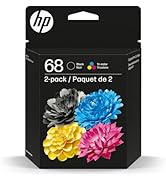
Mini cartouches d’encre et le prix est quand même assez élevé
C**N
Out of the box and running HP Officejet Pro 8135e
It has some weight, I carried it home from the postal outlet, driving is smarter! Replacing a much older model that died. The setup is a little different, use the online helps. The format for scans is different. The image is better. A multi-page scan will produce a scan for each page and not one long multi-page the old machine produced. Generally good thinking, you might put a post-it note on the machine in plain view with your Wifi code so others can get their devices linked without chasing after you again and again.
Trustpilot
1 month ago
2 weeks ago