Buy anything from 5,000+ international stores. One checkout price. No surprise fees. Join 2M+ shoppers on Desertcart.
Desertcart purchases this item on your behalf and handles shipping, customs, and support to Argentina.
๐ฎ Capture Every Epic Moment, No FOMO Allowed!
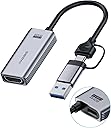
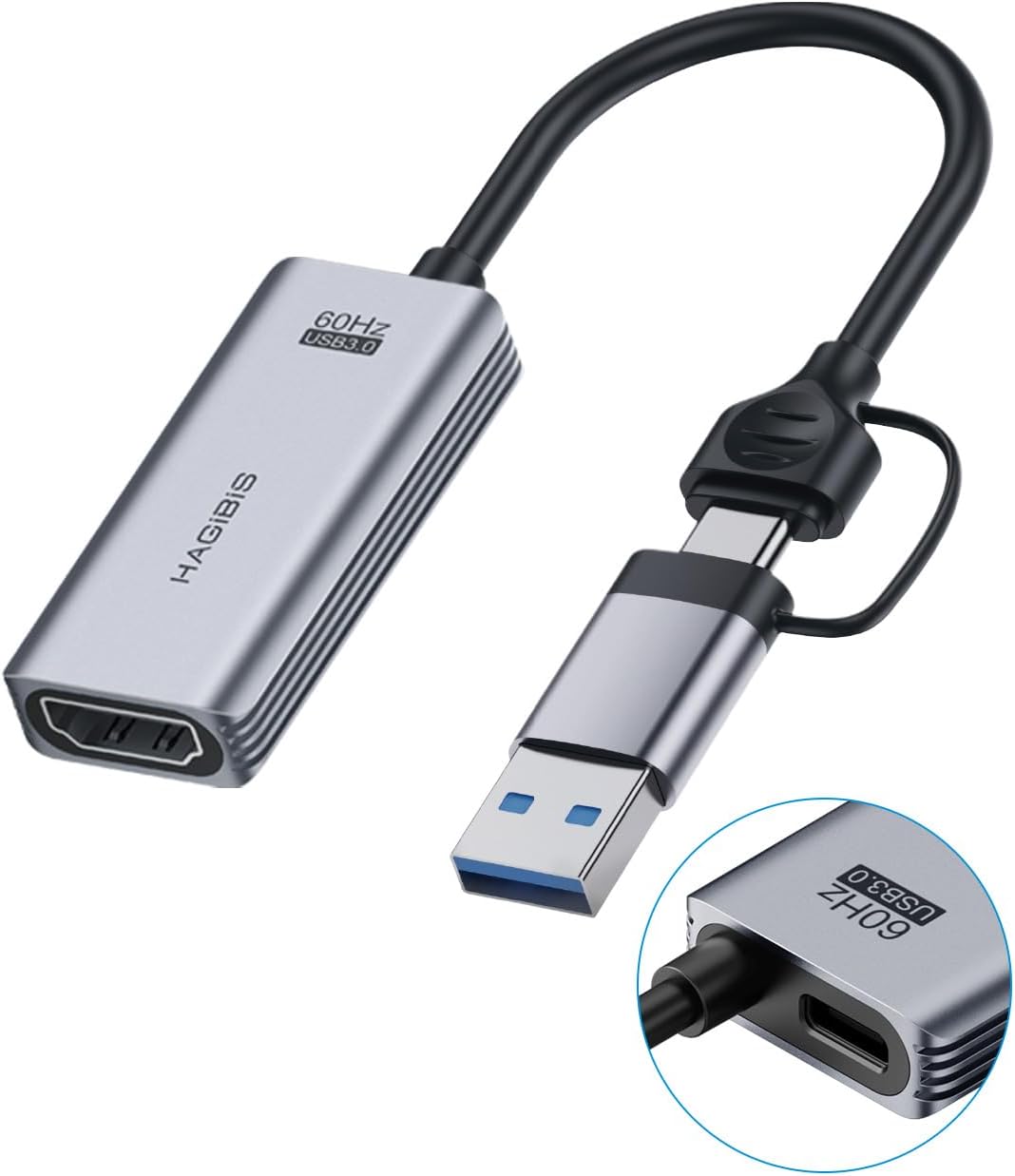
The Hagibis USB 3.0 Video Capture Card delivers smooth 1080P 60fps HDMI-to-USB/USB-C video capture with broad compatibility across gaming consoles and PCs. Featuring dual USB connectivity and the advanced MS2130 chip, it ensures stable, glitch-free streaming and recording with plug-and-play easeโperfect for professional gamers and content creators aiming to elevate their live broadcasts and gameplay recordings.


| ASIN | B0CMT5SNFQ |
| Best Sellers Rank | 8,425 in Computers & Accessories ( See Top 100 in Computers & Accessories ) 13 in External TV Tuners & Video Capture Cards |
| Box Contents | Capture Card |
| Brand | Hagibis |
| Brand Name | Hagibis |
| Colour | UHC07P |
| Compatible Devices | Laptop, Tablet, Mobile Phone, Switch, Xbox, PS4/5 |
| Compatible devices | Laptop, Tablet, Mobile Phone, Switch, Xbox, PS4/5 |
| Connector Type | HDMI, USB Type-A, USB Type C |
| Connector type | HDMI , USB Type-A, USB Type C |
| Country of Origin | China |
| Current Rating | 3 Amps |
| Customer Reviews | 4.5 out of 5 stars 461 Reviews |
| Finish type | Hdmi |
| Item Weight | 1.4 Ounces |
| Manufacturer | Shanghai Xinxie Industrial Co., Ltd. |
| Model Number | UHC07P |
| Nominal Power | 100 Watts |
| Number of Items | 1 |
| Number of Ports | 4 |
| Package Quantity | 1 |
| Power Plug Type | No Plug |
| Product Finish Type | Hdmi |
| Smart Home Compatibility | Not Smart Home Compatible |
| Specific Uses For Product | Gaming |
| Specific uses for product | Gaming |
| Warranty Type | Limited |
2**E
Works great with Xbox and quest 3
Bought this to plug my Xbox directly into my meta quest 3. Works like a charm, zero faff, download hdmi link app then plug it in and choose the settings. Limited to 1080p but worth it for the ability to play my entire game catalogue on a massive vr screen. Added bonus of being able to charge the quest 3 at the same time.
E**E
Good product
Works really well and easy to set up
G**M
Converts an iPad into a 2nd screen for your Windows laptop
Perfect for using an iPad as a second screen, when travelling. Also buy a Twozoh slim and flexible HDMI to HDMI cable. Load Genki Studio app on your iPad. The iPad needs a usb-c socket. Donโt forget that you can charge the iPad at the same time. Other video capture devices keep losing comms
A**R
Use for console games on quest 3
Use this to connect the Xbox to the quest 3. Picture quality is limited to 1080p but only because of the limitations set by quest 3. Allows power delivery to the quest 3 too. Best capture card I've tried, as there was 0 issues. Couldn't get some other capture cards to show video.
K**N
Perfect for RayNeo Air 3s
Happy with this. Needs a 5v supply but quite fine
E**R
For what you need it for it does what it claims.
The reviews speak for themselves. It's a good product. I've had this for awhile and it still works beautifully.
S**K
Great Capture Card for the Price!
Bought the Hagibis USB 3.0 Video Capture Card to use alongside my Meta Quest 3 VR setup, and it works brilliantly. Setup was simple, and it performs exactly as expected. It allows streaming from a phone, iPad, or even a PS5, making it a versatile option for capturing and sharing gameplay. The video quality is solid, with minimal lag, and itโs a great budget-friendly alternative to pricier capture cards. Really pleased with this purchase!
A**U
Works great with Quest 3
Overall is ok but hdmiLink have low resolution (1080p)
D**.
Works with Meta Quest 3
Works with HDMI link on the Quest 3. Not difficult to get running at all and the picture quality is excellent. I'm not sure what I would do with it normally, but it's a nice little toy that gives you a bit more functionality. Having said that I find the Quest 3 more comfortable to wear (given all the straps with the Elite) than the Xreal Air that tends to slip down a bit, but then the latter is easier to travel with.
F**2
Parfait pour convertir une sortie hdmi sur un usb C dโun casque meta 3
Fait le job.branche sans souci en sortie de lecteur blu-ray en hdmi vers mon casque meta en usb c. Image correct son aussi sur le casque. Parfait pour les bluray. Mais bien entendu pas de possibilitรฉ de lire mes blu-ray 3d de mon lecteur sur le casque meta via cet adaptateur. Je mโy attendais. Bon rapport qualitรฉ prix.
W**3
Hdmi naar usb
Werkt perfect met m'n xbox en oculus
N**O
ไฝฟใใ
ใกใฟใฏใจในใ3็จใซ่ณผๅ ฅใ ๅ ้ปใใคใคใกใใใจๆ ๅใ้ใใฆ่ฏใใงใ
T**S
Functions as described
Functions as described. Allmodes reported and working: ========================== Summary ========================= Vendor ID : 0x345F (MacroSilicon Technology Co., Ltd.) Product ID : 0x2130 USB Version : 3.2 Gen 1 Port maximum Speed : SuperSpeed Device maximum Speed : SuperSpeed Device Connection Speed : SuperSpeed Self powered : no Demanded Current : 512 mA Used Endpoints : 3 Video : UVC Version 1.00 -------- Default Video Modes -------- pixel_format=yuyv422 min s=1920x1080 fps=10 max s=1920x1080 fps=60.0002 pixel_format=yuyv422 min s=1920x1080 fps=10 max s=1920x1080 fps=60.0002 (tv, bt470bg/bt709/unknown, topleft) pixel_format=yuyv422 min s=2560x1440 fps=10 max s=2560x1440 fps=30 pixel_format=yuyv422 min s=2560x1440 fps=10 max s=2560x1440 fps=30 (tv, bt470bg/bt709/unknown, topleft) pixel_format=yuyv422 min s=1360x768 fps=10 max s=1360x768 fps=60.0002 pixel_format=yuyv422 min s=1360x768 fps=10 max s=1360x768 fps=60.0002 (tv, bt470bg/bt709/unknown, topleft) pixel_format=yuyv422 min s=1280x1024 fps=10 max s=1280x1024 fps=60.0002 pixel_format=yuyv422 min s=1280x1024 fps=10 max s=1280x1024 fps=60.0002 (tv, bt470bg/bt709/unknown, topleft) pixel_format=yuyv422 min s=1280x960 fps=10 max s=1280x960 fps=60.0002 pixel_format=yuyv422 min s=1280x960 fps=10 max s=1280x960 fps=60.0002 (tv, bt470bg/bt709/unknown, topleft) pixel_format=yuyv422 min s=1280x720 fps=10 max s=1280x720 fps=60.0002 pixel_format=yuyv422 min s=1280x720 fps=10 max s=1280x720 fps=60.0002 (tv, bt470bg/bt709/unknown, topleft) pixel_format=yuyv422 min s=1024x768 fps=10 max s=1024x768 fps=60.0002 pixel_format=yuyv422 min s=1024x768 fps=10 max s=1024x768 fps=60.0002 (tv, bt470bg/bt709/unknown, topleft) pixel_format=yuyv422 min s=800x600 fps=10 max s=800x600 fps=60.0002 pixel_format=yuyv422 min s=800x600 fps=10 max s=800x600 fps=60.0002 (tv, bt470bg/bt709/unknown, topleft) pixel_format=yuyv422 min s=720x576 fps=10 max s=720x576 fps=60.0002 pixel_format=yuyv422 min s=720x576 fps=10 max s=720x576 fps=60.0002 (tv, bt470bg/bt709/unknown, topleft) pixel_format=yuyv422 min s=720x480 fps=10 max s=720x480 fps=60.0002 pixel_format=yuyv422 min s=720x480 fps=10 max s=720x480 fps=60.0002 (tv, bt470bg/bt709/unknown, topleft) pixel_format=yuyv422 min s=640x480 fps=10 max s=640x480 fps=60.0002 pixel_format=yuyv422 min s=640x480 fps=10 max s=640x480 fps=60.0002 (tv, bt470bg/bt709/unknown, topleft) vcodec=mjpeg min s=1920x1080 fps=10 max s=1920x1080 fps=60.0002 vcodec=mjpeg min s=1920x1080 fps=10 max s=1920x1080 fps=60.0002 (pc, bt470bg/bt709/unknown, center) vcodec=mjpeg min s=2560x1440 fps=10 max s=2560x1440 fps=30 vcodec=mjpeg min s=2560x1440 fps=10 max s=2560x1440 fps=30 (pc, bt470bg/bt709/unknown, center) vcodec=mjpeg min s=1360x768 fps=10 max s=1360x768 fps=60.0002 vcodec=mjpeg min s=1360x768 fps=10 max s=1360x768 fps=60.0002 (pc, bt470bg/bt709/unknown, center) vcodec=mjpeg min s=1280x1024 fps=10 max s=1280x1024 fps=60.0002 vcodec=mjpeg min s=1280x1024 fps=10 max s=1280x1024 fps=60.0002 (pc, bt470bg/bt709/unknown, center) vcodec=mjpeg min s=1280x960 fps=10 max s=1280x960 fps=60.0002 vcodec=mjpeg min s=1280x960 fps=10 max s=1280x960 fps=60.0002 (pc, bt470bg/bt709/unknown, center) vcodec=mjpeg min s=1280x720 fps=10 max s=1280x720 fps=60.0002 vcodec=mjpeg min s=1280x720 fps=10 max s=1280x720 fps=60.0002 (pc, bt470bg/bt709/unknown, center) vcodec=mjpeg min s=1024x768 fps=10 max s=1024x768 fps=60.0002 vcodec=mjpeg min s=1024x768 fps=10 max s=1024x768 fps=60.0002 (pc, bt470bg/bt709/unknown, center) vcodec=mjpeg min s=800x600 fps=10 max s=800x600 fps=60.0002 vcodec=mjpeg min s=800x600 fps=10 max s=800x600 fps=60.0002 (pc, bt470bg/bt709/unknown, center) vcodec=mjpeg min s=720x576 fps=10 max s=720x576 fps=60.0002 vcodec=mjpeg min s=720x576 fps=10 max s=720x576 fps=60.0002 (pc, bt470bg/bt709/unknown, center) vcodec=mjpeg min s=720x480 fps=10 max s=720x480 fps=60.0002 vcodec=mjpeg min s=720x480 fps=10 max s=720x480 fps=60.0002 (pc, bt470bg/bt709/unknown, center) vcodec=mjpeg min s=640x480 fps=10 max s=640x480 fps=60.0002 vcodec=mjpeg min s=640x480 fps=10 max s=640x480 fps=60.0002 (pc, bt470bg/bt709/unknown, center) [Fullrange and limited range]
Trustpilot
1 month ago
1 month ago