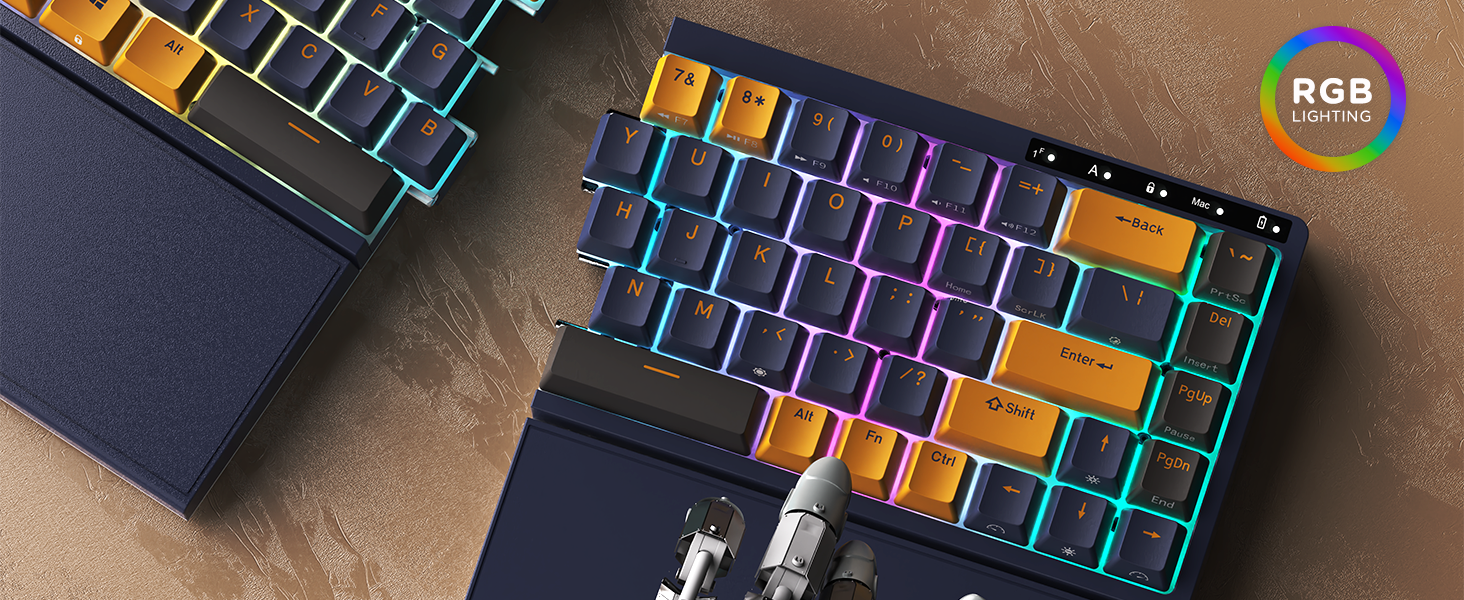
⌨️ Elevate your workspace with the RK Royal Kludge RKS70 — where comfort meets cutting-edge customization!
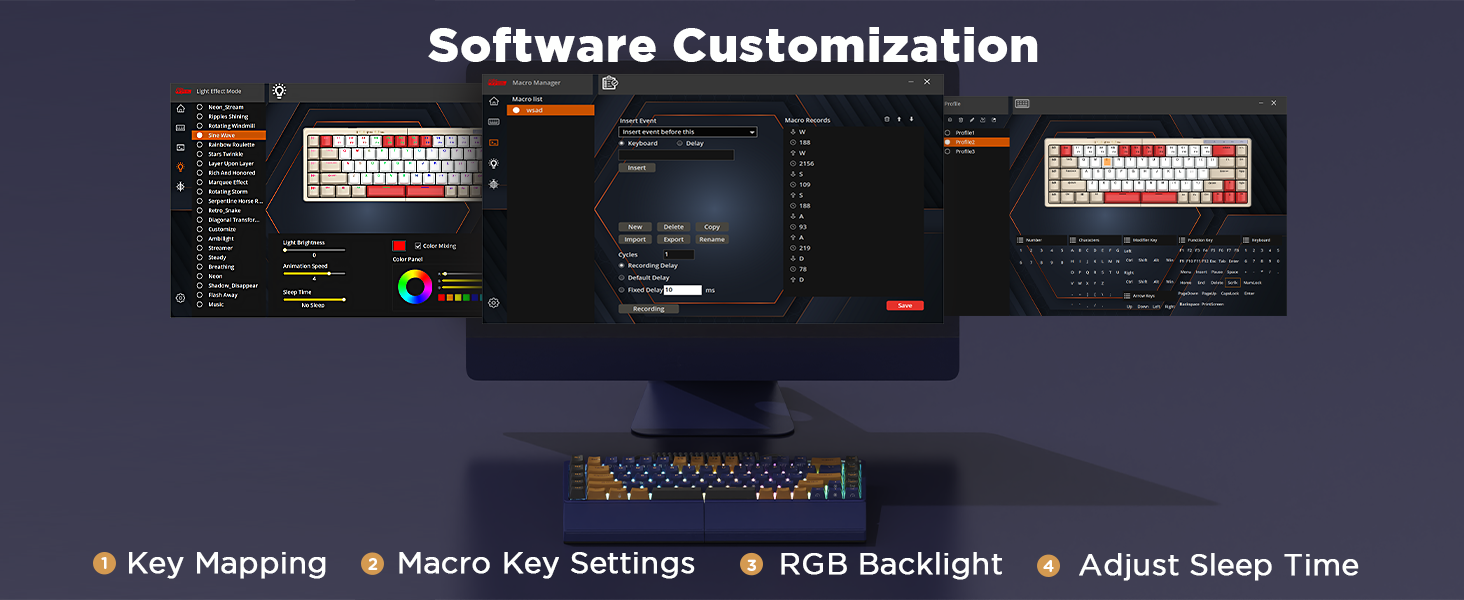
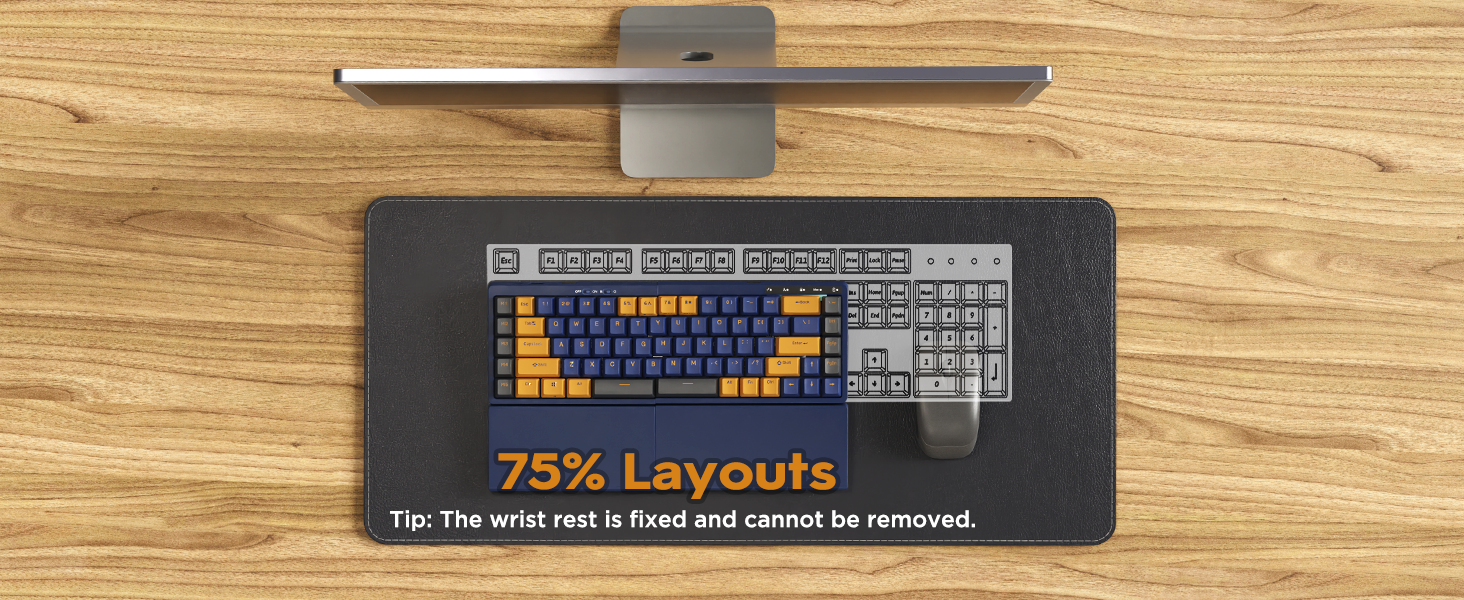
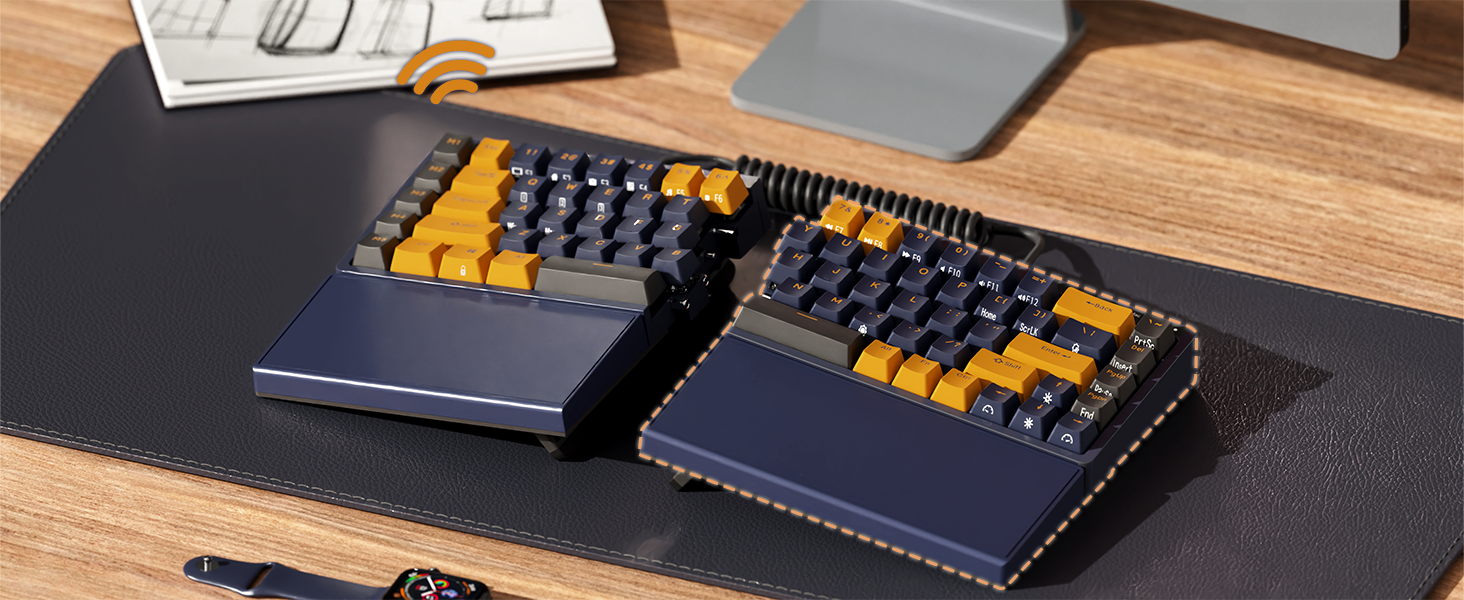
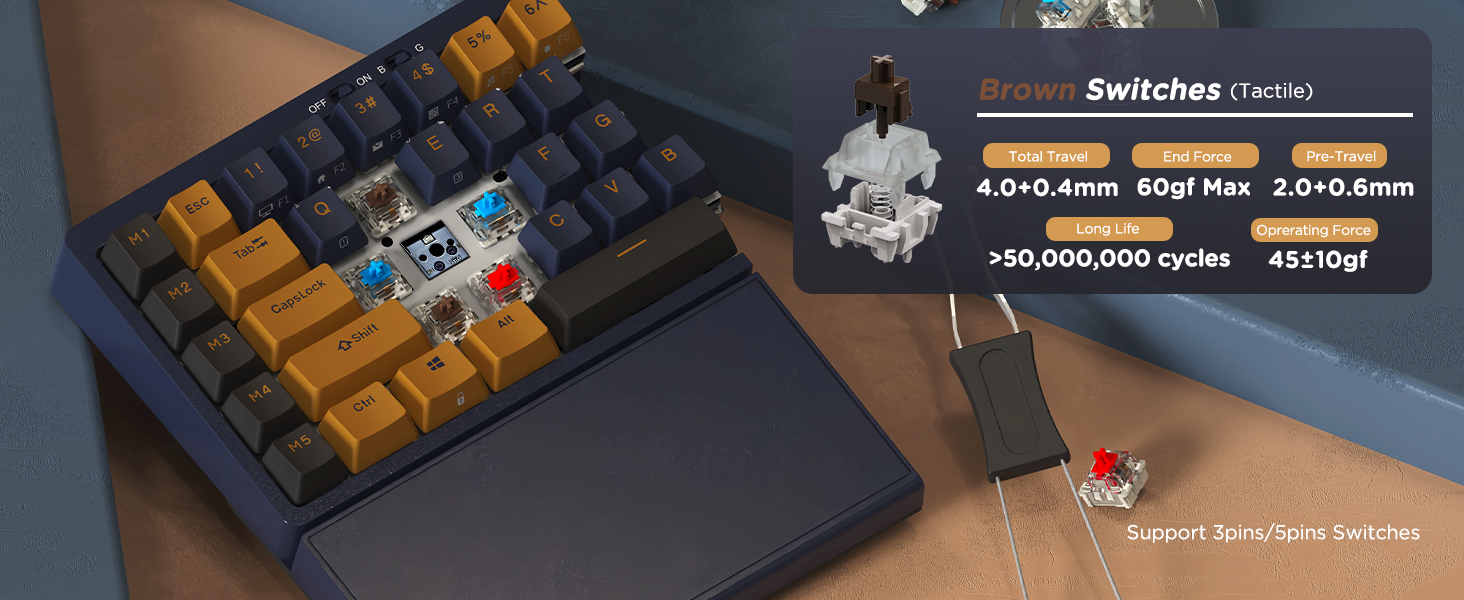
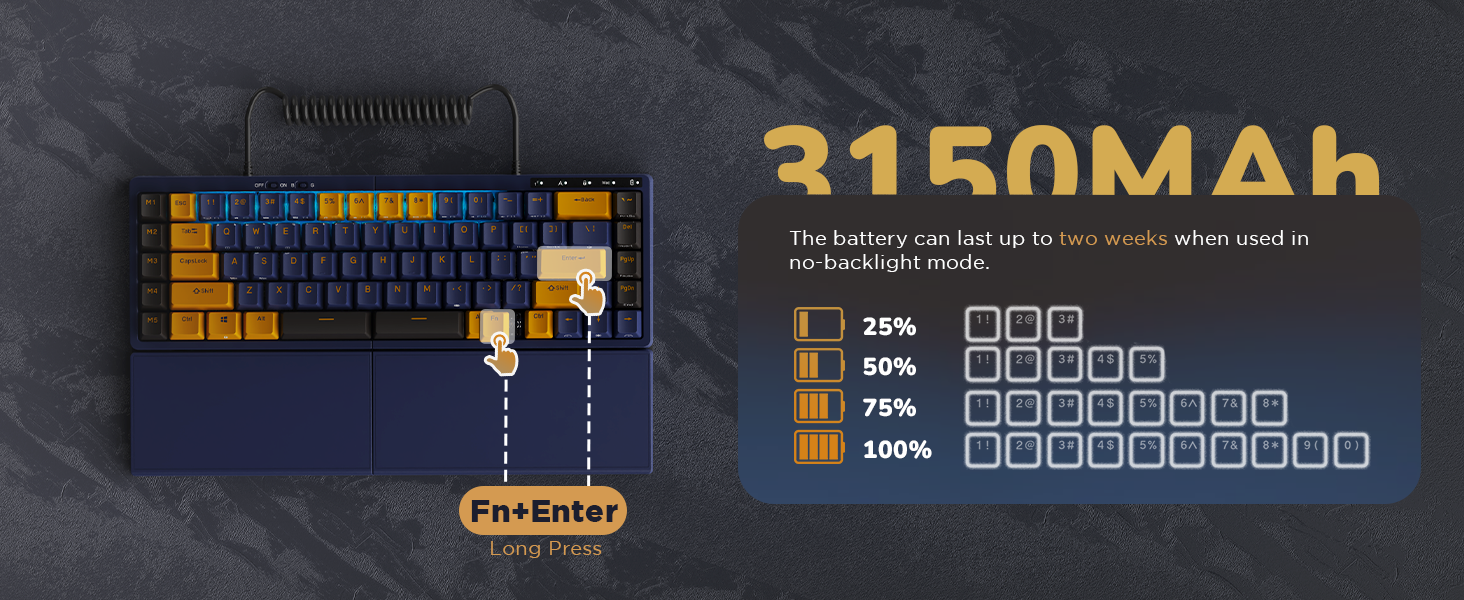
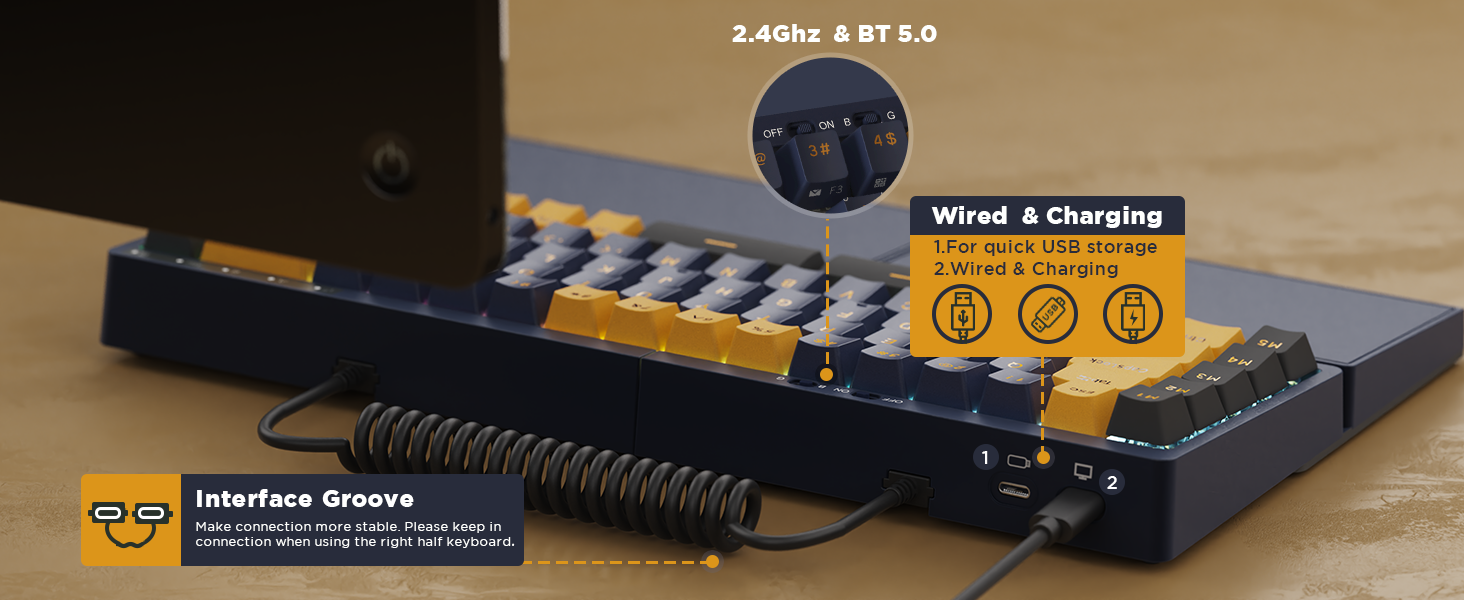
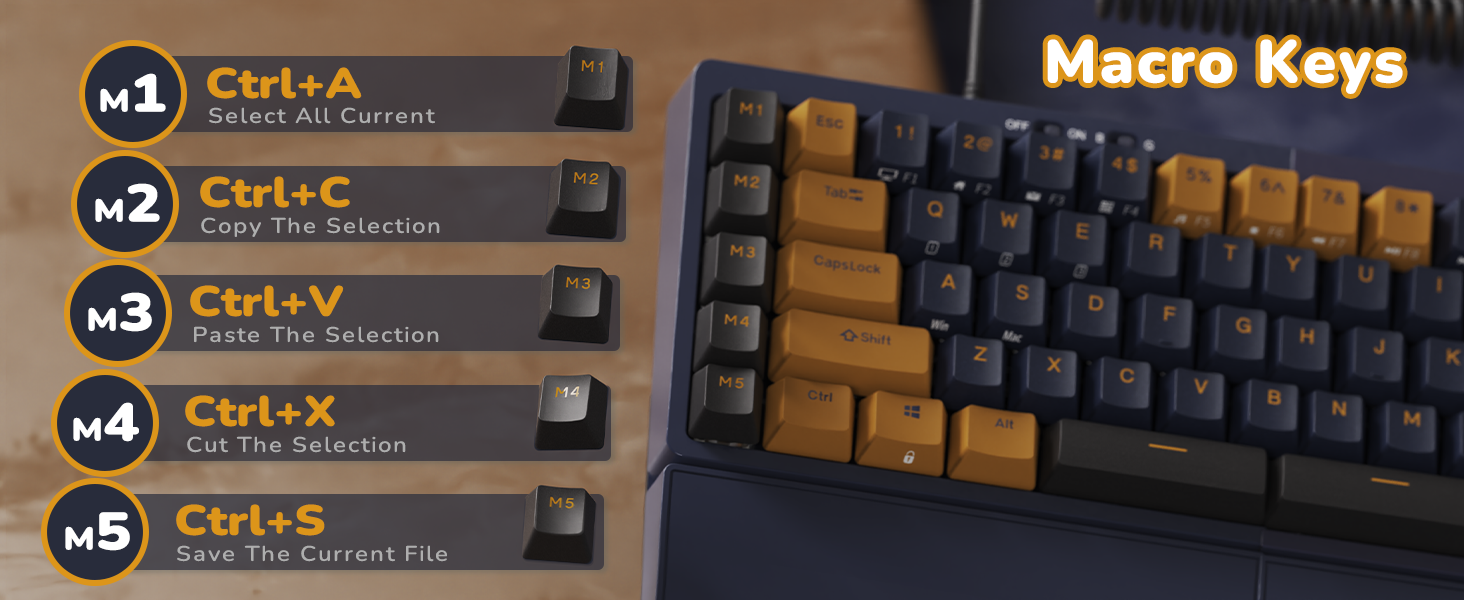
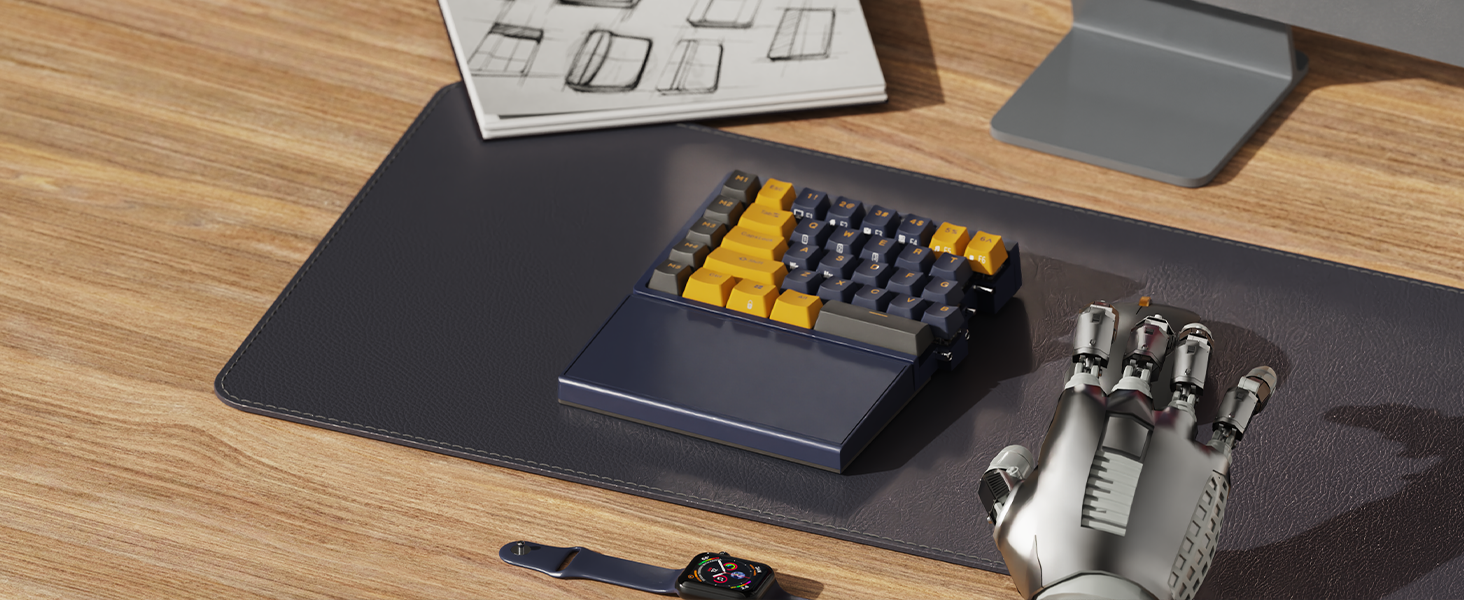
The RK Royal Kludge RKS70 is a premium 75% ergonomic split mechanical keyboard featuring tri-mode wireless connectivity (Bluetooth 5.0, 2.4Ghz, and wired USB-C), a robust 3150mAh battery for extended use, and hot-swappable tactile brown switches. Designed for professionals and gamers alike, it offers adjustable typing angles, a fixed wrist rest for comfort, 5 programmable macro keys, and broad OS compatibility with smart LED indicators. This keyboard blends ergonomic innovation with versatile customization to enhance productivity and reduce strain during long hours of use.



| ASIN | B0C88V7LQK |
| Additional Features | Backlit, Ergonomic, Hot-Swappable, Split Keyset Design, Wrist Rest |
| Antenna Location | Business, Education, Everyday Use, Gaming, Personal, Programming, Student |
| Best Sellers Rank | #22,864 in Video Games ( See Top 100 in Video Games ) #1,248 in PC Gaming Keyboards |
| Brand | RK ROYAL KLUDGE |
| Built-In Media | 2.4Ghz Wireless Receiverx1, Brown Mechanical Switches x4, Detachable Coiled Cable, RKS70 Split Mechanical Keyboard, Switch Puller x1 |
| Button Quantity | 74 |
| Color | Black |
| Compatible Devices | Gaming Console, Laptop, PC, Smartphone, Tablet |
| Compatible Operating System Family | Windows |
| Connectivity Technology | 2.4Ghz wireless, Bluetooth, USB-C |
| Customer Reviews | 4.1 out of 5 stars 143 Reviews |
| Enclosure Material | 60% Recycled post-consumer Acrylonitrile butadiene styrene (ABS) (RM0271)+10% Acrylonitrile butadiene styrene (ABS) (RM0268)+10% Other [Circuit board] (RM0262)+10% Polyethylene (RM0190)+5% Other [Lithium Battery] (RM0262)+5% Metal (RM0246) |
| Hand Orientation | Ambidextrous |
| Item Dimensions L x W x H | 13.27"L x 7.64"W x 1.61"H |
| Item Weight | 1.4 kg |
| Keyboard Description | Hot Swappable Ergonomic Keyboard with Macro Keys |
| Keyboard Layout | QWERTY |
| Language | English |
| Manufacturer | RK ROYAL KLUDGE |
| Mechanical Keyboard Switch Model | Brown |
| Model Name | RKS70 |
| Model Number | RKS70 |
| Number of Batteries Required | 1 |
| Number of Items | 1 |
| Number of Keys | 84 |
| Number of Packs | 1 |
| Power Source | Battery Powered |
| Recommended Uses For Product | Business, Education, Everyday Use, Gaming, Personal, Programming, Student |
| Special Feature | Backlit, Ergonomic, Hot-Swappable , Split Keyset Design, Wrist Rest |
| Style Name | Contemporary |
| Switch Type | Tactile |
| Unit Count | 1 Count |
| Warranty Description | 1 Year |
L**E
Stellar Keyboard! Takes some getting used to!
This was my second mechanical keyboard, and first ergonomic/split form factor. I was really excited to order this keyboard. I sat on the fence for about a year before finally taking the plunge. That being said, I'm happy that I did so! PRO: - Keyboard is heavy and solid. Doesn't feel like it will slide around. - Key travel is responsive, quiet and reliable. -Four 'legs' per section. You can have it lay flat or angled to your liking. Similar to traditional ergonomic keyboards. -Battery life is phenomenal. -Set up is plug and play. No need for drivers. -Bluetooth and 2.4 functionality is reliable. Keyboard works while charging. -Sections spread apart help my posture and shoulder blade pain. -Software allows for remapping of Macro keys (m1, m2, etc.) CONS: -You have to hunt around for the manufacturer-provided software for remapping keys and light control. I found a reddit post that gave me the correct information. -Limited backlight color and patterns. -The Macro keys on the left take some getting used to. -There is a learning curve.
S**E
Has some friction for programmers using Macs
Update: I have decided to keep the keyboard, and retrained myself to use the backquote/tilde key on the right side. I'm upgrading it from 3 stars to 4 stars based on having used it for month or so. The extra star is for several reasons: - Once you get over the problems with the layout, it's a very satisfying keyboard. Good touch, good sounds (almost sounds like they're wooden keys, not a super loud sound and I like it), great feel and key responsiveness. - I haven't had any issues with it since I bought it, other than the right-side lights being static rather than pulsing like the left side. But today, after jiggling the cables a bit, they are now both pulsing. - Maybe most importantly, the manufacturer offered me a refund after seeing my review. Which was nice of them even though I'm keeping it after all. If they'd like to make a programmer/business/finance version of the keyboard, then: - move the `/~ key back to the right spot - make the left M1-M5 keys programmable on Mac - in general, make the Mac support better. Maybe a toggle switch that puts it in Mac mode and swaps the keys appropriately. - lastly, and this might sound strange, but make the spacebar on the left side shorter. Most programmers use their right thumb for the spacebar. Left thumb is for manipulating the Alt key. The large spacebar on the left side makes left-Alt hard to reach with my left thumb, and I have to keep the left half of the keyboard at a weird angle to compensate for it. Some of the function keys work on the Mac, which is nice. For instance, the volume controls and player controls. Overall I still like the keyboard well enough to hang onto it despite its flaws for programmers on Macs (even with the offer for a return/refund). Original review: Good keyboard. However, the tilde key is in the far upper-right corner, and you can't remap or rebind it into the proper location because all of the "programmable" M1-M5 keys down the left side are in fact hardwired. There is no Mac software for this keyboard, period. Also the keyboard shows up in Karabiner as SINO WEALTH and not Royal Kludge. They really phoned in their Mac support. I will have to return it, because I can't be bothered to untrain 40 years of typing ~ in the upper-left corner. If you use the terminal, then you use ~. You will know what I mean. Look, feel, and sound are all quite nice though. And if you don't use the ~ or backquote key by touch-typing, then the Mac bindings are decent. The function keys work for volume and brightness adjustment and muting. And if you press FN + s then it switches to Mac mode which has some other niceties such as putting Alt and Command in the right places. So I give three stars, even though I'm returning mine. I'll miss typing on it to be honest. It's hard to find a good split keyboard.
P**L
Great split keyboard works quietly and precisely
Update: RK contacted me and helped me with the issue, it was a faulty keyboard and they replaced it. works like magic! Ill start with that it came - Opened and scratched and used Which sucks and its hard to say if its amazon or the seller - but i ordered a new one as its sketchy to connect a device with a firmware to you computer and install Chinese drivers. beyond that, i never had so many missed keys, i have to retype everything multiple times and i use many different keyboards, laptops, servers cheap keyboards, mechanical keyboards. what seems to be the problem is some key presses dont register, and sometimes there's a lag or a hang when typing. the lights and all that stuff is nice but i need a keyboard i can type and not retype everything a few times. i did get the brown switches as i used these before. biggest cons:. - used - missed keys i havent got to use it in its ergo form as i was trying to get used to typing on it, but just that was tedious. ill try to reset settings but the missing keys is the most annoying of it all. i dont know what the polling rate on this but it feels slow, my Bluetooth keyboards work faster than that. also i noticed that space, backspace and enter have a of movement and sometimes they dont press even though it went all the way down. i dont know if its only this keyboard or they all do this, but it drives me crazy to be honest. noise level is ok, not too loud which is nice for a mechanical keyboard/ i use it wired.
C**E
Some pros but the few cons can be deal breaker
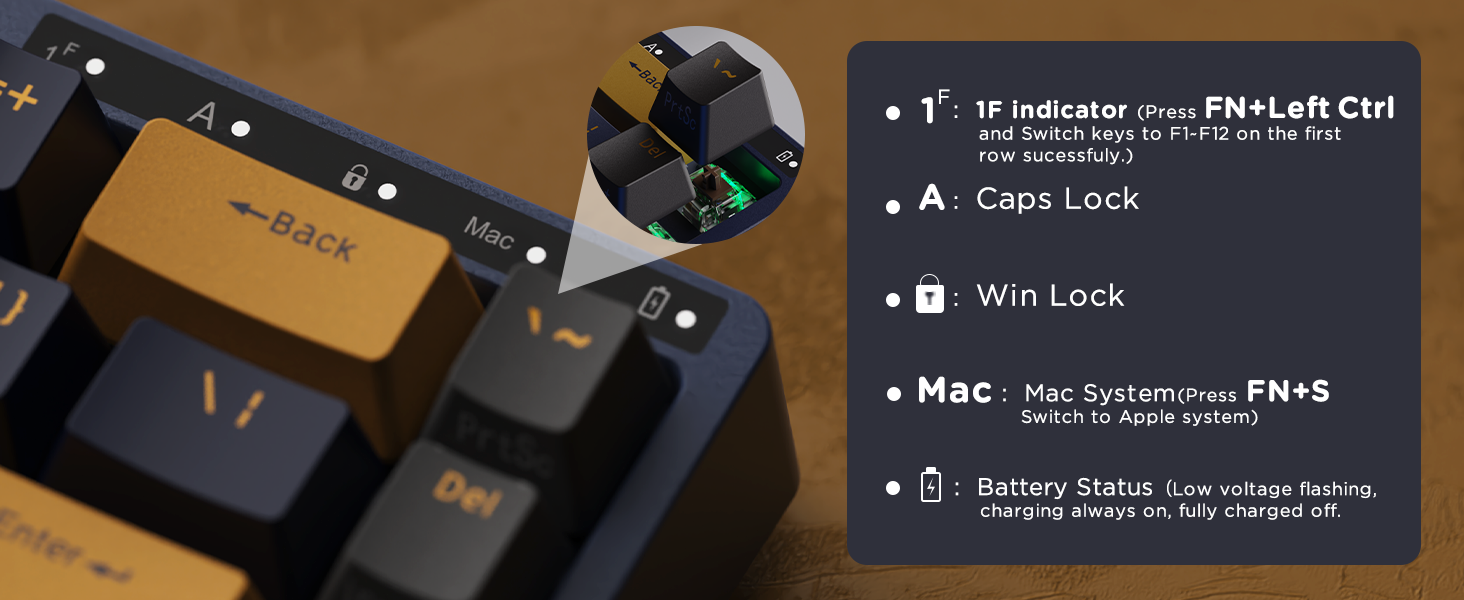
First let me say that among split keyboards, where there is not a whole of lot choices, this keyboard is at a very good price/value point. It is not cheap, but half the price of higher end similar keyboards like Keychron and Cloud Nine. I have not used those and have no idea how they compare with the RK-S70 reviewed here. Here are some things I really like about this keyboard: 1. The RK-S70 is hefty and feels very solid. And also seems high quality, however I have been using it for only a few days and cannot comment on the long term quality. 2. The key switches are great and very comfortable for typing. In fact, this is probably the best experience I have had coming from a RedDragon mechanical keyboard. 3. Once the two halves are positioned at a suitable distance and wrist angle, the usage makes it very comfortable for long hours of use and would probably give health benefits if you spend long hours every day at your desk using a keyboard. Of course, it takes a bit of getting used to for typing on two separate halves with each hand and not crossing over to hit some of the middle keys, but that is true of any split keyboard and practice will make the transition seamless. Now, to some of the pain points that make this a deal breaker for me. Some of these may not apply to everyone based on their usage. 1. Cross platform usage on Linux/Mac/Windows is not easy. I have not tried mapping the keys on Windows or Mac, but there is no software support for Linux. However, I wouldn't mind it so much if it just worked smoothly on all the platforms without some finessing as mentioned below. 2. The Macro keys (M1-M5) cannot be remapped and the M2 key is mapped to Ctrl-C and is right next to the Tab key. I use Tab a lot on Linux for auto completion and end up hitting M2 very frequently which kills the commands I am trying to type. This has happened too many times, especially with long commands, that this is one of the top reasons for me that makes it unusable. 3. I use a 4 way USB switch between 3 computers to share my keyboard, mouse, microphone, webcam toggling between work and personal computers while also switching between Mac and Linux. I am using hard wired option as the 2.4Ghz option has not worked for me, not sure if it is defective in my unit. The hard wired option is not working with my Macbook pro so I have to use bluetooth to connect to it. Switching from Mac to my Linux desktop with my USB switch, this keyboard does not reconnect unlike all the other peripherals and previous keyboard. I have to turn the bluetooth switch on the keyboard off to reconnect to the Linux desktop and then back on to connect with Mac. This behavior is not consistent as it did work without doing so for a couple of days. But this behavior and inconsistent connection is making it really hard for me to accept this keyboard. 3. Lack of dedicated function keys is also not ideal, but I can live with it. You can toggle the number keys (top row) to function keys with a key combination (Fn+left Ctrl). I mostly only use the multimedia function keys to control volume, but once toggled, have to remember to toggle it back before using the number keys. This is just a pain and not something I would like to deal with if I am spending $100+ on a keyboard. 4. Another minor hindrance is the ~ key is at the opposite end, at top right instead of on the left next to '1' key on a standard keyboard. This key may not be very useful for many people but for me it is important as ~ and ` both are very useful in CLI on Linux and Mac. So I thought it worth mentioning. I suppose with practice, one can get used to it. 5. The CMD key (or the Windows key) does not work on Mac OS even after switching to Mac mode with Fn + s as described in the manual. Again, not sure if this is a defect with my piece or due to my particular setup. 6. Documentation is poor, both the manual and on the website. You would think, if the company is selling an expensive piece of equipment like this globally, the least they can do is publish good documentation in English. Seriously, how much additional one time cost is that. I would offer my services if they are interested :) So I think for people whose usage is more simpler than mine, like with a single computer setup running either Windows or Mac, this may be a good keyboard. The feel and typing is really superior and could relieve a lot of physical stress over many hours of use. I really wanted this to work for me, but sadly I will be returning for the above mentioned reasons but YMMV.
B**Z
Way nicer keyboard than I expected. The keys are very high quality.
I have used a split keyboard for decades. My most recent (a Kinesis) was very good but finally ended up with problems after several years of service. This new one is an upgrade in every possible way. It can be wired or wireless. It has color-changing lights beneath the keys (fun feature), the key mechanisms feel very nice. The way I use it, I have installed an old two-sided photo mount to the backside of each half of the keyboard (see the picture). I can thus put the keyboards at any angle I want (including completely vertical--90-degrees to the desktop). This has helped me avoid carpal tunnel syndrome by keeping my wrists in a neutral position. Much more comfortable as I do a LOT of keyboarding. I'm really impressed with this keyboard and can certainly recommend it for mounting the way I did. It does come with 4 independently adjustable "feet" so you can do a slight angle with it as it comes. I just need much more of an angle to be comfortable.
D**N
Not only cheaper, but preferred
I bought about $1500 worth of keyboards to try out and this one was the cheapest at $100 and is the one im keeping. Not only is it satisfying to hear as I type on it, but the layout is the easiest to use. I got one of those fancy looking keyboards for $400 and I couldnt even start. My pinky finger is too small for the concave keys. I also got another split keyboard with cherry red MX keys to compare the sound (the expensive one had cherry brown mx keys) and this keyboard sounds better than those despite it not being that major brand. Overall, this is probably one of my best buys, considering how much cheaper it is than the competition.
S**F
Great but unreliable
I’ve owned this keyboard for about 8 months, for about 6 months it worked great. About 2 months ago the right side of the keyboard just stopped working, I tried everything online, resetting the factory settings, replacing cords and trying different ports on my PC. Nothing worked. They don’t even have this keyboard on the RK website so I couldn’t get any help from there, and when I emailed them through Amazon they sent me a different email and I haven’t gotten a response. Before it stopped working properly, I loved it. The customization and lighting were great, the sound was satisfying and it was comfortable for what I use it for. I just wish I got more out of an almost $100 purchase.
D**N
Nice split design hobbled by mid Mac support and no F-key row
Overall a decent keyboard., I have a couple of more expensive ergo mechanical keyboards already (Cloud 9 C989 and a Kenesis Freestyle gaming keyboard) and they’re both good, but they have loud Blue keys and I wanted to swap to quieter Brown switches for my work computer. I’d used a couple of RK keyboard before and figured this would be a good bet at the price and would give me the flexibility to hot-swap in whatever switches I want. Overall, I like it. Decent weight, good key action, hot-swappable, and the feet that let you adjust tenting are nice. USB A/C/dongle/Bluetooth connections and support for 3 BT devices are appreciated. However, I bought this to use with my work MacBook Pro, and while it has a Mac mode, the F-key row on the far left is useless to Mac users. They’re pre-programmed to CTRL-C, CTRL-V, etc., and while the keyboard does have a Mac mode, flipping to that should make these keys send Command-C, Command-V, etc to match Apple’s annoying different keyboard scheme. Because CTRL-C, CTRL-V, etc don’t do anything on these keys and the keys aren’t programmable, they’re useless to Mac users. Otherwise, my only real gripe is the lack of a Function key row. This isn’t a tiny keyboard anyway, and I’d happily have had it take up a little more space to have dedicated function keys. Luckily, since I’m using it on a Mac that’s not a big deal, but that will keep me from ever switching this over to my gaming PC. 3.5 stars rounded up for good build quality and flexible connectivity, but half-baked Mac support for a keyboard advertised for both Windows and Mac.
A**X
Love it
I absolutely love this thing. Purchased it for an ergonomic shared office and I am considering getting one
R**S
Increíble compra
Lo mejor en el mercado por el precio
T**E
Buen producto, cumple
Excelente producto, recomiendo usarlo con el cable
U**S
Buen teclado
Buen teclado, buena calidad, espacio perfecto, ergonómico para las manos
M**L
Teclado muy robusto
La calidad de los plasticos es muy buena
Trustpilot
3 weeks ago
1 month ago