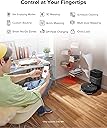
✨ Elevate your clean game — Effortless, smart, and unstoppable 🧹
The Roborock Q5 Pro+ is a premium robot vacuum and mop featuring a powerful 5500 Pa suction, LiDAR navigation for precise mapping, and a self-emptying station that supports up to 7 weeks of hands-free cleaning. Designed for hard floors, carpets, and pet hair, it offers multi-mode cleaning controlled via app or smart home integration, making it the ultimate time-saving solution for maintaining a pristine home with minimal effort.


| ASIN | B0C7VN9NWK |
| Battery Life | 240 minutes |
| Battery Type | Lithium Ion |
| Best Sellers Rank | #87,621 in Industrial & Scientific ( See Top 100 in Industrial & Scientific ) #33 in Commercial Indoor Robotic Vacuums |
| Brand | roborock |
| Brand Name | roborock |
| Capacity | 7.7 liters |
| Cleaning Path Width | 15.07 inches |
| Color | Dark Gray |
| Compatible Devices | Amazon Echo, Google Home, Smartphones |
| Control Method | App |
| Controller Type | App Control |
| Customer Reviews | 4.0 out of 5 stars 23,609 Reviews |
| Filter Type | Cartridge |
| Form Factor | Robotic |
| Global Trade Identification Number | 00195043003511 |
| Included Components | Robot vacuum |
| Indoor Outdoor Usage | Indoor |
| Item Dimensions L x W x H | 13.38"L x 19.17"W x 20.51"H |
| Item Type Name | robot vacuum |
| Item Weight | 16.5 pounds |
| Lithium Battery Voltage | 3.6 volts |
| Manufacturer | roborock |
| Manufacturer Part Number | Q5 Pro+ |
| Model Name | Roborock QV 35A |
| Model Number | Roborock QV 35A |
| Noise Level | 67 db |
| Number of Items | 1 |
| Number of Power Levels | 2 |
| Number of Speeds | 2 |
| Number of Wheels | 2 |
| Other Special Features of the Product | LiDAR Navigation |
| Power Source | Battery Powered |
| Product Dimensions | 13.38"L x 19.17"W x 20.51"H |
| Recommended Uses For Product | Regular floor cleaning, including carpets and hard floors, with both vacuuming and mopping functionalities. |
| Special Feature | LiDAR Navigation |
| Style Name | Q5 Pro+ Black |
| Surface Recommendation | Wood, Tile, Carpet |
| Voltage | 3.7 volts |
D**S
Almost perfect
It cleans especially well. This means the one disposable dust bag it comes with will fill up quickly so immediately buy dust bin bags-you will need them fast. Be sure you get the RoboRock app to set it up with. Setup is easy and essential using the app. Alexa or Google integration is a breeze. It is fairly quiet on balanced suction mode, and not really so loud on turbo. You MUST manually empty the dust bin in the Q5+ if it fills during cleaning and that is a real possibility if you have a lot of square feet. It will dock due to low battery or being full and upon docking it will empty by itself. However if during its cleaning cycle, it gets full, it will not sense this nor return to dock to empty. You MUST empty the dust bin-easy enough to do using the app. Dust bin contents are sucked into the dust bin back when docked and you manually choose empty dust bin. You have to let it run and do its thing. The best thing: set room mapping up and let it run around to map your floor. Then it will clean. Doing mapping first is easy and fast. You have to save maps of rooms/floors by setting save on-you toggle it to "on" and then you map. You can set up tasks meaning you can have it clean one room then go back to dock to empty and this is a good thing because it most likely will not overfill from one room and you need not manually empty it. Create three or four tasks and with each completed task, it will go back to dock and empty. If you do not do tasks, and you try to clean 1200 square feet, it WILL fill up and you MUST intervene and tell it to go back to dock to empty it. I run it 2x a day for 1200 feet and no matter what I do, it fills up before it is done cleaning. I have no idea where it comes from but the bin gets full about half way through. There is no way to get around this. This device picks up ever-so-fine dust, and dirt-better than with a vacuum. The big clumps of hair if you have dogs...not so much but these are visible and easily picked up after the device has left them behind during its runs. It just cleans and cleans! Let me go back to cleaning. It does this well. I am surprised how much small stuff it picks up. It picks up dog hair, etc. well. It seems to pick up dirt I cannot even see or notice. With a full charge, you may get 1200 square feet; I do with about 15% battery left. If not, it will go back to charge on the dock when it gets to 19% low. My plan: let it work using tasks (you can set a room or floor schedule) and let it charge and by the morning, empty the dust bin by using that option via the app, and let it clean again a floor where you do not have activity or where people are not at home or around (bedrooms for example). I say work it; run it daily. I have a good vac; I vacuumed Wed, and it is Sun and it is shocking to see what it has been picking up in the dust bin. If you have a dog or cat, this is the move. I am not saying it will pick up long hair but the short hair and dander, yes it 100% will. It cleans under the beds (yay!) and under furniture where it fits. It is not an industrial vac. It most likely won't and should not be used to pick up wood chips, etc. around a wood stove, nor should it be used to pick up large particulate matter. It does pick up coins without any noise or damage so that it great if you miss a coin on the carpet or floor. I can use Alexa ("Alexa, tell Roborock to empty the dust bin" or "Alexa, tell Roborock to start cleaning" or "Alexa, tell Roborock to dock") for basic commands. If you have a spill, you will have to experiment to get the unit to clean it up; it looks like if you press the home button on the device, it cleans within a 10-foot radius. It will just try to clean in rows so you will just have to try it out for spot cleaning. It may be a pain to get it to do that. I can't imagine people with pets not having this or one of the Roomba pet hair cleaning units. This is going to save me so much work. I am not getting any younger. I thought "Why deny myself technology?" so I got it on sale. I highly recommend meaning for me it matched my expectations and needs and easily so. One last thing: the roller will clog with wrap-around hair. It is easy to take out and clean BUT you MUST put the roller brush cover on exactly meaning there are four tabs and two go in manually at a bit of an angle and the other side of the roller brush cover has two clips that go back into place when you pinch them. IF you see any of the four tabs, you do not have it in place correctly. This shows up when you try to empty the unit. It will not empty. You will hear it try but it will not because the suction is too low because the roller brush cover is not completely installed/inserted. You may find the unit telling you you are attempting too many empty commands and it will ignore your commands to empty the dust bin if you find you had the roller brush cover on loosely. The way around this is to take out the dust bin and with a flashlight locate the reset hole (use a pin). It is well-hidden. When you find it, put in the button while also holding the home or power button. This resets the device. You have to readd your unit to wifi (not 5 but 2.4) and be sure your phone's wifi for this is on the 2.4 band. Reattach the unit to your 2.4 wifi and you will be good to go. The unit will start recognizing the empty command and with the roller brush cover on correctly (no tabs showing), you will see the unit empty its dust bin. All maps, etc. are saved in the app. Only the unit gets reset. The bags are really easy to change. I filled that "7-week" bag in a week. That is how good the unit is. I have run it 3x a day and I still pick up dirt. I have no idea how or why but I do breathe easier now without any decongestants, and the house is clean! Any vacuum clogs and needs cleaning. This unit is no different. It is maintenance. After a week or so, you get the hang of it. I did not get the combo mop unit because I can do that with another machine. I wanted a dust bin that was 100% for dirt pickup. It works. It works well. I am getting another for the second floor with carpet and with carpet, the unit senses this and goes into turbo mode to clean. For hardwood, it does not have to do that. There are four speeds. Night is quietest. Balanced is good. I like that setting. The wrap-up: run this a couple of times a day (why not?) and pause your cleaning via the app after 30 minutes or so to return it to dock and empty. Or use tasks. No one is going to get 1200 square feet cleaned in one pass without emptying. That is a good thing. This device picks up! For real!
C**M
Excellent Robotic Vaccuum with Lots of Features
A Little Background: This review is coming from someone who works in the IT industry, so I'm very comfortable with technology. Features and settings that I say work great and are easy to setup may not come so easily to some. That said, I don't have extensive experience with robotic vacuums. I have used the same ole Roomba 670 for the past few years and haven't "upgraded" because, quite frankly, I was never really impressed with the technology. Don't get me wrong, the 670 picks up great, but the pinball cleaning pattern just isn't conducive with whole-home use and made it, at least in my estimation, "good enough for the high spots". Coming from that, what I'm impressed with may not be so impressive to some. There's your context, so apply it to my product review and dissect accordingly. Suggestions: 1) Make sure it's fully charged before doing anything. Download the app while you wait so you'll have that handy once it's time to begin setup. 2) RTFM. It's a pathetic little guide almost devoid of meaningful information but read it anyway. You may extract tidbits of info that you find useful. 3) Once ready for setup, open the app and begin the wireless connection to the robot. Some access points will recognize that the client doesn't support 5 GHz connections and isolate that band automatically, but if yours doesn't choose the 2.4 GHz connection NOT the 5 GHz. Recommendations: 1) Update the firmware immediately after setup is complete. This will ensure the latest fixes and features are available, potentially making for a much smoother experience. Access your robot in the app and open its settings. Click on "Firmware Updates" and apply if an update is available. Make sure the robot is fully charged before you start this process and don't touch anything until it is completed. The robot will announce that the update is complete, and the app will indicate that the firmware is up to date. FINALLY! TIME TO CLEAN! *** Not so fast! IF you want to save the map generated by the robot, you'll need to enable that option in settings FIRST! I really debated on whether to share this information or let folks experience the same joy I experienced when the first cleaning was completed, and I went to edit the map. Only then did I learn this setting needed enabling. Once again, access the robot in the app and open its settings. Open "Manage Maps" > Enable "Map Saving (Beta)" > Set the number of levels in your home you'll use the robot in. There, now that I've robbed you of that wonderful experience start the robot and let it clean. Only pick it up or assist it if requested. Now, the Good, the Bad, and the Ugly: Good: 1) Cleaning (Grade: A+): Suction is powerful on bare floors and the automatic carpet boost works great on runners and throw rugs. My floors are bare throughout the home with low-cut level loop style rugs scattered abroad. I cannot speak to the vacuum's performance on carpet, but I'd guess it would perform great on low and medium level loop carpets. I'm not so sure about shag or cut pile style carpeting. Thinking about how these robotic vacuums work, I'm not too sure any of them would do much more than tug at the long, thick fibers. You can manually adjust the power of this vacuum in its settings, so a little experimentation might make all the difference between great or poor performance on carpeting. 2) Pattern/Navigation (Grade: A+): The sensors on this robot are awesome and that means the software and engineering driving the robot is awesome. The robot cleans in a methodical back-and-forth pattern that overlaps just enough to ensure thorough cleaning, but not enough to amount to wasted energy. It calculates the cleaning area as it maps the surroundings, cleaning in small grids along its path. It does an excellent job of identifying objects and navigating around (or over) them. The cliff sensor works well, and the robot spends less time bumping into and getting stuck under objects, and more time cleaning the floor. It does a tremendous job at edge cleaning as well. This robot has true "smarts". Goodbye pinball wizard robot vacuum. 3) Mapping (Grade: A+): It's mind blowing to watch how quickly this thing maps the room and its surroundings. Once you have the damned setting enabled to save the maps, features such as spot cleaning, room/zone editing, and no-go zones seem to work great. I've seen several complaints about mapping, but I'd point out an important caveat to that feature and that would be the word (BETA) beside the setting. When software (or in this case a feature) is in beta, bugs are to be expected as it is rolled out. Because the mapping feature is disabled by default, enabling it means you are agreeing to the UAT (User Acceptance Testing). Sending a detailed email to support about the bugs you are experiencing will help advance the development and push the software stable more quickly. Much more quickly than leaving a product review like "mapping sucks", "mapping is garbage", etc. Until it is stable, issues with mapping are on YOU as soon as you toggle that setting. They seem to be very actively updating and improving the software, so I expect this feature to be stabilized sooner than later. Unfortunately, testing takes the one thing we all hate to sacrifice...time. 4) Features (Grade: A+): To highlight a few: Manually adjust the vacuum power, Pin n Go (tap a spot on the map and deploy for spot cleaning), In-app Remote Control, Scheduling, Mapping, No-Go Zones, Room and Zone Editing, Cleaning History, Guided Maintenance Scheduling and Monitoring, Firmware Updates. This thing is packed! 5) Durability (Grade: A+): Of course, the true measure of durability is time, but you know how it is when you can tell you're holding and looking at a well-made product. This vacuum has that look and feel that is reassuring that it will last for a long time to come. I've also witnessed it climb in and out of a table stand with legs made of square metal tubing on multiple occasions, and had I not seen it, I'd have placed money against it being able to do so. The legs are black, so I guess it doesn't "see" them? I don't know, but it's tripping. If it were cheaply made there's no way the drive train would be stout enough to traverse that obstacle. Bad: 1) Dust Bin (Grade: C+): The dust bin is tiny. I mean really tiny. I mean it's really, really tiny. Roborock has announced an automatic dumping dock is forthcoming, and I hope they have the good sense to make it compatible with a wide variety of their robots, because they'll make a fortune selling the things if the other models have capacities like this one. I'd buy one right now if it were available for the S4 Max. If they rush it or allow marketing to dictate the development and make it only compatible with the latest and greatest robot in a bid to push consumers to upgrade, they're going to miss out on a lot of revenue. They'll be severely underestimating my ability and willingness to push pause, dump the bin, and resume cleaning if they decide to go that route. 2) Documentation (Grade: C-): It's thin. It's so thin it's almost transparent. It is the weakest link in Roborock's chain. You can read the manual, in-app help, and every FAQ on the website and hardly glean a single thing of note. Sure, it mentions most every feature but elaborates on almost none of them. It's as if robotic vacuuming with Roborock is a delicacy that you must cook yourself, but they want you to prepare it without giving away the recipe or any of the ingredients. I have no idea why I'm bitching about it though. I've really had no need for it, but it's still true for those who do. Ugly: Absolutely None! Buy it. You'll love it if you're coming from an outdated model with a fraction of the features. I'm sure you'll appreciate all that it has to offer if you're coming from a slighly older model looking to upgrade, or crossing over from a rival brand in search of something better.
S**E
Great value for money, but keep your expectations realistic.
I've been using this for a while, and it's a solid budget-friendly option. It lacks premium features like auto-mop washing, so you do have to wash the mop pad manually every time. Also, you still need to regularly clear out dust and tangled hair from the rollers. The 5500Pa suction is decent, though slightly underwhelming if you expect deep-carpet cleaning.However, considering the price point, these downsides are totally reasonable. It navigates well and handles daily maintenance perfectly. If you want top-tier automation, look elsewhere, but for this price, you won't find a better value-for-money model. Highly recommended for budget shoppers!
N**E
The smartest vacuum ever!
My wife and I are in the process of 'smart-tizing' our new home; so, of course, we needed to invest in a robot vacuum. After 'some' research, we initially bought the Shark IQ (more like low-IQ) - disastrous...didn't function as a vacuum or a robot; didn't vacuum anything (lint, hair, dust), and couldn't map the room or find its station...it was like a lost dog roaming around in circles, bumping into walls. Needless to say, we returned it. Subsequently, my wife and I did A LOT more research - Reddit posts, endless YouTube videos, tech reviews, etc...stumbling upon this lesser-known robot - Roborock S6. In that it was only offered for sale via Amazon or eBay, we were a bit skeptical, but the reviews were unanimous...excellent performance. Enter the S6. Due to our previous experience, I was leery out of the box, nervously syncing the bot to app and network. I have to say, despite a recurring error (5) within the first few days (resolved, see below) and a less-polished app, the robot is amazing. It mapped our entire upstairs (600 sq ft) in 1 run, and vacuumed the carpet (all carpeted floors) impressively. It runs in complete darkness due to its laser optics which is one of the lesser-known perks; should be one of the more marketed features, as a robot is supposed to function unattended - often times when home is vacant and dark! Absolutely love it! For the price and the performance, this is a must-buy for robot vacuum shoppers! Now, I need to mention several of out-fo-the-box cons; one of which has been resolved, the other, from what I hear, will be resolved, the last of which may be resolved with help of Amazon (Alexa) and app dev: 1. Error 5...error 5...error 5. This was a recurring theme within the first few days. The robot would stop completely, notify via audible voice from robot itself and app. Error 5 occurs when the main brush becomes jammed, prompting the user to 'un-jam'...which is actually quite easy; but, this required constant attention. Now, you could override this by simply resuming remotely, but the user wouldn't know if the brush was truly jammed. Most of the times, the brush was indeed jammed with hair that had gotten tangled mostly in the space between the axle and rotor fittings. It occurred so regularly that my heart began to sink because I feared I'd need to return a robot that I loved for all other reasons. I did try to rectify initially with vinyl electrical tape to better seal said gap to prevent entanglement; but, that only delayed the inevitable error 5. But, wait! After researching online, I learned there is a 'Carpet Mode' in the app’s peripheral vacuum settings that, when activated, supposedly enables maximum suction and main brush roller agitation upon sensing carpeting. After activating, I was a bit nervous; but, lo and behold, the darned function worked...and resolved the issue...no more error 5...and no more tangles! Amazing! I understand why this carpet mode is a selection and not a default mode…higher suction and more vigorous brush action requires more battery which is less economical; however, in that the robot has an automatic recharge and resume function that resumes right where it left off after charging in addition to the battery life being one of the largest of the robots we’d researched (5200mAh), I’d suggest having this carpet mode engaged by default. 2. The less-refined Roborock app. Now, I know there is an alternative Mi-home app that's a universal smart app for multiple devices from a third party that has more features; but, I wanted to stick with the manufacturer-sponsored app. This is a Chinese product; so, there are a few English-based grammatical errors you'd expect from non-native speakers...those are trivial. My biggest gripes are the layout itself, the clunkiness of the mapping, and lack of storing multiple floor maps. First, the layout, some menu items (like the schedule /timer or the aforementioned carpet mode) that are buried in places that should be more prominent as they're features that are more routinely used. Second, the mapping system. Again, part of this is the function that actually enables map memory is a toggle that actively needs to be selected by the user, and is located in a peripheral menu. Why is this not just natively enabled by default? It does, in its current state, save multiple back-up versions of the map in case the user accidentally deletes or needs to redo an edit. Speaking of the edit, the editing needs to be refined. Currently, the edit modes are partitioned into ‘room’, ‘no-go’ and ‘entire map’ - this could easily be integrated into one edit menu. Also, even though the map can be partitioned into sections, there is no way to label/name each section which may be nice with things like Alexa. Speaking of partitions...when the original run that maps is complete, the robot’s algorithm tries its hardest to define sections; but, we needed to refine it. The split function to manually separate sections is a bit wonky…it ultimately worked; but, took several edit retries. Now, all these things re. app being said, I’ve read from 2020 CES reports, Roborock is working to polish and improve their app, specifically enabling the ability to map and memorize multiple floors. This would be great, as we would love to be able to have our robot vacuum and mop (yes, there is a mop function) both floors. 3. This is the least important; even though Alexa is a big part of the routines governing other sections of the house. Alexa seems to have limited functionality with the Roborock app skill enabled…allowing simple vocal commands like clean (entire house), stop, return to station. I have yet to be able to have Alexa recognize the device so that routines can be enabled. I’ve had no trouble finding my other 20+ devices. This has been reported to be an app issue. It would also be nice, as stated earlier, to be able to label the rooms by name, and then be able to vocally request Alexa to have the robot to clean certain rooms / sections. Anyway, overall, this is an exceptional robot that does everything it advertises. We love it, and highly recommend it!
C**G
A solid vacuum for hard floor cleaning but may disappoint with carpets
I'll start by saying that I rarely leave Amazon reviews, but I felt that this issue was important enough to warrant one. I was a big fan of my previous Roborock S5. I used it primarily in an environment with hardwood, tile, and low pile carpet, but it always cleaned extremely well and navigated better than any other robot vacuum I'd seen. I'd recommend it to all my friends and tell my family how awesome it was, despite very few of them having an actual interest in purchasing a robot vacuum of their own. This positive experience was what prompted me to look for an upgrade whenever I moved into a house. I had been very excited after hearing about the announcement of the Roborock S6 MaxV. The idea of a robot vacuum being able to determine what objects to avoid would, in my mind, bridge the gap between a truly autonomous assistant and an ineffective annoyance that frequently eats cords and gets stuck on furniture. I will say that I was impressed with the navigation abilities of the S6 MaxV. It does actually seem to avoid items that it could get caught up on. The previous generations were already great at navigation, but would still require prep work beforehand so that they didn't suck up unintended items. While the S6 MaxV object recognition is not perfect yet, I have no doubt that improvements will be made though future updates. It's also very neat to see the robot mark obstacles on the in-app map and try to label what it believes them to be. I did have an issue that cropped up several times. The robot would mark something as an obstacle in the app, but it wouldn't try to avoid it at all. For example, it marked a couple bar chairs with pedestal bases as an item that needed to be avoided. I was impressed that it even identified them as "pedestal" in the app. However, whenever it got to them, it still tried to climb the sides and ended up getting stuck for several minutes. After it sorted itself out, I figured that it would avoid them during the next pass. Unfortunately, it did the exact same thing and tried to drive up the side of the chair base again. The biggest problem that I had with the S6 MaxV (and the reason I'm going to be returning it) is the carpet performance. The navigation issues that I mentioned are minimal by comparison and this vacuum still plans its routes better than any that I've seen previously. However, the carpet performance was pretty much nonexistent in my particular situation. I realize that most robot vacuums are oriented at hard floor cleaning. I fully understand that it's potentially going to be a very long time before we see a robot vac that's as effective on carpet as a human being using a full fledged vacuum. However, this product is advertised as being able to operate on carpet. Of course, one could make the reasonable assumption that it would have difficulties with shag carpet or other types of uncommon surfaces. Regular vacuums have the same problem when it comes to very high pile materials. My home has what I would describe as moderately thick medium pile carpet. See the included photo for an illustration of the length. I didn't choose it and it definitely would not be my preferred flooring, but it's what I'm stuck with for the time being. I hadn't even considered that this vacuum might run into any issues with this surface because it is not shag or high pile, but I found that I was very wrong. Upon reaching the carpeted area during its first run, I noticed a strange sort of whining noise. It wasn't very loud, but it was definitely different than the previous sounds the vac was making. Turns out that the whining noise was the brush getting jammed up on the carpet and remaining almost completely stationary. I was able to open up the top cover while the vacuum was operating and view the brush rotation (or lack thereof) through the semi-transparent dustbin. It would either remain completely stationary or very slowly rotate with the forward motion of the vacuum as it was being pushed by the carpet below. As most people know, a vacuum's effectiveness is determined by both suction and agitation and not just one or the other. Upon reporting the issue to Roborock support, they asked me to provide documentation of the carpet style as well as video of the issue, which I was more than happy to supply. After several back and forth messages, they told me that the behavior was "normal" and that I "don't have to worry about it." Yeah, that didn't sit right with me. I've owned a Roomba and a Neato - both of which were considerably more affordable than this vacuum - in the past and they've never encountered issues with the brush roll being inoperative on carpet. Roborock told me that the suction alone is enough to clean the carpet but this is simply not true. If this were factual, why would any vacuum include a brush bar at all? In the end, I cannot justify paying $750 for an appliance that won't clean half of my home satisfactorily. Maybe this would be acceptable if it was commonplace for all other robovacs to struggle on carpet in a similar fashion, but it is not. In conclusion, if you mainly have hard floors or very low pile carpet, I think that the Roborock S6 MaxV could be a decent choice for you. However, at that price point, there are other robovacs that can also do the job just as well for cheaper, including some of Roborock's other models. I'd primarily go for the S6 MaxV if you're interested in the AI recognition technology or have many obstacles around the house that are below the line where the LIDAR would detect them. For me personally, after additional evaluation I have decided to go with the Ecovacs Deebot Ozmo T8 AIVI. It offers almost the exact same functionality as the S6 MaxV, very similar navigation and object recognition, and even has double side brushes and an optional self-emptying stand. You can sometimes find the robot and self-empty stand bundled together for just marginally more than the S6 MaxV is going for currently. The biggest plus is that I've found that it has no issues with the brush roll at all. In fact, it picked up tons of debris that the S6 MaxV had missed on the carpet just minutes before. I still prefer the app functionality of Roborock and I really like the company as a whole. I just wish that they would have done some more testing and refining so that they could have spotted some of these potential issues before release.
A**E
Impressive Robotic Vacuum
Nice robotic vacuum. I had initially tried the base model shark vacuum and was amused. That particular vacuum used the bump to bump method of cleaning and overall did a good job. Moving into the future was nice since I now didn't need to sweep the floor myself. I wondered how nice it would be to have a robotic mop as well. I found this Roborock with the added mop function and was impressed by the reviews so I decided to give it a try. I have now had the vacuum in operation for the past three weeks and I now feel qualified to provide a review. The vacuum function has five modes: Mop, Quiet, Balanced, Turbo, and MAX. So far I've tried three of the modes, the Balanced, MAX, and the MOP. The Balanced mode allows the Roborock to automatically increase and decrease the suction power depending on the terrain that it goes over such as bare floor vs carpeting, works fine and is not too loud. I could still watch TV while it's doing its thing without too much distraction. The MAX mode is loud and sounds like a quieter version of a full vacuum. I noticed that with MAX mode, the Roborock seems more aggressive when bumping into things. This makes sense as I suspect the primary use for MAX mode would be carpeting. I mostly used the Roborock for hardwood flooring so the Balanced mode has worked fine even though we have four small dogs in the house. The Mop mode drops the vacuum to a bare minimum and is a one time use that needs to be activated in the settings before beginning a cleaning cycle. This should only be used if the floor had already been cleaned. However, I normally use the mopping container on the balanced mode which using higher suction and does the mopping at the same time. I do this about two times per week and it does well in keeping my floors clean. Also, the cleaning pattern of the Mop mode doesn't look any different than the balanced mode so it's almost unnecessary but I can see how it could be handy if used while at home so you can monitor the cleaning. I often fill the water container in the morning before going to work and let it vacuum/mop while I'm away and it does fine just on its own. I think the manual states to be home when using the mopping container but my floors are smooth and I remove anything on the floor that can be so I've yet to have any issues. Obviously, the mopping won't be as good as manually mopping or a steam mop but I have found that with regular use, it does a pretty good job that I can live with. On one occasion, I added vinegar to the water in an attempt to provide a bit of cleaning power to the water and it worked ok but I noticed that the moisture on the floor wasn't as evenly distributed so I don't think that is a winner. On another occasion, I added a little bit of chlorinated surface cleaner to the container and I think it worked a little better since I could smell a little chlorine clean in the air. I think I will be trying this again. Also, the instructions do say not to add cleaners to the water because it could cause the small filtered water distribution ports on the bottom of the container to clog. Well, I just purchased a 12 pack of the filters here on Amazon for less than five bucks so I will be experimenting with adding different types of cleaners that won't leave a residue on the floor https://www.amazon.com/gp/product/B07JZZ3RF3/ref=ppx_yo_dt_b_asin_title_o02__o00_s00?ie=UTF8&psc=1. I have also bought an additional 10 microfiber mopping pads for less than twenty bucks to allow me to replace the cloth after each mopping cycle https://www.amazon.com/gp/product/B07GJNR3TN/ref=ppx_yo_dt_b_asin_title_o03__o00_s00?ie=UTF8&psc=1. In this manner, once I have a few dirty cloths, I can wash a bunch of them using my washing machine at the same time. The cleaning pattern that the Roborock uses is impressive. Since it literally can see using the laser on its little cupula, it creates a map of the area and does a great job a covering just about every inch of the floor. I have noticed a couple glitches though when I set the software to store the map. On at least two times, I left a loose rug on the floor that caused the robot to get stuck. Someone walking by picked up the robot and set it off of where it stopped and restarted the cleaning. The Roborock appear to "ghost" the room map as seen on my phone app. Basically, the original room map was still there but there was a second offset map as well. This caused the Roborock to extend the cleaning cycle since it wasn't able to know that the issue occurred. However, it still cleaned the entire floor just in some places it did so more than once. At the end of the cycle it struggled to find its home since the dock on the map was offset because of the "ghosted" image. The software provides an option to not save the map which I activated. In this manner it resets the map each time and works well. I didn't set any exclusion zones so have no need to save the map. If I did need to add zones, I would toggle the map saving function and once it completes a new cycle the map would be saved where zones could be added. The voice on the Roborock is adequately loud and clear. It announces when a cleaning cycle is about to start and end, when the dirt container needs to be emptied, and if an error occurs such as when it has gotten stuck on the rug. There may be more things that it announce but the above are the ones I've heard so far. Also, there are several languages and voices that can be set. For english, there is only one option at the moment and it's a female voice - it is nice though. Another interesting thing is that the first few times that the robot mapped the rooms, it would vacuum at an angle to the direction of the square rooms. This bothered my touch of OCD but it did do a good job of cleaning. The last time I reset the map, it now vacuums perpendicular to the walls which are north, south, east, and west - so basically it is now vacuuming in a north south pattern which makes me happy (lol). The timer works perfectly as well. I set the Roborock to clean in balanced mode every day during the week and to MAX mode on the weekends when I'm home. On at least a couple of days during the week, I install the mopping container. On the weekend, I allow the MAX vacuum cycle to complete then perform a second cleaning using the Mop mode for extra cleaning. This cycle is working very well for me. Overall, I am very happy with the Roborock and would definitely buy it again if I had to do it all over again. It cleans well, has a mop feature that I can now not live without, and it is smart! It's currently snowing outside and I sure wish there was a robotic snow cleaner for my driveway!
J**Y
(4.7) A big improvement over j7+
This Q5+ machine is replacing a j7+ robot. I previously did a review of the iRobot j7+ here: https://www.amazon.com/gp/customer-reviews/R24FTVN143ZHG2?ref=pf_ov_at_pdctrvw_srp We purchased this Q5+ machine and received it April 12, 2023 (with the help of a $200 save coupon). We rate this 4.7 starts, but since I can't select that, I rounded. --------------------------------------- ADDITIONAL ADDED: 7/28/2023: Still LOVE this robot vacuum. - Does a great job on the dog fur and almost all other stuff. (once and a while will find a random large leaf or something else to pick up, but it's rare.) - The vacuum power AND completion time is awesome. - Only had to change the base bag one time so far. I did let it go as long as possible (a little over 2 months for me with major fur) so it gave an error emptying. I removed the bag, then used regular upright vacuum hose to empty the tube in the base, put new bag on, and good to go. Want: - Asked devs for the app to add a way to assign room order, but for now I have just divided my floor into (2) jobs. --------------------------------------- Our use: - We got it to help us keep up with dog fur, as once a week (even twice) is not enough for our 85 lb. yellow lab. - About 1,163 sq. foot main level, mostly hardwood, 2 rooms with carpet. One room's carpet is high pile. - We like to run it 2-3 times a week. - We keep it clean and maintained as recommended. The overall cleaning: - The entire main floor is cleaned in about 1hr 45mins, compared to varying 5-8 hours with j7. ---- Able to clean all in a single charge, single empty, as opposed to j7 needing 2-3 recharges and 4-6 empties. - The suction power is far superior to the j7. No more fur left in lines along borders between carpet and wood floor. - The carpet actually looks vacuumed well and standing up, not just matted down wheel tracks. We never really noticed before with the j7, but it's obvious now. - The hardwood floor has noticeably less fur left behind. I'm guessing the higher suction is able to remove fur slightly stuck to the floor from drying there or static charge. The good: - The LiDAR navigation and mapping is excellent. ---- The initial mapping of the entire floor took 14 minutes, allowing rooms and zones setup. ---- The robot does not crash into walls and furniture, like the j7. There are occasional small bumps while getting close with the side brush. ---- Setting no-go zones is easy, and orders of magnitude more accurate than the j7. ---- Robot is able to locate where it is at all times. It did get stuck under the corner of a couch once, but I was able to pull it out, and it continued about the job. A little no-go zone at that corner fixed the issue. The j7 would have been completely lost and have to start over. ---- The vacuuming pattern is sensible and thorough, not random. Does outer borders with edge brush facing out, then vacuums back and forth covering all spaces. Any inner items like table legs also get a border cleaning with edge brush. ---- The map gets updated in real time where the robot currently is, and shows the path it has taken for the entire cleaning routine. ---- You can set new no-go zones during a cleaning cycle. The robot will simply pause until you confirm it. The OK: - The UI in the app for creating room dividers and such was not very intuitive, however a couple youtube videos and comments solved that. - I would like to be able to set the order of rooms for a full clean, or make a routine where room selection order matters. I currently only see the ability to create tasks within a routine, but the robot empties after each task, so making a task for each room or small groups of rooms is not what I'm really looking for. Could be PEBKAC. The bad: - It does still leave some skid marks on the wood floor, but I expected that it would. Seems to be fewer than j7. Still come up with socked foot.
T**N
Works Great! Very Fast and Efficient Cleaning Once It Learns Your House!
This review is based on a replacement unit I received which is functioning properly overall. Their customer service is great from Roborock. The Good: It seems the robot can operate in the dark unlike the iRobot competitor which uses a visible light camera to navigate around. The Roborock uses a laser guidance system which operates in pitch black rooms. This is great because who leaves their lights on in the closets or under the beds? The unit brilliantly maps out the whole house and remembers it for future cleanings. This can be viewed in the mobile app, and you can even edit the map to section off the house into rooms as well as draw no go zones. The suction is pretty decent, but it isn't as good as a big vacuum of course. It doesn't need too much suction if it runs daily keeping the dust and debris picked up, so nothing should get down deep. It picks up pet fur OK, but I think with larger pets, it will need a much larger dust bin in a larger house. I have a 3000SF house, and the robot takes 1.5 charges to clean the whole house. Basically on it's initial voyage from 100% battery, it will clean about 75-80% of my house before going back for a charge at 20% battery. Once at 80% battery, it will deploy again to finish where it left off. My house has medium pile carpets in the 4 bedrooms, and there is hard floor everywhere else in the house. It comes with two washable filters and two washable mop pads. The reuse of filters is nice, and the mopping is OK for maintenance cleaning of the hard floors. It is best to mop by hand first, and do not expect it to clean up big sticky messes for you. It essentially wets the mop pad and drags it around to unstick any latent dust that is resistant to vacuuming. The water tank is tiny, so it can only do about 150-200SF rooms at a time if you put the water switch to heavy vs light. I found light wetting to be useless and ineffective on my floors. For the mopping function, I like to draw out rooms on the memorized map. That way I can select the hard floor areas and send it to each one, one at a time with a new tank of water in tow. This is a great feature as long as the map in the app is properly edited. Sometimes it is easier said than done, and the map glitches and gives you a hard time trying to edit zones and section off rooms. The Bad: As mentioned earlier, the memory and mapping function is great!..... when it works. There are a few gripes I have with the app based mapping function of the robot. 1. Sometimes on the map, the docking location will suddenly change, and the robot gets lost. This doesn't mean I moved the dock. The dock is always where it was originally placed. This mainly happens after you command a zone or room cleaning. If you tell it to whole house clean, it happens but super rare. The software glitch will do 1 of 2 things, or both in some cases. The dock teleports into a different room and confuses the robot, or the entire map will rotate 90-180 degrees. This usually happens during mid cleaning, and the robot gets lost. The fix? Clear the map and reload the whole house from the backup map of you manually edited before. The maps backup, there's one updated automatically and backed up, and there's one that backs up immediately after a manual edit. Basically if you got the map how you like it, never ever hit edit again and that map will be backed up. Just load it when the auto map gets wonky. If you delete all the maps, then you have to redraw all the rooms over, which can be an insanely tedious process. See why on the next step about room drawing. 2. The way to section off and draw rooms in the app is super clunky. It work sometimes, but most of the time you'll loose your hair over it. To draw rooms, you have to select a section and select divide. The divide function uses a line that draws clear across the screen through that section. However, if your section/room is odd shaped, sometimes it will cut into that area as well when you don't want it to. I want to section off a doorway, but it will cut into the room and a whole different room as it pleases. This function should use a BOX instead. Drawing a box around a room helps section the house better. Plus there's no mistaking for a line that assumes you want to slice the world in half and consider it two rooms. A box makes more sense, or maybe even keep the line, but add a box function as well for dividing. Sometimes with the line dividing, you spend a minute or two drawing the perfect line, then hit apply, and wait for it.....NOTHING HAPPENS. Then you do it again a few times, and still NOTHING HAPPENS AGAIN! After enough times, it says you have too many rooms when really....there are none drawn yet! Seriously?! Let's hope this gets fixed and updated into future software revisions. Overall, it's a great robot vacuum, and one of the best bang for the buck purchases you can make. It comes with great customer service from Roborock, and they clearly stand behind their product. It does lose one star for the software hiccups. If those ever get fixed, I will definitely bump it up to a 5 star product overall.
A**R
This Robot Vacuum maps up to 4 floor plans
I did lots of research before purchasing Roborock S4, there are lots of robot vacuum on the market. We think Roborock is by far the best robot vacuum.
L**8
Impressionné !
Nous avons deux Labrador et... on a un peu abandonné l'idée d'avoir une maison propre. Mais quand même. Il y a trois ans j'ai acheté un Roborock S5 avec fonction serpillère. La technologie n'était clairement pas au point et je me suis dit, pourquoi pas prendre ce modèle. Après déballage et test, ce robot est vraiment le top. La fonction serpillère parvient à quasiment effacer les traces de pattes / boue de nos chiens. Alors ça n'est pas aussi propre qu'après un passage à la main, encore que. Franchement c'est très bien. De plus je le trouve plus silencieux que mon S5 même en mode aspiration forte. Et le top, c'est que là où mon S5 n'arrivait pas à aspirer mon tapis, celui-ci passe dessus sans problème et là aussi, pour un robot ça fait clairement le job. Ca ne dispense pas d'un ménage hebdomadaire mais pour un nettoyage quotidien j'ai trouvé le robot parfait !
M**A
Very bad purchasing experience
The product is probably nice and effective, but the seller is selling it in Saudi market where the voltage is incompatible to the functioning of the product. They should not sell it in a market which is not right for the product!
F**N
Vacuums and mops very well, very happy with it!
I was looking for a robot that can really vacuum and mop well, and thought that is not possible. I had a Neato XV Signature Pro that vacuums well, and thought that could not be surpassed. I was wrong. Roborock S5 Max could do either or both vacuuming and mopping very well. The other features that one can use from the App is wonderful too. Bought a unit for my parents and might buy one for my in-laws. "The Rock" is now our BFF!
N**R
Otimo
Produto excelente. Esse é exatamente o que eu queria.
Trustpilot
1 month ago
2 weeks ago