Desertcart purchases this item on your behalf and handles shipping, customs, and support to Argentina.
🚀 Upgrade your speed, secure your data, and never look back!
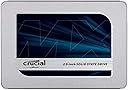
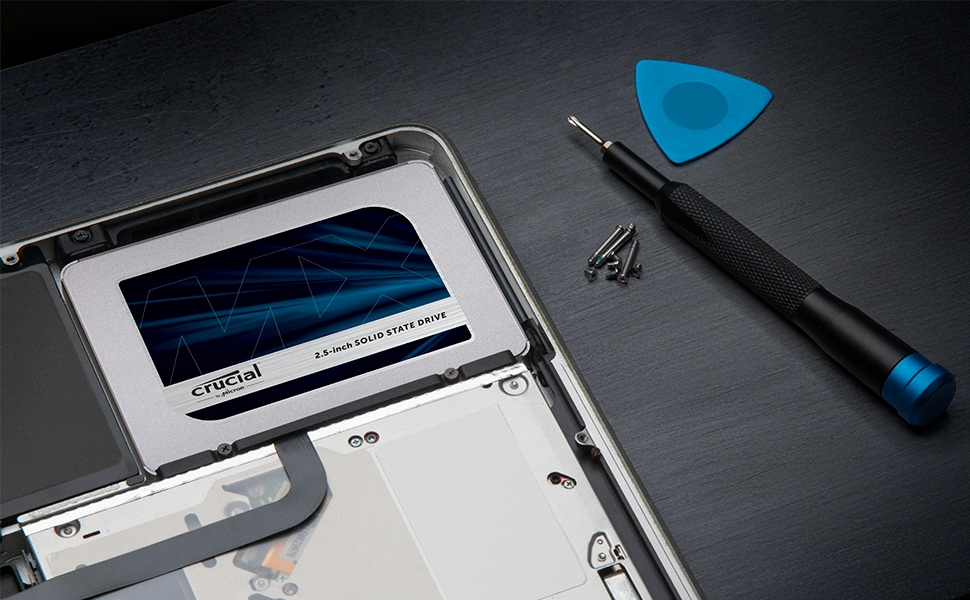
The Crucial MX500 1TB SSD combines Micron 3D NAND technology with SATA 6Gb/s interface to deliver blazing fast sequential read/write speeds up to 560/510 MB/s. Featuring AES 256-bit hardware encryption and integrated Power Loss Immunity, it safeguards your data while boosting system responsiveness. Compatible with both desktops and laptops, this 2.5-inch internal SSD offers a reliable, easy-to-install storage upgrade backed by a 5-year limited warranty and stellar user reviews.


| ASIN | B078211KBB |
| Additional Features | Hardware Encryption |
| Best Sellers Rank | #63 in Internal Solid State Drives |
| Brand | Crucial |
| Built-In Media | Internal Solid State Drive |
| Cache Memory Installed Size | 256 |
| Color | Blue/Gray |
| Compatible Devices | This drive is compatible with desktops and laptops that accept 2.5" 7mm SATA drives |
| Connectivity Technology | SATA |
| Customer Package Type | Standard Packaging |
| Customer Reviews | 4.8 out of 5 stars 41,140 Reviews |
| Data Transfer Rate | 6 gigabits_per_second |
| Digital Storage Capacity | 1 TB |
| Enclosure Material | aluminum or steel |
| Form Factor | 2.5-inch |
| Global Trade Identification Number | 00649528785060, 00649528787392 |
| Hard Disk Description | SATA |
| Hard Disk Form Factor | 2 inches |
| Hard Disk Interface | Solid State |
| Hard Disk Rotational Speed | 7200 rpm |
| Hard-Drive Size | 1 TB |
| Hardware Connectivity | SATA 6.0 Gb/s |
| Hardware Platform | PC; Mac |
| Installation Type | Internal Hard Drive |
| Item Dimensions L x W x Thickness | 4.06"L x 2.76"W x 0.28"Th |
| Item Type Name | Crucial MX500 1TB SATA 2.5 Inch Internal Solid State Drive - CT1000MX500SSD1 |
| Item Weight | 0.04 kg |
| Manufacturer | CRUCIAL TECHNOLOGY |
| Media Speed | 510 megabytes_per_second |
| Mfr Part Number | CT1000MX500SSD1 |
| Model Name | Crucial MX500 SSD |
| Model Number | CT1000MX500SSD1 |
| Number of Items | 1 |
| Read Speed | 560 megabytes_per_second |
| Special Feature | Hardware Encryption |
| Specific Uses For Product | personal, gaming, business |
| UPC | 649528787392 649528785060 649528785152 |
| Unit Count | 1 Count |
| Warranty Description | Limited 5-year warranty |
·**·
Faster computer startup time. Great value.
I just installed CT1000MX500SSD1 and it performed as expected. I installed this in my 7 year old HP Pavilion HPE h8-1360t Desktop PC which had Windows 7 (now Windows 10) with an Intel i7 3770 CPU @ 3.4GHz, 16GB RAM and a 1TB hard drive. At the time, I had no need for a SSD drive as it booted up in 30 seconds at the time of purchase. Over the years with Windows update and upgrade, the boot time increased progressively. I resorted to just hibernating the computer as it was faster than turning it off/on. Now it's about 1.5 minutes and even after signing into my account and after waking from hibernation or a restart. It was less responsive due to all the background services at startup. Opening a simple web browser was sluggish. I had to wait about 5-7 minutes before the system would become more responsive. Last week, I finally decided to upgrade to a SSD as the price has gone down. I was trying to decide between this and one of the Samsung 860 1TB SSD models. The price of the Samsung was a little higher with slightly better performance than this one, but I didn't need the fastest SSD. In my mind this and Samsung were both relatively fast. I chose this one as the best value at the advertised price. The drive came with a small manual and a drive spacer. I did not need the spacer for my desktop. I also bought this drive together with the suggest dual mount kit and a separate SATA III data cable. There was no need to purchase the SATA to USB adapter for my situation as I already had the extra room and with data and power connector inside the desktop. The drive installation was not difficult. The online directions for the migration process were helpful. I wished that the online directions would have displayed separate instructions for notebook/laptop users since they are more likely to benefit from a SATA to USB adater. I downloaded the Acronis True Image 202 0 version for Crucial from the link provided through the enclosed manual. There was no need for a special key to be entered for activation. The software contains the essential features required for the migration process. For Crucial users, a full version can be purchased for an additional fee. I don't see the need for it yet, but it's good to know that they provide the option in case I would like to purchase it in the future. The migration was simple but not as intuitive. If I was cloning the drive directly, it would have been perfect. I chose the manual route to resize the partitions on my target drive and took a little longer. The software instructions didn't really explain very well on how to resize the partitions manually. I had to play around with the settings before getting it to resize the way I wanted it. Ensure that all other applications are closed before committing to the cloning process as the partition will be locked down without additional confirmation. The transfer process estimated that it would take about 4-5 hours, but when I came back an hour later, it was already done. The system reboot was then required. I had to go into the BIOS and switch the boot drive to the Crucial SSD. It definitely booted up faster and the system was not sluggish during startup. The GUI was ready for me immediately. Afterwards, the Storage Executive installation was recommended. The Momentum Cache was a nice feature, but have not enabled it yet. As for overprovisioning, if I had known that it required dedicated space, I would have reserved some before the migration process. After searching on the Internet, I didn't really need the OP feature anyways. I just have to remember not to fill the drive to the max and allow for some room as a swap space like the disk hard drive, but if I do ever get to that point down the road, I can upgrade or add another drive. The computer now boots up faster with about 30 seconds from off/on and 20 seconds with hibernation. I didn't really care to test the read/write speed but the faster boot time definitely renewed the life of my desktop. I would rate the SSD as 5 star and the migration software as 4.5 star.
M**E
Reliable Workhorse – Still Going Strong!
I bought this Crucial MX500 1TB SSD about a year and a half ago, and it’s still marching on without a problem. The drive is 81% full right now with mostly *.mkv videos, and it hasn’t slowed down a bit. Boots are quick, programs open instantly, and everything just feels smooth. Installation was super easy, and I haven’t had to think about it since—exactly what you want from storage. This thing has been a rock-solid upgrade for my system. Definitely one of the best tech purchases I’ve made, and I wouldn’t hesitate to buy another.
A**N
Just the kind of upgrade Needed for my HP laptop
After getting my laptop repaired . It needed a serious upgrade. Switching to a SDD with a 8GB memory card was the best choice for installing updates of windows 11. The SDD came well packaged and undamaged. It was easy to install and has been working without any issues. I purchased this product in May 2026. I would recommend this to anyone who needs a good reliable SDD.
N**L
Great Hard Drive and worth every cent.
Definitely worth the buy; hard drive had no issues and performed better than expected. I Used it for my Fat PS3 to further MOD my system and it operated great and is fully compatible.
C**O
Fast, Reliable, and Worth Every Penny!
The Crucial MX500 1TB SSD is an absolute game-changer for my system! I installed it as an upgrade, and the difference in performance is night and day. Boot times are now nearly instantaneous, applications load in a flash, and file transfers are incredibly quick, thanks to its impressive 560MB/s read speeds. What I appreciate most is the reliability and durability of this drive. It uses 3D NAND technology, which ensures excellent performance over time. The installation was straightforward, and Crucial's included software made cloning my old drive a breeze. Whether you're upgrading an older system or building a new one, this SSD provides incredible value for the price. It’s a must-have for anyone looking to significantly boost their computer’s speed and overall performance. Highly recommended!
I**N
Crucial MX500 SSD: A Quick and Easy Installation for a Significant Performance Boost
As someone who is always looking to speed up their computer, I was excited to try out the Crucial MX500 SSD. Upon receiving the product, I was impressed with how quickly it arrived and the care taken in packaging the drive. Installation was a breeze, and I was able to transfer all of my files over using EaseUS Todo Backup software. While I did have to purchase a SATA adapter separately, this was a small price to pay for the performance boost that I received. Since installing the Crucial MX500, I've noticed a significant improvement in the speed and overall responsiveness of my computer. Programs that once took several minutes to load now open almost instantly, and I no longer have to deal with the frustrating "100% disk usage" issue that plagued my previous hard drive. As for durability, it's still too early to tell, but I'm hopeful that I'll get as much use out of this drive as other reviewers have reported. So far, I'm very satisfied with my purchase. Pros: + Quick and easy installation process + Significant performance boost for my computer + No more "100% disk usage" issues + Competitive pricing for the storage capacity + Good durability based on other user reviews Cons: - Had to purchase a separate SATA adapter for installation - Long-term durability is still uncertain
P**L
This SSD is a game-changer for anyone who is looking for storage capacity and speed!
First and foremost, this SSD is a game-changer for anyone who is looking to upgrade their computer's storage capacity and speed. With 1TB of storage, you'll have plenty of space for all of your important files, documents, photos, and videos, and the 3D NAND technology ensures fast read and write speeds, making it a perfect choice for gamers, creative professionals, and anyone who needs to multitask and run multiple programs at once. But the Crucial MX500 1TB SSD isn't just fast and spacious - it's also reliable and durable. The SSD is designed to be shock-resistant and can withstand extreme temperatures, making it a great choice for laptops that are used on the go. It also has a built-in error correction code that helps prevent data corruption, ensuring that your files are always safe and secure. One of the best things about this SSD is how easy it is to install. It comes with a 2.5-inch form factor that's compatible with most laptops and desktops, and the installation process is straightforward and doesn't require any special tools or expertise. Once you've installed the SSD, you'll notice an immediate improvement in your computer's performance - boot times are faster, programs load quickly, and file transfers are a breeze. Overall, I would highly recommend the Crucial MX500 1TB 3D NAND SATA 2.5 Inch Internal SSD to anyone who is looking for a fast, reliable, and easy-to-install storage solution for their computer. With its spacious storage capacity, lightning-fast read and write speeds, and durable design, it's a fantastic investment that will improve your computer's performance and make your computing experience smoother and more efficient.
R**C
A nice upgrade for an older computer
I'm only writing this because the AI has been nagging me forever to do so. I purchased this about 5 years ago to speed up and upgrade my Mom's computer. It did what I wanted and allowed her to get a few more years out of he machine.
M**N
Easy to install. Good value for money piece of kit.
I won't start by trying to compare this drive with the Samsung EVO or WD drives. There's plenty of reviews already here about that topic, by people far more qualified than me. I would say though, that I, as an 'intermediate' computer user - not a boffin, but have no problem opening a laptop and changing a HDD - I doubt I would notice any real difference in performance between this, the EVO, and the WD. (Cue howls from those in the know.....) Anyway, I digress... I have bought two of these drives, one put into a 2015 16GB i7 HP Envy Laptop, and one in a 2010 6GB Dual Core desktop. The desktop used to take up to 10 minutes to be usable after booting and Windows doing all its business. You could genuinely go off and make a cup of tea (and drink it). After installing this drive, it probably took all of 30 seconds from 'turn on' to usable. It was like a new machine. Photoshop also started up in a matter of seconds rather than close to 2 minutes previously. The laptop is a much newer machine but it too would take 5+ minutes to be usable. This was in part due to the amount of guff I had on the computer, but now, literally 7 seconds from switch on to go!! Photoshop starts in a matter of seconds. Again, like a new machine. The Acronis cloning software that you download via link was straightforward and easy to use. It's not the full version but does what you need it to do. Obviously, to clone, you will need some way of connecting the drive to your computer via a SATA to USB doohicky. Lots of them on Amazon. Crucial Storage Executive, their version of Samsung's 'Magician' optimization software is a bit clunky, not as sexy as Samsungs, but infinitely usable. You don't have to use it though. It's not essential. Just a word if you are looking at a SSD to improve gaming performance. Unless you have a game that utilises a lot of loading from the drive, you probably won't experience much improvement in gaming. That is still dependant on memory, GPU, and processor first and foremost. So, in summary, as an intermediate computer user who wouldn't really notice the difference in performance between the big 3, I went for the cheapest (at the time) option, and I have to say, I have not been disappointed. I do thoroughly recommend it.
B**T
Excellent Product
I had an old Dell laptop XPs15Z, which had HDD with bad sectors over the years. The laptop was deadslow and programs will never load. My nephew suggested to change to SSD and upgrade RAM to 16GB, which I purchased and this Crucial SDD gave me 100% relief from my trouble. Now improved from 8GB to 16GB with my new Crucial SSD, my laptop is superfast now. I am really satisfied and will recommend this to every one who do not want to buy a new laptop spending heavy
M**N
Fiyat Performans Canavarı
Öncelikle kafamda çok soru vardı.Hem donanım seçimi hem donanımın clon yapmak için sunduğu yazılım kalitesi.Ama bu ürün ikisini de sunuyor, internet sitelerinde her şeyi adım adım anlatmışlar,aynen yaaparsanız hiç problem olmuyor.Ben kendim ilk önce eski hdddimi yeni ssdme kopyaladım sonra hdd yi çıkarıp ssdyi taktım bilgisyarı açıp.Sonuç 10 snde açılan bir bilgisayar oldu :)
B**A
سرعته حلوة
شغال معايا وحلو وسريع
D**U
Recommended
After a year and months later, this storage medium held up well, doing the same fast transfer speeds at an old laptop. I recommend this for people who doesn't want to spend a alot on computer parts.
Trustpilot
2 months ago
3 weeks ago