🔐 Unlock elite security with a tap — your digital life’s new best friend.
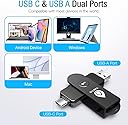
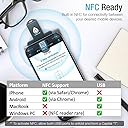
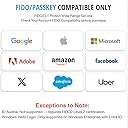
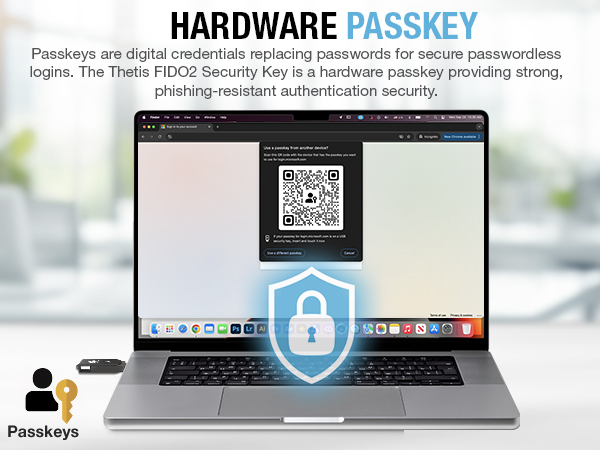
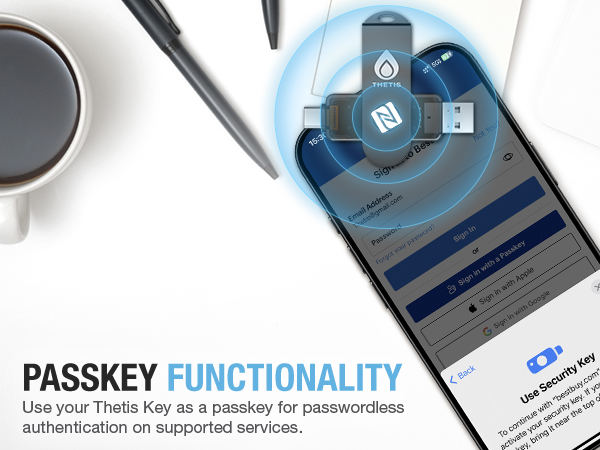
The Thetis Pro FIDO2 Security Key is a compact, ultra-durable two-factor authentication device featuring dual USB-A and USB-C ports plus NFC for versatile, multi-layered protection. Compatible with Windows, MacOS, Linux, and major online platforms, it supports over 50 passkeys, ensuring robust security without batteries or network dependency. Its 360° rotating metal cover offers tamper, water, and crush resistance, making it the perfect portable security companion for professionals who demand seamless, high-trust access control.


| ASIN | B0BJP64YTT |
| Best Sellers Rank | #199 in USB Flash Drives |
| Color | Black |
| Connectivity Technology | USB |
| Customer Reviews | 4.2 4.2 out of 5 stars (1,191) |
| Date First Available | November 5, 2022 |
| Flash Memory Type | USB |
| Hardware Connectivity Technology | USB Type A, USB Type C |
| Item Dimensions LxWxH | 2.9 x 0.72 x 0.5 inches |
| Item Weight | 1 ounces |
| Item model number | MB000493 |
| Language | English |
| Manufacturer | Thetis |
| Model Name | Thetis PRO FIDO2 Key (flip-x) |
| Product Dimensions | 2.9"D x 0.72"W x 0.5"H |
| UPC | 196852715633 |
R**M
Easy To Set Up - Works Great!
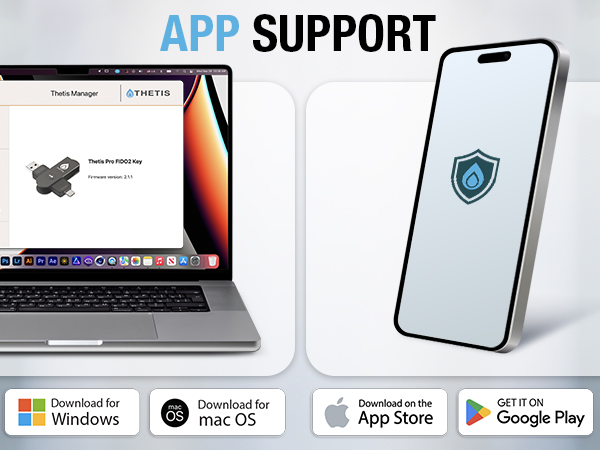
This security key is very easy to use. I used it to set up Passkey security on my Gmail account on my Windows 11 PC. To do that, here are the steps I used: 1. I went to the Thetis web site listed in the instruction manual and downloaded the Thetis Key Manager. 2. I then started the Thetis Key Manager in Administrator Mode. It tells you to insert the key in a USB port. You have the choice of USB-C or A. 3. You're then presented with a list of options, some based on different Thetis devices. For my test I selected FIDO. 4. You then are instructed to set a PIN. It doesn't tell you the minimum number of characters to use. I first used 4 and it failed. I then used 8 characters and it succeeded. You can then close the app as you're done with it unless you want to change the PIN. 5. The key has 50 slots, according to the product page, which means you can secure up to 50 apps or sites with the key. The instruction manual says it has 200. At any rate, it's a lot. 6. In my test, I wanted to secure my Gmail account with the key. To do this, I went into my account and clicked Manage Your Google Account...Security...Passkeys and Security Keys. 7. You're then prompted to enter your Gmail password. 8. From there, you then click Create A Passkey twice on 2 screens. 9. It then prompts you to plug in your key and press the button when prompted. 10. Your passkey is then registered for Gmail on your security key. I've listed the steps in detail but in reality it's pretty simple and fast. From then on, any time I need to log into my Gmail account I'm prompted to plug in the key. The process works well. The device itself is well constructed so it seems it is built to last. The included instructions are sufficient to get you started. It comes with a little pouch and keychain you can use to carry it around. It would seem prudent to get a second one as a backup in case you lose or break one. All in all I'm very happy with this security key. The price is very reasonable compared to other security keys on the market. It's easy to use and works well.
H**E
Top-Notch Security - Worth the Investment!
I recently purchased the Thetis Pro FIDO2 Security Key, and I’m really impressed with its performance and build quality. The setup process was quick and easy with clear online instructions, and it worked flawlessly across Windows, MacOS, Google, Microsoft accounts, GitHub, and more. The versatility of the dual USB ports (Type A & Type C) makes it compatible with both my Apple devices and older devices with no USB ports thanks to its NFC functionality. This is a huge plus for anyone with devices lacking USB A or C connections. While iOS and Android devices have some limitations, the mobile app and downloadable software for desktops make the key even more convenient to use. The security it provides through two-factor authentication and 50 passkey slots is fantastic. It’s sturdy with a solid metal design and comes with a nice carrying case, making it feel much more durable than other FIDO2 options. Although it’s not the cheapest option, the price is reasonable for the quality you get. The lack of wireless features like Bluetooth makes it feel more secure, ensuring there are no concerns about wireless vulnerabilities. If you’re serious about protecting your online accounts and want a reliable, long-term solution, this is a great investment. Highly recommended!
A**G
Compact and Portable Security
Overall I find the FIDO2 to be a very good product. I did have issues with setting the PIN as the instructions do not tell you how many characters are needed for the PIN. I tried a 4 PIN code but it didn't work so I contacted the company who then indicated it was an six (6) digit PIN needed. Loved the dual USB ports being available. It certainly felt to be very sturdy. Fast and reliable. If you want to feel more secure, this is the product for you.
A**O
Perfect way to have security without keeping track of all of your passwords
After getting some of my accounts hacked I decided to enforce more security, with 2FA and the Thetis pro security key. This device works like a charm! I used it on windows and Mac and it worked very well on both devices. I haven’t tried the iOS connection yet but it’s great to know that it’s compatible. The setup is very easy, just follow the instructions and you are good to go in a few little steps. The security is great, adding a physical element to your passwords, which is virtually impossible to hack. The device is VERY small and fits as a key chain or in a pocket, this is quite easy to transport anywhere and keep it handy. It comes with a small travel pouch which is a nice touch as well since you want to keep it with you. Overall a very nice product that does the job! Highly recommended.
M**S
Don't waste your time.
Just purchased and find it is a pain in the ass. 1. I had to wait an hour before I could try to set up key on my iphone only to have iphone tell me I need 2 of these so one is useless. 2. I went to try and set up windows computer but security key just keeps asking to reset security key. I tried a couple of youtube videos but they are only about 1 minute and end with plug your key in to windows and follow the prompts. But no where can I find a detailed how to. So passwords are a pain but here's the real pain: to log in to my computer I use a windows hello pin. Fine.. Then when I am in and I want to say log in to amazon I have to first put in a windows hello pin in order to have the user name field fil out then another windows hellp pin prompt for the password and depending on the website I then need to wait for a text security pin that I then have to enter in order to access the site. I thought getting a physical key would make this simpler but it seems the hype is more the the use value. Oh I didi manage to set one website to use the key but it 1. wants me to "touch the key" - which means press the button then 2. put in the pin #. I surrender.
T**M
I'm a novice, but this easily worked for me
This was easy to set up and use. I have used it to access three different websites now, and it works great.
G**N
Very easy to figure out how this works.
S**R
Funciona perfecto. Necesitaba una llave FIDO para asegurar mi gestor de contraseñas. Y me encanta que tenga NFC para utilizarlo en el smartphone.
C**S
Gostei muito, a unica desvantagem é que continuamos tendo que digitar a senha, eu achava que so a chave ja seria o bastante e eu nao iria precisar digitar mais a senha. Porem é uma seguranca grande ter a chave de seguranca FIDO é uma protecao a mais.
K**N
Heel tevreden met deze YubiKey. Ik kocht deze omdat ik mijn Smartphone soms thuis vergeet en anders bepaalde programma's met tweeledige identificatie niet kan gebruiken op mijn laptop. De YubiKey hangt aan mijn sleutelbos.
J**S
Got this as a secondary key to my primary YubiKey, it works great, having usb C and A all in one is very convenient, and the NFC mode works well too. So far it’s worked on all platforms I’ve tried it on. Was easy to setup on Windows but can’t say how well it would work with Linux or MacOS
Trustpilot
5 days ago
2 days ago