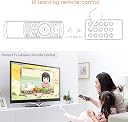
🎯 Master your media & multitask like a pro with the Rii Mini i25!
The Rii Mini i25 is a compact, rechargeable 3-in-1 wireless remote combining an air mouse, full QWERTY keyboard, and IR remote control. Featuring a 10-meter wireless range via 2.4GHz plug-and-play USB receiver, it supports Android, Windows, Linux, and multiple devices including TV boxes, PCs, and IPTV. With up to 6 months battery life per charge and customizable IR learning, it’s designed for seamless, eco-friendly control and productivity.
| ASIN | B00INITM1E |
| Best Sellers Rank | 5,746 in Computers & Accessories ( See Top 100 in Computers & Accessories ) 77 in Computer Keyboard & Mouse Combos |
| Guaranteed software updates until | unknown |
| Item model number | i25 |
| Manufacturer | Rii |
| Product Dimensions | 17 x 4.5 x 1 cm; 160 g |
C**S
Great product...
Really good product! Works well with tv & computer...
P**5
Great remote for android/tv
Love the programmable orange buttons. You can change the function of any of them to do any job of another remote. Mini keyboard on the back is easy to read and use. Best if all no more batteries flying everywhere if you drop it and charge indicator so you have plenty of notice it needs a recharge.
G**T
Works Great with Kodi
A great product and reasonable value for money. Works perfectly with Kodi v21.2 (Omega) running on LibreELEC 12.2. Gets detected as a keyboard and mouse, with all the buttons mapped correctly. You can change your key map in Kodi if you wish to change how the keys function. The only annoyance for me is the air mouse is always enabled when you turn the remote on. You only have to press a button to disable it, but I would have preferred it to be disabled by default. The function of the air mouse is handy for something you need to occasionally click on, but I find it unnecessary for how I use the device 99% of the time. The IR learning function works well and gives a convenient way of switching between AV sources and powering a TV on or off without the need of a second remote. There are 5 programmable buttons. The included instructions were not correct for setting this feature up. You need to press and hold the orange button you wish to programme for 5 seconds until a yellow light appears next to the blue power light. Release the button, then aim the remote you are learning from to the head of the remote and press the button you wish to clone. The yellow light will then blink twice to confirm the button has been programmed. The wireless connection is good and has worked flawlessly. Too early to comment on battery life, but it has not required recharging since purchase over a month ago. Don't forget you can also use the free official Kore Android and IOS app to control your Kodi device from your phone or tablet or the Cast Kodi web browser extension from your desktop computer. The remote is a nice physical device for use by the less tech savvy members of my family however.
J**J
Good enough with rPi Kodi
Using it with a rPi installed with XBMX/Kodi/OSMC/some variation (so this review may influence those with android boxes, etc). Some of the buttons on the controller side don't work (volume, search, and some other useless features), the main controls (up, down, select, back) work. There's no way of 'escaping' to return/cancel, so I just use the keyboard side. The air mouse is pretty cool, but moderately useless if you're up close to it (should be more effective on a higher resolution with a larger monitor, but there is a dpi toggle). Design is good, fits nicely in hands. Would be nice if there were more (functional) buttons on the controller side though. For the price, it's not bad - fair, it was somewhere in the middle. Not a bargain but not too extreme either.
R**S
No backlight to buttons
It’s ok, works alright, defaults to arrow floating on screen every time I switch off and back on. This I could have looked past if it had a back light to buttons. Need light on to use. Disappointed in lack of feature here or this would have been a main remote for me. Now it’s just a back up in draw
A**A
A game changer for Android TV boxes
If you are frustrated trying to type on a TV using a standard remote, get this. The air-mouse feature (where you wave the remote to move the cursor) works surprisingly well, but the real star is the full QWERTY keyboard on the back. It makes searching for movies or typing passwords instant. The battery lasts ages on a single charge.
J**N
Playstation 3 users - read before you buy
Hi there. I bought this remote to replace gaming pad to my PS3. Im not playing game anymore just want to play Netflix on my PS3. Unfortunately this remote CAN NOT replace your gaming controller completely. 1. After turning on all the time the air mouse is by default on so its little bit annoying to turn it off. On air mouse sensitivity is horrible and all of the main menu things on the screen is changening in the light speed. Good luck with choosing the right one. 2. On the air mouse side only OK and direcrion keys are working. There is back buttons but unfortunately doesn't work with PS3. You have to turn the device and press ESC button everytime when you want to bo back. 3. After launch app like Netflix for example you are not able to rerurn to main menu completely. Om this remote there is no Home key or start key or any other to allow you to go back to the main screen without turning off your console. Before buying i read some reviews and information from the manufacturer. You shouldn't write any information to rhe customers that your device can operate PS3. Simply can't! Overall good piece of good quality of plastics, good size and good value for the money. But not usable for me :(
D**H
Awful!
I built a mini pc to use for recording some footage, I needed a keyboard and mouse but also a remote so figured I would give this a try. It is awful, it loses connection at more than 2ft away from the receiver, it constantly requires adjustment of your hand to different places to get it to register the mouse movement on the pc, which then causes the mouse to move to a different location on the display meaning it's difficult to control the mouse. The keyboard function is not bad, which is why it get's 2 stars overall, but it truly is awful, I do not recommend this!!
Trustpilot
4 days ago
1 month ago