Buy anything from 5,000+ international stores. One checkout price. No surprise fees. Join 2M+ shoppers on Desertcart.
Desertcart purchases this item on your behalf and handles shipping, customs, and support to Argentina.
💼 Elevate your hustle with the Pixelbook — where power meets versatility
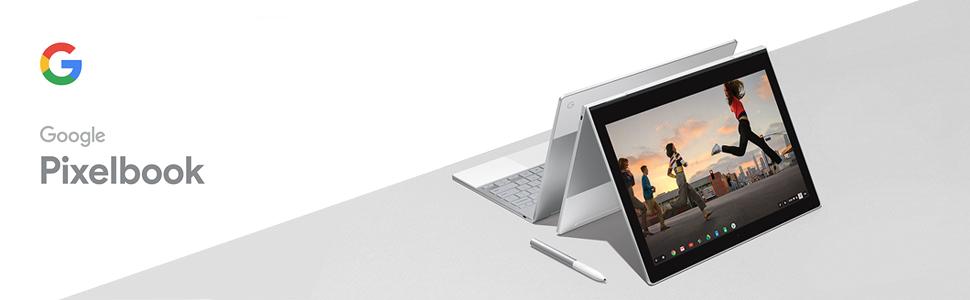
The Google Pixelbook GA00122-US is a premium 12.3-inch Chromebook powered by a 7th Gen Intel Core i5 processor, 8GB RAM, and 128GB SSD. Featuring a 360° touchscreen, built-in Google Assistant, and up to 10 hours of battery life with fast charging, it adapts seamlessly to your work and play modes. Its ultra-thin, lightweight aluminum design and Chrome OS ensure fast startup, automatic updates, and robust security for the modern professional on the move.


| Standing screen display size | 12.3 Inches |
| Screen Resolution | 1366 x 768 pixels |
| Max Screen Resolution | 2400x1600 |
| Processor | 3.3 GHz core_i7 |
| RAM | 8 GB DDR3L SDRAM |
| Hard Drive | 128 GB SSD |
| Graphics Coprocessor | HD615 |
| Chipset Brand | Intel |
| Card Description | Integrated |
| Graphics Card Ram Size | 8 GB |
| Wireless Type | 802.11n, 802.11b, 802.11g |
| Number of USB 3.0 Ports | 2 |
| Average Battery Life (in hours) | 10 Hours |
| Brand | |
| Series | Google PixelBook |
| Item model number | GA00122-US |
| Hardware Platform | Chrome |
| Operating System | Chrome OS |
| Item Weight | 2.45 pounds |
| Product Dimensions | 11.43 x 8.69 x 0.44 inches |
| Item Dimensions LxWxH | 11.43 x 8.69 x 0.44 inches |
| Color | White |
| Rear Webcam Resolution | 8 MP |
| Processor Brand | Intel |
| Number of Processors | 2 |
| Computer Memory Type | DDR SDRAM |
| Flash Memory Size | 128 |
| Hard Drive Interface | SATA 3 GB/s |
| Hard Drive Rotational Speed | 1 RPM |
| Power Source | Battery Powered |
| Voltage | 3.7 Volts |
| Batteries | 1 A batteries required. (included) |
J**N
I will try to explain why this is the best laptop/convertible currently sold for those with the budget to ...
I have owned a Pixelbook (base model) for 45 days now (having owned a Chromebook Pro, my first-ever ChromeOs product, for 30 days prior) and after reading countless professional and owner reviews I wanted to write one captures the essence of the Pixelbook and what makes it so attractive and why it is worth its price to many who would cross-shop it with Windows and Mac alternatives. I will try to explain why this is the best laptop/convertible currently sold for those with the budget to spend $1,000 give/take for a laptop and, importantly, for those who have been able to determine either that ChromeOs (including Android App access) will meet their needs and/or that they own a Windows or Mac device that will provide the capability needed for use cases that the Pixelbook/ChromeOs presently do not support. I'm about to go down the path of paraphrasing what another Amazon reviewer, Dave Levy, already stated more succinctly than I will, but the purpose of my comment is to add depth to Mr. Levy's review for those who found his words persuasive but may still feel some hard-do-describe level of skittishness to "pull the trigger" on a Pixelbook. In no particular order: 1) The Pixelbook ("PB") is absolutely on-par with or well above it's competitors in the premium laptop/convertible market with Mac Os or Windows 10 from the standpoint of user experience. 2) The PB is best-in-class (again, the highest end of the laptop/convertible market segment) - or tied for best - in these areas of hardware look, feel and response: a) keyboard; b) trackpad; c) display; d) stylus (with both the Google branded version or several other "Wacom AES" alternatives I've tested); e) connectivity (both wifi and bluetooth [4.2]. 3) The PB is below class-leading, but still fully acceptable, in the following areas: a) audio quality (acceptable for most laptop use cases, but fair to say headphones or auxiliary speakers are needed for high quality/room-filling sound); b) keyboard backlight (fine for dark ambient light environment but weak for "dusk" type ambient lighting, when some assistance is helpful but the backlighting is not as bright or complete as preferable and as provided by some of its peers, including some lower priced devices; Google should improve this through software update or next hardware update cycle, but it's very far from a deal-breaker); c) user authentification (in 2018, a premium device should have easy, fast biometric authentification as an option and the PB does not; this is a must-fix for first hardware update cycle.) Other than items noted in 3), above, there is no aspect of the user experience in which the PB can't be described as the finest laptop/convertible user experience available today - or ever produced - in this size and price class. 4) It is in no way accurate or fair to call the base model "overpriced 'for a Chromebook'" or "overpriced" in any way. This device is so beautifully designed (though this is a matter of taste) and so brilliantly executed that, IMO, it is the finest piece of electronic device kit I have ever had the pleasure behold and use. It's really that gorgeous, that perfectly made, that smooth and fast to respond - in the ways that a fine luxury good (in addition to computers, smartphones and tablets, automobiles come to mind in comparison - might stand out as being. It makes me smile. I look forward to whatever task I approach when I realize I'm about to use my Pixelbook to get it done! I guess you have to be a person who really notices and cares about design and quality for this to matter to you. Nothing wrong with someone who doesn't - in fact, you will save yourself many hundreds of dollars by purchasing either a Chromebook Pro or Asus Flip CS-302 if you want a good, strong, well-made Chromebook and just don't care so much about the finer points of design, engineering and craftsmanship because those alternatives have all the ChromeOs goodness and same features as the PB though they may lack only at the margins some of the storage (though the other 2 have micros SD card support while the PB does not) speed, thermal control, keyboard/trackpad quality and overall excellence of the PB (and, in the case of the Asus, active stylus support.) This is clearly a luxury purchase. And, in fact, I've spent 45 days now - last day of return window: tomorrow! - equivocating over whether I can justify to myself indulging in this luxury. (My decision is a little easier because I got my PB when Amazon had a pre-Christmas deal for $800 and Google had promotions, including a $62 credit against my Netflix bill, $40 worth of free Google Drive subscription fees - that I have been and would've continued paying - and a $50 credit to my Google Store account - for apps or devices - as a concession because Amazon didn't offer the Google Home device and Google was throwing in a free Home speaker if you bought it from Google. Thus my true cost for the PB was effectively $710, a price point many have noted they would feel more comfortable paying. Just between you and me, I would still be buying it if my cost was $999 ;) If you can afford it and you want a very high end device and you've determined a Chromebook has an important place in your device arsenal, you couldn't find a more certain way to spend $400 extra and be certain it would bring you so much enjoyment. I suggest you buy it from a vendor who provides preferably 30 day trial with full refund option. Again, presuming you had already concluded you want/need a chromebook and it must have what for chromebooks are the higher end spes, I imagine you may go through the same process as I have and, what you decide as your return window closes will inform you as to how much you truly adore the design/execution of this product and whether you can justify the $400 luxury indulgence. My guess is that you will make the same decision as I did, even at the full retail price of $999!
D**I
Love it! Enjoying it more than my $2K+ Macbook Pro in every way but one ...
Let me state up front, this review is not meant to compare the Chrome experience vs. Windows or MacOS. That's a whole topic unto itself and suffice it to say that as a (mostly) Mac User I am enjoying the Chrome experience so far, but again that is not the focus of my review. Instead this review will focus on 'everything except the OS'. The build quality, materials, Industrial Design/look-and-feel, beautiful product packaging, etc. all seem very "Apple Like" (and I'm saying that as a complement). It seems to me that Google has equaled Apple and Microsoft Surface in terms of building a beautiful premium product. In a sense they have outdone Apple in that you can't get anything like this from Apple (i.e. Apple doesn't sell a 4-in-1 ... a laptop that doubles as a tablet). And in my experience, no tablet with a keyboard is as rigid as a true laptop hence none of them feel as good when you're using it as a true laptop (i.e. it's sitting on your lap and you're banging out something longer than a tweet). Now I will cut to the chase and mention the one thing that I didn't notice when I tried out the Pixelbook at a retailer, but within a half hour own owning it I suddenly noticed it and now it bugs me: it's the large black border on all 4 sides of the active screen area. I guess I've gotten spoiled by the MacBook Pro Retina, which has a relatively thin 0.3" border (give or take) on all 4 sides. The Pixelbook has a border of roughly 0.6" on the left and right, and 0.75" top and bottom. This may not seem like a big deal, but with the Pixelbook being pretty compact to begin with, this effectively makes the screen quite a bit smaller and less usable than it would be if it stretched nearly edge-to-edge. I thought about deducting a star from the rating because of this big border, but I googled a bunch of pictures of Chromebooks and it looks like ALL BRANDS are the same ... I guess it's just a Chromebook thing. Plus hey it's advertised as a 12.3" screen, which is accurate ... I just wish they could have squeezed a 13+" screen into the 14" lid. That being said, I love just about everything else about the Pixelbook. I prefer the keyboard over the newer Apple keyboards, and I MUCH prefer the touchpad to the Macbook Pro touchpad. Battery life is great. Screen brightness/contrast/resolution is awesome. It feels very quick and responsive with one small exception which I will get into later. But mainly it just feels very solid, looks gorgeous, and has a great minimalistic design. The small exception I noted above has to do with screen scrolling within the Chrome browser. Sort of hard to explain, but if you scroll quickly it is very smooth and responsive up to a point, but if you quickly scroll down more than maybe half a page there is a pronounced lag. Again this is my first Chromebook so I don't know if this is a Chrome OS thing, or a limitation of the CPU or Graphics processor or neither, but whatever it is, it detracts slightly from the otherwise very responsive feel. So back to the positive, I really really like this device. In my book it's worth the premium price over the cheaper Chromebooks I have seen, and at the $699 Black Friday/Cyber Week price it was a bargain compared to a Macbook Air or Surface Pro. At the full $999 retail price the value proposition is more questionable compared to other premium Chromebooks I looked at such as Lenovo and Samsung, so I am hoping Google brings back the $700 sale price soon.
A**R
Bought it. Returned it.
I wanted to love the Pixelbook, but I ended up returning mine. Here's why: (1) Too small. After a decade of using a 13 inch MacBook Air I find the Pixelbook to be just too small. It doesn't sit comfortably on my lap and the keyboard is too small. (2) The edges. The Pixelbook is a well-manufactured machine but the design includes lots of hard edges. If I lie down and try to watch a movie while the Pixelbook rests on my body the edge eventually gets uncomfortable. Using it in tablet mode is uncomfortable for the same reason. (3) Google Assistant. I could not get this to work, even with my Google account that I control. And because the keyboard is arranged poorly I kept pressing the assistant button by accident. (4) Netflix. Does not work. This eliminates one of my cost justifications for getting the Pixelbook... thought I could eliminate the purchase of a new tablet for watching movies in flight. (5) Cost. I can get a refurbished 13 inch HP Chromebook with much better specs (m7 + 16GB of RAM) for 40% less. Mine is going back to Amazon... you can have it.
A**A
That little laptop beats my expectations... but it's not for everyone.
By far still one of the best Chromebooks available and it commands its high price. The built quality is excellent and so are the materials used (the sound it makes when you close it is the sounds of luxury!) The screen is excellent, on par with what you would find on a competing Macbook or Microsoft Surface. Personally, I am very partial to the 3-2 screen form factor -- better for productivity and web browsing but not as good to watch movies or videos. Battery life is good (7-8 hours easily) but not class leading. The keyboard despite low travel manages to give very nice feedback (better than the Surface Pro "floppy" keyboard and much better than recent Mac keyboards, maybe not quite as nice as Mac old keyboards). Used as a tablet, it's very serviceable even if feeling the touchpad and keys on the back feels weird, even if they are disabled and do not interfere. I don't feel it too heavy but is not an iPad obviously. ... and now we have to talk about the software. Since Chrome OS 72, that little unit can run Chrome OS web apps, Android apps (It runs Android Pie and Google Play store is pre-installed). You can also install a debian-flavor Linux virtual machine not unlike what Windows 10 offers with the Linux Subsystem. In other words, you can install A LOT of software and, while the integration is still a little clunky, there is really not much you cannot do with that machine. Linux integration especially is still rough around the edges. All that being said, it will take some work and experience to get the best of the laptop (Linux apps take it to the next level... but it's Linux...) and if you are looking for a Chromebook with no plans to leverage Android or Linux apps, you will most likely be happier with, say, an Asus C302 that only costs half the price. If you are not afraid to experiment and appreciate the simplicity, security, and stability of Chrome OS, you will thoroughly enjoy that laptop... I know I do! Final comment: I DO own this laptop but I did not buy it from Amazon. The one I ordered from Amazon was fulfilled by Amazon and it got lost in transit. That can happen, oh well... but the way AMZ handled it was abysmal. Over the 4 days it took before we finally all agreed that it was lost, I got a mix of reps who lied to me (I was told two days out of four that the package was out for delivery!), the condescending treatment, and overall a total lack of care transpired. Very disappointed in AMZ to the point of questioning if I should continue to pay for Prime... I'd rather call Comcast 5 times rather than contacting AMZ support once. Plus I found it cheaper on another site! So it ended well.
B**N
Excellent!
I purchased this in Mid-November (2018) when it was on sale. I also owned the 1st generation model. This model is much lighter and has much, much better battery life. It has a great track-pad, nice screen, is very snappy in operation. These new models support Linux and Android apps, if you wish to use them, as well. It also has Google Assistant built-in and even has a dedicated key for it. It also has the new 4-in-1 modes: laptop, tablet, tent and entertainment. The keyboard is very nice. I like the rubberized pads (palm rests) and the glass on the back of the lid (which improves WiFi performance). I don't have the pen yet, but will probably get one at some point as that is a nice plus as well. The battery life is exceptional. I am getting the promised 8-10 hours of daily use. Also exceptional is the fast charging. I can fully recharge in 60-90 minutes with 60 or so typical. That's truly exceptional and a very welcome improvement. (Plus, if needed, during a long day, a 15-min "touch up" recharge can keep you going for hours.) I have the i5 model and it's plenty fast, have never noticed any lag at all. As with most Chromebooks, startup and shutdown is very fast. Plus you can just close the lid and it will sleep and consume very little battery power. So I generally just leave it on all day in this mode as I use it. Very convenient. It "wakes up" nearly instantaneously. As with all Chromebooks, you get good security, painless, quiet updates "behind the scenes" and no need for all that software you have on windows just to make it safe and reliable. Everything is quick, easy and nice. I am a longtime ChromeOS user, so I love it, and I think most will once they get through the short "adjustment" period. The fast painless operation is a delight. My only nit is that, as a photographer, I miss the built-in SD card reader most Chromebooks have traditionally had, but you can hook one up via USB-C, of course, and with the 128 GB SSD there is less need for it, of course. So, all in all, I am very pleased with this new model which is a delight to use and functions very well. 2019-11-28: 10 months later & still loving this excellent Chromebook! Super Pixelbook. 2023-07-16: Just short of 5 years and I still love this thing. Still works fine. Still one of the best screens and best keyboard on a Chromebook. No longer my main laptop (I use an Acer Spin 713 now as my main CB) but I still use it and love it especially for reviewing artworks and photos. Superb viewing angles, colors and brightness. Only big complaint I have is that the battery drains charge when turned off and not used for several weeks, but not a big deal. It charges up quickly and I use it now at home and plugging in is not a problem. But it does seem a bit odd that it drains so fast when not in use. Other than that, still loving it.
J**G
Amazing laptop - assuming you know the limits of its strengths
I purchased the base model Pixelbook about three weeks ago for $820. I love it. There are a lot of other good Chromebooks - including the new high-end Samsung and HP ones. So why did I feel so compelled to buy this pricier Chromebook - and write a lengthy review on a Saturday morning when I rarely write reviews? I have a Windows 10 PC, but I bought a Chromebook because I value the simplicity, speed, and reliability of it far more than I value the ability to install very specific desktop software. I was tired of all of the automatic updates and bloated features that Microsoft would randomly roll out. I noticed I haven't installed software in some time. Instead, I was spending nearly all of my time working in Chrome - between Google Apps and a variety of web-based software (which is far superior to its desktop counterparts in most cases, sans with very specific technical/creative work). And instead of things like Microsoft Office, I rely on GoogleDocs because I value the ease of creation and sharing far more than I value all of the extra features I don't need. After realizing that I spend 90%+ of my time utilizing my web browser for everything (including work), the decision to get a Chromebook was a no-brainer. And it helped that I started on an HP Chromebook 14 5 years ago - which still worked, though I wanted something faster and sleeker. As stated above, there are a few other high-end Chromebooks to choose from, as well as some good middle-range ones, so why the Pixelbook? I'll say that the discount on the device to $820 (from $999) was the catalyst. I determined that I'd much rather spend the extra ~$200 on the absolute best Chromebook over another certainly good Chromebook - in order to get the improved build quality and most optimized Chromebook that I could get, including with the Google ecosystem. I love my Google Pixel 2 phone, so I've seen how Google's hardware is top-notch. Also I know HP and Samsung hardware can be a bit iffy, and Samsung has had a bloatware issue with installing extra things. The Pixelbook looks/feels super sleek, the keyboard + trackpad are fantastic, and the wrist rests are a very nice touch. The screen is bright with great resolution. At a few of my previous employers, we all received a Macbook Air. I essentially was looking for the sleekness and build quality of the Macbook Air, without the Apple OS (which I couldn't stand / I always found cumbersome). I believe the Pixelbook reaches that standard. When it comes to performance, this computer is super fast, with a ton of RAM and a high-end processor. You can be confident this thing will continue to fly through whatever Chrome tabs / extensions (and probably Android apps) you throw at it. I have only one main qualm with the Pixelbook which doesn't bother me too much - the bezels (the black empty space between actual display and the frame of the computer) are insanely big. I share the same gripe with my Pixel 2 phone. Hopefully Google stops this in the future. The only other qualm is that the Pixel Pen stylus is insanely expensive. With a lot of research, I purchased a ~$15 off-brand stylus which I look forward to gently trying (researched to ensure it didn't scratch the screen). Who will love the Pixelbook: someone who uses mostly a web browser when on the computer (and open to continuing to use web applications over desktop ones) - and really values the premium on high-end hardware and ensuring that they have the best performance. From standard web browsing to the continually increasing number of business applications that by default run in the cloud. *If you fit a lot of the above in terms of computer usage but don't usually have a ton of tabs open / don't need the fastest thing and price is definitely more of a priority, there are some great Chromebooks from brands like ASUS and Acer in the $250 - $400 range, some of which even have metal bodies and touchscreens, which you'd likely be very pleased with. My mother is approaching 70 and consistently has a ton of problems with her Macbook Pro, so I'm continuing to work to get her to sell that and get one of these instead. I think Chromebooks in general are perfect for seniors and young children. Who will not like the Pixelbook: if you are super huge Mac enthusiast and love their ecosystem (get a Macbook Air then), if you are super into gaming, or if you rely on demanding desktop software for creative/technical purposes. What comes to mind is if you're a full-time pro and need the advanced features of software for video production, Adobe CC, specialized finance requiring extremely complex Excel functionality (though maybe the cloud version of Excel has those features), data scientist requiring desktop-only software, or even someone like an Architect that needs industry-standard CAD software. But for the majority of us doing basic computer things, a Chromebook is an extremely wonderful breath of fresh air. It boots super fast, updates are quick and barely noticeable, and it's a reliable computer. If price happens to be a priority, Chromebooks have you very well-covered. It is a tremendous relief not thinking about renewing licenses, installing updates, or other things getting in the way of you just firing up a browser and doing your normal things. And if having the best speed and hardware is something you really appreciate -- I would highly recommend the base model Pixelbook. To be totally honest, I'm not sure if I'd recommend it at $999, but I'd recommend it for as high as $850 (remember I bought it for $820). Good news is that I've seen a bunch of other sales like that, and it's even gone multiple times down to $750. I personally don't see the value in the higher-end Pixelbooks in terms of noticeable performance differences for the significant price boost over the base model.
A**T
Okay for the price.
Update: 04/27/2018: Google finally decided it was their fault and sent me a new refurbished device after showing them this review. In my mind it should not have come to that. That said, I can't help but still like the device for many reasons but fault for a number or reasons as well. Cons: 1. The screen is very weak. It is not the kind of build you would expect on 1000 dollar device. 2. The touch pad on this device highlights while typing and deletes emails. Normally on windows devices you can disable while typing. amazing that google does not have a feature like this. The good. 1. The keypad is nice and backlight 2. the screen while weak is beautiful looking 3. Its fast and speedy. All and all I think 3rd generation would get it right. For 1000 it should have these designed flaws fixed. However it is a great notebook if you get it on sale around 700-800. ------------------------------- Well it started off really well: Nice looking design, light weight, fast, sleek, the screen looks nice, the keys are nice to type on - way better than the past 3 Chromebooks I used (the original, Samsung and the Asus flip). Fast forward 3 weeks: freezing started happen more often, WiFi a bit sketchy, connecting and disconnecting over and over at times on the same network the my Nexus6p - a device known for wifi issues on andriod 8.0 - zoomed along at the same time without the same problems. The download speeds on my Nexus 6p are often faster as well. Also poor battery life: 3.75-4.25 hours max with the screen about half brightness or less, Turn it higher, forget making it to lunch if you don't have your charger. Then 6 weeks later: the screen cracked while it was sitting on my desk - where it sits most the time - and I was typing (no I am not a violent typist lol). This device has never been dropped (I will attach pictures showing it's pristine condition). I contracted google thinking that they would fix it since it had to be a manufacturing flaw. They asked crazy questions about what temperature is the inside vs out etc. Long-story short, it took 18 days for them to finally say they won't fix it and I can pay $450 to fix it - nearly half the price of poorly made device that was already over priced. You'd think that getting a bad review that has pictures that clearly show the device was not dropped and broken screen would convince google to fix the crappy device they made. Nope. They don't care about you. They are already on to the next fool like me who will pay up for a poorly designed, fragile, overprice hung of aluminum. Well I will not buy a first release google device again. I learned my lesson. Maybe they will get it right in 3 -4 more builds. But I essentially allowed myself to get ripped off by google. Shame on me, shame on google. Long-story short, if you can somehow pick this up for less than 400 maybe consider it. Aside from that, get the more durable cheaper Chromebook like the Samsung pro which is what I should have bought for half the price and 4 times the build quality.
J**N
Best laptop of the year!
I recently chose to switch from Windows to Chrome OS. I purchased the Samsung Chromebook Pro back in May of 2017. I liked it quite a bit, however I was not impressed with the keyboard. I decided to upgrade to the Pixelbook, even though it took some convincing on my part because the $1,000 price tag seemed extremely high. I have to be honest, I have not regretted the purchase for even one second. This is, by far, the greatest laptop I have ever owned. The design is flawless, the silicone palm rests are a fantastic detail, and there is nothing you can throw at this machine that will slow it down. It is a productivity monster. Within 15 to 20 seconds of turning the laptop on, I am online and working. There is no slow boot up, no annoying updates, and no expensive antivirus program necessary. Plus, productivity software comes free. No need to purchase a separate program like Microsoft Office Student or anything. Google Docs, Sheets and Slides come free with my Google account and provide everything I need. If anyone out there is on the fence about buying this, let me make your decision easier: You will absolutely love this laptop, and if you already use Google apps, or you are considering switching to Chrome OS, I promise that you will not regret this purchase at all. Thank you, Google, for making the best laptop of the year and one of the best laptops ever made. Update, 2/8/18: Well, it has been nearly four months, and I am still loving my Pixelbook. It has become my one and only daily driver, and I have sold my old Windows desktop PC. I keep discovering more and more things that I can do with this awesome laptop. Below is a pic from Starbucks last night, as I chatted with a friend on Google Hangouts, worked on a spreadsheet for work, edited an audio file, and listened to a YouTube video. I have fully converted to Chrome OS, and I foresee my Pixelbook being my one and only computer for a long time to come. Absolutely buy the Pixelbook if you are in the market and have the funds available. Once you realize that you can do absolutely everything you need to do on one, you will never use any other type of computer. Edit Tuesday, 8/21/18: Business trip, and as you can see in the picture, I have my Google Pixelbook with me as always! It has been nearly a year since I took the "Pixelbook Plunge", and I could not be happier with my decision. The Pixelbook has inspired me to completely embrace Google's vision of the cloud method of personal and business computing. and my only regret is that I did not do it sooner. And now that the Pixelbook is discounted down to $749 and the pen is down to $82, there could not be a better time to get yours. Buy the Pixelbook, you won't regret it!
マ**ン
不便を楽しめ!
このPCはご存知のようにChromebookですから、WindowsやMacのようには使えません。 Andoroid版のアプリが使用できるので、かなりできることは増えましたが、 それでも不自由を感じることが多々あります。 例えば仕事でPowerPoint(Android版を使用可能)を使ってプレゼンしようとしたとき、 通常のPC版のパワポと違い、動画を貼り付けることができませんでした。 仕方がないのでGoogleスライドでプレゼンを作成し直し、 動画はYouTubeにアップし、そのリンクをGoogleスライドに貼り付けるという、 とても面倒くさい方法を取らざるを得ませんでした。 またChromebookは基本的に本体ストレージにファイルを保存することを想定しておらず クラウド保存が基本なので、ファイル操作なども実に不便です。 iPad pro 10.5も所有していますが、はっきり言って使い勝手はiPad pro 10.5の圧勝です。 しかしこのPCの魅力はそんなことでは失われません。 ガジェット好きなら間違いなく買って後悔することはないはずです。 どのよに使うか?自分なりの使い方を考えるのを楽しむためのPCです。 Linuxに正式対応も決まっていますし、Windowsとのデュアルブートにも対応するとの噂もあります。 今後ますますこのPCの価値が上がるのではと期待しています。
S**U
Great aeller
Received the product well. Had to communicate since i had a lot of questions. All were answered promptly and to the point. Would recommend the seller happily!
C**N
Buen producto portatil para editar fotografía
Tiene un gran funcionamiento respecto a velocidad de procesamiento, batería, nitidez de la pantalla, bocinas y calidad de los materiales. Considero que las Chromebooks aún no reemplazan por completo a una laptop con windows (por ejemplo) ya que la mayoría de los programas están limitados en herramientas/funciones. Como equipo que esté en un nivel de portabilidad de una tablet y hardware (además de algunas funciones) de PC, es lo mejor que puedes comprar, pero es clave que delimites para qué la requieres.
C**S
Great product, great design & unjustified worrying.
Being a professional on the road 50% of the time, I was at first looking for a tablet to replace the classic notebook and carry less paper. Then the Pixelbook came out with a great 2 in 1 design and then I thought it could replace both my notebook and laptop. I was worried of being limited by ChromeOS (i.e. not being able to install the full Office suite), but using google sheets/docs or Crossover in exceptional cases (full office 16 on ChromeOS via an emulator) proved I made the good choice, along with all the apps from the Play Store; I also have a Windows desktop computer back home for more extensive work (i.e. Excel spreadsheets with macros). For taking notes, the size is perfect (appr. Letter size) and the pen works perfectly (I recommend using the app Squid available on the Play Store for taking notes as it is more fluid, has the ability to import .pdf and organize your notes pretty much as you would in a classic paper notebook). Moreover, the pixelbook is light enough that it is not a burden to carry all day long. The device starts and stops extremely fast which is convenient for working on-the-go (i.e. airport) along with good battery life (about 8-10 hours depending on usage). If you don't need extensive Windows apps, are already using Google related products (drive, photos, agenda, mail, etc.) and looking for a 2 in 1 then this is a no brainer!
た**う
使用用途は限られるものの
みなさんご存知の通り、Windowsとは異なる使用感なので、使用用途によっては本当に要らないものであると思います。 ただ、私は使用用途を明確にしていましたので、とても活用しています。 また、見た目の高級感は他のChrome bookとは全く異なり、持ち運びがとても嬉しくなるような製品です。 ベゼルが太いのが少し不満ですが、総合して満足のいくものでした。 なお、キーボードも打ちやすく、文章作成も容易にできることも満足した一因となっています。 同じ方向性で新しいモデルが出ることを期待しています。
Trustpilot
2 weeks ago
2 weeks ago