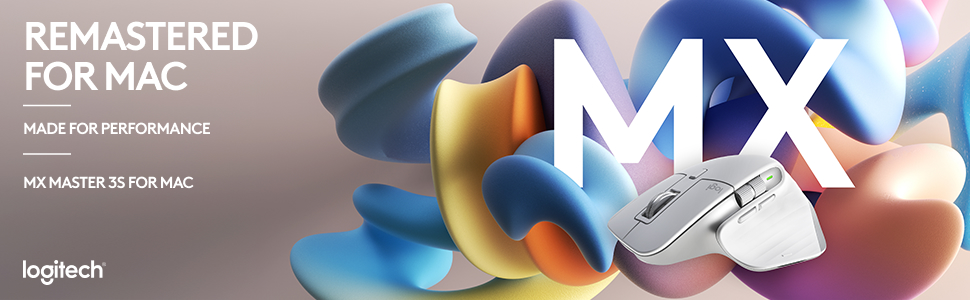
🖥️ Elevate your Mac setup with precision, speed, and style — don’t just work, master it.
The Logitech MX Master 3S for Mac is a premium wireless Bluetooth mouse engineered for macOS and iPadOS users. Featuring an ultra-precise 8K DPI sensor that tracks on glass, MagSpeed scrolling that’s 90% faster and quieter, and an ergonomic design for all-day comfort. It supports multi-device pairing with seamless file transfer, offers up to 70 days of battery life with quick USB-C charging, and incorporates sustainable recycled plastics. Plus, it comes with a free Adobe subscription to boost your creative workflow.


| Brand | Logitech |
| Manufacturer | Logitech, Rashi Peripherals Pvt Ltd, Rashi Complex, Survey 186, Dongari Pada, Poman, Vasai (E) Thane, Maharashtra -401208, Registered Address - Rashi Peripherals Pvt Ltd, Aristo House, 5th Floor, Corner of Telli Galli, Andheri (E), Mumbai 400069, India Delhi: -110019 G-6, Raja House, 30-31, Nehru Place Delhi: -110019 |
| Series | Logitech MX Master 3S Performance Wireless Mouse for Mac |
| Colour | Pale Grey |
| Item Height | 0.1 Centimeters |
| Item Width | 8.4 Centimeters |
| Product Dimensions | 12.5 x 8.4 x 0.1 cm; 143 g |
| Batteries | 1 Lithium Polymer batteries required. (included) |
| Item model number | 910-006574 |
| Power Source | Rechargeable Li-Po (500 mAh) battery |
| Hardware Platform | Mac, PC, iPad on iPadOS 14 or later |
| Operating System | macOS, iPadOS 14 or later |
| Average Battery Life (in hours) | 1 Months |
| Are Batteries Included | Yes |
| Lithium Battery Energy Content | 500 Milliamp Hours (mAh) |
| Number of Lithium Ion Cells | 1 |
| Number of Lithium Metal Cells | 1 |
| Manufacturer | Logitech |
| Country of Origin | China |
| Item Weight | 143 g |
P**R
Great mouse for mac
This is a review written after just a few hours of use on day 1 (might update it later) The mouse seems to be well built. The ergonomic design ensures a smooth transition and is easy to connect and use. The delivery was fast and got the product in just 1 day. The click quality seems to be really great, I love the silence of the click (looks professional) I have large hands, and its pretty good size for my hand. I don't know about the battery life yet. as I just received the product and its just my first impression and review based on my initial few hours of use, but their was 70% battery when I received the product Customisation option are really great, and I have customised it to use all the trackpad gestures with the mouse, so that I don't feel missing my mac book trackpad. Cons: No much cons so far, but if a mouse hard cover was included for easy transportation, that would have been nice. - For my hand size, the grip could have been better as I accidentally clicks when I tighten my grip. (my hands are big btw and not a con for most of the people) Overall Loved the product, and I'm loving this purchase.
S**P
Great Mouse. Insane battery life.
After 1 year of using this mouse, I'll say it has EXCELLENT battery life (I recharge it once in months, despite daily use --- monday to friday). The white colour of the mouse exterior has faded in places, and the item shows signs of age, but functionally it is doing great. No complaints. I carry it around in a hardshell case (hermitshell) in my laptop bag, JFYI. Another thing I'd like to add (and this may be specific to me) is that I've not managed to get in the habit of using the roller or the buttons available in the thumb area. Despite initially setting up custom actions e.g. close tab, refresh etc for the buttons and horizontal scroll for the roller. --- Disclaimer: This is a review written after just a few hours of use on day 1 (might update it later) Seems like a nice mouse, laden with features. I have no issues with bluetooth connectivity --- it works great (this is on a Macbook Pro M1 14") The customizability of the various buttons / rollers etc. on the mouse is wonderful. For instance the horizontal roller can be used to scroll between tabs in a window, which is super handy for me because I have a lot of tabs in most of my windows. I think I'm going to love this purchase. Note: There's no hard case in the package, only mouse + usb-c to usb-c cable. If you want to carry this around safely in your laptop bag, recommend getting a hard case separately. Note 2: This is a soft click mouse. Its left and right click are both soft and do not have much tactile feedback. They are also very quiet. If you want the regular kind of experience, you should buy the model without “S” (for Silent) in its name. Note 3: This mouse is moderately heavy. If you want a very light mouse, this is not a good choice.
D**R
Overall its a very good Mouse, But Is it for all ?
Overall, it's a very good Mouse, But Is it for all? Answer is no. When you hold the mouse for the first time, it's kind of very comfortable. But my hand is an average size. After 2 hours of usage, i felt little bit pain in the palm and kind of uncomfortable. When i switch back to my old mouse, it was kind of very comfortable. But when i switch back to old mouse after 2 hours of usage. it's kind of felt missing something I enjoyed. This is for the peoples with big hands and people who holds the mouse using full palm and will not rest wrist on the table. Let's come to the pros / advantage of this compared to general mouse. 1. Scroll wheel was very smooth (electromagnet). you will fell the scrolling smoothness you enjoyed in the trackpad. 2. Mouse clicks are silent (Not actually silent. But compared to general mouse click sound, its almost 80+% silent. 3. Cursor movement is so smooth 4. Vertical scrolling wheel. It will be very useful when browsing and navigating between tabs frequently. 5. A lot of customization with the Logitech options + software (I guess the money we are paying for this hardware is not only for hardware, but also for the software). 6. Type C charging 7. Can be used with Bluetooth and provided bolt adapter 8. Easy switching between devices using the device switch button underneath. It's kind of immediate switch within seconds after press the switch button. I tried between my Mac and Windows. Works great. 9. With the option flow in Logitech options, mouse can be easily navigated between devices that are paired (max up to 3). It will move between devices like another monitor on the same device. I tried between my Mac and Windows. It's not seamless switching. Kind of little bit delay or laggy when moving to another device. But it works and kind of good for using between multiple devices at the same time with single keyboard and mouse. 10. If you have Mx keys keyboard, you can pair keyboard and mouse. When switching between devices, keyboard will follow the mouse (Like when mouse moves from one device to another through flow option, Keyboard will automatically switch to the same device where mouse is actively connected (instead of using button to manually switch between devices) Cons 1. This mouse is not for everyone. Person with big hands enjoy the mouse. 2. If you are planning to use the mouse, but not the software (Logitech options+), then this mouse is not value for money. 3. Persons with small hands can try Mx anywhere 3. Its normal mouse with few customizable button and electromagnetic scrolling. But that is not a silent click like this. Compared to this mouse, it's just a 2k less, with less functions and not so silent, but will work with Logitech options+. So, in my point of view, it's not value for money, But no other choice as per my opinion.
A**R
The Logitech MX Master 3S Performance is hands down one of the best investments I’ve made to improve my workflow. After a week of heavy use, I couldn’t be happier with it. What makes this mouse amazing: 1. Elegant and functional design: The sleek, ergonomic shape feels great in hand, even after long hours of work. The side scroll wheel is a game-changer, especially for navigating Excel sheets or working with design tools. 2. Premium materials: The matte black finish looks professional and feels durable. 3. Easy and versatile connectivity: Setting it up on Windows via Bluetooth was incredibly simple. You can also use the USB receiver or plug it in with the charging cable for added convenience. 4. Long-lasting battery life: I’ve used it intensively for Excel, PowerPoint, and drawing in Photopea, and the battery still feels like it’s brand new. 5. Perfect weight: It’s just the right weight—stable enough for precision but not too heavy to hinder movement. Room for improvement: So far, I haven’t found any downsides. However, it would be great to explore its compatibility with other operating systems in the future. Overall, this mouse is a must-have for anyone seeking precision, comfort, and top-notch functionality in their daily tasks. Highly recommended!
R**O
Ótimo produto para quem busca tecnologia e qualidade. Funciona muito bem tanto em Mac quanto em PC, com aplicativo Logi Options+ para ambas plataformas. A conexão com até 3 dispositivos é bem prático, com conexão rápida via bluetooth ou através de dongle USB-C incluso. A troca é feita por botão no inferior do mouse. Há botão para ligar e desligar o mouse, evitando o consumo indevido da bateria. Carregamento via cabo USB-C não incluso. Quanto à comparação, chega a ser covardia com o meu antecessor, um modesto Logitech M170. A função Haptic Sense é interessante, mas precisa ser mais explorada pelos sistemas e aplicativos. Os atalhos do Actions Ring são bem práticos. Em resumo, é um hardware de alta qualidade, technologia e ergonomia, justificando seu alto valor. Recomendo o upgrade!
A**R
I've been using the Logitech MX Master 3S Wireless Mouse for a few weeks now, and it has completely transformed my computing experience, earning a full 5-star rating for its exceptional performance and design. The first aspect that stands out with the MX Master 3S is its ergonomic design. Logitech has clearly put a lot of thought into the shape and contours of this mouse. It fits perfectly in the hand, reducing strain during long periods of use. This is a significant factor for anyone who spends hours at their computer, be it for work or gaming. The ultra-fast scrolling feature of this mouse is a game-changer. It allows me to navigate through long documents or web pages with incredible speed and precision. The tactile feel of the scroll wheel is satisfying, and the ability to switch between ratchet and free-spin modes is a thoughtful addition that enhances usability. Wireless performance is another area where the MX Master 3S excels. The connection is stable and responsive, with no noticeable lag or dropouts. This reliability is crucial for a wireless mouse, especially when used for tasks that require precision. One of the standout features of the MX Master 3S is its customization options. The Logitech Options software allows for extensive customization of buttons and actions. This level of personalization improves workflow efficiency, as I can tailor the mouse to suit my specific needs and shortcuts. Battery life is impressive. It lasts for weeks on a single charge, and the quick charging feature is convenient, ensuring the mouse is always ready for use. The mouse's build quality is robust, feeling premium and well-constructed. The attention to detail, from the texture of the surfaces to the satisfying click of the buttons, reflects Logitech's commitment to quality. In conclusion, the Logitech MX Master 3S is a superior wireless mouse that combines ergonomic design, high-end performance, and customizable features. It's an excellent investment for anyone looking to enhance their productivity and comfort during computer use.
G**Y
Great mouse super comfortable and this seller delivered quickly with the best price I could find in SG.
K**R
I have Received an authentic product. Sealed package respectful and safe outside Packing. Fast Delivery less than 48 hours. Really ergonomic and multi options mouse for professional long time work always durable battery life more than 60 days. Many Thanks,
Trustpilot
3 weeks ago
2 weeks ago