🎶 Unlock your beatmaking genius with Maschine Mk3 — where pro sound meets intuitive flow.
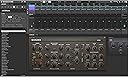
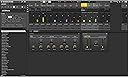
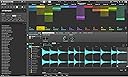
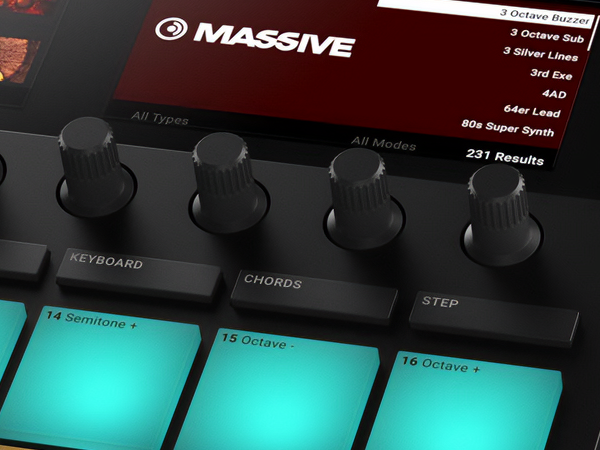
The Native Instruments Maschine Mk3 is a cutting-edge drum controller and production system featuring a pro-grade 96kHz/24-bit audio interface, touch-sensitive controls including a Smart Strip, and a massive 25GB KOMPLETE 11 SELECT sound library. Designed for seamless integration with all major DAWs, it combines sampler, arranger, mixer, FX, and MIDI control in one sleek unit, empowering producers and performers to create, tweak, and perform with unmatched speed and precision.


| ASIN | B075FNQ1RN |
| Best Sellers Rank | #5,552 in Musical Instruments ( See Top 100 in Musical Instruments ) #1 in Electronic Drum Controllers |
| Compatible Devices | Maschine Mk3, devices compatible with Maschine Mk3 |
| Connector Type | TRS |
| Customer Reviews | 4.3 4.3 out of 5 stars (1,028) |
| Date First Available | September 8, 2017 |
| Hardware Interface | USB |
| Hardware Platform | PC/Mac, Raspberry Pi |
| Instrument Key | Any |
| Is Discontinued By Manufacturer | No |
| Item Weight | 4.8 pounds |
| Item model number | Maschine Mk3 Drum Controller |
| Material Type | Metal, Plastic |
| Mixer Channel Quantity | 2 |
| Product Dimensions | 11.85 x 12.6 x 1.61 inches |
| Size | 12.75 x 12 x 5.75 Inches |
| Standing screen display size | 7 |
| Supported Software | Ableton Live, Avid Pro Tools, FL Studio |
R**.
Great upgrade to the MK2.
I upgraded after a few years and some features became more desirable to me. I love the Maschine, I use it as a sketch pad for almost all my work. I love that you can use the software outside your DAW then open the same project in Ableton or any DAW as a VST and use the project for stems or midi there. I don't make use of any of the audio integration but I do often use many of the new ones like the bigger, higher quality screen, FX strip, touch encoders, and overall layout.
S**E
Everything They Say and More... And More, Much More.
The latest incarnation of NI's Maschine, the Mk3 is an extraordinarily powerful music production and performance device. It comes with a ton of software that runs on Mac or Windows, but can also operate without a computer, downloading (with some planning) what it needs in advance. I'm not going to write about the solid construction, beautiful screens, abundance of buttons, the wonderful pads or the superb touch encoders, or the 96kHz audio interface that let's it record, for example, from line level or dynamic mics (no 48V, so condensers can't be used, at least not without a separate power supply). I'm not going to talk about the well designed Mac interface, or the powerful synths and mastering tools that are part of the Komplete 12 Select package. Every review I've read or watched talked about them. I'm going to talk about the 717 page PDF manual that comes with Maschine, and what it means for the user. To begin with, the massive size of the manual means that there's a lot more to Maschine MK3 than you can learn in a dozen 15 minute videos. As I said, Maschine is meant to function as both a composition and a performance tool, though it clearly leans toward the composing/beatmaking side. While NI has done a brilliant job of making the user interface both logical and reasonably intuitive, the fact that you feel comfortable after 20 minutes of messing around will lead many into thinking they've mastered Maschine after a few weeks use. Don't be misled: You will be doing yourself and Maschine a disservice if you fall into this way of thinking. There's a lot more to Maschine. It's not just a beatmaker, that of course incorporates a superb multi-voice arpeggiator and sequencer. It's a competent sampler, a powerful mastering tool, a competent midi controller, all carried by powerful capabilities to control both built in and stored plug-ins and to use them in a variety of roles. By the way, the manual is not for the Komplete Select package - it covers only the built in plug-ins. If you want a tutorial or manual, for example, on the well known Massive synth plug in, you have to look back to NI's website. You can add Maschine to your workflow within days of opening the box. In one sense, it's that easy to use. I know it'a going to be central to my workflow within a month or two. On the other hand, I think it going to be much longer before I've really mastered all that Maschine offers. It's not that there's anything wrong with Maschine, it's just that it is that comprehensive and capable.
G**S
Great quality
it was exactly what I needed. Easy to use, you just need to be creative.
J**K
Amazing for Komplete/NKS software owners.
I like this controller more the more I use it. As a Komplete owner, and owner of other NKS compatible software; like Arturia Pigments, and their modeled soft synths, you can use, and tweak all those instruments, and effects as if you're using hardware. I was someone who was basically dawless. I hated dealing with computers, and softsynsths. I was basically hardware only. Maschine helped me bridge that gape big time. I feel like I'm playing with a real instrument. I combine the Mk3 with jam, and the combo is amazingly tactile. For 98% of the time I can just close my laptop, and just play/compose and have fun. The pads are the best by far that I own, and the knobs are great, plus the slider is just fantastic. I play guitar, bass, synths, and see the mk3 as another type of instrument to get new ideas going. I see a lot of complaints from those who wanted a midi controller for their daw and were dissappointed. If that's the only reason you're buying this then you would be. Get a push in that case. Being able to work as a controller with daws is just a tiny portion of its usability for when you have all the pieces of your track and you want to finish it with some vocals, and mix it in your preffered daw. It's a lot more than just a midi controller. And it works the best when used with Maschine, and NKS supported software. With NKS, and all of komplete you get audio previews of all presets, and visual icons on your controller screen, it's absolutely amazing. So if you are only using this as a daw controller for ableton you are missing out on so many cool features, its primary purpose is not to be a daw controller. Think of it as an instrument/interface you use with Native Instrument software, and anything with NKS. Their softsynsths, and effects do sound amazing by the way. Komplete is awesome, and since you get komplete select, you can upgrade for quite a bit less. If that sounds good, then you will probably love it too. Loopop has some amazing videos on YouTube describing all the awesome things the Mk3 and Jam can do. Check them out to see if this is for you.
S**R
Does not work as highly promoted and advertised.
Research indicates that this is an excellent tool for sampling and beat making. I received it last week, went through the prescriptive setup steps, attempted to sample from multiple sources of input and it DOES NOT WORK. There is limited support via a forum. Despite following all of the best practices - the device will not receive audio input from any sources. DISAPPOINTED to say the least.
J**O
Exceeded My Expectations
Will take patience and time to learn. Nice Craftsmanship. Built-in Audio Interface is a huge plus & makes the Mk3 very flexible to explore your creativity. Once you learn the layout workflow is great. Knobs are solid & the screens are very nice. In my opinion the pads might be the best on the market. (I have several pieces of hardware from Akai to compare it to). Was honestly shocked at the overall quality of the included software. This machine is professional grade for a great price. Fun just to play around with or great for sketching out ideas. I use mine as a first step to create songs. Anything I like I easily drag & drop into my DAW to finish. Paired with a DAW or any other hardware/software of choice the Mk3 offers endless possibilities to be creative in a studio setting or performing live. A quality computer is a must for everything to run smoothly. Highly recommended
A**R
I decided to splurge and I am so thankful I did. This thing is great. It does take a day or two to get used to basic features (and a month to really appreciate everything this thing can do!), but the videos from Native Instruments and the community (look up Jeff Gibbons on YouTube for some great tutorials and inspiration) are super helpful and can get you going really quickly. Pads feel great. Menu and screens are awesome and rather intuitive for moving around and selecting your sounds. Switches easily from pads to keyboard to chords and has a great key selection with Major, minor and modes plus extensions so you don’t have to worry if you’re not overly advanced at music theory. If this is your first controller or experience with Native Instruments, know that this comes with a great suite of initial instruments and sounds plus Ableton Live Lite (which I started on and pushed me down the rabbit hole of music production). Anyways, cannot recommend enough if you are looking for a pad based controller. It has more features than I have been able to wrap my head around so far, and I don’t think I will EVER outgrow its uses or capabilities.
M**K
great bit of kit
F**L
La Maschine es en una palabra impresionante muy fácil de hacer tus propios temas he utilizado otras máquinas pero esta es la que más me ha gustado poco más de escribir si estas buscando un buen instrumento para trabajar o para divertirte simplemente esta es tu maquina muy versátil
R**N
**Besitze seit dem 7. November 2024 | 5 von 5 Sternen** **Pro:** - Hervorragende Integration in FL Studio und Apollo Twin X - Hochwertige, druckempfindliche Pads - Integrierte Audio-Interface mit 24-bit/96kHz - Dual-Display für erweiterte Kontrolle ohne Bildschirm **Kontra:** - Etwas steile Lernkurve für Neueinsteiger - Kein integrierter Akku für mobilere Einsätze --- Die Native Instruments Maschine MK3 ist seit dem 7. November 2024 ein zentraler Bestandteil meines Musikproduktions-Setups, und ich bin absolut begeistert von diesem vielseitigen Trommelregler. Als Nutzer von FL Studio und einem Apollo Twin X Interface suchte ich nach einem Controller, der sich nahtlos in mein bestehendes Setup integrieren lässt und meine kreativen Möglichkeiten erweitert – und die Maschine MK3 liefert genau das. **Integration und Workflow**: Die Maschine MK3 integriert sich hervorragend in FL Studio, sei es als VST-Plugin oder als MIDI-Controller. Die Möglichkeit, die MK3 sowohl als Hardware-Controller als auch als Software-Instrument zu nutzen, erlaubt mir, mühelos zwischen Beatmaking und Sounddesign zu wechseln, ohne meinen kreativen Flow zu unterbrechen. Die Integration mit meinem Apollo Twin X war ebenfalls reibungslos – das eingebaute Audio-Interface der MK3, das mit 24-bit/96kHz arbeitet, ergänzt mein Setup perfekt und spart wertvollen Platz auf meinem Schreibtisch. **Hardware und Bedienung**: Die druckempfindlichen Pads der Maschine MK3 sind eine Freude zu spielen. Sie reagieren extrem präzise und ermöglichen es mir, mit beiden Händen komplexe Rhythmen und Melodien einzuspielen. Besonders beeindruckend finde ich die Dual-Displays, die es mir ermöglichen, viele Aufgaben direkt am Gerät zu erledigen, ohne ständig auf den Computerbildschirm schauen zu müssen. Ob ich Samples durchsuche, Effekte anwende oder MIDI-Noten bearbeite – alles funktioniert direkt und intuitiv über die farbigen Displays. **Kleiner Wermutstropfen**: Obwohl die Maschine MK3 ein mächtiges Werkzeug ist, erfordert sie eine gewisse Einarbeitungszeit, besonders für Neueinsteiger in die Musikproduktion. Zudem fehlt ein integrierter Akku, was die Mobilität einschränkt, aber da ich hauptsächlich im Studio arbeite, stört mich das kaum. Alles in allem hat die Native Instruments Maschine MK3 meine Erwartungen voll erfüllt. Sie ist ein robustes, vielseitiges und inspirierendes Werkzeug für jeden Produzenten, egal ob professionell oder Hobbyist. Besonders für FL Studio-Nutzer mit einem Fokus auf Live-Performance und detaillierte Klangbearbeitung ist sie eine ausgezeichnete Wahl. Absolute Kaufempfehlung!
N**N
操作は予想通り使い勝手最高です!mikro mk3から乗り換えました。最初からこのmk3にしとけばよかった。 細かいところ言うと、オーディオデバイスの切り替えが少し手間。Maschineソフトウェア立ち上げたとき、mk3電源つけっぱなしで立ち上げると何故か操作ボタン効かないです。再度mk3電源入れなおすとOKなところが不明。MacBookproでCatalina 使用。Maschineソフトウェアは最新バージョンです。
Trustpilot
1 day ago
3 weeks ago