Desertcart purchases this item on your behalf and handles shipping, customs, and support to Argentina.
⚡ Power your productivity with the dock that evolves with you!
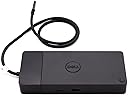
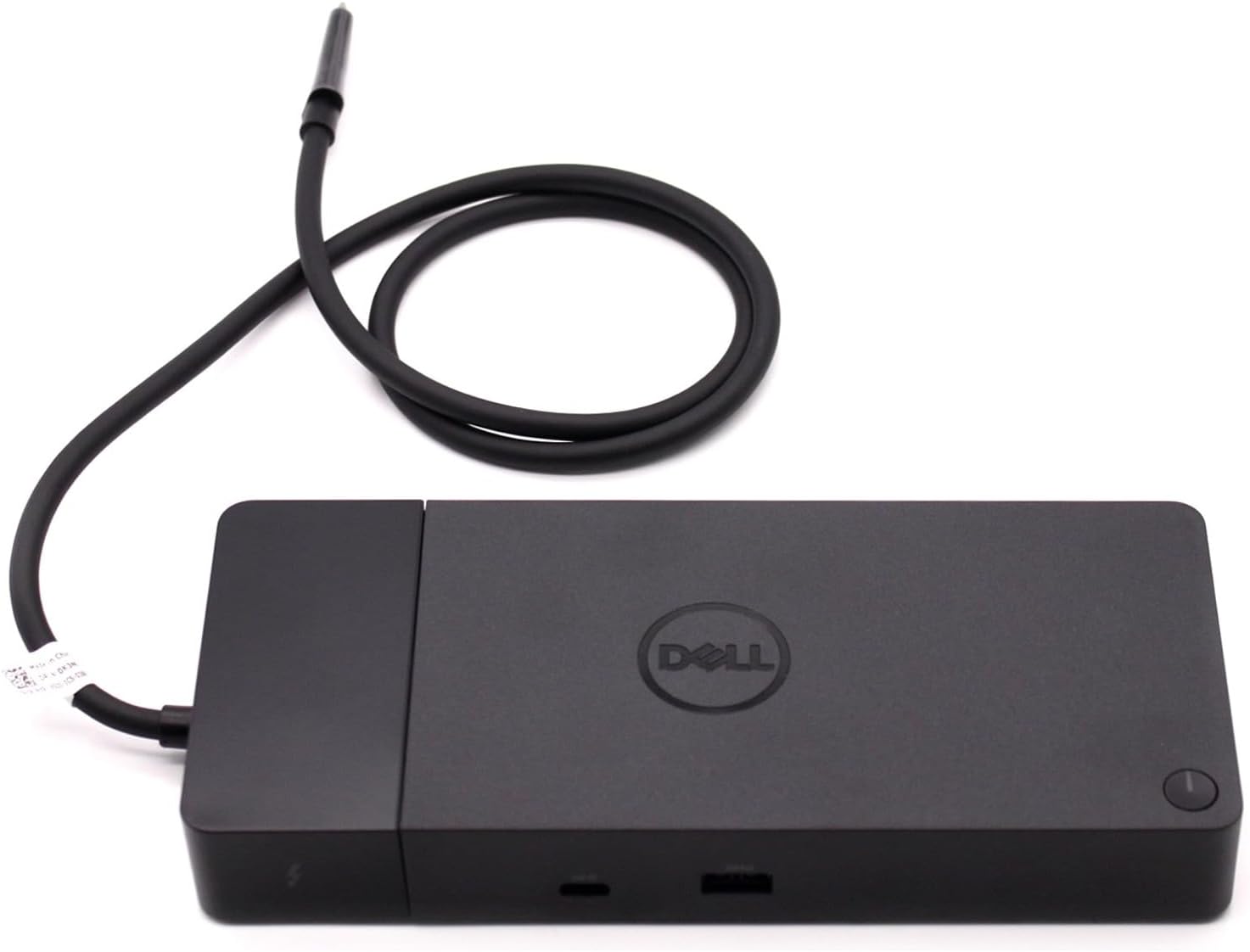
The Dell 130W Thunderbolt Modular Dock WD22TB4 is a high-performance docking station featuring dual Thunderbolt 4 ports, 130W power delivery, and support for up to 5K resolution at 60Hz. Its modular design allows easy upgrades, while 11 versatile ports—including HDMI 2.0 and multiple USB options—enable seamless multi-device connectivity. Designed for Windows 10/11 professionals, it delivers fast data transfer speeds of up to 40Gbps and SuperBoost charging technology, making it the ultimate productivity hub for demanding work setups.
| ASIN | B0B7P6ZNFB |
| Best Sellers Rank | #146 in Laptop Docking Stations #6,805 in Computer Accessories & Peripherals |
| Brand | Dell |
| Color | Black |
| Compatible Devices | Dell, HDMI, Thunderbolt, USB C, Windows 10 |
| Customer Reviews | 3.9 out of 5 stars 449 Reviews |
| Global Trade Identification Number | 05397184635629, 05397184718902 |
| Hardware Interface | Thunderbolt 4 |
| Input Voltage | 230 Volts (AC) |
| Item Dimensions L x W x H | 9.7"L x 6.5"W x 1.1"H |
| Item Type Name | Doking Station |
| Item Weight | 650 Grams |
| Manufacturer | Dell Computers |
| Mfr Part Number | DELL-WD22TB4 |
| Minimum Required Operating System Version | Windows 11 |
| Model Number | DELL-WD22TB4 |
| Number of Ports | 11 |
| Product Dimensions | 9.7"L x 6.5"W x 1.1"H |
| Smart Home Compatibility | Not Smart Home Compatible |
| Total Number of HDMI Ports | 1 |
| Total USB Ports | 7 |
| Total Usb Ports | 7 |
| Warranty Description | 1 Year |
| Wattage | 180 watts |
O**G
The perfect addition to my setup
I recently purchased a Dell u4323qe monitor that has a built-in USB-C hub. I thought it would be perfect for all the devices I use, including: 1. Razer Goliathus Extended Chroma mouse pad 2. Razer Blackwidow V4 Low-Profile Hyperspeed keyboard 3. Razer Pro Click V2 Vertical edition mouse 4. Elgato Wave 3 microphone 5. Logitech BRIO camera 6. Stream Deck MK.2 It was a disaster! Devices would frequently lose connection and/or just stop working. I should’ve done better research. What I needed was a POWERED dock not just a hub. The hub in the monitor delivers power but is not itself powered. I purchased this Dell T4 dock and now everything runs very well with no disconnects. I couldn’t be more pleased with the results.
B**H
Had Many Issues with ethernet and audio Interface...But Fixed It...
I downloaded the necessary drives for the thunderbolt dock and It did not work with Ethernet and Pairing Audio Interface. I was able to fix the thunderbolt docking station ethernet ports ability to read and pairing the Audio Interface by literally Rebooting my Computer WITH the Thunderbolt Cord Connected!!! No one told me. Though I also messed with the Thunderbolt settings in the BIOS so I am not sure if that affected anything. Other than THat so Far so good. I have had it for a week now. And at first I think my computer started smelling weird, but I think if was fine after a little bit. Thank goodness I didn't have a swollen battery... One Important point give your Laptop much airflow or else you will regret it. I have my laptop propped up on the Thunderbolt Charging Adapter, and it works great. One last thing make sure you check compatibility with device and that your device supports Thunderbolt 3 or 4.
L**S
Overpriced, broken garbage - DO NOT BUY
This device pulses the fan from 0 to max (>50db) every few seconds until rebooted. It's not hot, it's not under load it's just trash firmware. It works great on Ubuntu 22.04 and 24.04, other than the fan noise that renders it unusable. Unfortunately, Ubuntu users cannot update the firmware because of course, updating device firmware requires a Windows program (which doesn't work in Wine), even though Dell led the industry in selling Linux laptops for many years now and it was a Linux laptop model that drove me to purchase this extremely expensive bit of garbage.
J**.
It just works!
I tried multiple docks from other brands including CalDigit (TB3), Kensington and Plugable before finally trying this Dell. My problem is that I have two Samsung 4k displays that only accept HDMI or USB-C video inputs. This Dell dock is the ONLY one that would allow both displays to run at 60Hz without any hassle. Other most expensive docks may be able to do this, but with my budget of ~$200 this Dell is the only one I could find that just works. Highly recommend! Also, as a bonus, when using a Dell laptop (I use both Dell and HP), not only do you get more power to charge the laptop but the button on the dock acts as a proper power button to turn your complete system on/off. (A feature that I never realized was so brand specific!)
C**4
Will not run (2) DCI 4K monitors if using 4096 x 2160.
Purchased to replace a an older dock. I am running (2) DCI 4K monitors (TVs) if using 4096 x 2160 and (2) 1080 monitors. My old dock could run the (2) DCI 4K monitors (TVs). Unfortunately the WD22TB4 dock is only capable of running a 1080 monitor if you run one at 4096 x 2160. I have (2) docks so was able to make it work by changing my configuration. Does work for charging my new Dell XPS laptop. The power draw on the new laptop is what ended up killing my old dock.
P**R
Does what it needs!
The port works well with my computer, charges it nicely, can handle multiple monitors and multiple devices plugged in at the same time. I lament that my computer's on its last legs... one of the reasons I got the thing... a USB port is dead and the power cord wouldn't stay in.... keys are chipped. BUT! This is snug in my Thunderbolt port and has given new life to my machine. Nothing an external keyboard and mouse can't help with... and with multiple monitors, I can keep my laptop closed.
L**I
Great dock for my Dell
I got a Dell computer and purchased this dock. It was easy to install and works fine with my Dell computer. I appreciate the variety of ports that are available. It's the standard dock size. I do wish it were a bit cheaper; however, I've had bad luck with generic docks, so I'm happy to pay more to get something that will just seamlessly work with my computer.
B**S
Item is Defective
My docking station broke within 2 weeks of using. I don't think this seller is real. There's no way to return and the warranty expired before I even received the item. Dell customer service told me that they don't service from "third party sellers."
G**S
Me encantó
Genial
P**R
Cannot display 3440x1440 resolution
I purchased this to be ready when 5K OLED displays 5120x2160p will be available. Can't even display 3440x1440, a joke.
Z**J
Perfect
It is perfect it works with my Mac with 2 displays and with my Dell.
R**N
Coil whine si utilisé sans l’alim du XPS
Sur mon Dell XPS 9530, l’alimentation du dock n’est pas suffisante lorsqu’elle est utilisée seul : un bruit électrique (coil whine) apparaît, même si le dock fonctionne. En revanche, une fois l’alimentation du XPS branchée en plus du dock, le bruit disparaît.
A**I
Productivity at its best.
If you're working from home with multiple monitors this is a must have. - I have 2 monitors connected to it along with wireless mouse and keyboard. -Still there are ports available for connection external disk or pen drive. -There are no issues noticed for the same for the past 2 years. Only con for me is that there should have been an audio jack.
Trustpilot
4 days ago
1 month ago