🔥 Light up your game and workspace with Firefly brilliance! 🎆
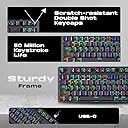
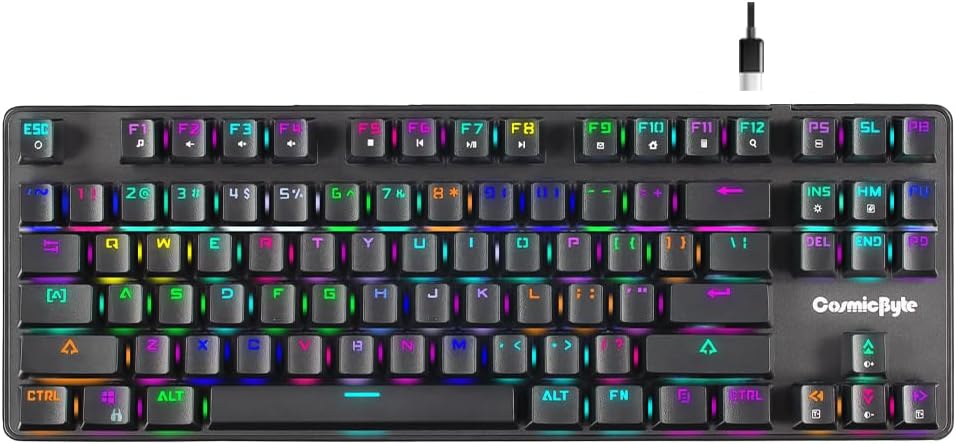
The Cosmic Byte CB-GK-18 Firefly is a tenkeyless mechanical keyboard featuring swappable Outemu Red switches and per-key RGB lighting with 18 presets. Designed for gamers and professionals alike, it offers ergonomic keycaps, adjustable typing angles, and compact dimensions to optimize desk space. Its braided Type-C cable enhances durability and portability, while dedicated software enables macro programming and full RGB customization.
| ASIN | B08VWGK688 |
| Are Batteries Included | No |
| Best Sellers Rank | #130,848 in Computers ( See Top 100 in Computers ) #3,940 in Computer Keyboards |
| Brand | Cosmic Byte |
| Color | Black |
| Customer Reviews | 4.1 4.1 out of 5 stars (1,943) |
| Date First Available | 28 April 2021 |
| Hardware Platform | PC |
| Item Weight | 920 g |
| Item model number | CB-GK-18 |
| Manufacturer | Cosmic Byte |
| Operating System | Windows 10 |
| Power Source | Corded Electric |
| Product Dimensions | 35.8 x 13.5 x 3.5 cm; 920 g |
| Series | Firefly |
J**A
Very smooth operation... Red switches aren't that clicky... If you want clicky sound just go for the blue ones... No bluetooth support... But does the work well... Good build quality... Metal frame and with sturdy base... An overall good product... I bought at around 2k...
A**E
You can get same kind of mechanical wired keyboard within 1700-1800/- but not with type C cable. So, Why you need it: If you travel with keyboard then cable might get damaged. In this case it's best keyboard within this price, rgb brightness is decent, typing feeling is good and software support also good. Why you don't need it: If your keyboard is fix with PC/Laptop then you can go with another wired type mechanical keyboard with less price. Because cable will not get damaged. Some baseless features: 1. Macro key: Trust me a part some specific game you are not going to use it 2. Perkey RGB: Initially you will enjoy but after few months you are not going to change rgb style. But you can make a logo in keyboard.
S**U
Build quality is good. Key spacing is also good. Its a small keyboard so portability is not an issue too since you can just put it in your bag with your laptop. The wire is braided but for some reason mine got some internal damage after some time of normal usage and works only in a certain position. 2 keys were not working after 7-8 months of usage so since the keys are replaceable I interchanged some function keys with these two and works fine now. I mostly used it for gaming and coding.
A**T
I have used so mechanical gaming keyboard but the product of cosmic byte is next level, i mean this keyboard is amazing and i love to use it daily tasks and in gaming. Such a good experience with it.
G**H
I've been using the Cosmic Byte CB-GK-18 Firefly mechanical keyboard for over a week now, and overall, it's an excellent piece of hardware. The build quality is solid, the key response is great, and the per-key RGB customization through the Windows software is great — especially at this price point. However, there's one major limitation that Linux users (like me) should be aware of: While you can define a custom per-key RGB layout and save it to the keyboard's memory using the Windows app, there is no keyboard shortcut to recall this custom mode once you switch to one of the preset lighting effects using Fn + Insert or similar function key combos. You’ll need to reopen the Windows app each time you want to restore your custom lighting — which is very inconvenient if you're primarily on Mac/Linux. If Cosmic Byte adds the ability to assign a shortcut to toggle back to the user-defined RGB profile or lets users set it as the default on startup, this would easily be a 5-star product. Pros: 1. Excellent build quality and design 2. Smooth, responsive mechanical switches 3. Fully customizable per-key RGB (via Windows software) 4. Onboard memory saves lighting profiles Cons: 1. No keyboard shortcut to return to custom RGB lighting once switched 2. Software is Windows-only; not ideal for Linux users Verdict: Highly recommended for Windows users who want custom RGB control. If you're on Linux, be aware of the current limitations and plan accordingly.
Trustpilot
1 week ago
1 week ago