🚀 Elevate your productivity & creativity—tablet that keeps up with your hustle!
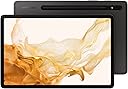
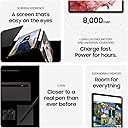
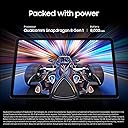
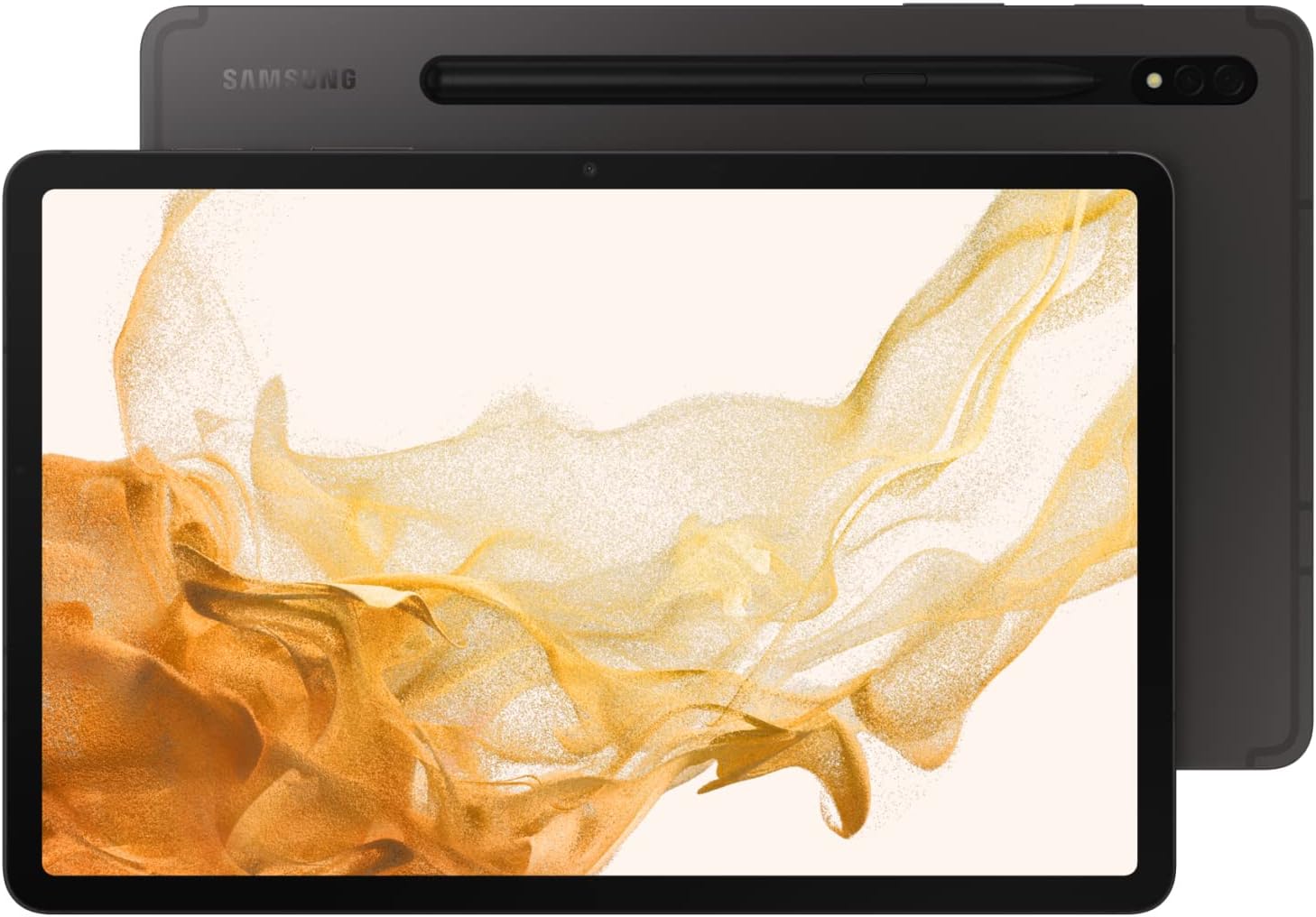
The Samsung Galaxy Tab S8 is a premium 11-inch Android tablet featuring a powerful Qualcomm Snapdragon 8th Gen processor, 8GB RAM, and WiFi 6E for lightning-fast connectivity. It offers a stunning 2560x1600 LCD display, an ultra-responsive S Pen included for note-taking and drawing, and Samsung DeX for a PC-like multitasking experience anywhere. With 128GB storage expandable up to 1TB, a 15-hour battery life, and 4K ultra-wide front camera, it’s designed for professionals and creatives who demand performance and versatility on the go.


| ASIN | B09NQMJ5XG |
| Age Range Description | Kid |
| Aspect Ratio | 16:9 |
| Battery Average Life | 15 Hours |
| Battery Cell Type | Lithium Ion |
| Best Sellers Rank | #167,692 in Electronics ( See Top 100 in Electronics ) #2,151 in Computer Tablets |
| Biometric Security Feature | Fingerprint Scanner |
| Brand | Samsung |
| Built-In Media | S Pen, Quick Start Guide, Data Cable, Ejection Pin |
| CPU Model Number | SM8450 |
| Camera Description | Front, Rear |
| Cellular Technology | Wi-Fi |
| Color | Graphite |
| Compatible Devices | S Pen, Keyboard |
| Compatible Flash Memory Type | microSD |
| Connectivity Technology | Bluetooth, USB, Wi-Fi |
| Customer Reviews | 4.7 out of 5 stars 2,397 Reviews |
| Display Resolution Maximum | 2560 x 1600 Pixels |
| Display Type | LCD |
| Flash Memory Supported Size Maximum | 128 GB |
| Front Photo Sensor Resolution | 12 MP |
| Generation | 8th Generation |
| Graphics Description | Integrated |
| Hard-Drive Size | 128 GB |
| Hardware Interface | Bluetooth, USB |
| Human-Interface Input | Touchscreen with Stylus Support |
| Item Dimensions L x W x Thickness | 9.99"L x 6.51"W x 0.25"Th |
| Item Type Name | Tablet |
| Item Weight | 1.1 Pounds |
| Lithium-Battery Energy Content | 29.95 Watt Hours |
| Manufacturer | Samsung Electronics |
| Memory Slots Available | 1 |
| Memory Storage Capacity | 128 GB |
| Mfr Part Number | SM-X700NZAAXAR |
| Model Name | Galaxy Tab S8 |
| Model Number | SM-X700NZAAXAR |
| Model Year | 2022 |
| Native Resolution | 2560 x 1600 pixels |
| Operating System | Android |
| Operating System Family | Android |
| Other Special Features of the Product | Fast Charging |
| Photo Sensor Resolution | 5 MP |
| Processor Brand | Qualcomm |
| Processor Description | Qualcomm Snapdragon |
| Processor Speed | 2.99 GHz |
| RAM Memory Installed | 8 GB |
| RAM Size | 8 GB |
| Rear Facing Camera Photo Sensor Resolution | 13 MP |
| Screen Size | 11 Inches |
| Size | 128 GB |
| Style Name | S8 Wifi |
| Total Usb Ports | 1 |
| UPC | 887276635552 |
| Unit Count | 1.0 Count |
| Video Capture Resolution | 4K UHD 2160p |
| Video Processor | Qualcomm |
| Warranty Description | 1 Year Manufacturer |
| Warranty Type | Limited |
| Wireless Compability | 802.11ax |
| Wireless Technology | Bluetooth, Wi-Fi |
P**Y
General Review and Digital Art Review of S8
TL;DR: Overall love this tablet, preferred over S8+, and a great tool for digital artists (just get a nice cover for the s pen) ______________________________________ S8 vs S8+ (vs iPad?) Went to an electronics store to see the actual comparison. COLOR the color difference is negligible. it's like going to the back of the electronics aisle with all the TVs and seeing the *very slight* difference between displays. yeah, okay, one might look slightly more vibrant but does that justify the $200 price difference? not for me at least. SCREEN SIZE the next difference that i care about is the screen size but i actually prefer the *slightly* smaller screen of the s8. it's still a decent sized screen unless you need your tablet to get as close to the size of an average sized laptop as possible. any larger and it will actually be awkward for me to play games on the tablet. STORAGE i got the 128gb since i mostly use cloud storage. it has a little slot you can open up to add a micro sd to get more storage so honestly unless you *know* that you will need more storage, i will opt for 128gb. this is the advantage the samsung tablet has over apple. ipad *does not* have an sd slot so it gets more annoying to expand storage--such as needing cloud storage, a separate wireless storage device, or separate storage device that plugs into the charging port and just...sits there all clunky. __________________________________________ S8 for ART (vs Kodak Cybertablet F10; Wacom Bamboo CTL-470; Huion Kamvas GT-156 v2) WORKSPACE i use clip studio paint with a *very* cluttered workspace and in *portrait* orientation. i'm talking like all the panels and windows out and the screen size still doesn't feel small or cramped to draw on the actual canvas. comparison of workspace size/tablet sizes in photos. DISPLAY S8 has TFT (LCD) and S8+ has Super AMOLED. S8 and my Huion are both LCD and they are still really good. i actually like the S8 better since i still haven't found the right color settings or color profile for my Huion to match the display colors with my phone (i tend to optimize colors for mobile devices). AMOLED makes it look more vibrant? the brights are richer and the blacks are darker. i thought the "more accurate" colors might justify the additional $200 price tag but then i realized "wait if my art looks slightly different on all these other displays anyway, what's the point of it looking *really good* on mine when it looks probably more like the S8's display on all my clients' and followers' devices?" S PEN CHARGING: i find that it dies pretty fast compared to my graphic tablet pens, but it also charges really fast too. my huion pen is the most comparable since it also has a "charge" type pen compared to the other "replace the battery" tablet pens. for Huion, i don't even know how long it takes to charge since i can plug the cord into my laptop and draw with the pen while it's charging, and unplug it whenever i feel like it's fully charged. huion holds a charge for weeks but the s pen needs several charges throughout the week. since it attaches magnetically to the back of the tablet to charge, i can't use it while charging. but it charges *really* fast so was not a problem for me. when it's dying, i magnet it to the back, check my messages and emails, and then it's already charged and ready for me to use again. PRESSURE: honestly out of all the tablets, all at different price points, i barely feel a difference. i'm just not sensitive to this "over 9000 levels of pressure sensitivity" thing. everything feels nice when drawing comics, illustrations, and whatnots. lack of complaints is a good thing here. NIB: the pen nib/tip is rubber, not plastic. still, the tip goes to a nice fine point. i was worried that the tip might be too rubbery and flatten out and drag across the screen when pressed, but it's nice and firm and holds the point well. i'm used to needing a matte paper-esque screen protector for my tablets since the pens are plastic, but because this one's a rubber tip, i won't be getting nor needing one. ERGONOMICS: wow this s pen is light. very light and very thin. thickness comparison in photos. the weight doesn't bother me but the thinness does. i'm used to thicker pens where it's a relatively relaxed grip but with the s pen sometimes i feel like i'm drawing with a toothpick and it strains my hand to hold the pen so precisely. it has a button on it that i use for an eraser tool but it's so small it can actually cramp my hand after a while. it really is "after a while" and i do abuse the eraser more often than the average artist but i still will be getting some kind of sleeve or cover to make the pen easier to hold. this is my biggest complaint but also one that doesn't bother me as long as i get a good cover that still gives me access to the button.
M**N
Great Tablet Option
I'm not a tablet guy. I prefer laptops, but my daughter found that her Lenovo Flex 5i Chromebook didn't have all the options for Tiktok, and I indulged her with this tablet. Because I have an Android phone and this tablet runs on Android, I'm very familiar with the system. Set-up only took ten minutes. I put on both my Google account and my daughter's. The screen looks great, the swiping on the screen works like my Samsung phone, the speakers sound good, and the tablet offers better value than the pricier iPad Air in terms of power, and included stylus. We put the protective screen cover on it and that's a good thing because after using it for 10 minutes, my daughter dropped it, split the screen cover and fortunately the actual device was unharmed. It is a must that you put a rugged case and screen cover on the Galaxy tablet. It is slippery in your hand and you will inevitably drop it. For this reason, for children and teens, I recommend you get a good Chromebook like the Lenovo Flex 5i or the Acer Spin 713 or Spin 714. I find it is more rugged, can be used as both a tablet and a laptop, and gets 7 years of updates. I believe this Galaxy only gets 4 years of updates. But if you insist on the tablet experience, I can give this Galaxy Tab S8, 5 stars.
J**S
Best piece of tech I own!
I primarily use my tab s8 for reading, note-taking, and school assignments (have even used it for coding with google colab), at every task it exceeds in ways that I never would have expected from a tablet. Before this, I had a surface pro 7 and used it for the same reasons, it really was just terrible, and I felt horrible for wasting so much money on such a bad product—without exaggeration, every time I turned it on there was a new problem. In contrast, the tab s8 is the exact opposite, it seems that Samsung goes out of their way to make the workflow as efficient as possible on a tablet, and I haven't had a single bug in the three months I've owned the product. The only thing that I would change is to add a few more features to Samsung notes, compared to the almost unnecessary amount of features in the standard UI, I am surprised they haven't added a straight line tool with an angle tolerance setting (If you are reading this please add). They recently added a feature to lock images in place, which is much appreciated (the pen menu has a screenshot tool that is absolutely phenomenal, and you can easily drag them onto Samsung notes), but they could add the ability to merge and lock shapes into place as well. With that, I have to say that Samsung is awesome about adding features and it seems that something useful is added on a monthly basis, I can't think of another company that cares for their product on the level that Samsung does. You can find complaints on the microsoft forums with hundreds of replies that haven't been fixed in 8+ years, I can promise you that you won't have problems like that with this product. On top of that, while this is a "tablet" you can do the vast majority of tasks on it that you could do on a laptop. Obviously there are limitations when it comes to games and desktop programs, but you can find workarounds for a surprising amount of them. If you are comfortable with more complicated tasks, you can download desktop programs using andronix, which allows you to install linux distros on your tablet. This vastly increases the amount of things you can do with the tablet, but is not worth using if you aren't comfortable using a terminal.
J**N
I just like it.
It's a great tablet. Good size, performs well enough for gaming, picture quality is really nice. Color in games is very vibrant and pretty. The S pen is cool to use even if you're not into drawing. Using it to touch the screen instead of your fingers keeps the screen a little cleaner. Battery seems to last most of the day with "light" gaming. Heavy gaming continuously with eat up the battery in a few hours. Fingerprint scanner is nice to have too. Only comes with a usb-c to usb-c cord so only my laptop can charge it at the moment and that takes about 5 hours. One negative though is one day I was outside on a summer day humid high 80s weather and in about 10 minutes of gaming it dropped frames per second noticeably and was unplayable due to overheating. So be aware of that if you want an out doors device that games. Never had this happen indoors.
J**R
Better than my Apple IPad
This Samsung tablet is for better than my Apple IPad. It's light, very versatile, comes with a cool and very useful pen, and the sound and resolution is incredible. Battery life is great, and watching a movie with the surround sound is a real treat. The Bluetooth option also allows me to connect my Bose Earbuds and away we go to enjoy movies and shows on a long plane ride. The speed and interactivity are fantastic. No lag time, no issues. I thought I would not have any need for a pen, but wow, I was wrong. The pen allows me to take notes during meetings very efficiently. My handwriting is immediately converted to text. Best tech purchase I've made in a long time. I do recommend buying a case to protect it and to help you watch a movie while traveling. I highly recommend this product.
J**V
4 stars!
Review update: After a couple of weeks of use I'm downgrading this from 4.5/5 stars to 4/5 stars. I still think this tablet is quite good. The only warnings I would give people is to consider other laptops if they're looking to replace their computer or laptop. Reason being that there are limitations to what this tablet can do. If all you want is something to draw on, take notes on, open a PDF file or 2, or edit some videos (with Lumafusion), this tablet works really well. But if you need to use Microsoft Office (Word, Excel, Access, Outlook, Teams, etc.), Google Suite (Google Docs, etc.), or take certification-type classes (with test-taking capabilities/pop-up windows), you will need an actual PC. Samsung/Google Play don't have enough apps to support frequently-used work-related apps and many websites have limited tablet/mobile capabilities. (The work-related apps that worked well for me are Teams, Outlook, Word. That's it.) Currently, I mainly use this tablet for Netflix, reading, doodling, Youtube, shopping, and other simple tasks. I am now shopping for a Microsoft Surface Pro or some other type of lightweight laptop. Also, in my previous review, I mentioned the LCD screen is great. Now, I think it's just fine...it has some dark-to-black transition issues when streaming via Netflix. With that said, I have had dark-to-black transition issues when streaming via a Macbook, an iPhone, & S21, too. So, I am not entirely sure what the issue might be when streaming videos, but I always see obvious outlines when there are scenes with a night sky or somewhere dark. Anyways, still a decent purchase and something you can travel with and use for light-duty work. Would advise against getting this to replace a PC/laptop - just get another laptop if you need one. ________________________________________________________________________________ I just got my Tab S8 today and I know I might be jumping the gun by giving a review so early, but here goes. The screen is great. I am a fan of the S Pen, but not overly crazy about where the magnet is located. As a longtime Samsung Android user, I'm a fan. (I'm also a fan of Apple and that new M2 chip, but let's face it, a closed digital environment is sometimes incredibly difficult to work with. And the price tag is nuts.) Aside from that, I really hesitated on purchasing this device because I was waiting for the Galaxy Tab S9. However, I realized I couldn't wait any longer when I started to notice my Macbook dying. It's battery has been dying for awhile, but last week...its digital soul flickered out...so I had no choice. I've read a couple of reviews about this tablet not including a charger. It wasn't a big problem for me because I have Apple charger blocks lying around at home anyways. And I'm here to tell you that they work perfectly fine when it comes to charging Samsung phones and tablets. It still says "fast charging" when I plug it in. I've no idea if I'm ruining my Samsung products or not, but I tell ya, Samsung have good products that can use other chargers just fine. The only issues I ever have are usually service-related - mostly because the U.S. isn't greatly supported. I think there are only 5 Samsung stores in the entire U.S. So if something goes wrong or there is a hardware issue, you're kinda out of luck. Sure, you can send in your device for service, but you do that at your own risk because they sometimes lose devices. Luckily, I've never had issues with any of my products and I pray to the digital gods that my luck continues. (On the other hand, Apple has thrived in its mediocre batteries & service, but at least they have multiple stores with mediocre service to choose from. Don't even get me started on trying to find a Senior Class for my parents who insist on iPhones because "their friends have it".) Samsung phones & tablets are good if you know how to use them. Their service is cr*p when they break though. The company just needs to figure out how to be the Toyotas (& Service) of their Galaxy products to actually be great. This tablet so far is basically my phone, but bigger! I have nothing bad to say about it so far, but I would advise anyone who is an Apple user to think carefully about switching over to Galaxy anything...they're not the same...and it will be challenging to find someone in the service department if something does go wrong. Just throwing it out there...
S**N
Great little tablet if you measure your expectations.
It's a good tablet, but remember it isn't a flagship. The screen is great but remember it isn't as good as the higher models or something like an iPad pro screen. I wanted something a little smaller than my 12.9, and love that I could get the 11" at a considerable savings and keep thr 120hz screen. Once you've gotten used to anything above 60, it's so hard to go back. And don't get me started on the micro SD, it's so convenient to be able to just drop in and have extra space. I think Samsung Dex is great on these devices, much better than something like the iPad pro, that we've all been promised will be able to replace a PC. But even with ios 16 it's more of the same. Picked up the pink tablet since I always put a cover on it and the savings over charcoal or silver was 60 bucks. Anyway, it's a light device, screen looks good, and comes with the pencil. Is it worth the price, I'd say definitely. Is the screen as good as my fold 4, of course not. As good as the iPad pro, no. But those devices were well over 1000 dollars and neither came with the pen. I think it comes down to your ecosystem. I have both apple and Samsung android and love the way they both handle sharing if using two apple or two Samsung devices.
E**Y
Samsung Galaxy Tab S8 - A Student’s Perspective
Intro Nowadays you're seeing more and more students switching from a laptop to a tablet for all of their productivity and entertainment. Although laptops are more portable than ever, It's pretty clear students appreciate an, even MORE, portable setup. That's where the Samsung Galaxy Tab S8 steps in. This is one of my favorite Android tablets on the market, but if you’re a student, it has some serious competition from Apple. So, is the Galaxy Tab S8 the best tablet for students? Well, Let’s find out! Hardware This year the Galaxy Tab S8 costs $50 more than its previous predecessor which is not bad considering some of the new features added. The Tab S8 is definitely not a cheap tablet, but it honestly offers a ton of awesome features that any student will appreciate who's in the market for a quality productivity-based tablet. I know some of you are debating whether you should get this or the iPad Air or Pro. And some of you are just looking for a quality android tablet for productivity and entertainment. Well, this video is for you all! When you look at the hardware of this device, it’s obvious that this thing is beautiful and there's definitely some iPad inspiration here. Anyway, On the back, you’ve got a matte aluminum finish with a glass magnet strip to connect the S Pen. On the right side is where you'll find the power button that doubles as a fingerprint scanner, the volume rockers which are tactile, and a micro SD card slot that can be expanded up to 1TB. On the left side are connectors for other accessories and on the bottom is a USB-C charging port that can charge up to 45W Display Flipping this device around, On the front, you’ve got an 11” 1600x2560 display. While the bezels on this device are slightly big for 2020, the display is still gorgeous and I love streaming content and playing games on its 120htz display. And the bigger bezels make it easier to hold on the hand without interfering with the view too much. In addition to being good for leisure, the display gets bright enough to read outside, so I could see this being used at any time of day, for just about anything you can imagine. I highly recommend a case or stand for this device because the edges are sharp and after long use, it's not comfortable to hold in the hand. Battery The 8000 mAh battery on here is also gonna make sure that this tablet goes all day. It's definitely not the best battery life I've experienced on a tablet, but it's certainly enough for long productivity sessions. I typically get a full day of use on productivity days but when I add gaming or streaming to the mix, I do have to keep a portable charger with me. Speakers If you look around the sides, you’ll see four stereo speakers that get pretty loud and have clear audio quality, but you won’t see a headphone jack. Bummer. Anyway, this is probably one of the loudest speakers I've experienced on a tablet, so whether you're in a zoom meeting or listening to a lecture you won't have any trouble hearing. Storage/Expandability The base model of this device comes with 128GB and it’s an additional $80 for the 256GB model, and the S8 does come with a micro SD card slot, fortunately. Cameras The Galaxy Tab S8 has two cameras on the back, a 13mp wide-angle lens and a 6mp ultrawide lens. Photos and video are solid for a tablet, I was surprised to see that this ships with 4k at 60fps. The front camera has a 12mp 120-degree ultra-wide lens, which is great for zoom calls and conferences. It's sad that most laptops double or triple the price don't have nearly as good of a camera system compared to this device. Whether you're using it to scan documents or photography this is actually surprisingly solid. Operating System and Performance In terms of performance and the operating system, this ships with the new Snapdragon 8th gen Octa-Core processor, 8GB of RAM, and an Adreno 730 GPU running on Samsung’s version of Android 12. That’s really the most important reason to buy this tablet... it’s probably one of the most powerful tablets on the market. Like I mentioned before, entertainment is terrific, but this might be the best tablet for multi-tasking I’ve ever seen. Samsung Dex Samsung launched all their new tablets with a feature called Samsung DeX, that allows you to boot your tablet into a PC-like mode, where you can bounce between different windows of apps and move between screens easily. In the past, my biggest reason for recommending students pick up something like a Chromebook is because things like hooking your laptop up to external monitors, or multi-tasking through different windows were way easier on a Chromebook, but clearly, that's not the case anymore. Samsung also partnered with Microsoft to allow you to run excel, word, and other Microsoft apps in multiple desktop windows. So typing on this tablet is phenomenal when you hook up an external keyboard or just a keyboard case. This feature is really the best part of this tablet and honestly one of its biggest selling points. S-Pen In addition to DeX, is Samsung’s inclusion of the S-Pen in the box. Most students are taking notes digitally, so this is very much appreciated. There are times I honestly prefer this over the Apple pencil. I personally like how soft it feels on the screen and the paper sound it makes when you're taking notes. It's really cool that you can actually hover the s pen over certain things like the calendar to get more details without having to tap on the screen. I'd say the Apple price is slightly more accurate, but the s pen is definitely more innovative. The only thing I don't like is how it snaps to the tablet only in one orientation, so essentially the tip has to be facing the camera for it to charge and for full magnetic power. Overall, Given how expensive adding the Apple Pen is to an iPad, I definitely think this is a great deal. Price And that takes me to the question you’ve been asking: is this worth the base-model, $700 price tag? I can confidently say the Galaxy Tab S8 is one of, if not the best, android tablets in its series. I think at $700 USD for the base model this is competing with the iPad Air and iPad Pro. If you absolutely know you want a tablet in this price range, I think you only go with the iPad if you want to use iMessage, sidecar, and other Apple-exclusive software features, and you go with the Tab S8 if you absolutely need a stylus and the best tablet experience on Android.
S**M
بدون شريحه
واي فاي فقط
P**R
Good one
Size is optimised and 8 GB Ram
A**.
Doesn't support calls or 4g
إزاي مش مكتوب انه مش بيدعم خاصية الإتصال، بعد شراء المنتج اكتشفت الأمر الغريب حقيقي دا، ازاي مع اني مع البحث لقيت ان كل ال s8 بيدعم الاتصال بالشبكة!!!!
S**N
Excelente calidad y perfecta relación precio- calidad
B**R
8 Meses de uso y muy feliz
Llego en su caja original, sellada y con todas sus protecciones. Es muy bonita, rápida, tamaño ideal. Es una gran opción, solo me arrepiento de no esperar a la S9 por que tiene mejoras considerables, pero tampoco me arrepiento, me ha sido muy útil. Tenía dudas con la pantalla pero es de gran calidad. La he usado incluso para consultar bases de datos del trabajo y tiene buena potencia. La volvería a comprar sin duda.
Trustpilot
2 weeks ago
2 weeks ago