🚀 Unlock your Pi’s full potential with the ultimate all-in-one Extreme Kit!
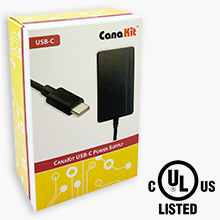
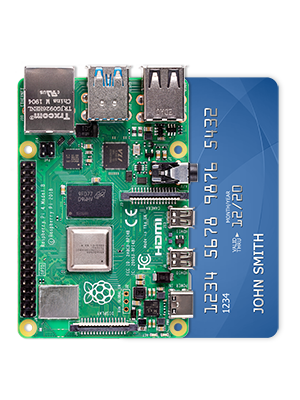
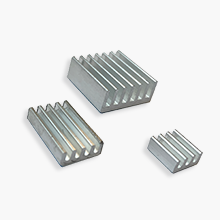
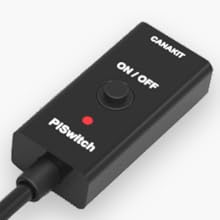
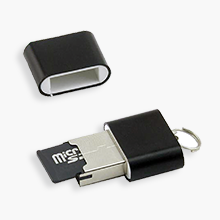
The CanaKit Raspberry Pi 4 Extreme Kit (2GB RAM, 128GB Edition) is a turnkey solution featuring a 1.5GHz quad-core processor, pre-loaded high-speed 128GB MicroSD card, and a premium cooling system with integrated fan and heat sinks. Designed for professionals and makers, it includes all essential accessories—power supply, dual 4K-capable display cables, and a USB-C power switch—housed in a sleek, tool-free assembly case for rapid deployment and reliable performance.


| ASIN | B08B6F8QRV |
| Best Sellers Rank | #802 in Single Board Computers (Computers & Accessories) |
| Brand | CanaKit |
| Card Description | Dedicated |
| Color | Black |
| Customer Reviews | 4.7 4.7 out of 5 stars (3,007) |
| Date First Available | June 15, 2020 |
| Item Weight | 1.21 pounds |
| Item model number | PI4-EXT128EWF-C4-BLK |
| Manufacturer | CanaKit |
| Number of Processors | 4 |
| Operating System | Chrome OS |
| Package Dimensions | 9.61 x 6.06 x 2.32 inches |
| Processor | 1.5 GHz |
| Processor Brand | 1.5 Ghz |
| RAM | 2 GB LPDDR4 |
| Wireless Type | Infrared |
K**N
These ARE 64-bit units as advertised. Don’t make the same mistake I made :-)
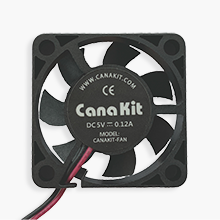
The SD card comes loaded with 32-bit OS options as they are stable out-of-box. Calling ‘uname-m’ will indeed return ARMv7l which is a 32-bit proc. This is due to the capabilities of the OS. Same scenario if one downloads and calls ‘lshw.’ While the 32-bit OS cannot recognize 64-bit architecture, please rest assured these ARE 64-bit procs. Downloading a 64-bit OS like Ubuntu Mate or Twister allows one to unlock the potential of the 64-bit architecture. The kit is very well made and easy to assemble. There are no screws to hassle with; everything is designed with precision, allowing the enclosure to fasten via friction for a resilient assembly. Passive heatsinks attach via an adhesive thermal pad while a small fan easily attaches to the enclosure. Lending to the intuitive design of the case, the fan actively extricates heat through the raspberry-stamped top, while drawing in cool air from the opposite side of the case. I definitely recommend the kit as it includes everything needed for a turnkey system (minus I/O peripherals of course). I anticipate ordering additional units very soon!
R**P
Difficulty getting the OS to boot after install
The MicroSD card comes with a boot-loader called "NOOBS" preinstalled. So when you assemble your PI-4 and power it on, you are presented with a menu of OS options to install. You select one of these, wait a few minutes for the install to complete and verify itself, then the system reboots and you *should* have a working OS. But that would never work for me. I tried every OS option available on NOOBS. In every case, after the install completed and verified itself and the system rebooted, the screen would go blank and then go to sleep. The PI would answer pings. But I had no way to log in. I tended to run my PI-4 headless (without a monitor or keyboard). I only had the monitor and keyboard and mouse hooked up so that I could configure it. After I got it running, I intended to disconnect the monitor/keyboard/mouse, put the PI-4 in a closet and only access it using SSH. I did an internet search and found that you can download a utility program from CanaKit to flash the OS directly onto the MicroSD card, bypassing the NOOBS boot loader. And using that technique, you can set up SSH as you flash the MicroSD card. I did that, got the PI-4 running, and was able to log-in successfully using SSH. Everything is working great. So I'm happy now. On the other hand, if I had intended to use this PI-4 as a desktop computer, with a monitor and keyboard and mouse, I would have probably been disappointed.
J**R
Great Little Computer and Easy to Build
The kit fully met my expectations, went together easily, and runs like a champ. I plan to use it for getting my Linux skills back up, learning Python programming, and doing some electronics experimentation. My longer term goal is to get into robotics as a hobby, after all, a retired old fart needs a hobby. I bought the 8 GB version and I doubt Linux will need that much memory, but the extra memory is good for future proofing. All of the cables take up more room than the computer - LOL. I would recommend this kit for anyone wishing to build their own system, In case is shows up, there's a rating category for a touch screen, but this kit does not include a screen.
K**F
A great way to learn about computing
I used this kit together with a Freenove Starter Kit to build many of the 26 projects supported by the Freenove kit. The two kits blend seamlessly and provide a easy way to assemble simple projects demonstrating many aspects of computing and electronics. The processor board fits into the case nicely and allows access to all the many ports as well as the 40 pin connector that connects to the Freenove kit via a ribbon cable. The operating system and a lot of software was preloaded into the micro SD card and made setting up the processor easy. I was not able to get tech support from CanaKit, but was directed to the Raspberry Pi forum where I got good support. I found it convenient to use the VNC Viewer app on my PC as a remote terminal rather than a separate keyboard and mouse dedicated to the Raspberry Pi. However, I found that it was necessary to have a TV connected to the Raspberry Pi vie HDMI in order for the remote terminal to function. I learned via the forum that I needed the Version 11 Bullseye OS to easily avoid this problem, and my kit loaded the Version 10 Buster OS. I decided to stay with present VNC Viewer terminal setup and just keep TV connected. All in all a great way to learn about computers and a base from which to build all kinds of projects.
J**S
Glad I got it when I did
This machine marks the first actual desktop computer I've had in ages, and it's an interesting little piece of work. Instructions were simple and straightforward, and worked quite well right out of the box. Not superfast, but still very useful overall. All that's needed to use it is a monitor, mouse, and keyboard. And it works quite well with my wireless mouse and keyboard. Perhaps the only downside with mine at least is getting the Bluetooth to work. And given the 8GB version is now hard to come by, getting the more advanced version is a plus. Great little project item.
B**E
CanaKit Good - Pi4 Bad
CanaKit always does a top notch job on their Pi kits. Unfortunately it’s not their fault that the pi4 is junk. It doesn’t compare to the previous models. For the supposed boost in specs it’s performance is abysmal. Compatibility with past software packages is terrible—especially with regard to graphics related software (just research MPV on the pi4 for example.). I am happy with the kit but after 2 years and 2 separate tries on 2 revisions of the pi4 l, I’ve given up on the rPi series. It’s just garbage now. CanaKit thumbs up—rPi Foundation thumbs down. My advice is that if you can still find a rPi 3b+ you’ll be far better off. If you don’t believe me read around. Desktop performance on Pi4 is horribly disappointing. If you insist on a pi4 make sure it’s only as a headless / console based install where graphics are not needed.
S**N
Superb and matching my expectations
J**R
Complete set to get you going with the Rasberry Pi in no time. The only downside is that it comes with an American power adapter. For use in the UK, you must get a converter
G**N
High quality product worth the asking price
S**M
Na
P**C
Positiv: Es ist so gut wie alles drin, um den Raspberry zum Laufen zu kriegen. Negativ: Das OS auf SD Karte war veraltet und ein Update ist erst nach Suchen und Arbeit möglich. Beigelegter Lüfter ist nicht regelbar und läuft immer unter Volllast. Auf der 5V Schiene ist er ziemlich laut und nervig, auf 3V war er relativ leise (aber auch leistungsschwächer). Sobald der Raspberry hochkant stand, find der Lüfter an laut zu klappern.
Trustpilot
3 weeks ago
1 month ago