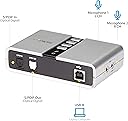
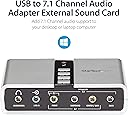
I have a home theater in which I have a media center computer; this uses a GNU/Linux operating system (Xubuntu). Its default sound is good (it has a TosLink output) but I wanted something better, to wit, USB sound output. (This review will be of most interest to those who also use Linux.) I received this StarTech.com 7.1 USB Audio Adapter External Sound Card with SPDIF Digital Audio Sound Cards ICUSBAUDIO7D yesterday and I now have it set up. Frankly, it is not quite as easy to use as one might think; this has nothing to do with the product itself which is nothing short of superb. Rather the difficulties are due to the nature of your computer and just how knowledgeable you are about changing parameters. The default in almost all computers is for the sound to be routed through the computer's internal sound card to the line or headphone output jack. These are analog jacks. The quality of the computer's sound card determines the quality of the sound you will hear. Unfortunately, most internal computer sound cards are mediocre. Of course there are some which are superlative but these are few and far between (not even to mention very expensive). This little inexpensive device allows complete bypassing of the computer's sound card in favor of your amplifier or receiver. If you have a high quality one, it and it alone will determine the quality of the sound you hear (of course this also depends upon the quality of that to which you are listening!). As stated, I use a GNU/Linux operating system on my media center computer located in my home theater (it is a ZaReason MediaBox 5330 model with the Intel i5 processor and 16 GB RAM). Hooking this device to a computer is very easy. You merely take the included USB cable, plug one end into your computer, and the other end into this device. Then you connect one end of a Toslink cable to the S/PDIF output on the back of this sound card and you plug the other end into the appropriate Toslink connection point on your amplifier/receiver. Will you then immediately hear digital sound? No. First you must go into your sound settings section and change the settings from the default analog to the appropriate USB digital setting. After you do this, will you then hear digital sound? Again, no. You must go into the sound settings section of the programs you use to play media. In my case, I use three: VLC Media Player, SM Player, and Audacious. Each of these has its own settings menu (in VLC's case, you'll want to use the advanced menu rather than the simple one). Once all of THOSE are set properly, will you THEN hear digital sound? You bet!!! And it's just great. The sound in my theater, whether playing music (FLAC files) via Audacious, or movies (videos), especially ones with "surround" tracks, through VLC or SM Player, is so much better than the analog (surround) sound I previously used as to make such a comparison meaningless. There is no comparison! My wife can easily hear the difference and I would guess that almost ANYONE would hear the difference. DTS (regular or lossless)? Not a problem. Dolby Digital (regular or lossless)? Not a problem. 7.1 output? Again, not a problem. Just a pleasure! Why would I need a device such as this? It is because my receiver, a Yamaha RX-Z9, was made just before the introduction of HDMI connections. If you have a receiver AND a computer with modern HDMI connections, you don't need this. One HDMI cable will carry picture as well as audio. But if you want digital sound output from your computer, with all of its advantages, and your computer does not have an HDMI output, and/or you have a receiver which does not have HDMI but DOES have digital audio connections, then this is your device. And, at 33 bucks or so, it won't break the bank! It also has analog outputs which carry up to 5.1 analog channels if your receiver has those inputs. Naturally it will also output straight stereo. It even has a headphone jack as well as an analog line input jack. It's quite a versatile instrument! By the way, the changes in audio configurations I mention above apply to ALL computers regardless of the operating system (Windows, Mac, Linux, etc.). It may be a bit trickier to use with a Windows computer (a CD with the necessary drivers for Windows is included; no special setup is required for Mac or Linux) but it still shouldn't be too difficult for fairly knowledgeable people. Its specifications claim it supports 16-bit 44.1/48 kHz sound output. But I can tell you that playing a 24-bit 48 kHz sound file sounds tremendous. I played a "record" downloaded from a company called Pristine Classical. It has several pieces within it: all of the experimental stereo recordings made by Arturo Toscanini and the NBC Symphony, recorded in 1954. I chose to buy the 24-bit 48 kHz FLAC file and I played it through this device just this morning. I need not say any more than that it sounded as if it had been recorded yesterday! For all practical purposes, no one need worry about any "limitations" in this unit's specifications. Just please take my advice: if you are comfortable about changing parameters within a computer, or, if you know someone who is, or even if you are willing to spend money to hire someone who can install this properly, then by all means buy this item if you have need for such a device. If you are not comfortable, for any reason, then merely use the default sound settings of your computer. Frankly, they are adequate for many people. But I truly am extremely happy I bought this StarTech device. (It is not the first item I have bought from this company; in my experience, their products are first-class in every way.) I give it my highest recommendation for anyone who has need for it. Thank you very much for reading this. Lawrence H. Bulk