Desertcart purchases this item on your behalf and handles shipping, customs, and support to Argentina.
๐ฅ Elevate your remote presence with privacy and clarity that means business.
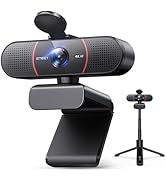
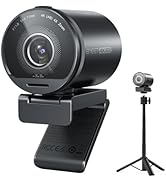
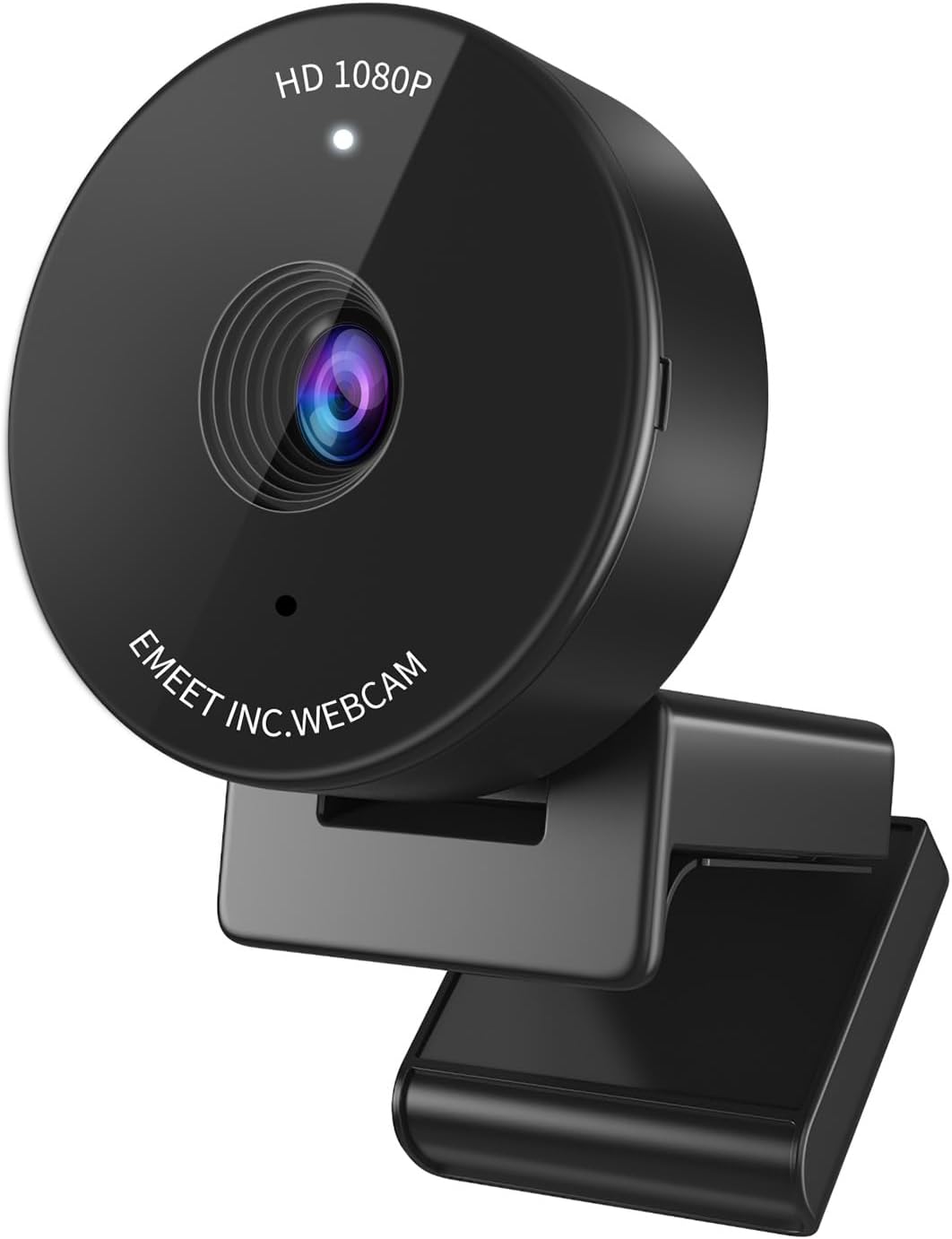
The EMEET C950 is a 1080p HD webcam designed for professionals and remote workers, featuring a physical privacy cover, auto light correction, and a 70ยฐ field of view. It offers plug-and-play USB connectivity with broad OS compatibility, ensuring effortless setup and secure, crystal-clear video calls across all major platforms.





| ASIN | B09KCJ36FS |
| Best Sellers Rank | #13 in Webcams |
| Brand | EMEET |
| Built-In Media | Webcam |
| Camcorder Type | Webcam |
| Color | Black |
| Compatible Devices | Personal Computer, Laptop, Tablet |
| Connectivity Technology | USB |
| Customer Reviews | 4.4 out of 5 stars 5,856 Reviews |
| Effective Still Resolution | 2 mp |
| Effective Video Resolution | 1080 pixels |
| Exposure Control Type | Automatic |
| File Format | JPEG |
| Flash Memory Type | NOT Available, Rely on Your PC/Mac |
| Focus Type | Auto Focus |
| Form Factor | Ultra Compact |
| Image Aspect Ratio | 16:9 |
| Image stabilization | False |
| Item Dimensions D x W x H | 1.97"D x 1.97"W x 1.46"H |
| Item Weight | 0.12 kg |
| Lens Type | Prime |
| Manufacturer | Shenzhen eMeet technology Co.,Ltd. |
| Maximum Aperture | 2 f_stop |
| Maximum Focal Length | 6 centimeters |
| Minimum Focal Length | 6 centimeters |
| Model Name | C950 |
| Model Number | C950 |
| Operating System | Windows 7, 10, 11, Mac OS 10.10 or later |
| Photo Sensor Technology | Other |
| Screen Size | 3.8 inches |
| Sensor Type | Other |
| Shooting Modes | Automatic |
| Special Feature | Physical Privacy Cover, Software Control, Noise-Canceling Microphone, Auto Low-light Correction, Business Webcam |
| Style Name | 1080P Safe Privacy Cover |
| Video Capture Format | YUY2 / MJPEG |
| Video Capture Resolution | 1080p |
| Video Resolution | 1080p |
| Warranty Description | 1 year |
| Water Resistance Level | Not Water Resistant |
| White Balance Settings | Auto |
C**N
WEBCAM MIC AND PHONE FOR PC....5 Stars....July 5, 2026
EMEET C950 WEBCAM WITH MIC AND PHONE....FOR YOUR PC....THIS IS A REALLY GREAT PRODUCT....IT HAS A MIC ALREADY INSTALLED AND THE VIDEO ON THIS PRODUCT IS GREAT...IT WORKS ESPECIALLY WELL DOING ZOOM CALLS....I RATE THIS PRODUCT 5 STARS.....IT IS VERY EASY TO USE AND SET UP....PLUG THE MAIN UNIT INTO THE BACK OF YOUR PC AND IT SHOULD THEN WORK FINE.....I WAS VERY HAPPY WITH THIS PRODUCT...ITS A MIC AND VIDEO ALL IN ONE UNIT.. Christopher Morrison......Carson, CA......July 5, 2026..
R**S
Great webcam!
I bought this webcam to replace an older Logitech 720p webcam that was at least 10 years old and had no compatible drivers for Windows 11. I use my webcam for work Zoom and Teams meetings 95% of the time. Itโs extremely rare I use it for personal. My work provided me the old crummy 720p webcam. I plug my webcam into a USB hub that plugs into a KVM. This allows me to quickly flip between my work laptop and home desktop seamlessly while using all the same peripherals such as keyboard, mouse, monitor, webcam, USB drive, and a smart card reader. My work laptop runs on Windows 10 while my personal desktop runs Windows 11. The old webcam was still working fine on Windows 10, but no longer worked on the personal computer since I upgraded it to Windows 11. For these reasons I knew I didnโt want to spend a lot on a webcam, and I needed a webcam that could also easily work well with my setup. I installed this webcam the minute it arrived on my doorstep, and I must say I couldnโt be happier with it. This was on sale when I bought it for only $16.19! I plugged it into my USB hub/KVM, and both computers saw the new device with no problems, and native Windows drivers set it up automatically on both computers. I was up and running in less than 5 minutes, and I didnโt have to do anything other than plugging it in. Iโm impressed with the quality. At 1080p I could see an improvement over a lower grade 720p webcam. I have a bookshelf behind my desk, and before with the 720p webcam you wouldnโt have been able to read the text on the spines of most of the books. Now with this 1080p webcam you can see the text on most of the spines just fine. The color and contrast balance is good too. The only drawback of this camera is itโs 30 FPS, but I knew that before I bought it. Itโs not really a criticism of the product itself, as thatโs normal for a lower budget webcam. Just something to be aware of. Unless you plan on running or dancing in front of your webcam having a higher FPS really wonโt matter that much. The webcam also comes with a privacy cover. Itโs very small, so be careful not to accidently overlook it and throw it away with the packing. I put it on mine, and I do use it when itโs not in use. The camera does show a light to indicate when itโs active anyway, but I still like that extra reassurance of privacy. The webcam also comes with a small instruction manual that includes a link to download the EMEET software. I went ahead and installed that software, but subsequently uninstalled it. The software was extremely basic, and in my opinion unnecessary. It has options to adjust color, brightness, etcโฆ, but those are all things you can already do from within the Windows Camera app, Zoom, and Teams. Iโm also an avid Linux user (Linux admin by day), and I confirmed it works on Linux just fine as well. I tried it on Ubuntu and Rocky (RHEL) Linux. Overall I think this was a great deal. Other similar big brand webcams would have cost much more.
J**N
SUPERB image quality, but beware wavy lines caused by LED lighting!
One of my peers started using this camera for our team meetings, and for months I assumed he was using a DSLR for his webcam, because his image quality was *that* much better than anything I had ever seen. One day my curiosity got the best of me and I asked him, and I was floored when he told me it was this sub-$20 webcam. Under natural light this camera far exceeds even the best Logitech webcam I have. It is truly amazing how this low-priced, unassuming device can deliver such amazing performance, but it does. There is one flaw with this webcam which I will cover that later. But first, let me tell you all the good things about it... The camera's native resolution is 1920x1080 pixels (1080p) and a 16:9 aspect ratio. Video conferencing apps can and sometimes do crop video to a 4:3 aspect ratio but this camera's native resolution is full 1080p. Unless you're Bigfoot, the sweet spot for this camera is about 20" away. At this distance your head and torso will fill the screen fully. Any closer and you'll crop your head or torso, and if you're more than 36" away you will look like a miniature person. The camera has a fixed focal length: there is no optical zoom. Apps may allow you to "zoom," but they accomplish this by cropping the 1080p image, so your image will get fuzzier the more you "zoom" in (unfortunately, the "infinite zoom" technology showcased in movies like "Blade Runner" and on TV shows like "CSI" has yet to be perfected). Sharpness and color balance are good, while color intensity is low. Motion blur is minimal at 30fps, which is fine for videoconferencing unless you're one of those who flails your arms when you talk, and even then you should be fine over a good network connection. But seriously, let your words speak for themselves and reconsider your need to flail. :) This is a USB device and setup is easy: plug it in and let Windows or Mac OS detect it, then choose it for your camera when you join a video call. This camera has one MAJOR shortcoming. Its image sensor is VERY sensitive to pulsating light from LED light bulbs or virtually *any* LED light source. This will manifest as wavy horizontal lines that slowly move up the image. If you use LED light bulbs in your home it's very likely you will experience this. Here's why... LED bulbs are powered by pulsating electricity. Circuitry inside the bulb's base converts alternating current (AC) from the electrical outlet to direct current (DC), then pulses this direct current on and off rapidly at a rate and duty cycle necessary to produce the desired level of brightness for the bulb (this form of power delivery is called Pulse Width Modulation (PWM), if you want to learn more about it). Light from LEDs pulses in sync with the current that powers them. This happens so quickly that our eyes don't detect it but the sensor on this camera does, as it's sampling each of the 1080 lines that make up one frame of an image--some lines will be sampled while the LEDs are pulsed on and will be bright, while other lines will be sampled while the LEDs are off and will be dark. As the camera samples 1080 lines 30 times over one second, you get a mishmash of light and dark lines that our eyes see as wavy horizontal lines that appear to crawl slowly up the screen. ALL LEDs use PWM to power them because they would burn up if we applied a steady direct current at the level necessary to provide the desired intensity of light. My strong recommendation is to purchase a LED light source made for webcams, such as a ring lamp or LED array. These are engineered with a shorter pulse width or a randomly changing pulse width that eliminates the wavy lines. I purchased a rather inexpensive LED light that sets atop my monitor and illuminates my face and torso nicely, without the wavy lines. I can even fine tune the color temperature on the light to give my face a little more color on camera. Despite its sensitivity to LED lighting, I highly, highly recommend this webcam because of its amazing image quality and low price.
N**M
Great little budget webcam
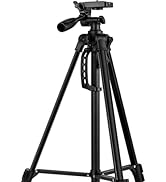
The Emeet 1080p webcam is a great option for anyone looking for a high-quality webcam that is easy to use and versatile. It produces clear and sharp video and audio, and it is easy to set up and use. The only downside is that it does not come with a tripod, and it does not have autofocus. However, these are minor drawbacks that are not enough to outweigh the webcam's many positive features. I would definitely recommend the Emeet 1080p webcam to anyone looking for a great value webcam for online meetings, video calls, streaming, and recording. Itโs not the best but for the price itโs a great little webcam. The setup was 5 minutes to my Mac MIni M2 , and it worked great in my work zoom meetings as well as FaceTime calls.
W**W
Impressive.
I'm writing this review because I'm stunned at the picture quality. I just returned the expensive, top-of-the-line Logitech Brio because the autofocus was laggy and I looked super washed out with my skin tones almost flat-white --very alien-ish. I picked this eMeet cam because I gave up on finding the "best" expensive one, was feeling lazy, and saw this was cheap and had a small FOV (which I wanted). I am so IMPRESSED. I spent under twenty bucks for this and the picture quality is, IMO, better than the Brio (which is 5-10x the price). Using for Zoom, I have natural skin tone and it does well in varied lighting situations. It's also compact, maybe the width of a golf ball. That said, the microphone was definitely better on the Brio. This webcam mic makes you sound thin --but, it's not terrible. I don't sound muffled, I just sound thin. I A/B-ed on Zoom with my partner toggling between different mics, and it's the dead equivalent of using the built-in mic from a MacBook Pro 2017 from about 2 ft away. I have an external mic for important meetings anyways, so this doesn't bother me much. (If mic quality matters to you, you have the option of getting a decent desktop mic for $50 instead of shelling out for another webcam.) Now onto field of view (FOV)... It is definitely tight. I wanted a tight frame, and this is bordering on TOO tight even for me. Fiddled with the Zoom settings and found that "enable HD" seemed to give me the perfect frame size. I don't usually turn that on, but I don't mind it. If you don't do that, you might get the black bars on the sides of your image, or a zoomed-in frame that crops out the black bars, but makes you look like a giant. Overall, I am pleasantly surprised with this under twenty dollar webcam.
S**Y
Decent
Iโve had this camera for almost 2yrs. The microphone and sound quality are good. Never had issues there. I routinely have issues with the camera where my screen is flashing repeatedly. I unplug and replug the camera in and sometimes that resolves it. Iโm just going to buy a higher quality camera.
T**Z
Reliable and High-Quality Webcam
The Emeet C950 webcam is a great choice. Since I use three monitors with my laptop closed, I needed a dependable camera, and this works perfectly. The video quality is sharp, and the build feels durable. Easy to set up and use. I highly recommend it for anyone needing a reliable webcam.
B**O
Great affordable camera! Adjusts for darkness well enough and gives a good picture.
I got this camera for use during work meetings, using MS Teams. It is recognized easily on my computer (HP and Lenovo) and gives great resolution. Being able to mount it above my monitor gives me better placement of a camera angle, and it sits sturdily on the top of the monitor's edge. The camera also adjusts well to changing light conditions, and even in a darkened room, gives a good image using the light from the monitor. I have noticed that the actual camera sensor is slightly askew. Due to that, the camera is moved about 2 inches to the left of the center on my monitor. Not a big deal. A little light is on the front when it is in use, and there is an included slide cover that you can stick over it if you like, when not in use. The cord is long enough to go down the back of my monitor and over to my laptop dock, but not overly long, so you'll need to have your USB plug nearby. I haven't used the microphone on it, as I'm using a headset, but for camera-only use, this is a great little device. I would say it is about 3 fingertip widths across.
P**B
Great value for money. Good image quality!
Great quality - very good value for money. I just got it and itโs def better than my laptop camera. Crisper. Itโs more zoomed in so I have to move away from the laptop but not an issue. The photo I attached here is low res but the actual camera resolution in real time is very good. So far I am happy with the (inexpensive) webcam and my colleagues have noticed. PS: The difference in image quality is less noticeable if you use a blurred background on Teams.
A**M
Great price and quality
I am very satisfied with quality of the cam. I bought it because builtin cam in my Dell laptop is awful. This one provides clear picture with correct colors. I use it at both Windows PC and Macbook Pro (when it is connected to a dock so the lead is closed)
M**U
Nice
It is very nice and clear during using. No blur image's.
A**A
I love it.
I love it, though I have not used it yet. It was worth every penny.
C**E
Budget quality webcam
Great looking webcam Quality as good as my laptop camera Still need fron light to look good otherwisse a bit dim For this price, not bad
Trustpilot
2 weeks ago
5 days ago