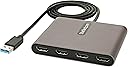
Desertcart purchases this item on your behalf and handles shipping, customs, and support to Argentina.
🚀 Quadruple your screen, multiply your productivity!
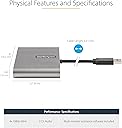
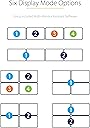
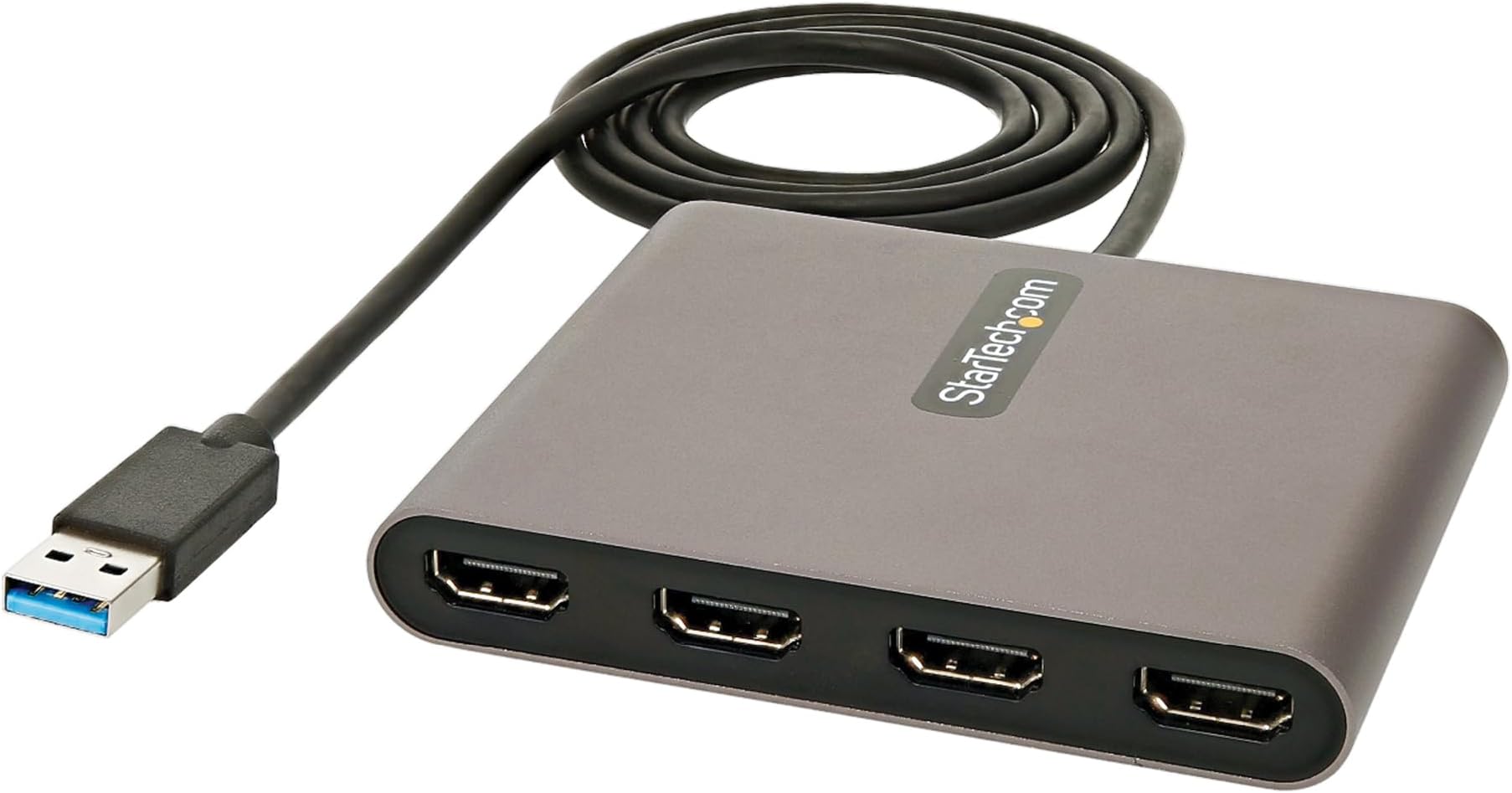
The StarTech USB-A to 4 HDMI Adapter transforms your Windows laptop or desktop into a multi-monitor powerhouse by supporting up to four 1080p 60Hz HDMI displays via a single USB 3.0 port. USB bus-powered with no extra power supply needed, it includes intuitive software for advanced window management, making it ideal for professionals seeking enhanced productivity in office or remote work environments.


| ASIN | B09BJWGPXR |
| Best Sellers Rank | 21,488 in Computers & Accessories ( See Top 100 in Computers & Accessories ) 720 in Adapters |
| Brand | StarTech |
| Brand Name | StarTech |
| Colour | Space Gray |
| Compatible Devices | Monitors, Televisions, Projectors, Laptops, Desktops |
| Compatible devices | Monitors, Televisions, Projectors, Laptops, Desktops |
| Connector Type | HDMI, USB 3.0 |
| Connector type | HDMI , USB 3.0 |
| Country of Origin | Taiwan |
| Current Rating | 4 Amps |
| Customer Reviews | 4.5 out of 5 stars 752 Reviews |
| Global Trade Identification Number | 00065030888721 |
| Item Dimensions | 10.2 x 8.1 x 1.5 centimetres |
| Item Type Name | Video Adapter |
| Item Weight | 0.4 Pounds |
| Item dimensions L x W x H | 10.2 x 8.1 x 1.5 centimetres |
| Manufacturer | StarTech.com |
| Manufacturer Part Number | USB32HD4 |
| Model Number | USB32HD4 |
| Nominal Power | 20 Watts |
| Number of Items | 1 |
| Number of Ports | 4 |
| Package Quantity | 1 |
| Power Plug Type | No Plug |
| Product Finish Type | hdmi |
| Specific Uses For Product | Monitor |
| Specific uses for product | Monitor |
| UPC | 065030888721 |
| Unit Count | 1.0 count |
| Warranty Type | Limited |
A**M
Does the Job
Had this a few days and works perfectly connected 3 monitors to my laptop and doesn’t lag and slows down. Simple install plug the HDMI from the monitors and connect via USB to your laptop. Cannot complain.
R**B
Best USB to video so far
I have bought many different USB to video cards over the year and so far this is simply the best. It installs really easy and just simply works. Startech were not sure if this would work with other USB to video cards at the same time but I can confirm that it does. The reason I am certain is because I was so impressed by this card that I bought a second one and plugged it into my now 6 year old laptop and it ran perfectly well. Now don’t get me wrong, I am not gaming on this old laptop, I use it for general office type work. It’s simply great now having 8 monitors all running at the same time, makes life so much more productive.
M**B
Fantastic little screen extender
4 screens and all you have to do is plug in usb the rest is all in this little powerful device. I would recommend. Little pricey but worth the money.
D**E
Good so far
Much better to use windows to control the device than the suggested software. Easy fit, plug and play, great connection and does not slow my laptop down. Sturdy case but seems a little hot, even at 3 connections. Had an issue with the USBC 1 in 3 out version due to compatibility but I messaged the 24/7 support and they were exceptionally knowledgeable and helpful. Amazon processed the initial return and this arrived the following day along with the refund.
L**N
If you are into flight sims and need multiple displays, this is for you
I have a home made flight sim rig, which requires me to output various screens depicting instruments. The way this is handled by the particular game I am using (DCS World) is to treat the combined desktop of various monitors attached to the PC as one large area, and then you configure that in Windows as an extended desktop. You then use a coordinate system combined with monitorsetup.lua to port the virtual devices to each screen. However in my case I have a total of five monitors; the main one for the external scene when flying, two 10" 1080P LCD monitors for the multi function display units and two 7" 720P LCD monitors for flight instrument outputs. All have HDMI inputs, with the main monitor having DisplayPort as well. The problem is that the graphics card I have only has two DP outputs and two HDMI outputs, meaning I can't connect all of them to the graphics card. So this is where this adapter steps in. You connect it to the USB 3.0 port of your PC, then the two 10" and two 7" monitors are plugged into it using HDMI. The main monitor goes to the Graphics card. Windows immediately recognises the four LCD monitors in the desktop, and you can use the extended desktop and monitorsetup.lua method to output the different views to the different monitors. It's a bit tricky to set up in terms of having to learn the monitorsetup.lua part, but the multiport adapter itself works seamlessly and without fuss. If there is a hit to the in-game framerate, it is not noticeable by me, and the adapter outputs the images to the separate monitors at the correct resolution without issue (that's set in windows extended desktop setup) If you need to split you extended desktop across up to four more monitors, this will do it no problem
M**N
It really works!
We needed to do a client demonstration offsite, in a place with two sets of five big wall-mounted screens. We had two laptops to do it with. Two of these things worked a treat, and "just worked" with Windows. I.e., exactly the same way as with one screen plugged into the HDMI port on the computer. The only downside of having so many screens is that you lose the mouse pointer! (Tip: make the pointer huge.)
S**R
It Awesome for multitasking
If you’re a person like me who is a film student and a context creator you will surely love this device because I have two monitors connected to one PC and it works tremendously well it does so why not give it a go
S**I
Great value for money!
Anyone who is working with more than one monotor should absolutely buy this product!
S**T
Exactly what I should have gotten in the first place
. Great addition to my edit display which was better than a vgr card with connectors but I purchased which doesn't work in the same fashion. But this definitely works save the space and time and I don't have to worry about inserting cords or anything this is strictly directly to the point. Pretty much feels like they'll be getting rid of or phasing out graphics cards with this particular device. Or at least that's the field that I get which is probably already in the works in the first place however but it's great for extra displays I'll be purchasing some more.
G**S
Plug and play. 4x1080p HDMI monitors.
Works great. Usb3, running 4x 1080p HDMI displays without any issues at all. Plug and play, seamless install. Used the native windows 11 display settings to move windows around. All good. Recommended
A**Y
molto funzionale fa bene il suo lavoro
funziona molto bene quatro schermi a 1080 p, perfetto con multitashin regolabile in ogni modo
N**S
Très bon "dispatcher" d'ecran
Il suffit de brancher le port usb 2, et les 4 ports hdmi des écrans et tout fonctionne (windows 11).
E**.
Funcionalidad
Muy bien producto, solo debe estar en un lugar con aire acondicionado o ventilador por qué se calienta mucho. Funciona genial
Trustpilot
3 days ago
3 weeks ago