Desertcart purchases this item on your behalf and handles shipping, customs, and support to Argentina.
🚀 Own Your Data Universe with Buffalo LinkStation 220!
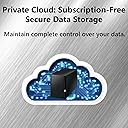
The Buffalo LinkStation 220 is a robust 8TB 2-bay NAS designed for professionals seeking secure, centralized storage with flexible RAID options. It supports automated backups for multiple devices, features SSL encryption for safe file transfers, and enables personal cloud access without recurring fees. Ideal for home or small office use, it combines reliability with easy remote access, making it a trusted data guardian for years.


| ASIN | B00JY4QJZ8 |
| Best Sellers Rank | 42,210 in Computers & Accessories ( See Top 100 in Computers & Accessories ) 24 in Network Attached Storage (NAS) Devices |
| Box Contents | 1 hard drive |
| Brand | Buffalo |
| Brand Name | Buffalo |
| Colour | Black |
| Compatible Devices | PC, Mac, Linux |
| Compatible devices | PC, Mac, Linux |
| Customer Reviews | 4.1 out of 5 stars 698 Reviews |
| EU Spare Part Availability Duration | 2 Years |
| Enclosure Material | Unspecified |
| Global Trade Identification Number | 00747464128658 |
| Is Assembly Required | No |
| Item Type Name | Network Attached Storage |
| Item Weight | 247 Grams |
| Item weight | 247 Grams |
| Manufacturer | BUFFALO |
| Manufacturer Part Number | LS220D0802 |
| Material | Unspecified |
| Model Number | LS220D0802 |
| Mounting Type | Tabletop |
| Size | 8 TB |
| Storage Volume | 8 TB |
| UPC | 747464128658 |
G**S
A good basic NAS. Just be aware that the power brick has an American plug and no UK adapter.
I really do not understand the 'Buffalo haters'. The Linkstation 210 4TB 1-Bay NAS is a basic network drive, with a basic interface. But you only need use the software for initial setup and maintenance. After that, it just sits on your local network as a mapped drive, same as every other NAS. One reviewer said that you must run the software app (NAS Navigator 2) in order to access the drive on a network. That is utter cobblers. The NAS Navigator app is only required as a simpler way of mapping the drive, viewing your files, or displaying any drive errors, perhaps for folks that do not want to start typing in and bookmarking network addresses. The Linkstation 210 covers all the bases. It can be divided up into folders and user accounts. The folders can be mapped to separate drive letters on your network, and the user accounts can be password protected, so family members can have their own private files library. There is also the usual public area, where everyone can access common files. There is a basic media server, and you can configure the Linkstation to upload to the most common media sharing websites like YouTube or Dropbox. The Linkstation also offers a personal cloud feature, where you can access your files from anywhere in the world for free. But you need to be a little more tech-savvy to set up that feature. I have had the larger 2-bay Buffalo 220 NAS in my house now for 6 years, running 24/7. It has proven to be extremely reliable. One of the hard drives began misbehaving after 4 years, and was replaced. The other is still running error-free. Obviously, the single bay 210 does not have the ability for RAID protection. But you can configure it for automatic backup over the network, or via the USB port on the rear. The USB port will work with a shutdown command from an interruptible power supply, so if you power the NAS through a UPS, it will work with apps like Parachute, and complete a proper shutdown, if the battery in the UPS is almost exhausted. In fact that is my only issue with the 210. I wish it had a second USB port on the front of the unit, so you could have the comms with the UPS and also have the ability of backups, without unplugging cables. If I did not already own it's bigger brother, that single feature would have had me purchasing something from Synology instead. Like I said, the larger 220 has been literally running 24/7 for 6 years now, and I have had no issues with the cooling fan, or had any strange hangs or crashes. I have found the 220 to be a very reliable device, and I expect nothing less from the smaller 210. Just remember that Buffalo NAS drives are very popular in the USA, Canada and Japan, so the unit ships with a power brick with the mains plug used in those counties. There is no 'slide-on' pin adapter for any other countries. You will need to purchase a USA to UK plug adapter. The branded one I purchased from Amazon was £8. Although the power brick will plug in to a standard UK shaver adapter, the NAS pulls 2 amps, so it will blow the 1Amp fuse in any shaver adapter. If you just need a reliable, basic NAS/Media Server, to put on a shelf, set up once, then forget about it, Buffalo devices are highly recommended.
A**K
Connection with a win 11 pc is not automatic, with win 11 home have not yet managed it.
its not Buffalos fault, but getting a win 11 pc to connect tp a pc is not quite as simple as pnp. It does work with win 11 pro, but I have yet to get it to work with win 11 home. (I hesitate to alter the registry for obvious reasons)
M**N
No now recommended
After 6+ years of use this is effectively a local hard drive in my home as the supplier has terminated European support effective August 2025. Cannot therefore recommend you buy unless you are operating through a VPN that connects you outside of Europe.
A**H
There are far better options
I wouldn't waste your money on this one. To find this on your network, you need to install bespoke software, which shouldn't be required. After just over a year this crashed and I lost all of my data. The support was useless too. I have now replaced with a far better system at much less cost.
G**R
Easy Setup and Working Great on Day One
The NAS just arrived a little bit ago. I found the quick setup guide to be very easy to follow mostly because all the steps are so simple. If you need more detailed instructions, the full manual is available for download. I'd say it took me about 5 minutes to hook it up to the network, turn it on, download the software, install it on my PC, and have it up and running. It took me about 10 more minutes to read about setting up folders and set up what I wanted. It was so simple I probably could have skipped the instructions. Then it took me about 15 minutes to set up the DLNA server, which I am completely new to, and have it running on my Roku TV with the Roku Media Player. So far it seems to be working flawlessly, ofcourse we will have to see if that lasts. Pros: 1) Extremely cheap when you consider it comes with two 2TB hard drives installed. 2) Super easy setup 3) Super easy and very simple web interface 4) Have it working on multiple computers and my DLNA Roku very quickly 5) EULA was super short and simple unlike some other NAS companies that I saw have EULAs requiring that you allow them the right to audit your use of the device, access your site, see your books, etc. Are you kidding me? 6) Has a USB connection for an external drive which I think will come in handy Cons 1) Maybe lacking in utilities compared to some other companies. I just wanted very basic functionality so I'm actually happy without all the extras. 2) Speeds copying data over the network to the drive so far have been about 17 MB/s for one computer and combined 24 MB/s when copying from two computers at once. I don't know how much of that is the device and how much is the other drives I'm copying from. But, it does seem a little on the slow side to me.
C**2
Works for me
I bought this in NOV 2014 on a lightning round deal. It came w/ a pair of 2T Seagate 'Cuda drives. This was 1st & only NAS & used in RAID 1 for secondary storage & daily data backups of my weather station softwares, PHP scripts & website related stuff. 5 years later, 1 drive crashed & both were replaced w/ 2T 'Cuda drives. 1.5 years ago, they were replaced w/ 4T Ironwolfs because I was running out of room with the "second copy" stuff. The 2Ts replaced some older 1Ts in a desktop. As far as daily data backups go, I use Cobian backup. I didn't care for the supplied backup software. The NAS interface software is kind of clunky/basic but it works for simple usage. As far as the NAS itself, I've been happy with it other than it being a tad slow on large transfers. I've never had any dropouts, no disconnects from my AC1900 router/network - no unexpected problems of any kind but, then again, mine is from 2014.
W**T
Mac compatible - sort of...
I bought this drive to replace an Apple Time Capsule. Out of the box, I connected it to an Ethernet port on my router, and Time Machine on my Mac recognized it immediately and has been working well. My problem came with a USB hard drive that I had connected to the Time Capsule. It was formatted with the APFS file system, and I could read data from it, but not write. I called Tech Support, and found out that the APFS format is not supported, so I had to copy everything off the drive, format it, and copy everything back again. Since I had over 500GB on the drive, it took several days to do it. Once done, it's working fine. The only other issue I have is that the drive goes to sleep and disconnects from my Mac, so I am continually needing to re-connect using Finder. I have tried unsuccessfully to find a way to automate this. From what I've learned, this is a common problem with NAS drives that are not made by Apple. Too bad they don't make them any more!
C**R
has constant intermittent connectivity issues
I gave this a chance because the price was so much better than the Synology NAS since disks were included. I have been trying to get network-attached storage set up so that I can have a location for my Time Machine backups. What I do like about it: - Disks are included which theoretically make things easier (and cheaper) - It has two drive bays and RAID 1 is automatically enabled, which is probably what most people want. - It also has some utilities for working with RAID including RAID scanning. - It has clear instructions for how to turn it on/off without damaging the disks. - The box itself is stylish and not overly large Setup was a bit worse. The Quick Start guide is sort of like an IKEA instruction booklet - not the greatest but you can figure out what they want you to do. However the user interface was otherwise a little confusing, for example they have two separate iPhone apps in addition to the laptop app, the download page is a bit clunky, there aren't any downloads for recent Mac versions (you have to go with a several-year-old Mac version), etc. On the whole the software was not confidence-inspiring. But whatever, that didn't bother me too much - I just wanted to get Time Machine setup. As long as that works, I don't care about the rest. So I followed the instructions and it seemed like it was working. But then it just cut out and stopped. This happened several times. From Googling I got the idea to ping the NAS to see if it was connected, and sure enough, the problem seems to be that the NAS and the laptop can only connect intermittently. From the record of my pings, I can see that they are connected 5-10% of the time, and disconnected the rest. That's not a great ratio. The NAS is connected to my WiFi router by Ethernet. My laptop, WiFi router, and NAS are all in the same room. I purchased my WiFi router 2-3 years ago. During the time when my laptop cannot connect to the NAS, I can still browse web pages. That's particularly confusing because it means that there's no problem with my laptop's connection to the WiFi router, and the router and NAS are connected by Ethernet. I'm not sure what I'm missing. Unfortunately this seems to be a common problem with NAS routers, and I don't really know the solution. My old Apollo had a similar problem I think. However, I think that Buffalo should provide troubleshooting instructions for attempting to address these problems. If they can't fix this problem, I think they should just stop selling their product.
F**O
Una buena opción para conseguir la Linkstation
Una buena opción para conseguir la Linkstation. Considero que a un precio razonable en México
Trustpilot
3 weeks ago
2 months ago