⌨️ Elevate your workspace with ultra-slim precision and wireless freedom!
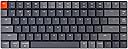
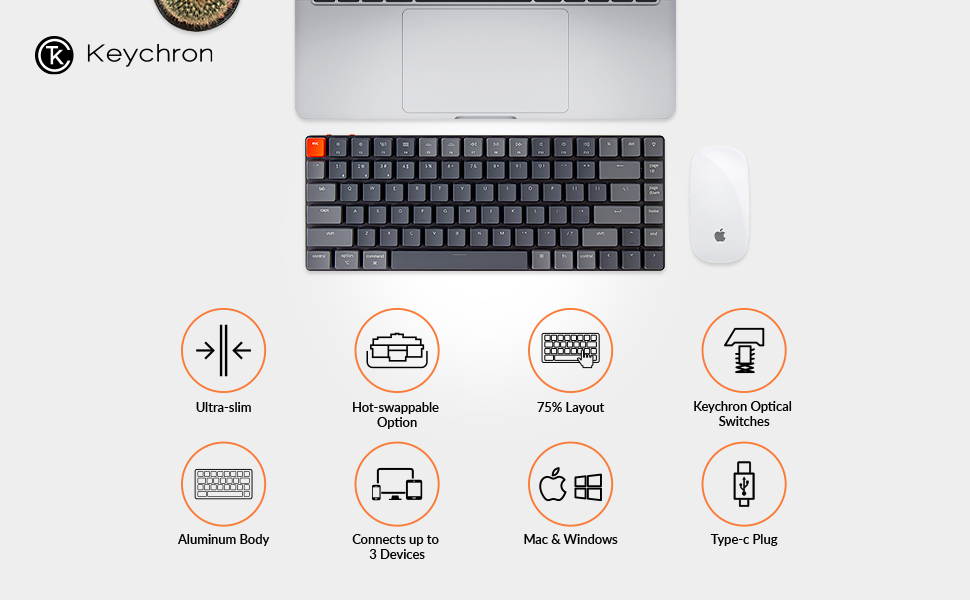
The Keychron K3 is an ultra-slim, 75% layout mechanical keyboard featuring 84 keys with hot-swappable low-profile optical switches. It supports Bluetooth 5.1 for seamless multi-device connectivity and wired USB-C mode. Designed for both Mac and Windows users, it includes dual keycaps and dedicated multimedia keys. Its reinforced aluminum body ensures durability while maintaining a lightweight profile. The keyboard offers customizable RGB backlighting and a 70 million keystroke lifespan, making it ideal for professionals seeking a sleek, versatile, and responsive typing experience.


| ASIN | B08LR54Y1J |
| Additional Features | Lightweight |
| Antenna Location | Gaming |
| Best Sellers Rank | #34,646 in Video Games ( See Top 100 in Video Games ) #183 in Mac Gaming Keyboards #1,703 in PC Gaming Keyboards |
| Brand | Keychron |
| Built-In Media | [USB Cable, Keycap Puller, Hot-swappable low profile Optical switches, Extra keycaps for both Windows and Mac operating systems, Alternative keycaps, Two level adjustable rubber feet (partially inferable)] |
| Button Quantity | 84 |
| Color | Low-Profile Keychron Optical Red Switch |
| Compatible Devices | Laptop, PC, Tablet |
| Connectivity Technology | Bluetooth & USB |
| Customer Reviews | 4.3 out of 5 stars 405 Reviews |
| Enclosure Material | Aluminum |
| Generation | 1 |
| Global Trade Identification Number | 04897115550133 |
| Hand Orientation | Ambidextrous |
| Item Dimensions L x W x H | 12.87"L x 6.3"W x 1.54"H |
| Keyboard Backlighting Color Support | RGB |
| Keyboard Description | Gaming |
| Keyboard Layout | QWERTY |
| Manufacturer | Keychron |
| Model Name | K3 Ultra-slim 75% Layout |
| Model Number | K3E |
| Number of Batteries Required | 1 |
| Number of Keys | 84 |
| Number of Sections | 3 |
| Power Source | Battery Powered |
| Recommended Uses For Product | Gaming |
| Special Feature | Lightweight |
| Style Name | Contemporary |
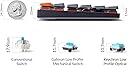
| Switch Type | Low Profile Gateron Mechanical, Low Profile Keychron Optical (Hot-swappable) |
| Theme | computing |
| Unit Count | 1.0 Count |
J**D
Thank You, Keychron.
This keyboard was built for me. I love low profile caps, I love a tactile click, I love the sound, and I love the RGB options. I tried a Logitech keyboard with Romer-G switches, but those keys were too mushy. I tried a Razer keyboard with green switches, which had an awesome tactile click, but the noise was awful and pingy. Then I tried this keyboard. This keyboard is awesome. I bought the blue optical switches, and man are they perfect. They have an audible click, but since they're low profile it's a quieter, higher pitched click than usual blue switches. They also have a nice, short actuation height. And the keycaps don't hit the keyboard since they're low profile, so it's quieter than a normal blue switch. The RGB on this keyboard is sufficient for what it is. It's not fully customizable, but there are plenty of options to cycle through. Personally I think the teal looks the best on it. It's not super bright, either, but it's not too dim. It's just going to be dimmer than your typical "gamer RGB." I have a Razer mouse and charging station, and with the brightness on those set to 15% they match the keyboard pretty well. I like RGB, but I don't like distracting RGB, so it's perfect for me. The keyboard itself has a very modern, minimalist design, so it looks good with any setup that has decent cable management. I also love that it's Bluetooth - it's only behaved strangely for me once, but after a bit of problem solving I discovered it was my fault. When in Bluetooth mode, I notice no perceptible delay in key press and response on screen. The battery life on this keyboard is good - I usually get away with a week (sometimes a little less) between charges, and I'm a full time college student who writes at least one essay per week and games for about 10 hours per week. And this charges fast - like two or three hours to full charge. My only complaint is that the LED that warns you when the battery is low is on the back side of the keyboard right next to where the USB cable plugs in. I usually don't even notice it's blinking while I'm using it, and there has been one time where the keyboard shut off in the middle of a game. I wish they had placed it somewhere more visible, but I realize that would be hard to do with such a minimalist keyboard. Overall, it's an amazing wireless keyboard that performs exactly how I hoped it would. If you like low profile, clicky keys, I fully recommend buying this.
J**N
Great keyboard for daily or work use
Great keyboard for daily or work use. The brown switches are quiet but still have a satisfying click to them. The RBG backlit is beautiful and the features are really cool. Great overall keyboard.
A**R
My favorite keyboard I've ever owned, wrist rest needed
I love my K3. Keychron is awesome. Never had a backlit keyboard before and while it's cool it has a bunch of different light settings, I really only switch back and forth between a few of the rainbow ones. The patterns that move are distracting for work. I use this at home and bring it to work for office stuff. Travels well and constantly gets people talking and asking. Easy to type on. Haven't had a problem with Bluetooth at all and typically BT devices mess up every now or then for me - The K3? Not once! Great battery life, but I use it plugged in when working. Wired and wireless work similarly. Love the switch that lets you go back and forth between the windows and mac keyboard - a huge plus for work. After typing for hours, my hands were very fatigued - this was remedied by picking up the matching Keychron wrist rest. A small rest made the world of difference. When I look at this keyboard it makes me happy that I finally bought a cool keyboard - and the one that I wanted that I liked. Would recommend Keychron to anyone. I don't like the auto sleep feature, glad you can turn it off!
K**N
Great Keyboard but..
I gave this keyboard 4 stars because the Bluetooth seems to not work great. I have a 2019 MacBook Pro that I use and for all of my other devices the Bluetooth works great but this one struggles to type sometimes. I use it wired now so it stays charged and I don’t have to worry about the Bluetooth not working.
M**S
A nice-looking keyboard that can't do most basic things (like stay connected or keep a charge)
Very disappointing experience on Mac. Whenever I come into my office and turn on my Macbook, the bluetooth either doesn't connect or the battery has died. Why does the battery die every day? Or why can't it reconnect? Good luck figuring that out. There is not battery indication, and no way to debug why bluetooth won't reliably connect if it's not a battery issue. There is supposedly an auto-power off function that you can activate with a key press. Does it work on this model? Who knows. Is it enabled or disabled when you press the key combination? With no feedback, it's impossible to tell. Even when I plug it in via the USB-C cord and switch it to "Cable" mode (why do I have to manually flip a side to do this? Again--who knows), it's barely functional. Many times when I begin typing, it simply doesn't respond at all. I wait a second or two and begin typing again, and then it does work. But there is at least a dozen times throughout a typical day where I have to pause typing and wait for the keyboard to un-freeze itself before I can start typing again. I like the look and feel. The keys are nice, the size is nice, the keys are just tacticle enough, and overall this is a keyboard I want to keep using every day. Sadly, it's inability to hold a charge, reliably connect to my Macbook, and its constant unresponsiveness throughout the day has been a major annoyance ever since purchasing this keyboard. I literally just leave it plugged in due to how unreliable it is at connecting via Bluetooth. Sad.
L**I
Outstanding typing experience
This is simply the best typing experience I know. I replaced the brown switches with blue ones, and now I find myself pressing keys for no reason. The feel, tactility, and feedback is just incredible. I'm also very impressed with how easy it is to change the key caps and switches. The build quality of the keyboard is top-notch. It feels firm, sturdy, and generally well-built. And the feel of the keys is sublime. You can tell people who care put a lot of thought and effort into designing this product. The configurable RGB lights are a cool party trick. It's one of those things that would make using the keyboard fun overtime. I've settled on a red backlight. The only con I experienced is Bluetooth performance. Connecting via Bluetooth is not fast. However, Bluetooth in general has a reputation for being finicky. For now, I've opted for using a wired connection for performance reasons. Color me impressed. This is my first mechanical keyboard, and I'm now a fan. I don't think I'm going back. For Linux users, this works perfectly on the platform. I use Fedora Linux.
K**N
Almost Perfect
For those who are used to laptop keyboards, this almost perfect. I got the red/linear switches because I wanted a quiet keyboard and it is perfect for me except for the fact that the arrow keys are slightly uncomfortable to use. That is really the only gripe I have. Other than that, the RGB is surprisingly good because it is actually better than my previous Razer's RGB. The switches are fast and responsive and great for typing, although the low profile nature may increase typos for those not used to these keyboards as much.
F**E
Crisp, keyboard action. Minimalist in mind. Quality.
I purchased this keyboard as an accessory, to rig up my MacBook through a monitor and wirelessly use as an alternative solution to purchasing a desktop Mac. The connection is seamless, and keyboard quality is great. Saved some money and when I need to use my MacBook as a remote computer, I just unplug from my set up and go.
Trustpilot
2 weeks ago
2 months ago