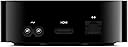
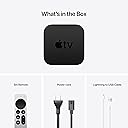
📺 Elevate your streaming game — don’t just watch, experience!
The 2021 Apple TV 4K (2nd Gen) with 64GB storage delivers stunning 4K HDR visuals powered by the A12 Bionic chip, immersive Dolby Atmos sound, and seamless integration with Apple’s ecosystem. Featuring a redesigned Siri Remote and private listening capabilities, it’s the ultimate smart media player for professionals who demand premium entertainment and smart home control in one sleek device.
| Brand | Apple |
| Color | Black |
| Connectivity Technology | Bluetooth, Wi-Fi |
| Connector Type | HDMI Type A |
| Controller Type | Remote Control |
| Form Factor | TV Box |
| Item Weight | 1.7 pounds |
| Model Name | Apple TV |
| Resolution | 4k |
| Supported Internet Services | Amazon Prime Video, Disney+, HBO Max, Netflix |
C**R
Compared to Fire Stick - Free 3 Month Apple+ at Best Buy
16 month Update - I just got the latest Fire stick and it's harder than ever to navigate. I had to watch videos to try to get this new one to work like the last one and I still haven't gotten the screensaver to work right nor have I gotten it to work as well with my LG remote. So I'm upping the Apple review to 5 stars. 12 Month Update - Ended up subscribing to an Apple Family Plan so have access to their shows all the time. This device is still working well on the guest room TV and is easy for the grandkids (and old people) to use. No complaints. 4 Month Update: Updating the software took about 15 minutes on a wireless network with 400 Mbps download. I was going to test the download speed but discovered that there is no web browser for Apple TV. There is an app you can get that will allow you to access other apps but I wasn't in the mood to bother. The Apple TV box, however, has an Ethernet port so I could connect it directly to the router for faster speeds. Works as advertised. Easy to setup. I laid my iPhone next to it and it got what it needed in less than a minute. It worked out of the box with my LG control but doesn't work with the generic control the spouse uses. The quality of the image and sound (on a new high end LG TV) is the same on Firestick and Apple. I did watch a video that showed me how to improve the vidio and audio on the Apple interface but I couldn't see any difference after making suggested changes. I'm a long time Amazon Fire Stick user (upgrade each time a new stick comes out) but that darned stick fails almost daily and I have to go to the TV to manually restart it. I still have it running but stuck the Apple TV on another HDMI plug. After spending some time setting the Apple TV up to suit me, I still use the Fire Stick interface as my first choice but switch to Apple when the Fire Stick fails. Setting up the Apple interface also led me to make some useful changes on the Fire Stick interface. Probably because I'm familiar with Fire's busy screen and have it organized to suit me, I find the Apple screen too simplistic. If I was choosing one to buy for someone less tech savvy, I'd get the Apple. If I have guests, I'll set the Apple up on their TV. If the Apple TV wasn't so expensive, I'd buy one now for my brother. I do not like the remote. It has a hair trigger that causes it to move the cursor if you look at it sideways. But my LG remote works fine so I put the Apple remote away. I was very surprised the Apple TV didn't come with more than a 7 day free trial of Apple+. However, I got a 3 month free trial for no cost from Best Buy. Apple+ gets you free access to their proprietary programs, nothing more. Because I have most of the movies I want to view in file format, I'm unlikely to benefit from having access to Apple+. I got a one year free subscription when I bought my Macbook and never used it. Bottom line - Better choice for new streamers, nothing better for experienced Fire Stick users. Addendum: I like Apple+ better than I thought I would. I will still let it expire after the three free months but we have binge watched a half dozen series. Addendum: The new Apple TV 4K is out and has a good introductory price and great reviews. Try that one instead of this one.
G**S
A Minor Update to an Excellent Streamer
Photos are a comparison of the last 4 generations of AppleTV: 3rd generation, HD, 4K, and this newest box; and the old Siri remote vs the new remote. If you liked the previous generation of the AppleTV, the original 4K, then you will like this new iteration. Because, it is near as makes no difference, exactly the same. Oh, there are spec sheet differences like higher frame 4K video for uncommon content and extremely modern TVs. And the processor has been bumped a couple generations, but I can’t tell the difference; it was plenty fast before and it’s plenty fast now. The remote is better. I had given the previous AppleTV 4 stars because the remote was a fragile, quirky, easily lost, tiny, button poor collection of Apple’s worst design impulses. I bought brightly colored cases for my remotes so I wouldn’t lose them, or forget which end was which. The new remote is more substantial, easier to perform such basic actions as skipping forward in videos. Has a mute button! Now I don’t have to volume down to zero to mute. With a power button so I don’t have to do the square button long press, slide and click to sleep. I can grab it and figure out which end is which without fumbling. Perhaps most importantly, my wife, who never figured out the old remote, uses this one without issue. From such small gifts come an additional star. Readjusting to the new remote continues. I still have muscle memory for the old remote and tend to press the play button when I mean to talk with Siri, and the mute button when I mean to pause. I’d say the old remote is better at swiping left or right, but the new remote is massively better at single directional clicks; it’s practical now to skip forward in single hops instead of swiping around and hoping I land about where I want to scrub in a timeline. The new remote also has a hard to discover feature where resting your thumb on the side of the “track wheel” while pausing video will enable a kind of iPod scrolling through videos. Very precise and makes skipping over commercials in Tablo much easier. Apps that don’t use the standard playback controls don’t necessarily get this feature. Owners of previous generations can just buy the new remote separately and save themselves the cost of a new box when there are no other compelling features. For example, the new color calibration feature using the iPhone 12 will work with older boxes too. I bought a new remote from Apple for the original AppleTV 4K in my bedroom and it paired in seconds and has been a pleasure to use. The larger size is a surprisingly important feature as it’s easier to find even when amongst the folds of an unmade bed, and fits my hand better. If it’s comparable to the old remote, it will need charging every 4-6 months with ample onscreen warning. I would not worry about the non-replaceable batteries. I doubt the typical remote will be charged as many as 20 cycles in its lifetime. By the way, do not charge it unless the AppleTV warns you as you don’t want to wear out the battery with too many cycles. This is not a device you want to daily charge. For those who are buying an AppleTV for the first time, I recommend it if the following is true: you use an iPhone, you have adequate network speed for 4K content, somewhere around 50-100 Mbit should be adequate, you buy iTunes content like movies and TV series. If you want HomeKit automation. If none of these are true, then some other streaming box is likely a better fit. Apple designs the best low wattage computer chips in the world today, and it is no surprise that the 2+ year old A12 in this box leads to a snappy interface. Apps launch fast, list of thumbnails scroll smoothly and briskly. I’ve never complained of a lack of speed with an AppleTV 4K of either generation. My most commonly used app is YouTube and it is fine, if not as full featured as the iPhone version. The occasional 4K video looks excellent on this platform. If you’d look at my network traffic reports, you see I go through videos by the terabyte. The only hiccup had been the occasional loss of pause button functionality, which they finally fixed. And I wish it were easier to turn on close captioning and leave them on. The large number of movies in Dolby Vision and Dolby Atmos in the iTunes library give my TV, a Sony A80J, a chance to show what it is capable of. Details in the dark and eye searing highlights come through and give me my money’s worth. And my library frequently sees movies I’ve already paid for refreshed in Dolby Vision. Recently, the Indiana Jones movies suddenly showed up in these formats, nice. On the other hand sometimes, a movie will require a second purchase to get Dolby Vision, and that’s aggravating and something I've yet to do. I should mention the existance of an Apple TV app on many modern televisions, including my Sony A80J and my LG CX. It is adequate at finding and excellent at displaying iTunes content—I can't tell any difference in quality between using a real AppleTV or the integrated app on my LG CX—but I'm not going to log into Google TV to see how it works on the Sony. I'd prefer privacy, something I'm not going to get from smart TVs from ad-revenue driven corporations. Dolby Atmos, is a nice to have feature, and many movies will feature it and its near mandatory rainy or helicopter scenes. The first chance I had to get into my new TV room’s attic, I put in overhead speakers for Atmos. And I just did the same in the basement media room. Well worth crawling around pulling some speaker wire. As a bonus, Apple has recently started remixing selected music tracks in an Atmos compatible format: Spatial Audio, which places the listener in a much more immersive location in the sound field. So, for times when you really want to listen to foreground music it’s a great feature. I’m not a fan of the TV+ app as it is too focused on selling content and services. There are many 3rd party apps, and I watch a lot of Hulu and VRV. The Channels app is a good to have if you have an antenna and an HDHomeRun. The Tablo app is a must to have if a bit slow if you own a Tablo network DVR. Cord cutters can pretty much fill there content needs and get away from cable television. The Netflix app, when I used it, was one of the better implementations I’d seen. I’d say very few people will notice a difference between the 32 and 64 GB versions. Maybe, with slow networks with a lot of rewatched content or large games. Save a bit of money. I’ve not been gaming on this box or its predecessor, not my thing and the games I tried did not compel. Still it has plenty of horsepower for most games. You will need a Bluetooth controller though as Apple has removed the gyroscope functionality from the remote. Not that the original Siri remote was a good controller anyway. Happy this still has a Gigabit Ethernet port as wired networking is reliable networking. As my home uses HomeKit, this acts as my hub, a centralized computer tying together the switches, thermostats, garage openers, and other smart devices in the house. A reliable system, although if you don’t need a streaming box, a HomePod Mini is cheaper and will also act as a hub, albeit sans Ethernet. Harmony remotes are no longer being made as modern streaming boxes control receivers and TVs so well. The AppleTV coexists with my Sony TV and Yamaha receiver to the point I go months without touching their remotes. All I really need is to turn the system on and off, mute, and adjust the volume and this does so well and reliably. As a developer, I’d say Apple has gone well out of its way to make porting iOS apps to tvOS almost easy. The introduction of Combine and SwiftUI should make it possible for developers to repurpose their apps to the Mac and the AppleTV with little initial effort. Certainly, I’d recommend any iOS developer own an AppleTV and think of which features might be useful on the big screen. As someone who uses an AppleTV every day, I appreciate the high level of technology, reliability, integration with other tech, speed, frequent software updates, new features delivered for free, and Apple’s privacy focus. As I just recently added a TV to my new home, I was happy to pick up this new model to replace an AppleTV HD, but I probably would not have replaced a first generation 4K with this model. However, I purchased just the remote for the original 4K model in my bedroom and have been happy with the decision.
A**Y
Turn on the ARC Setting on your TV and Receiver
The setup for the Apple TV itself was easy and intuitive, however, I had to do some research and experimentation to get it to work correctly with my TV (2015 Panasonic Viera) and my Denon audio receiver. This is not the fault of Apple because they support the right technology in their device. The fault was actually with the TV and receiver menus, because they’re somewhat confusing if you don’t know very much about how ARC works. I finally got all three devices to work correctly together (TV, Apple TV, and Receiver) by turning on the ARC settings on all devices, using the correct HDMI port on the TV that supports ARC, and figuring out the correct settings on my TV that allowed it to give control over to an external media device (the Apple TV). I also had to make sure that within the TV's settings, the TV's speakers weren't set as the default, otherwise after restarting everything it would default audio output to the TV instead of the receiver. With regard to the Denon receiver, to turn on ARC, I actually had to go into the receiver's settings menu under the video settings, because that's where the HDMI settings are, even though ARC stands for Audio Return Channel. On the receiver, I turned on HDMI passthrough with a pass source of “Last,” this allows me to switch between the Apple TV and a gaming console depending on which source the receiver last detected a signal from. With the PS5, for example, all I have to do is press the PlayStation button on the PlayStation controller to switch over to it, or the home button on the Apple TV remote to switch back. When everything is setup, you may need to restart the Apple TV. Now that everything is working, I can hold down the power button on the Apple TV remote in order to turn off all three devices and then turn them back on, such that the Apple TV remote is now the only remote I need. Before this upgrade, I had to keep two other bulky remotes around just for their power buttons, but now I can hide those and don’t ever need to look at them again. This Apple TV was a massive upgrade from the old one I was using, which I hadn’t upgraded since 2015. As everyone is saying, the new remote is an awesome product and the software is so much better than before. I particularly liked how easy it was to sync my accounts and switch between them. The software syncs nicely with your iPhone and automatically syncs your iCloud account to it. Unlike the old Apple TV, where typing in passwords or TV shows was a pain, the new one will open up your iPhone keyboard, which makes it much easier. I’m also surprised at how accurate Siri has become. A few years ago, Siri wasn’t worth the hassle, but now it’s gotten so good at voice recognition that I actually trust it and use it all the time. I also love the “Up Next” feature in the Apple TV+ app that acts as a consolidated watch list for all my movie and TV show apps. Lastly, I appreciate Apple’s strong stance on privacy. I choose to allow them to collect my metadata for how I interact with the app, and in the Settings app, I noticed that, if I want to, I can actually examine the exact metadata packages that they send to their servers. As a programmer, I know how to read these text packages, and I scanned over them and found nothing nefarious. I was impressed that the ability to do that is actually available in the settings.
G**R
The Road Less Traveled
Update 2025: After a having a few years under my belt with Apple TV … and their updates … I have switched all my previous fire devices to Apple. Why? First and foremost Fire devices are so riddled with advertising they have become difficult to use. Also, their last two GUI updates have not improved navigating content. Amazon has made it clear that they will continue to interject as much advertising as they can and lay out their screens to accommodate that. Second, I found a remote cover to make the Apple TV remote usable. Third, Apple's updates have improved the user experience not used them to hawk products. Yes, of course, they advertise their new content in the beginning of a show but it's easy to skip. Forth, they have aligned their prices to be reasonable. Fifth, you have much more storage which is a huge asset. Sixth, it's audio capabilities are second to none. Seventh, once you get used to its content scrubbing technique it's actually a much better system than Fire devices. Apple, however, still has a problem with their Siri voice system which quite frankly sucks and although their picture quality hits all the marks of resolution (plus Dolby Vision) it's still softer than a comparable Fire device. I therefore would recommend Apple TV's as the best streaming device I have ever used. But you still have to have an Apple ID to set one up and it's more difficult to do if you don’t have an Apple device. However, one must also consider that Apple allows you to share, with Five other Apple members, some things you could purchase like Apple TV plus. These people do not need to live in your home. This is a much more intricate discussion which I will not take on but something worth researching if you are evaluating what streaming device to buy. Even though I have TVs that I can use streaming service apps on I much prefer a standalone streaming device for remotes, future updating and audio capabilities to be used with AVR receivers. Just something to also consider. OLD REVIEW: This will be a difficult review to write. Let me start by saying I rejected the previous Apple TV device because of the ridiculous remote ... sent it back. I decided to give Apple another try as it appeared the remote issue was addressed. I own several other streaming devices, Firestick 4K, Roku Ultra and Chromecast with Google TV which is my least favorite. I am of the opinion that if you are totally streaming you need at least 2 different brand streamers as there will be ongoing issues whether they be server related or licensing agreements. As an example, the recent tussle between Roku and Google which led to YouTube TV being removed from Roku. Since I basically dislike the Chromecast, that left me with the Firestick and Roku. The Roku's remote is bulky/eats batteries and the Firestick's new GUI is just bad. So, here enters Apple TV🙄 Now at this point my expectations are low for any device but at $179 to $200 one would expect a substantial bump up. The Remote: So let's start with the remote because everyone is giving it a big thumbs up. Apparently my hands are not shaped like everyone else's because this remote is not even remotely ergonomic. I don't know what kind of snobbery it takes to make a remote so slick and buttons so much in the wrong placement on the remote so as to meet the classy requirement they feel is necessary. Firestick has them beat by leaps and bounds. The twisting of one's wrist to use the voice button and reaching to get to the touch/click pad makes my thumb and wrist ache in record time. The rectangle design, thinness of remote and slickness only adds to the discomfort. This remote gets a 👎🏼 It may be better than the previous remote but the mindset that made it held onto what's wrong with Apple designers. GET A GOOD CASE TO COVER IT. The Home Screen: Apple TV defaults to it Apple's App for the Home Screen button which I changed in Setting under the TV Entry. I also changed the Top Shelf to show 'Up Next'. (Issue) Because my streaming devices are plugged directly into my Marantz receiver, then receiver to TV, Apple TV could only allow me to control the receivers volume. Regardless of having HDMI CEC on it could not recognize the connection and therefore I could not use power on and off for both devices as I do with Firestick. (Menu) Now I realize that Apple has very little content and has to fill up space but SERIOUSLY do we need to see pic icons from space? Could we not have the ability to choose Channel pic sizes so more can fit into the top Menu? And why, for god's sake, can't you put a highlight or drop shadow on the channel you are hovering over? The 'now it's bigger' is not apparent especially if the channel background colors are similar. Have some consideration for people who have vision problems. (¿) And why is 'Recently Watched' at the very bottom of the menu on the Apple TV App. Oh wait ... I know ... so you have to pass by all the advertising. Silly me. Not all that classy. Despite these glaring issues the Home Screen simplicity shines. The ability to drag and drop items into a folder is a nice touch. It does not fatigue the eyes as the Firestick's over abundance of information does. It does what a main menu should, be a table of contents. Now back to the shameful part. Search for something. Apple shamelessly puts itself first in line. You have to go to the very bottom of the screen to see other options. But even worse what you won't see is any reference to Netflix. The Firestick will take you there if you ask to open something specifically in Netflix. Bottom line search is adequate for services linked to it but not as good as Firestick who is service neutral. Speed: Sorry geeks with speed testing equipment, I find the Firestick as responsive in every regard. Channels open a bit faster on Apple TV but it lags in other areas in terms of backing up or switching from one channel to another. Video: Apple TV has a more soft but crisp appearance over Firestick. Less harsh. Audio: Apple TV is the winner here. It matches sound quality much better and has higher end performance. Navigation: Apple TV consistently performs better with Siri for FF, Rewind and other voice commands in all Channels across the board. Firesticks scrub, when available, is by far the best of all devices showing exactly where you are in small pics across screen. Apple TV's scrub is poor by comparison. It's frustrating that an expensive device from Apple can't do better. Airplay: I simply don't use this function all that much so my comments on it would not be helpful. Alexa capabilities: Perhaps someday Apple and Amazon will learn to get along. Until then Firestick rules with Alexa/Echo capabilities. I know Apple has it's own comparable device but it does not have the the same overall reach that the Echo world does and certainly not at a price point everyone can afford. It seems Amazon has been more generous with access than Apple (not withstanding I say generous with a big caveat toward profit). Conclusion: There are small pieces here and there I did not cover but the question is .... is Apple TV worth the $'s they ask for it. The answer is NO unless there is some Apple related specific purpose you have for it. This is not startling news or anything I didn't already know but my reason for keeping it relates to sound quality and eye fatigue. I hope a cover for the remote will make it less painful to use. I have I-devices I could control it with but they are no more pain free or convenient than the remote itself. If Apple would get off it's high horse and make Apple TV more user friendly, especially with the remote, it would certainly go a long way to commanding the price it asks. As it stands it only appeals to a niche market of Apple devotees who require certain amenities. Since I want 2 distinct devices this will replace my Roku.
C**M
Great
The main issue I had with this was the remote is really sensitive. But I think it’s able to be adjusted in the settings. So I got it for an education app I’m using to help with studying for some school topics; Udemy. The app ended up just being airplay, which is stupid. The Udemy app wasn’t actually a content accessing usable app. It opens and says to download the real app on your phone and stream it through airplay. So I returned the Apple TV 4k and got a roku streaming plus, since I could just use that for airplay and it’s way cheaper. I have a gaming console that has all my video streaming apps in 4K, so I thought Apple TV 4K would be a waste of money for just airplay. Well, the roku is horrible!!!! Cascading problems with the device, remote, connection, and the airplay works 20% of the time after restarts and troubleshooting each time I try to use it, and sometimes having to do troubleshooting mid-use because it cut off and stops working while I was streaming. Full roku review on the roku streaming plus page. Now I’m waiting for amazon to finish my Apple TV 4K return, so I can turn around and repurchase it. Because roku was so bad that I don’t want to try any other devices or dongles lol. And the Apple airplay approved lists on apple’s site, is small for what I need. And now I feel like a crazy buyer, because I’ve never done this before with purchasing, returning, and then repurchasing the same item lol. I feel guilty like I did something wrong; like walking out a store without buying something lol. At first I thought the Apple TV was overpriced. Especially for me, since I have a gaming console with all my 4k video streaming. But it does come in handy and uses way less energy to operate, compared to my console. For streaming, the real apps you have access to, the stability and stronger connection, the better quality video and audio. It’s quick! And the airplay works! So I just have to get this again, which I’m fine with at this point. I will probably not want to buy outside of apple’s ecosystem if I don’t have to, going forward. So I 100% recommend Apple TV 4K lol. Edit: still 5 stars. But the color balance and 4K on the Apple TV, looks better than my 4K tv and better than the 4k streaming on my gaming console. Colors look noticeably better. The darks, the brightness, the overall quality looks clearer. Not sure how Apple did it, but their 4k looks better lol. I found out by watching the same 4k and 8k videos on YouTube. Yes, I only have a 4k tv, but the 8k videos have nice demos as well. Also noticed this streaming Netflix. Those are the only tests I’ve done.
T**M
Worth it! Love it!
There has been much debate within the Apple community as to whether or not this upgrade to the previous Apple TV is "good enough". The answer really depends on what you wanted this new version to be and to do. For me, the answer is an easy yes. It is exactly what I was hoping for. (I'm coming from the 2015 full HD Apple TV rather than the more recent 4K version.) I use my three Apple TVs primarily for media consumption: YouTube, Plex, Amazon Prime, and Spotify. What I wanted more than anything was an upgrade to the previous remote design. Mission accomplished. This remote design is awesome, much better than the previous design which frustrated me every single time I used it. It is larger, heavier, and better looking. The button action is more defined. Most important, its design makes it easy to move around an app's interface with precision—something the previous remote was never good at. Want to move forward or backward in a video? No longer are you fighting a menu pop up or an information screen that prevents you from doing what you intended. Beyond the new remote, which is available separately for older Apple TVs, is upgraded video capabilities. 4K 60p playback is now possible, and h.265 [HEVC] and HDR video is now supported. (HEVC and HDR were supported in the previous 4K model as well.) This is a great thing as 4K60, h.265, and HDR video is becoming increasingly common. Two other upgrades are worth mentioning: Wifi 6 [AX] offers the fastest wireless connectivity currently available, assuming you have a Wifi 6 router. Also, Thread. Thread is a relatively new protocol for allowing Thread-enabled devices to communicate faster and more reliably in a smart home. The 2021 Apple TV is the second Apple device to support the protocol after the HomePod Mini. What is missing? For me, nothing. Some gamers hoped the next Apple TV would be a device that competed with a PlayStation or XBox for gaming. That device may still be coming but this isn't it. The bottom line is this: I love everything about this Apple TV. It is an easy recommend for anyone with the 2015 Full HD Apple TV. 2017 4K Apple TV owners have a tougher decision between simply buying the new remote or replacing the entire Apple TV. If you need 4K60 playback, Wifi 6, or Thread, pay the extra money and get the 2021 Apple TV. But if you're budget limited or just don't see the value in any of the other new features, simply replacing the old remote with the new one will leave you very happy.
J**N
Best streaming device I've used so far!
(**My unit had audio stutter issue initially, but that went away after a restart.) I've used all the major streaming devices including NVIDIA shield, Roku ultra and Amazon Firestick 4K. If you are part of the Apple ecosystem, this product is a no-brainer. BUT, even if you are not (I'm a Samsung user), Apple TV 4K is the best option out there so far. While I think Firestick & Roku Ultra are cost-friendly options, I don't think the quality and the performance is up to par as the Shield or AppleTV 4K, so here's my experience with the Shield -- NVIDIA Shield vs Apple TV 4K UI: Shield - Android UI is easy to use and provides a lot of options for apps & customization - Relatively snappy UI, although it suffered from freezes once every while Apple TV - Apple's own OS. Simple, easy to use, great integration with other iOS devices. Snappy & no bugs or stutters after the initial issue mentioned above Image quality: - Both great, but slight edge to AppleTV 4K. Much less ghosting issue in dark scenes on my projector Other features: Shield: - Can play AAA video games with Geforce Now without needing a PC/console (requires high speed & reliable internet connection and the image quality will be limited to 720p I believe) Apple TV: - Apple Arcade games + SteamLink to stream from PC Audio: - Audio produced by Apple TV sounds a lot better than from my Shield. Both when using Sony HT-A9 or Onkyo AVR with 5.1 passive speaker setup, Apple TV's audio sounded richer and fuller in tone even when playing same Dolby Atmos content. More notes on the Shield: - The remote broke within 3 months - Smartphone app for the remote loses connection quite often - The OS sometimes messes with my projector's software, making it necessary to reset the projector to its factory setting Needless to say, I'm selling my Shield and keeping the AppleTV 4K as my main streaming device. Try it out youself to see the difference. P.S. Apple supposedly is coming out with a new Apple TV later this year. Might be a good idea to hold off on your purchase so that you can buy the more 'updated' version. Update: When used with HDFury VRROOM, the audio gets messed up in varying degrees depending on which app I'm using. YouTube seems to be playing everything fine, but Netflix, Disney+, Peacock all seem to be outputting partial or no sound at all. This did not happen with any other streaming device.
J**O
Really great !!
Bought this one a few years ago and is still really good. Still receiving updates in August 2026
Trustpilot
3 weeks ago
3 weeks ago