Buy anything from 5,000+ international stores. One checkout price. No surprise fees. Join 2M+ shoppers on Desertcart.
Desertcart purchases this item on your behalf and handles shipping, customs, and support to Argentina.
⌨️ Elevate your iPad Air game—work, create, and protect in style!
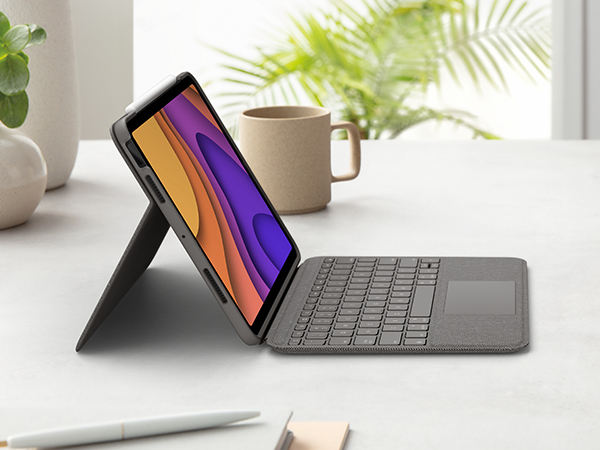
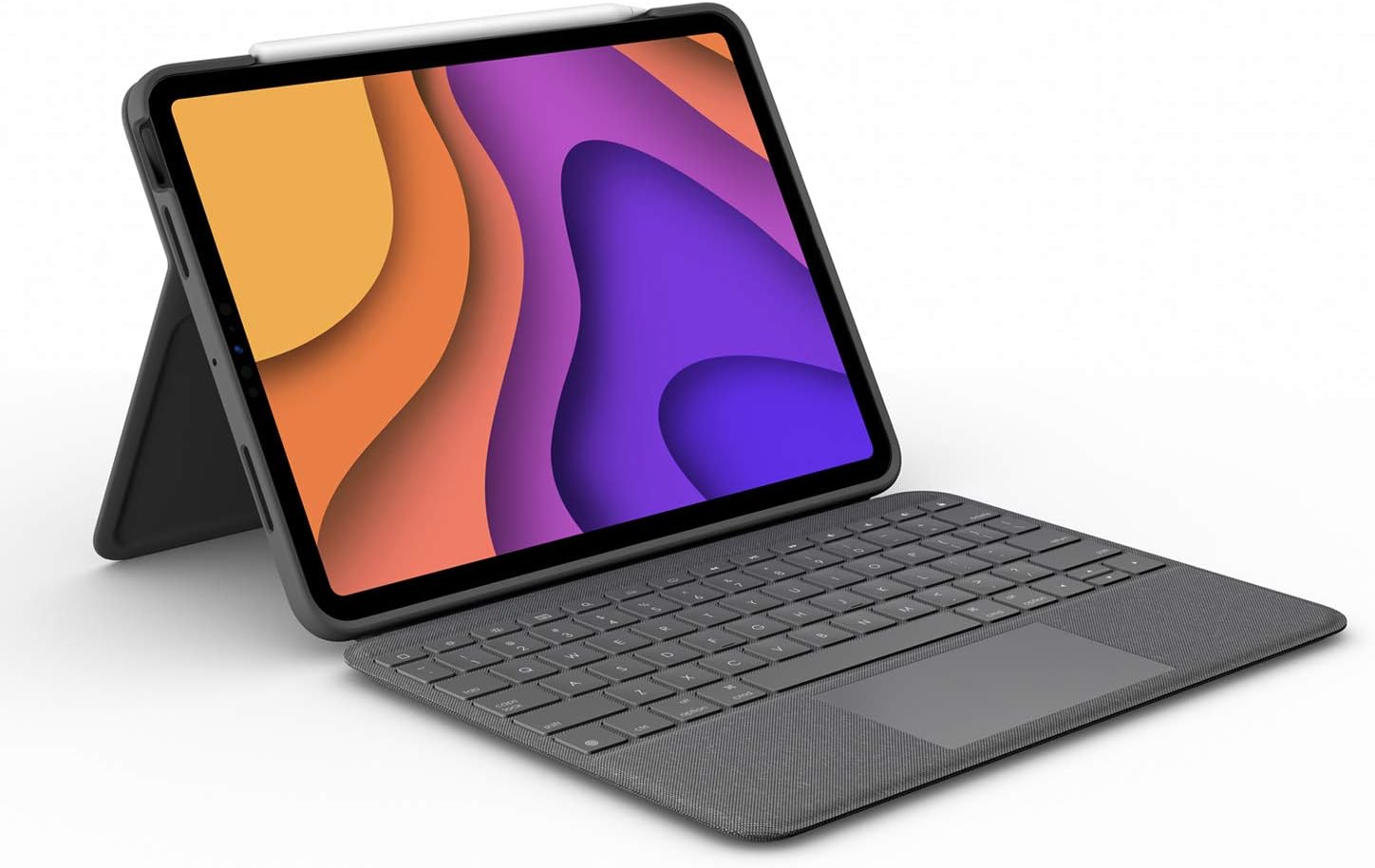
The Logitech Folio Touch is a premium keyboard case designed for the iPad Air 11-inch (M2 & M3, 4th & 5th gen). Featuring a high-precision multi-touch trackpad, adaptive backlit keys, and a military-grade protective case, it offers four versatile use modes with an adjustable kickstand. Powered and paired via Smart Connector, it eliminates charging needs while providing a dedicated space for Apple Pencil storage. Ideal for professionals seeking laptop-like productivity and rugged protection on the go.


| ASIN | B08VD9BMZW |
| Additional Features | Foldable |
| Best Sellers Rank | #99 in Tablet Keyboard Cases |
| Brand | Logitech |
| Built-In Media | Folio Touch Keyboard Case, Quick Start Guide |
| Button Quantity | 78 |
| Color | Graphite |
| Compatible Devices | iPad Air 11-inch (M2 & M3), iPad Air (4th & 5th gen) |
| Connectivity Technology | Smart Connector |
| Customer Reviews | 4.4 4.4 out of 5 stars (4,892) |
| Enclosure Material | Fabric, Plastic, Polyurethane (PU) |
| External Testing Certification | Não aplicável |
| Generation | 4th and 5th |
| Global Trade Identification Number | 00097855163462 |
| Hand Orientation | Ambidextrous |
| Is Electric | Yes |
| Item Dimensions L x W x H | 1.16"L x 7.95"W x 10.35"H |
| Item Type Name | Folio Touch |
| Item Weight | 30.34 Ounces |
| Keyboard Backlighting Color Support | Single Color |
| Keyboard Description | Backlit |
| Keyboard Layout | QWERTY |
| Language | English |
| Manufacturer | Logitech |
| Mechanical Keyboard Switch Model | Scissor-switch |
| Model Name | Folio Touch |
| Model Number | 920-009952 |
| Number of Keys | 78 |
| Number of Sections | 4 |
| Power Source | Supplied directly from connected device |
| Series Number | 920009952 |
| Style Name | 4th & 5th gen |
| Switch Type | Scissor-switch |
| Theme | keyboard case with trackpad for iPad |
| Total USB 2.0 Ports | 1 |
| UPC | 097855163462 |
| Unit Count | 1.0 Count |
| Warranty Description | 1 Year Limited Hardware Warranty |
| Water Resistance Level | Not Water Resistant |
K**.
Sleek Keyboard/Case that works seamlessly with my IPad Air
I bought this case because I wanted something that would protect my IPad as I bring it with me a lot and obviously you're protecting a large investment. It has worked flawless so far since I've been using it for a few months now. PROS: It's a heavy duty case, I don't worry about if my IPad is protected enough. Love the spot in the close flap for the Apple Pen and the room it leaves if I want to leave the pen attached to the IPad. It is functional in many different positions and love that I can elevate it a bit when it's sitting on my lap. The illuminated keys are the keyboard are a nice touch and being able to have a touch pad for a mouse is a win. It really has everything I need and more. CONS: With being so heavy duty, it is heavy. It adds a lot of weight to my IPad Air. But it's a trade-off as I know how solid it is. The only very minor glitchy thing I've noticed is if I have the IPad on my lap and try and use the keyboard, with the uneven surface it can go back and forth between the on screen keyboard as it's not sure which one I'm trying to use. Not a big deal at all. Price point is not cheap, but you get what you pay for. I highly recommend this if you want all the things and want it feel like you're on a laptop sometimes. It's high quality and will protect your investment. And it should, for the price you pay.
C**.
Best versatile iPad keyboard/case
The Logitech Combo Touch has been a great case/keyboard combination for my iPad Air so far! The things I enjoy about the Combo Touch include the great typing feel, quality materials that don’t get dirty easily, the function key row, and the large trackpad. The main selling point, and the biggest advantage that this has over keyboards like the Magic Keyboard is its versatility. If you want to type and use it as a laptop, you can. If you want to use the iPad in tablet mode, or draw, just detach the keyboard and either put it away or attach it backwards. The kickstand in the back feels very sturdy and has a very wide range of viewing angles, especially when compared to the Apple Magic Keyboard. The last thing that is a big pro is the ability to protect the iPad without keeping the keyboard attached, since the combo touch is basically a nice bumper case with a really nice keyboard. I only have two minor issues with the Combo Touch: You can’t really stand the iPad up in vertical orientation. Also, typing with it on your lap is slightly less convenient than with something like the Magic Keyboard, but it is definitely possible once you figure out how to balance it because the keyboard is quite solid and the hinge on the kickstand is. In fact, I wrote this review using the combo touch keyboard on my lap. In conclusion, the Logitech Combo Touch is a great choice for students in HS/College, or anyone looking for a less expensive, more versatile, and more protective keyboard than the Magic Keyboard.
D**D
Makes your ipad like a Surface - a superb add-on!
This is a brilliant add-on to the iPad. It’s SO much better than every similar case for Samsung tablets - and I’ve tried them all - that it makes my iPad my go-to device over other tablets and computers. The fit is pretty perfect on the iPad. Nice and snug. The keyboard attaches really well - about as good as a Surface which is pretty much the gold standard for me. It doesn’t wobble with the iPad on your lap. The texture of this earlier-generation case is MUCH better than the newer “m2/m3” variant. That one is super smooth and slippery. WHY? The older generation has almost a denimy feel to it so it has a great amount of grip. I don’t use it in particular dirty or dusty environments so it stays pretty clean for me, despite the texture. The keyboard is super to type on - again, about as good as a Surface. The backlight is great. The trackpad is also nice, but I really don’t like the weird little dot that iPads have when you connect an external trackpad or mouse. It doesn’t move well, and isn’t precise. That’s not a failing of the Logitech case, though, it’s just iPad OS’s crappy mouse pointer. The kickstand works perfectly and requires just the right about of force to open. I wish this case had a clip or something to hold an Apple Pencil or Logitech crayon but it’s still 5 stars even without that. Every other case for a Samsung tablet is 1 star by comparison.
R**U
still good after 22months
A**N
Solid build quality. Does the job
S**K
it was good but stopped working after a year
V**Z
Esse teclado é tudo de bom! Ótimo custo-benefício quando comparado ao Magic Keyboard.. estudei muito as duas opções e acabei optando por comprar o Combo da Logitech pela opção de poder desconectar o teclado, pelo design, pela qualidade do produto.. e acho que acertei em cheio. Funciona muito bem, é agil, ótimo de digitar, o mousepad é muito bom.
E**L
La calidad es muy buena, si vuelve pesado el cargalo pero lo protege por todos lados, el teclado es muy cómodo, aunque siento que en cuando a la escritura tiene algo de lag a diferencia del magic keyboard. Fuera de eso es excelente, para el uso qué le doy qué es leer y crear documentos y ocasionalmente ver videos me dura la batería alrededor de 7 días con el teclado conectado. Sin duda lo recomiendo
Trustpilot
2 weeks ago
1 day ago