🚀 Unlock lightning-fast storage with style and zero hassle!
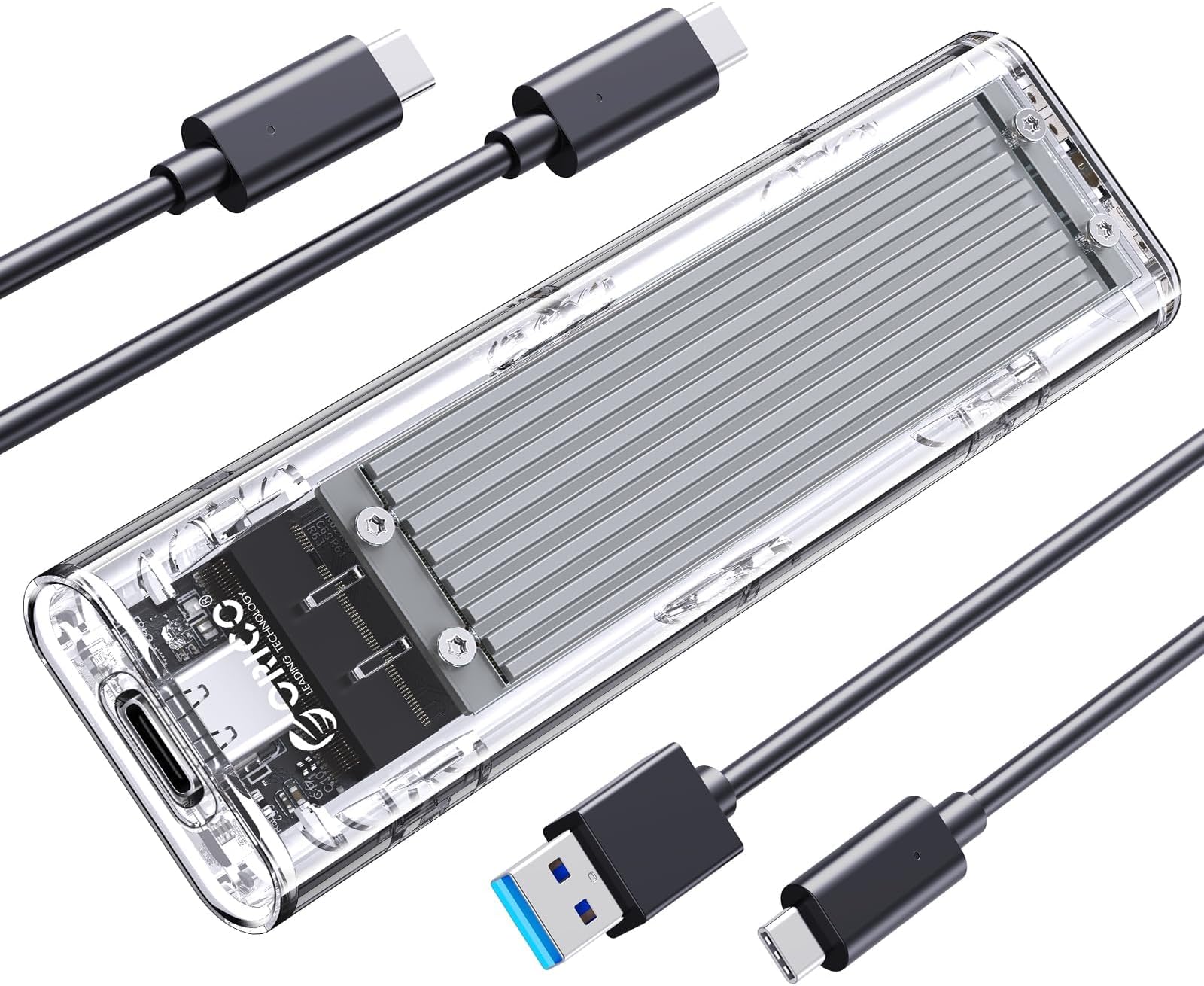
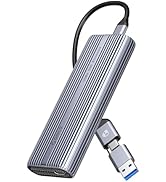
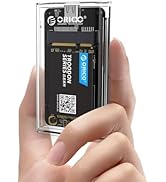
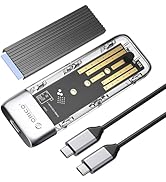
The ORICO M.2 NVMe SSD Enclosure delivers ultra-fast 10 Gbps USB 3.2 Gen 2 data transfer speeds with a tool-free, slide-in design for effortless installation. Its triple-layer heat dissipation system—combining porous copper bars, silicon thermal pads, and aluminum alloy—ensures your SSD stays cool and reliable during intense use. Compatible with M.2 M-Key NVMe SSDs in sizes 2230 to 2280, it supports Windows, Mac, and Linux platforms. The transparent aluminum case not only looks sleek but also features an LED status indicator, making it a perfect blend of performance and style for professionals who demand speed and sophistication on the go.


| ASIN | B08QV4L4M3 |
| Best Sellers Rank | #61 in Enclosures |
| Brand | ORICO |
| Built-In Media | M.2 Enclosure |
| Compatible Devices | Laptop |
| Customer Reviews | 4.1 out of 5 stars 1,670 Reviews |
| Data Transfer Rate | 10 Gigabits Per Second |
| Enclosure Material | Aluminum |
| Hard Disk Form Factor | 2280 Inches |
| Hardware Interface | USB Type C |
| Hardware Platform | Laptop |
| Item Weight | 0.12 Kilograms |
| Manufacturer | SHENZHEN ORICO TECHNOLOGIES CO.,LTD |
| Memory Storage Capacity | 512 GB |
| Supported Devices Quantity | 1 |
| Warranty Description | 12-month |
H**A
Fast, Sleek, and Reliable Enclosure!
I’m really impressed with the ORICO M.2 NVMe SSD enclosure. Setup was incredibly simple—just slide in the drive, secure it, and plug it into a USB-C port. My computer instantly recognized it with no drivers needed. The performance is excellent; I’m consistently getting full USB 3.2 Gen 2 speeds (around 900–1000 MB/s). The transparent silver design looks modern and clean, and I love being able to see the SSD inside. It feels solid and well-built, yet compact enough to carry around easily. The aluminum alloy helps with heat dissipation, and even during large file transfers, it only gets slightly warm. Perfect for anyone upgrading, cloning drives, or using it as a fast portable SSD. Great value for the quality and speed—highly recommended!
O**E
Nice Simple Encasement
Item came in nicely packaged. You slide the lid off to place your SSD card in it. I inserted a 4TB SSD that I used on my Mac Mini M4. I also bought a doc that has an encasement for a SSD card that plugs into the Mac Mini, which can save spaces. The doc stopped working and reading my card, so I thought I'd try this encasement that was simple and with no bells and whistles so to speak. It does have an internal fan, which I thought was good since it reads/writes at 40Gbps, and I know they can get pretty warm when you load files onto it. This encasement worked wonderfully and then it stopped reading again and ejecting. Found out that the Apple Mac Mini's don't have enough power to power the encasement/SSD card, so I had to connect it to a hub and now it's great. I'm thinking my doc was probably still good as well but the mac mini couldn't power it along with other external drives I had connected to it. I really like the look of the encasement. It still gets hot when you load large files like video, but it does it super fast. You will need to place it somewhere cool and out in the open. Do not lay it on anything metal as the metal will not allow it to cool.
R**N
ORICO TCM2U4 NVMe SSD Enclosure – Sleek, Fast, and Functional
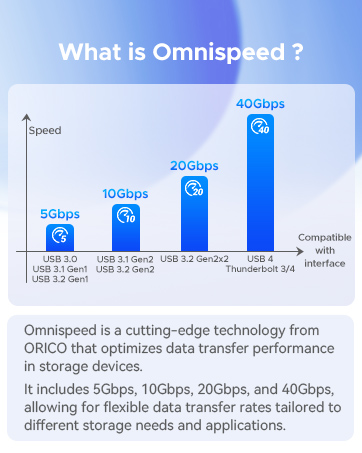
The ORICO TCM2U4 enclosure delivers exactly what it promises: high-speed performance in a smart, modern package. Designed for M-Key NVMe drives (2230 through 2280), this enclosure supports transfer speeds up to 40Gbps when used with USB4 or Thunderbolt 3/4 ports. In testing, I saw consistent read/write speeds in the 2.8–3.1 GB/s range—perfect for video editing, gaming libraries, or system backups. The transparent chassis is more than just eye candy. It's well-built and features a tool-free SSD installation process, making it easy to swap drives. The enclosure also includes a USB-C to dual USB-C/A cable, which adds welcome flexibility for different port types. What really stands out is the cooling system. With a built-in fan, aluminum heatsink, and thermal pads, this thing stays cool under pressure—literally. Even during large file transfers, it kept temps low and avoided any performance throttling. A few notes: it won’t work on USB 2.0, and older systems with legacy Thunderbolt or USB ports may not reach its full potential. But if you're working with modern hardware, it’s hard to beat.
J**N
This item has terrible cooling: Caused repeated unmount errors. Should be pulled from Amazon sales.
I had repeated overheating with this item when hooked to brand new mac mini m4. Using Samsung 990 NVME drive evo the temperature got to 160 F all the time. This was a consistent issue when hooked to thunderbolt4 and using both manufacturer cable and replacement thunderbolt 5 cable. The plastic case and ill placed fan are an oven. Putting an external fan on it dropped it to 125. My replacement Acasis thunderbolt 4 case does not go over 104 without a supplemental extenal fan. Poor thermal design characteristics. Bad choice for high speed Thunderbolt use. Overheating caused power supply overloading and repeated umount errors from Mac mini. The Orico unit is unsuitable for use as a thunderbolt 4 external item. It works ok on thunderbolt 3 or 10Gbps Usb.
K**W
Good performance, unbelievably bright status light
Easy enough to install though getting the drive to sit properly on the little plastic shelves while reinstalling it was fiddly and meant taking it apart to realign it a few times. The biggest drawback is the status LED on the main board. HOLY HECK it's like they took the bulb out of the bat signal. The light is blue, faces up at the very corner of the housing and strobes like nuts whenever the drive is being accessed. I initially had the intention of having this on my desk next to me to appreciate how good it looks with the clear housing but yikes it's unbearable. I had to hide it behind a potplant and even then the wall behind it looks like a techno rave. Might look to put a dab of opaque hot glue onto the diode to soften the light a bit. It was nice that Orico includes in the kit everything needed to install the drive, including a USB-C to USB-C cable. It would be nice if these cable were softer though, as they are very chunky and stiff. Performance has been great and the heat sink does a good job, but I think it would be a good idea to get the version with the built-in fan because the heat sink can get extreeeemely hot when the drive is doing a lot of read/writes - too hot touch really, so not ideal for a portable drive if you plan on putting this back in your bag or pocket when you're done unless you can give it 5 minutes to cool down beforehand.
W**H
ORICO M.2 NVMe SSD Enclosure, USB 3.2 Gen 2 (10 Gbps)
Works nice and does what it needs to do. The case has a heatsink, which is well thought out and access to put drives in or take them out you just slide it back or forward. I comes with a couple of screws to secure the drive, and a screwdriver as well in case you don't have on small enough.
R**Z
Excellent speed
Excellent quality. Value for money. Works well.
A**R
Cheap, highly interoperable, works well with Thunderbolt 3 Macs, but has thermal issues
This is a cheap enclosure and is notable that it works at Thunderbolt 3 speeds with the iMac Pro and probably with 2017-2020 iMacs with Thunderbolt 3. Some other enclosures that I've tried that support Thunderbolt and USB do fallback to USB (10 Gbps) on the iMac Pro while this one supports Thunderbolt 3. I've seen other people talk about enclosures that support Thunderbolt 3 but this is one that works at the fastest speeds of a variety of computers that I use. One of the nutty things about this enclosure is that there's a fan inside but there are no intake and exhaust holes. This keeps it relatively quiet but doesn't do the best job in cooling. There is a metal heat sink and heat is supposed to exit via that. I have considered drilling holes into the enclosure for better ventilation. If I transfer 30 GB or more, then the device can disconnect, probably from too much heat. I have a workaround in putting it on top of a fan. I leave the fan off most of the time and just turn it on when transferring a lot of data. So this enclosure is nice if you want something cheap that has high interoperability with a wide variety of devices. But it, like many other enclosures, has some issues with thermals.
Trustpilot
1 month ago
2 weeks ago