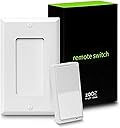
⚡ Command your smart home from anywhere—because ordinary switches are so last decade.
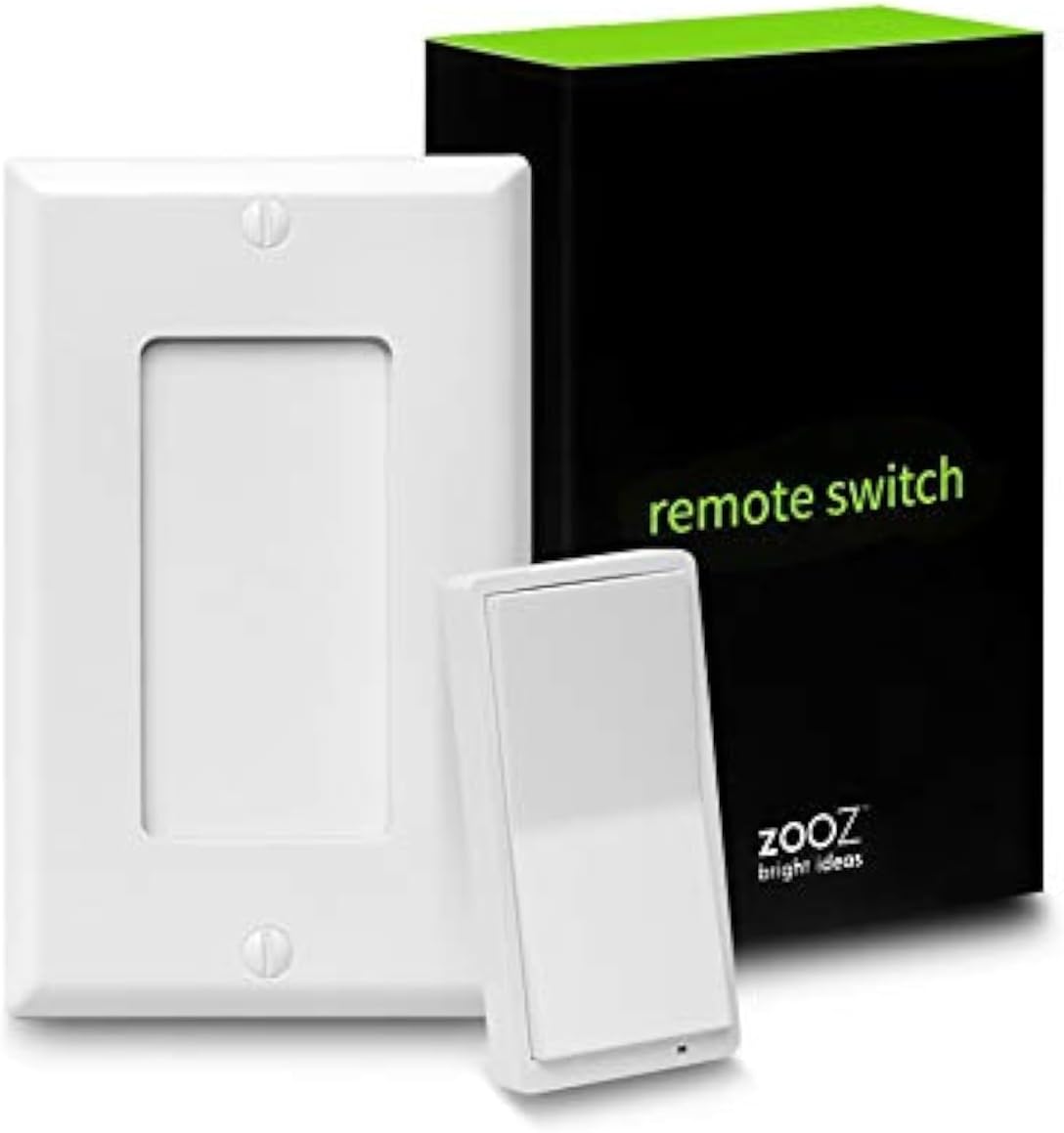
The Zooz 800 Series ZEN34 is a battery-powered, magnetic-base Z-Wave remote and scene controller designed for flexible, wire-free installation. Featuring the latest 800 Series Z-Wave chip, it delivers ultra-long range connectivity up to 1300 feet with secure S2 authentication. Compatible with leading Z-Wave hubs, it supports advanced multi-press programming for up to 8 unique commands, making it a powerful and stylish addition to any smart home setup.


| ASIN | B08TMWLY74 |
| Additional Features | Ergonomic |
| Battery Type | CR2032 |
| Best Sellers Rank | #75,031 in Tools & Home Improvement ( See Top 100 in Tools & Home Improvement ) #86 in Home Automation Hubs & Controllers |
| Brand | ZOOZ |
| Button Quantity | 5 |
| Color | White |
| Compatible Devices | Z-Wave |
| Connectivity Technology | Z-Wave |
| Controller Type | SmartThings, Switch |
| Customer Reviews | 4.3 out of 5 stars 409 Reviews |
| Manufacturer | Zooz |
| Maximum Range | 100 Feet |
| Model Name | ZEN34 |
| Model Number | ZEN34 800LR |
| Number of Batteries | 2 CR2 batteries required. (included) |
| Number of Buttons | 5 |
| Special Feature | Ergonomic |
| UPC | 853478006346 |
| Unit Count | 1 Count |
| Warranty Description | 12-month limited warranty |
A**R
I love lamp, and so does this switch
I rarely write reviews but I’m very pleased with this, so I’m writing day 1: I use z-wave plug switches power my lamps for ambient lighting in rooms (I hate harsh overhead recessed can lights, even with low kelvin bulbs). Bought this switch to control said plug switches by way of my Hubitat Elevation model C-7 running platform version 2.3.5.152. I am pleased with the result in terms of function for 3 reasons: 1) Now I don’t have to tell my voice-activated smart home devices to turn off the lights, I can simply tap the switch on my way out. 2) intuitive for visitors in my guest room, which lets them/me disable the voice based device for privacy peace of mind. 3) robust programming flexibility: via Hubitat button controller app, I can program actions for FOUR actuations of EACH switch direction (up or down) for a total of 8 possible programs! 1) press, 2) hold, 3) double-tap, and 4) release… x2. I set mine so the press turns on or off (for each respective button), hold will pause (for 48 hours) rules that turn lights off or on based on a motion sensor, and double-tap resumes said rules. No action for release, but I could see it being used to have some light on only while holding the button down then turn off on release… or actuating a motor for smart blinds. As for the device itself: Feels like a solid, quality build and sleek modern appearance blends well with modern paddle switches. Be cautious, it could differ from your switches and/or switch plates, so if you care about that you might need to swap those switches, get a new plate, put on a wider plate (not sure if practical while keeping old gang box), or accept some mismatch. One gripe: Took a couple tries to pair, had to exclude to remove it then re-add, but it ultimately worked and I can’t for certain blame the device and not myself.
M**R
Extremely easy to use with Smartthings and great battery life
I was replacing an Aeotec Wallmote Quad that had intermittent connectivity issues when it went to sleep, but also managed to only have 6 days of standby battery life. It got so bad that almost every time we tried to use it it would take two presses, and then it might need to be taken out to charge it again. This product was way better. It looks like a normal wall mount paddle switch. The battery had been going strong for months now, and it's immediately responsive. I don't believe it's a ZWave repeater and that might be the cause of these better results, but I already had a separate repeater in a socket nearby. The actual paddle switch is held to a wall-plate-looking base by short distance magnets, and fits into a slightly raised socket that keeps it from sliding around or misaligning. Adding it to Smartthings was easy, there's no special handler that needs to be installed, it's all basically supported out of the box. Programming options are to associate actions of your choice with the up and down buttons, with options for single, double, triple, and quad presses. The only indicator on up vs down on the paddles themselves are the micro LED that blinks on press. You can see it when off if you look close, but if you don't have the paddles on the wall (you can carry just the paddles around and use them just fine too) it's going to be hard to tell at a glance which is up and down. Unlike prior options (I've tried the Sengled Switch too), programming was really easy for some simple things. I wanted all lights a room to go on and off with up and down, but I wanted to be able to toggle thru some partially on options with double taps. Using the Smartthings Virtual Switches (from the Labs setting in the app now), I could do so easily.
K**C
Very functional and well made Z-Wave remote switch
If you have used the Luton Caseta Pico remotes, these Zooz Z-Wave remotes are very similar in terms of size and functionality. Primary difference is the Z-Wave functionality and mapping of the buttons you can set. There's a standard faceplate and uses magnets to stay in place within the faceplate if you want to use the remote as a replacement for a 3-Way switch. I've always appreciated the simplicity of the Lutron Caseta Pico remotes and being able to install them into wall switch location and quickly changing your single pole switch into a 3-way or more switch just using software. This Zooz switch allows you to do the same thing or just use it as a mult-functional Z-wave remote. Of all the 3 way smart switches out there for Z-wave, I think this is the most elegant solution. Remote Switch was easy to pair with Hubitat and was identified quickly (click the top button 6x to enter pairing mode), button assignments were quick and easy, and is able to work with my other Z-wave switches seamlessly. There are two batteries, so will monitor the battery life, but it's been great to see something like this for Z-wave. Quality of the plastics and construction appear to be good quality. Thus far, very pleased with the purchase and will buy another one.
S**V
A great Z-Wave remote that looks like a light switch!
If you are using Z-Wave and need a virtual 3-way setup to control an existing smart switch, or you want to control smart bulbs, this is a great alternative to installing another smart switch and putting it in "no load" or "smart bulb" modes. For one, this does not take up space in a junction box: you can put it in place of one of the switches in your j-box (and free up space for wiring), or next to the j-box and install a larger faceplate (e.g., a 5-gang faceplate for a 4-gang box), or you can install it standalone wherever you need it with the included faceplate (in which case be sure to measure so that you put it at the same height as all the other switches in your house). Note that the magnetic attachment that holds the remote into the faceplate is fairly weak. If you don't intend also to use this as a hand-held remote, consider adding some double-sided tape to hold it in place.
A**R
Decent Quality - High Battery Consumption
Works well with HomeAssistant. I have not been impressed with the battery life - it uses two CR2302 and they seem to last around two months before needing replaced.
P**S
Battery hogs
I really hate writing negative reviews, but two things made this button not work for me: #1. The batteries kept going dead and I got exasperated with changing batteries - I'm talking about a lifespan of about a month or two with little to no use. #2. On one of the switches, when I replaced the battery, the switch completely malfunctioned. Let me anticipate your question - no, I didn't put the batteries in backward. I simply took out the dead batteries and replaced them with new batteries and the light started blinking on and off and the switch no longer functioned. At that point, I gave up on these switches, installed wired switches as dummy switches and programmed Hubitat to turn on the master scene from their input. If I had no choice, maybe I would try these again, but since I had power at the locations, now I don't have to worry about batteries anymore. But the three buttons I purchased are going in the garbage - and it's a bummer because I hate to see the waste. I really wanted these buttons to work, but in the end, I felt compelled concede that they simply are not a usable product - at least for me. I'll also clarify - I am usually a fan of Zooz - I have lots of other products from their Z-wave line.
A**R
Great product, even better customer support!
This switch is great, I was able to essentially add a switch to an existing wall where I wanted one. Super easy to program with my Homey Hub. Even better than the switch is the support from Zooz. I have also purchased their Zen32 switch and had questions about how to properly wire it given my electrical configuration. I can not overstate how helpful their support team was! They were very responsive, had me send them photos of my boxes, sent me back marked up photos, and spent 45 minutes on the phone explaining different options I had. I couldn't believe they were willing to spend that much time with me. It was very refreshing to have a support team there willing to help after the purchase is made!!
S**M
Works well but eats through batteries very quickly
This product works well and looks nice on the wall and integrates well with Home Assistant. However, the issue is that this thing absolutely eats through batteries. It takes 2 CR2032 batteries and they last about a month before I have to replace them which kind of defeats it's initial usefulness for me.
Trustpilot
2 days ago
3 weeks ago