Desertcart purchases this item on your behalf and handles shipping, customs, and support to Argentina.
๐ Own your speed, ditch the rental, and stream like a boss!
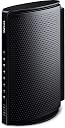
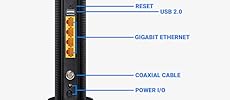
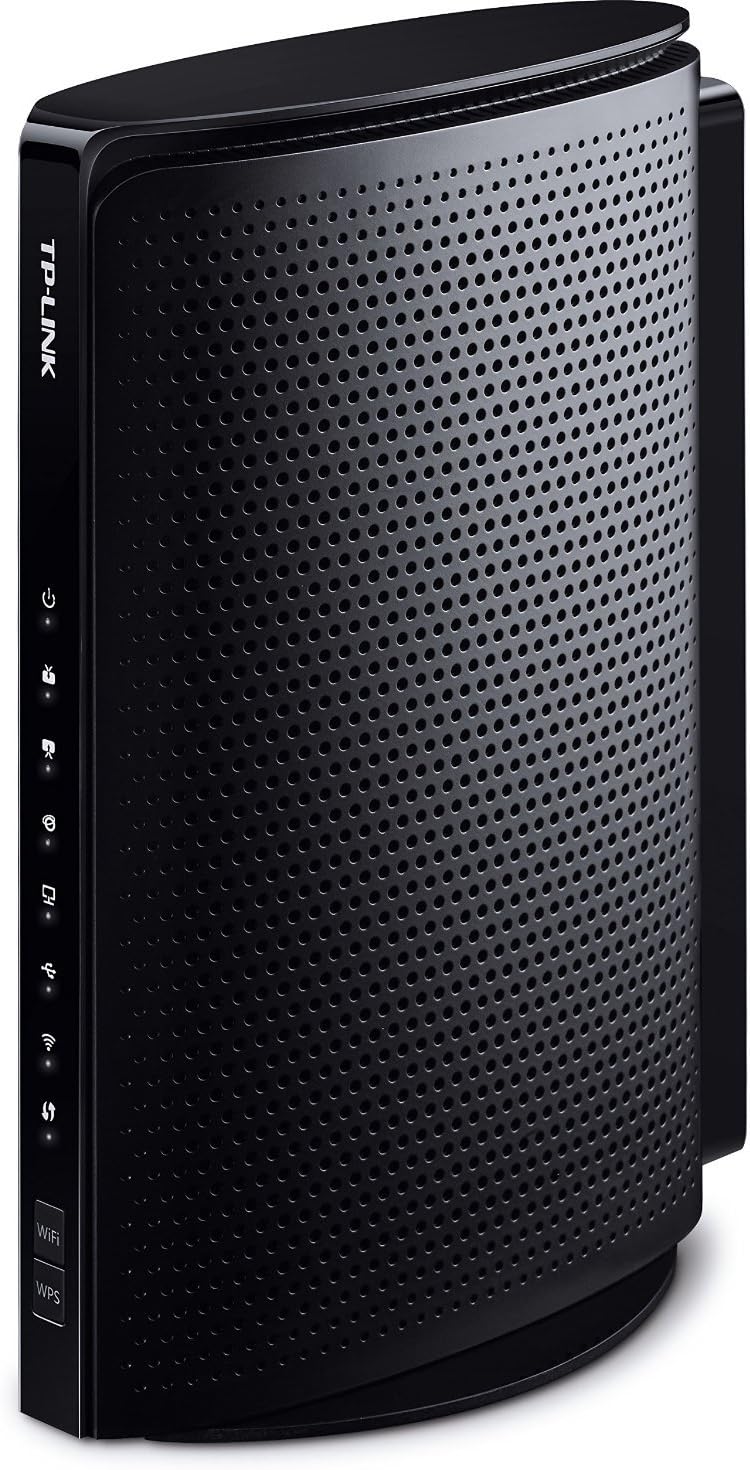
The TP-Link TC-W7960 is a DOCSIS 3.0 cable modem router delivering up to 343Mbps download and 143Mbps upload speeds. Certified for major US cable providers including Comcast XFINITY and Spectrum, it supports 8 downstream and 4 upstream channel bonding for reliable connectivity. Operating on 2.4GHz Wi-Fi 4 (802.11n), it combines modem and router functions in one device, eliminating rental fees while providing 4 Gigabit LAN ports, USB 2.0, and WPA3 security. Backed by a 2-year warranty and 24/7 technical support, itโs designed for seamless home and small office internet performance.


| ASIN | B01EO5A3RQ |
| Antenna Location | Home, Small Office |
| Antenna Type | Internal |
| Best Sellers Rank | #56 in Computers ( See Top 100 in Computers ) #1 in Routers |
| Brand | TP-Link |
| Built-In Media | TC-W7960, Ethernet Cable, Power Adapter, Quick Installation Guide |
| Color | Black |
| Compatible Devices | Personal Computer |
| Compatible devices | Personal Computer |
| Connectivity Protocol | wifi |
| Connectivity Technology | Ethernet, Wi-Fi |
| Control Method | Touch |
| Controller Type | Switch |
| Coverage | Home coverage |
| Customer Reviews | 3.8 out of 5 stars 1,999 Reviews |
| Data Transfer Rate | 300 Megabits Per Second |
| Frequency | 2.4 GHz |
| Frequency Band Class | Dual-Band |
| Frequency band class | Dual-Band |
| Global Trade Identification Number | 00845973093860 |
| Has Internet Connectivity | Yes |
| Has Security Updates | No |
| Is Modem Compatible | Yes |
| Item Dimensions L x W x H | 14.2L x 14.2W x 5.8H centimeters |
| LAN Port Bandwidth | 240 megabits_per_second |
| Manufacturer | TP-LINK USA |
| Maximum Upstream Data Transfer Rate | 68 Megabits Per Second |
| Mfr Part Number | TC-W7960 |
| Model Name | TC-W7960 |
| Model Number | Cable Modem Router |
| Model name | TC-W7960 |
| Number of Antennas | 2 |
| Number of Items | 1 |
| Number of Ports | 2 |
| Operating System | Windows 10/8.1/8/7/Vista/2013/2008, OS X 10.4 or later (Ethernet Connection Only) UNIX and Linux |
| Other Special Features of the Product | WPS |
| RAM Memory Installed | 128 MB |
| Router Firewall Security Level | basic |
| Router Network Type | Hybrid |
| Security Protocol | WPA2-PSK, WPA3 |
| Special features | WPS |
| UPC | 845973093860 |
| Unit Count | 1.0 Count |
| Wi-Fi Generation | Wi-Fi 4 |
| Wireless Compability | 802.11a/b/g/n |
| Wireless communication standard | 802.11a/b/g/n |
D**O
The TP Link N300 was a great price for an all in one solution
I wanted to get rid of the Comcast box for a while now but also didn't want to spent a ton of money on a modem/router solution. The TP Link N300 was a great price for an all in one solution. It was very easy to connect and the quick guide ran me right through the setup. I had a little trouble but that was due to the fact that I was trying to set a static IP which was easy to do but Comcast will not allow it. Nor does the Comcast tech support help, since I asked five times if my issue was due to a static IP. I have been using this now for about three months and I have it set to a static DNS server of OpenDNS to block some content. I have had no problems so far and it seems I get a little faster speeds out the the N300 then I was from my Comcast router. For a basic all in one, this is the best solution I have found for the money. Great Deal.
A**R
It works
works great
P**R
Great Router, Easy SetUp, No calling Comcast.
I purchased this as my Xfinity modem/router has been giving me problems for nearly a year. It would work for months without incident, then I'd have days where my connection would drop. It was pretty random, so the few times I called Comcast, they'd reset the router and all would be well for a few weeks. Last week, it started dropping its signal every 10-15 minutes. Now that I work from home, I couldn't take it anymore. Rather than have a tech come out, a friend insisted it wasn't my internet connection but my router. She pointed me in the direction of this router as it's the same router she set up for her 62 year old mother and mom has had zero issues. I was concerned I wouldn't be able to make it work properly, I'm tech savvy in the respect that I can handle SEO an onlne marketing.. but technical issues that run the gamut of hooking things up are not my thing. I'm a plug and play kind of girl (Mac user).. so I'm very accustomed to plugging in things and I'm done. I was worried about the setup process. But, I opened the box, followed the one sheet instructions and BOOM I'm connected. Here's what I did: 1. Opened the box and connected the coax cable from my infinity router into the back of the TP Link Right out of the box - I appreciated how much smaller the unit was in comparison to the large and clunky Xfinity wifi/modem 2. Plugged the power cord in 3. Pressed the small button beneath the power cord to turn the router on. 4. Although my personal computer is a Macbook Air (no ethernet port). My work laptop is a Dell.. so I plugged the ethernet port into that. 5. The one sheet instructions led me to the TPLink site where I logged in (username: admin/password: admin) 6. I waited for all of the lights to light up. (They are not bright.. the lights are no brighter or intrusive than the light on my AppleTv) 7. When I unplugged my ethernet and was wireless, when I tried to go to a web page I was taken to the Xfinity setup page. 8. Entered my Xfinity username and password 9. Xfinity told me I was done and connected. Things got slightly tricky for me when I went back in to change my Wireless name and password. But I quickly realized it made more sense to change the wireless name and password while connected via the ethernet cable. That was it. I'm now surfing the internet wirelessly again with great speed. I live in the city with tons of routers around me and I'm experiencing no issues or slow downs. I was also able to connect my work laptop to the wireless network via a VPN with no issues. If I could set this thing up... anyone can! It took me about 20 minutes.
R**P
DO NOT BUY
I have Mediacom with 100Mmps service. This worked great for about two months, no issues. I was ready to write a glowing review and give it 5 stars! Then the issues started. Devices are constantly dropped from the wireless connection. While streaming on a Roku or Firestick, the show will just stop, try to load, then comes up with a message that the connection has been lost. I have to restart the router and reconnect the streaming stick to wireless. This happens at about 12-15 minute intervals, so if you are used to watching TV with commercial breaks maybe you'll do fine with this router and reconnecting your wifi on a regular basis. If you check the TP Link forums for this model you'll find a bunch of other people with the same problem for this model. Same thing on Chromebook, Xbox, tablets and phones. Even when I'm the only one home and the only device connected to the wifi is my phone it will randomly disconnect. Sometimes the router just restarts on it's own. It does fine for wired connections. No issues at all there. But who uses wires anymore? I connected a smart TV, then my work laptop just to test it out and see if the connectivity was only for wireless or the modem. Nope, wired works fine. On the up side, I was able to work from home for an entire day without connectivity issues when I plugged in.
L**S
Good - Easy to set up - Works out of ...
12-MONTH UPDATE Have had it for more than 12 months now, so it more than paid for itself. However, wifi connections kept getting dropped. So, I have now paired it with a Google WiFi Router and the pair works perfectly now to give me reliable and fast wifi internet all over my home. โ Original Review Follows โ Summary I bought this because it was cheaper than 12 months of rental from Comcast. Good - Easy to set up - Works out of the box with Comcast/Xfinity - Good speed (more than what Comcast provides with my level of subscription) Bad - I had to reset this every few days when my wifi devices get discounted - WiFi connection speed were lower than the wired connection NOTE: As my name implies, I intend to update my reviews throughout the lifetime of this product. I will update this review with changes I experience with this product as I encounter them. Thank you for reading.
Trustpilot
2 weeks ago
1 day ago