Desertcart purchases this item on your behalf and handles shipping, customs, and support to Argentina.
๐ผ Store More, Stress Less โ Your Portable Powerhouse for Work & Play!
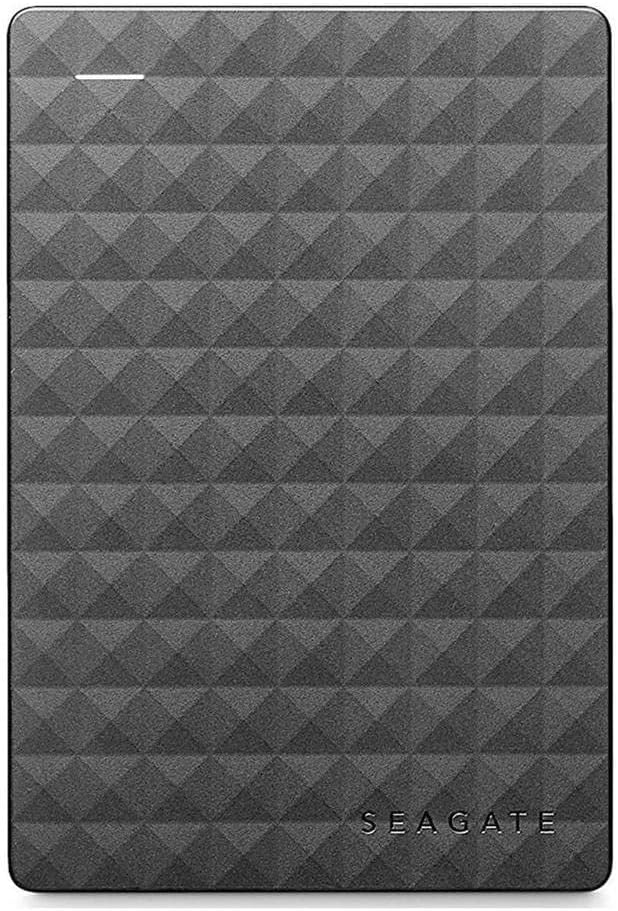
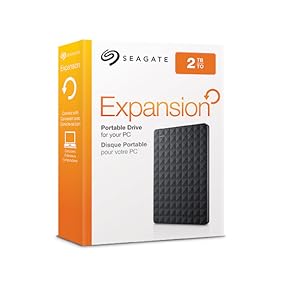
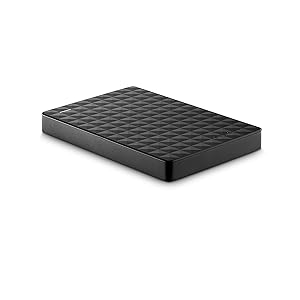
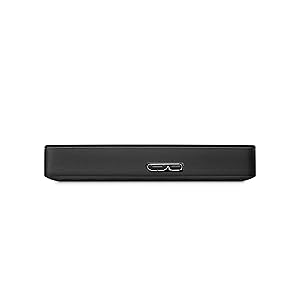
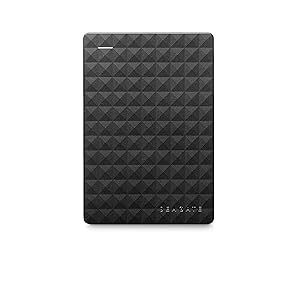
The Seagate Expansion Portable External Hard Drive offers a robust 2TB storage capacity with fast USB 3.0 connectivity, delivering plug-and-play ease for Windows, Mac, and gaming consoles. Its compact, lightweight design makes it perfect for professionals and gamers on the move, while energy-efficient features and a 1-year warranty ensure reliable, long-term performance.


| ASIN | B00TKFEE5S |
| Additional Features | Portable |
| Best Sellers Rank | #49,907 in Computers ( See Top 100 in Computers ) #236 in External Hard Drives |
| Brand | Seagate |
| Built-In Media | Seagate Drive |
| Cache Memory Installed Size | 2 |
| Color | Black |
| Compatible Devices | Laptop, Xbox One, PS4 |
| Compatible Video Game Console Models | Microsoft Xbox One |
| Connectivity Technology | USB |
| Connectivity technology | USB |
| Customer Package Type | Standard Packaging |
| Customer Reviews | 4.4 out of 5 stars 85,910 Reviews |
| Data Transfer Rate | 5120 Megabits Per Second |
| Digital Storage Capacity | 2 TB |
| Digital storage capacity | 2 TB |
| EU Spare Part Availability Duration | 3 Years |
| Enclosure Material | Plastic |
| Form Factor | Portable |
| Global Trade Identification Number | 00763649064887, 07636490063435 |
| Hard Disk Description | Mechanical Hard Disk |
| Hard Disk Form Factor | 3.5 Inches |
| Hard Disk Interface | USB 3.0 |
| Hard disk form factor | 3.5 Inches |
| Hard disk interface | USB 3.0 |
| Hard-Drive Size | 2 TB |
| Hardware Connectivity | USB 3.0 |
| Hardware Platform | Windows |
| Installation Type | External Hard Drive |
| Item Weight | 181 g |
| Manufacturer | SEAGATE |
| Media Speed | 1 |
| Mfr Part Number | STEA2000400 |
| Model Name | Expansion |
| Model Number | STEA2000400 |
| Number of Items | 1 |
| Special features | Portable |
| Specific Uses For Product | Personal |
| UPC | 667562731676 763649064887 |
| Unit Count | 1 Count |
ุด**.
Top Notch
Excellent product Have been using it for 4 years now, and I dont have any issues with it.
S**O
Perfect Product for an Amazing Price and was suitable for my MAC
Perfect Product for an Amazing Price . After my order in the night i exactly recieved my product next day in the afternoon. It was Black in colour with a USB 3.0 wire. Dimension are 11.5cm X 8cm . And was exactly how it was how in the picture. I followed the online demo mentioned on youtube to format it to Mac (exFAT) and it was easy to convert. If i need another one i will order this product again as it was at a best price in the market.
H**I
Its amazing
I really love this item since it gives you extra space on your console or device I have no problem with it I just wish it would be a bit cheaper.
O**M
Very good
Very good
I**M
Great Product
After using it for almost two years, the product is good and can work on its files like the computer disk. I managed to transfer almost 100 GB in a couple of hours; not sure if it is a fast speed because it still depends on many factors. My only regret is not buying a hard disk with a larger storage size!
C**Z
Fully functional! Great storage.
Iโam currently using this for my ps4, and it works! Made me install all my other games. Great storage card!
T**R
Very good device
Very good device
Z**B
Good for price and space
it was a good bargain thank you very much for sending it on time. Hard drive is working working very perfectly.
R**I
Great small hard drive
Small, compact, no issues connecting to laptop, PC, ps4 or even ps5 all transferred over smoothly, quickly. No issues with the extendable hard drive.
H**A
Otimo
Top, muito bom, funciona perfeitamente!
Z**N
Best for PS4 and PS5
The product does what it is meant to. Been using it to store ps4 games from ps5 and it has been doing its job. Game Performance is still the same which is a plus.
ใฒ**ใ
่ฏใๅๅใงใใ
่ฏใๅๅใงใใ
R**D
Yes even you can upgrade your PS4 HDD, no experience necessary!!
I had read on a couple of forums that this HDD is one of the most economical ways to upgrade space on the PS4. I purchased 2 of them, one to use in the PS4 and one for the backup and to load movies on for the car trips so this will be a review as well as a little step by step for those of you looking to use this unit for the same thing. DISCLAIMER: I have never opened a computer on purpose and am not trained in any way on how to do what I did, but it was super easy following the steps laid out by Sony. In order to use this drive for the PS4 backup I used my laptop to format the drive to FAT32. The default format is ntsf and will not work for the PS4 backup. Plus there is some install files that are not needed for this use. I then used this drive to back up the nearly 500GB of apps and player data following Sony's guide for this which is here: [...] It took about 3 hours using this drive because of the write speed. A solid state drive would have been faster and probably twice as expensive. Then I formatted the other drive keeping the ntsf format but ridding the drive of the unnecessary files. Removing the drive from the case is fairly simple using the smallest screw driver I had in my set from about a half inch away from a corner sliding it along the seam towards the corner until one of the clips pop. The lid then comes off easily under fingernail power. NOTE: this will void the warranty so make sure you have formatted and tested the drive prior to breaking the case seal. Be careful not to crack the case, we are going to use it later. The drive is held in the case by 4 rubber screw covers that keep it snug. Turn it over and with a gentle tap it falls loose. Take the covers off the screws and remove the screws. There is a foil cover protecting the usb adapter which you should remove carefully and set aside with the screws and rubber covers (I'll explain why in a bit). The adapter comes of easily with a little wiggle. Installing the drive is super easy thanks to Sony having the foresight to know 500GB just wouldn't be enough memory. Follow these simple directions to install the drive: [...] Make sure to download the reboot update file to a thumb drive prior to restarting your PS4. You will also need your PS4 controller cable to use the controller until the initialization is completed. DO NOT SIGN INTO PLAYSTATION NETWORK UNTIL YOU RESTORE YOUR PS4 FROM THE BACKUP DRIVE. It takes as much time to restore as it did to backup so be ready to do something else for a bit depending on how much data you have... oh wait, I have an idea, lets use the old PS4 drive to make another 500GB external drive! Put the drive back together using the removed USB adapter, screws, rubber covers, and aluminum sticker shield. DO NOT START THE FORMAT PROCESS UNTIL YOUR PS4 IS INITIALIZED, RESTORED, SIGNED INTO PSN AND YOU HAVE CHECKED FOR ALL OF YOUR DATA, APPS AND GAMES. YOU MAY REGRET NOT LISTENING TO THIS ADVICE IF THE DRIVE IS CORRUPTED. Unfortunately you are not able to initialize the PS4 drive the same way you can the other HDD. You have to manually delete each partition and format from Computer Management. I found the step by step on this here :[...] The hardest part was finding where to go to find the drive because the author of this post missed a step on how to get there. What I did was went to CONTROL PANEL> SYSTEM AND SECURITY> ADMINISTRATIVE TOOLS> COMPUTER MANAGEMENT and found the drive the same way you would on file explorer. The rest of the instructions are fairly straight forward. Now having used the PS4 for about a week I can tell you that it works great, has plenty of storage room, and is quiet during operation. I did a lot of research on solid state drives prior to picking this drive instead because for me the speed gained was not worth the extra money watching the side by side reviews like this one : [...] I feel like I made the best choice for my budget, experience, and needs. I have since also installed the second drive into the other PS4 we have and used the 500GB drive I made from the first PS4 upgrade for the backup.
Trustpilot
2 months ago
1 week ago