Desertcart purchases this item on your behalf and handles shipping, customs, and support to Argentina.
🎨 Elevate your art game with precision and freedom — draw like a pro, anywhere!
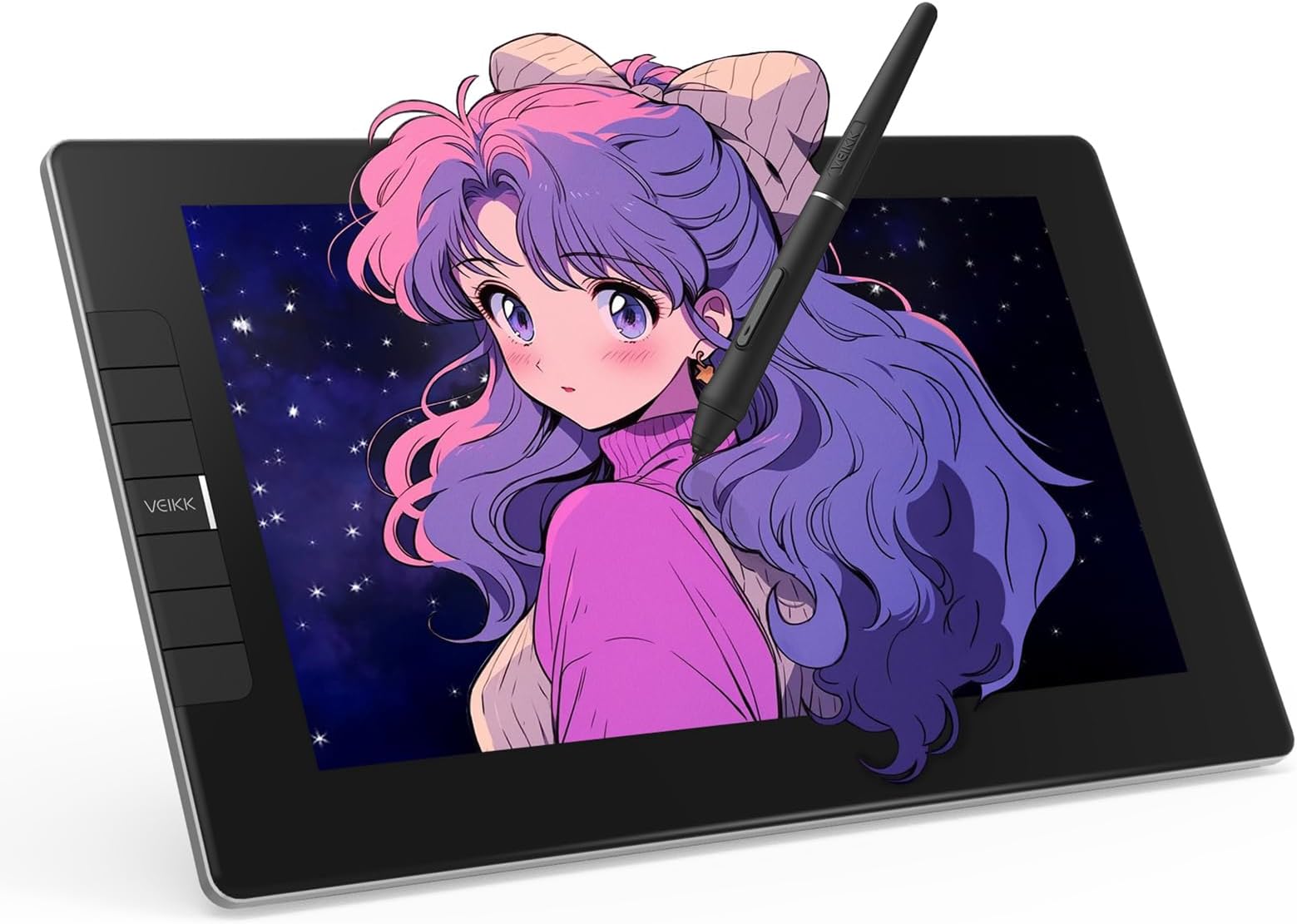
The VEIKK VK1200 V2 is a professional-grade 11.6-inch drawing tablet featuring a full-laminated, anti-glare IPS display with 1920x1080 resolution and 72% NTSC color gamut. It offers industry-leading 16384 levels of pressure sensitivity and 60° tilt support via two battery-free pens, ensuring natural, uninterrupted creativity. Designed for seamless integration, it supports single-cable USB-C connectivity and customizable shortcut keys, making it ideal for artists, designers, and remote professionals seeking a compact, stylish, and highly responsive digital drawing experience.


| ASIN | B08G8CKSWK |
| Active Surface Area | 11.6 inch |
| Additional Features | 16K Pressure Sensitivity, 6 Shortcut Key, 60° Tilt Support, Anti-Glare Glass, Extra-Slim, Full Lamination |
| Best Sellers Rank | #72 in Computer Graphics Tablets |
| Brand | VEIKK |
| Built-In Media | Digital Pen, Pen Nibs, Pen stand, Glove, HDMI Cable, Quick Start Guide, USB Cable |
| Color | Black |
| Compatible Devices | Desktop, Laptop |
| Connectivity Technology | HDMI , USB |
| Customer Reviews | 4.3 out of 5 stars 1,181 Reviews |
| Display Type | LED |
| Item Dimensions L x W | 12.52"L x 7.44"W |
| Item Type Name | Drawing tablet with screen |
| Item Weight | 809 g |
| Manufacturer | VEIKK |
| Mfr Part Number | M4-VK1200 |
| Model Name | VK1200V2 |
| Model Number | VK1200V2 |
| Native Resolution | 1920x1080 |
| Number of Items | 1 |
| Number of Packs | 1 |
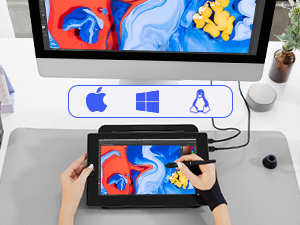
| Operating System | Windows 7 or later , Mac OS 10.12 or later, Linux |
| Pressure Sensitivity | 16384 levels |
| Screen Size | 13.3 centimeters |
| Special Feature | 16K Pressure Sensitivity, 6 Shortcut Key, 60° Tilt Support, Anti-Glare Glass, Extra-Slim, Full Lamination Special Feature 16K Pressure Sensitivity, 6 Shortcut Key, 60° Tilt Support, Anti-Glare Glass, Extra-Slim, Full Lamination See more |
| Specific Uses For Product | Digital Drawing & Animation, E-Signature & Online Education & Remote Work, Graphic Design & Image Editing |
| Target Audience | Art Teacher and Student, Artist, Designer |
| UPC | 601707036486 |
| Warranty Description | 1 year |
S**C
Good quality and budget-friendly. Perfect for travel or beginners.
I had been looking for a decently sized tablet to travel with and I'm really glad I came across this product! I've used a lot of different tablet brands in the past and this is on par with the expensive big name ones. It's portable, budget-friendly, and perfect if you're looking for a good starter for tablet monitors. What you need: 1 desktop or laptop computer 1 USB port 1 HDMI port. That's it! :D - Lightweight but thick enough that I feel safe traveling with it. - No power outlet needed! Power cords also tend to be rather bulky so I'm glad this tablet doesn't need it. - Setup and driver installation was easy. You only have two cords to plug in and the driver is available to download directly from their website. - Pen is very light. I prefer a heavier weight for my stylus so I'll be seeing if I can find a grip to add onto this. (Plus Ergo Grip for Wacom Pro/Pen Stylus does *not* work for this stylus. The pen is too thick to get the grip on.) - Screen has a smooth matte texture! I prefer drawing on matte instead of glossy because it's got a better feel to it. It has the resistance similar to drawing on paper and helps control my brush strokes. - Shortcut buttons can be programmed in multiple ways and you can even set different button functions for different programs! - Battery-free pen!!! All my previous tablet pens required charging and I remember that feeling of waiting for your stylus to charge while your body demands to draw. I'm so happy this pen doesn't need to be charged and works right out of the box. Also, there's two of them :) - Parallax is not as noticeable. From a top view, as you're using the tablet normally, there is no visible gap between the pen nib and the screen. Things to keep in mind: - The USB cord they give you has a black and red connector extension. Make sure to insert the black one into your computer, not the red! - The driver program will not display settings if your tablet is not connected. - If you have another tablet driver installed, uninstall it first or some functions won't work properly. - Remember to calibrate your tablet! :D
T**M
Great display tablet for it's price
Let me first start off by saying how impressed I was by the packaging. The box is very sturdy (the lid has padding to protect the tablet) and everything was packed neatly inside. When you first open the box, the VK1200 is the first thing you see and I have to say that I'm loving the minimalistic design. Super sleek! Once you lift the tablet, there is a paper and underneath that lies all the other accessories. Just like the listing says, this product comes with: the VK1200 tablet display, hdmi cable, usb cable, replacement pen nibs, pen holder, nib remover, artist glove, cleaning cloth, 2 pen pockets, and 2 pens. For someone who had been contemplating getting an ipad pro because I've been wanting a display tablet to draw on. I think the VK1200 is an excellent alternative because of the price, even if it is not a standalone product and needs to be plugged into a computer, but also because of the size. Personally, I haven't been outside due to Covid restrictions (besides for essentials) so the VK1200 is perfect for me since I simply keep it on my desk and draw when I need to. Set up was a bit confusing at first (after the initial installation), but I think that was mostly because I am using a dual monitor set up and so the VK1200 is my third monitor and it messed up my settings a bit. With a bit of tweaking in the VEIKK tablet settings, however, I was able to map my VK1200 so that it is an extended monitor rather than mirroring one of my other monitors. One issue I did run into was after I set that up, the pen calibration wasn't functioning correctly (on Windows 10). To fix the issue I had I needed to uninstall my old driver and then install the newer driver on the VEIKK website. This is the first time I've had a display tablet so I'm still getting used to it, but so far I love it. It is so convenient to be able to see what I'm drawing directly instead of starting at a second screen. It gives me the sense of drawing traditionally since I can see my art coming to life right underneath the pen in my hand instead of just under a cursor on my screen. Another thing I've noticed is that the tablet itself seems to have a slight texture to it and that was a pleasant surprise because I fully expected there to be super smooth glass (which I don't really like). This was great since I'm used to my tablets having a slight texture to mimic a 'paper' feel. The tablet also comes with six keys which can be customized to any shortcut you want (I changed mine to undo and redo. Haha as an artist you'll always need that ctrl+z!). You'll just have to go under the VEIKK tablet settings to change them. Would I recommend this to others who have been looking for a display tablet? Definitely.
S**N
An Affordable and Functional On-Screen Drawing Tablet
Here's the bottom line: Does the VK1200 Veikk tablet provide a legitimate alternative to Wacom's Cintiq line, offering a comparable on-screen drawing experience at a vastly more affordable price point? Absolutely, yes. Are there some things which are important to know in order to make a fully-formed opinion about whether this particular on-screen drawing tool is right for you? Also, yes. First off, the product arrived in its own packaging without any further box or packing material, so I was slightly wary about its condition. However, upon opening the package, I found everything was in excellent shape, no damage at all. The company who makes the Veikk tablet is generous with its accessories (see photo with chapstick for size reference!): you receive TWO stylus pens (great for artists like me who are always misplacing their stylus) as well as a flexible felt case ("pen pocket") for each, a pen holder/stand, plus 28 total extra stylus nibs (8 of which fit inside slots in the pen stand itself, making this pen stand probably the only one I won't eventually throw away). The tablet also comes with a two-fingered drawing glove for minimizing screen-smudges/smoothing your strokes, a screen cleaner cloth, and a small tool for removing/replacing the nibs. It also comes with the cords you need to get started: a USB cord for powering the tablet and an HDMI cord for getting your computer to see the tablet as another monitor. The instruction booklet implies that for some user setups, an adaptor cable (not included) may be needed, but I had no trouble getting the tablet to power on using only the included USB cord. It's refreshing to have much less cord/adapter clutter than I had with my Cintiq. Unfortunately, despite the much less expensive cost, the Veikk is no easier than the Cintiq to set up and get to drawing, and in some ways is more challenging. First of all, there is a bit of a learning curve here, even for someone with decent computer skills and experience with other on-screen drawing tools. To get the Veikk tablet to work properly, the drivers must be downloaded and installed manually. Thankfully, there is an included card printed with the website where the drivers can be found-- just don't expect plug and play functionality. Secondly, and perhaps more importantly, to get the pressure sensitivity to register in Photoshop with this tablet took me a couple of hours of internet research and some irritating trouble-shooting before it would function properly (This is, apparently, a fairly common problem with the Veikk tablets, though not an insurmountable one). But it could discourage those artists who are tech beginners (a shame, as in every other way, this is a GOOD tool for those who want to try an on-screen tablet for the first time and don't have the funds to afford a Cintiq or iPad/Pencil). However, once I got past the initial set up problems, I have to say I really like how it feels to draw on this tablet! It has a nice, lightly toothy surface that feels good to draw on, and the addition of the drawing glove keeps the screen free from hand smudges (The glove itself is a spandex stretch fabric, so should fit most hands, though I found it a bit too big for my smaller-than-average hands). The screen does pick up smudges and fingerprints easily, but they are equally easy to clean off. The tablet has six programmable buttons that by default are on the left side, but with some fiddling in the tablet settings, you can set it into left-hand mode so you can flip the tablet around to get the buttons on the right-hand side. The matte plastic stylus itself has a nice grippy texture, but is very light. Much lighter than the iPad's Pencil, and lighter than wacom tablet pens-- perhaps the heft of an average wooden pencil. The weight took some getting used to, and both the pen and pen holder feel somewhat cheap because of how light they are, but it definitely isn't a deal-breaker for me, and after some use I like it just fine. The size of the pen feels good: thinner than the Cintiq pens, but bulkier than Apple's Pencil. The tablet is fairly light, but thanks to the metal body it doesn't feel cheap. It's a good tablet for using in your lap, but it doesn't have any feet, a stand, or any way to set it at any angle aside from flat if you use it on a flat desk (Veikk's more pro-level tablets do provide this kind of stand however, if that's something you've gotta have). The VK1200 is an appealing size to hold, smaller than the smallest available Cintiq by 2 inches in both length and height (the VK1200 tablet is about 12.5"x7.5" and the monitor display dimensions are about 10"x5.75"). The actual drawable area is a bit smaller than this, however as any lines or strokes drawn within a 1/4 of an inch on each edge of the display will be disrupted (see the pink border area in photo of tablet screen). Additionally, I discovered that if one tries to draw a line that starts off or near the edge of the display, an odd glitch will shoot a long, straight pen stroke across the whole screen (see photo). If one tries to draw a stroke that starts in the drawable area and goes OFF the display, the line will cut short before reaching the edge of the screen. These things are frustrating on their own, but also make Full-Screen Mode in Photoshop difficult to use, especially without also having a mouse handy, as the tablet won't register the pen on the edge of the screen where you need the cursor to hover in order to pop out the hidden menus. If, however, you work in Standard Screen (with menus), or Full Screen with Menu Bar, this ~1/4 inch zone is much less of an issue and shouldn't interfere with drawing. I should also point out that my old Cintiq (can't speak for the current models) also struggles with keeping strokes smooth toward the outside edges of the drawable screen, so that part of the issue isn't unique to the Veikk. And it doesn't make the tablet unusable by any means. IN SUMMATION: Pros: ~Very affordable price (more than $400 less than cheapest cintiq) ~A great option for someone looking to upgrade to an on-screen drawing tablet without breaking the bank ~Sleek, attractive design, comfy size ~No bulky adapters, only two cords ~Generous with included accessories ~Toothy, satisfying drawing surface that feels good to work on ~Responsive and smooth drawing (once you get that pen pressure issue fixed) ~Good looking screen Cons: ~Takes some trouble shooting to get pen pressure to work ~Not the best for tech beginners ~Not compatible with full-screen mode in Photoshop Overall, the Veikk VK1200 tablet is a worthwhile purchase if you are looking to transition to on-screen drawing without having to spend nearly as much as Wacom's products demand. The drawing experience itself is just as smooth and satisfying as it is on the Cintiq, so long as you don't mind the up front investment of energy in getting everything to work properly, or if you are lucky enough to have a tech friend to help you out. :)
W**S
Amazing Starter Tablet
I bought this tablet back in October of 2022, so I've had it a while and used it quite a lot. Here are the pros and cons I found. Pros: -Amazing beginner tablet due to its lifetime, easy-to-use features, and price. -Comes with 2 stylus pens, which was really handy when one broke (about a year in, which is expected) -The tablet itself connected really easily to the computer and art programs, as well as the pen. -Pen had amazing pressure sensitivity -Personally loved the packaging, and it didn't come damaged. Cons: -After about 2 and a half years, the screen began to peel away from the tablet and develop small air pockets, making the pen inaccurate over those spots. -The only way to change the side buttons that I found was by downloading the associated app on my computer, but by doing so, it messed up the touch sensitivity, so the buttons were mostly useless to me. -The tip of the pen when drawing seemed off by maybe a couple pixels, which didn't make a difference at first, but slowly became more noticeable. Overall review: If you are looking for your first tablet, I would absolutely recommend this one. The only reason I found any of the cons is because of the time I had it, which is pretty good. I would definitely say go for a higher quality one if you're already experienced with other tablets.
A**R
A GGreat Product, Well Worth the Money.
Originally, I was going to buy a much cheaper drawing tablet as a treat to myself for Christmas, but my husband looked at it and convinced me to look at the VEIKK instead, and I'm really glad that he did. I was only looking for a digital drawing tablet to play around with, but the VEIKK does so much more than that. For one thing, the screen can lay flat in front of you as a work surface, and you don't have to constantly look up at uncomfortable angles to work. (It can also stand upright as a screen if necessary) But, flat, I can use it to take notes, or write handwritten personal notes to friends, as well and using it to draw. It also brings the screen closer to me, so that I can read books and articles, as well as seeing my email and on line shopping sites better - without enlarging the screen so much that I can no longer see a whole page. A surprisingly valuable addition to my productivity. I'm sure that with time I will find many more advantages, but so far, I have only touched on what the tablet can do. It is not dependent on battery, so none of the worry of having to find a new battery in the middle of a project, and the brightness is easily adjustable to suit personal criteria. One additional advantage that I have found is the well written on line manual. As I said, I have probably only touched on all it can do, but I love using it.
N**T
Good first drawing tablet
I'm going to start this being honest that this is my first drawing tablet so I can't compare it to others. That said, I really like it. The box comes with a little two-finger glove to put on the pinkie and ring finger so it won't pick up your body hitting the tablet and also keeping it clean. It can get pretty bright if you want it to - I've been keeping it at about 50%. The pen is pretty comfortable, but you might want to get a a grip for it if want to go for all day. It came with a cleaning microfiber wipe and many additional pen tips if you need them. It's really responsive. I got this one because it was the cheapest I could find, and I'm really impressed with it.
J**Y
don't lose any cables that come with it, you will have to get from them at 1000% mark up
this thing was a complete nightmare I bought it to learn how to use a tablet after finally getting it to do something i walk away from it because i had enough, when i went to try again to use i i couldn't locate the cable responsible for the data to go to my laptop, so no problem i have 20 of them laying around from different devices. I tried to plug. 10 or 12 of them in. It will not fit because a normal cable is too thick, so I shaved the rubber off the sides to make it thin enough to reach the port, and it simply wouldn't fit in the hole anymore. So $149 that I'm throwing out my trash right now. I wish I had returned it the day I realized that none of my cables were going to fit, and you have to pay over $20 for a $2 cable. I decided this product is not worth another headache and put it where it belongs. Thanks for another crappy Amazon suggestion
C**R
Very Beginner Friendly!
Very good beginners Drawing Pad!!! I got it to start out after drawing with my finger on a 2013 iPad fo several years, and it was great, and at a very decent price! Everything came nicely packaged and it was very easy to set up and get going. It only took me 10 minutes to get everything setup after getting it unpacked. It does require base minimum tech knowledge as you may have to go to your files, but other than that it included a very helpful guide. 10/10 would reccomend to another beginner
X**V
excellent
J'utilise cette tablette pour l'enseignement à distance, la prise de notes et l'annotation de pdf. Pour la prise de notes et l'annotation de pdf, l'ipad pro reste mon outil préféré. Pour l'enseignement à distance et les meetings en-ligne, je lui préfère la Veikk 1200. L'écriture sur l'écran est plus comfortable (et stable). Le rapport qualité-prix est imbattable. POSITIFS + écran mat superbe, et agréable au toucher + tablette compacte, sobre (touches de raccourcies discrètes) et très jolie + pas besoin de la brancher sur une prise murale ; on utilise seulement l'ordinateur (prises usb A + hdmi) + expérience d'écriture excellente sous OneNote for windows. + fournis: 2 (porte-)stylos, 1 chiffon, plein de mines, 1 gant + prise en main stylo est bonne + touches de raccourcies pratiques NEGATIFS - fonction "rotate" ne semble pas encore au point (pour configurer la tablette pour gaucher) - expérience d'écriture en deçà de celle délivrée par un Ipad pro ou samsung galaxy tab s (mais bon le prix n'est pas le même) ; obligé de recalibrer lorsqu'on change d'OS ; peut-être moins de fluidité sous mac - pas de pieds intégré - une sacoche de transport aurait été sympa J'avais essayé une wacom, et la Veikk 1200 n'a rien à lui envier.
S**N
grafiktablett
war nicht überzeugt,leider
C**N
Tavoletta grafica con schermo.
Ottimo prodotto, come da descrizione, molto preciso con poco parallasse e bella pure esteticamente.
A**Y
Studio VK1200 pen display
Drawn with the Veikk Studio VK1200 V2 screen tablet !! VK1200, this was my first time using a tablet from Veikk, and I just want to mention how kind and patient they’ve been with me throughout this entire process. Thank you so much. The tablet was incredibly easy to set up, which I absolutely love. I am normally used to cable heavy setups, I was very happy when I found out that my laptop could power up the tablet on its own. The manuals provided clear and easy to follow instructions. Big bonus that it comes with two pens, which is suuper useful. My favorite thing about the tablet is its sleek, compact design, making it very portable. I took this tablet on a week-long solo trip, and it proved to be 100% travel-friendly. I had zero issues and managed to finish my artwork at the hotel stay :D The only minor drawback I experienced was the initial low brightness, but I later discovered it to be easily adjustable. Stand needs to be purchased separately. Overall, my experience with the tablet has been solid, and I’ll definitely be taking this tablet with me whenever I’m away from my home setup. It’s a recommendation for artists looking for a quality tablet at an affordable price.
B**E
Mejor de lo esperado
Llego en tiempo y forma, lo que NO ME GUSTO fue que me la entregaron en un sobre de plástico, ya que al ser un aparato electrónico deberían de manejarlo con más cuidado, la caja tenía un golpe, pero el interior se encontró en buenas condiciones Es pequeña, liviana, su area de dibujo por el tamaño es reducido pero a mi no me afecto, al contrario trabajo muy cómoda, es económica con respecto a otras, así que en videos mencionan que es buena para principiantes, solo puedo compararla con mi xp pen artist 13.3 v2 la cual es un modelo obsoleto, la pantalla cuenta con mejoras a comparación el trabajo lo hago mas rápido, no me a tocado lag o parala, tampoco se calienta tanto como e leído de otras, lo unico que para mí es un poco incómodo son lo corto de sus cables en una laptop puedes conectarla sin problemas, el detalle es si tu pc tiene escritorio pequeño sin suficiente espacio así que tendrás que ver como ajustarte, le falta un soporte o base para evitar cansarte así como lastimarte la espalda y cuello si trabajas muchas horas en ella Como dije antes nunca e trabajado en pantallas de dibujo "pro" pero esta te servirá muy bien si vas empezando o ya tienes mucha experiencia, como plus es portátil, la experiencia de dibujo es simple y agradable
Trustpilot
1 month ago
1 week ago